acts_as_paranoid: soft delete as a default scope, not a boolean flag
ActiveRecord plugin allowing you to hide and restore records without actually deleting them.
At a glance
- What is it?
- acts_as_paranoid hides ActiveRecord rows behind a default scope and hides several sharp edges along the way: deleted rows still block uniqueness, destroying twice is a real delete, and pairing it with ActiveStorage raises a SystemStackError. Rails 6.1 and Ruby 3.1 are the floor.
- Who is it for?
- acts_as_paranoid is a sound choice for a Rails application on Ruby 3.1 or later that needs an undo window on deletion and is willing to say destroy_fully! where it means a real delete. Skip it if your models carry ActiveStorage attachments, since the README records a SystemStackError for that combination, and think twice if you are still on Rails 6.0 or Ruby 3.0, where you must pin an older gem.
- Can I use it commercially?
- Yes. MIT is a permissive licence: you can use, modify and sell software built on it, as long as you keep its copyright and licence notices.
- Is it still maintained?
- Yes. The repository received new commits within the last day.
- What is it written in?
- Mainly Ruby, according to GitHub's language statistics.
Answers come from the project's GitHub data, last synced on October 23, 2026, and from our analysis. They are not legal advice.
Star history
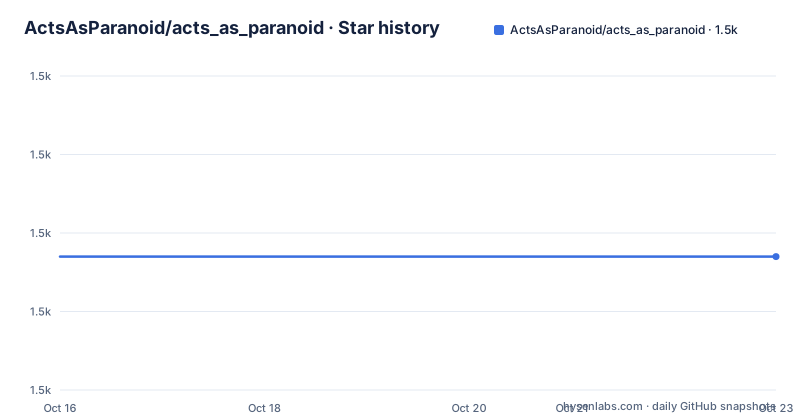
- ActsAsParanoid/acts_as_paranoid1,507 ★ · +0
| Repository | 2026-10-16 | 2026-10-23 |
|---|---|---|
| ActsAsParanoid/acts_as_paranoid | 1.5k | 1.5k |
0 Stars in the last 7 days, measured from the daily GitHub snapshot. Compare with other projects
Editorial analysis
Deletion is a default scope, so ordinary queries never see it
The mechanism is one filter. Once a model declares acts_as_paranoid, hiding a record writes a marker rather than removing the row, and every ordinary query on that model excludes marked rows. The README states it directly: Paranoiac.all will not include the deleted records. Two scopes open the view back up. Paranoiac.only_deleted returns just the hidden rows, Paranoiac.with_deleted returns everything. When the marker column is a timestamp, which is the default, three more scopes exist for slicing by time: deleted_after_time, deleted_before_time, and deleted_inside_time_window, which takes a reference time and a duration such as 2.minutes to return a window in one call. That combination is what makes it possible to ask, later, exactly which rows a bad batch job hid in a two minute span.
The marker column can be a datetime, a boolean or a string
By default the gem assumes deletion lives in a datetime column named deleted_at, which is why the migration in the README adds that column with an index. If your schema already uses something else, two options redirect it: column changes the name, column_type changes the type, and the allowed types are boolean, time or string. The time type maps to a database column of type datetime in your migrations and schema. A string column accepts a deleted_value option, defaulting to "deleted", and any row whose value does not match that string counts as not deleted. The boolean type brings allow_nulls, true by default: with it enabled any non-null value counts as deleted, and with it set to false the row must literally hold true.
Setting up a paranoid model takes three steps
Start by adding the gem to your Gemfile and installing the bundle. The version constraint pins it to the 0.11 series:
gem "acts_as_paranoid", "~> 0.11.0"bundle installThen generate the migration that creates the marker column. The generator adds the column and its index in one go:
bin/rails generate migration AddDeletedAtToParanoiac deleted_at:datetime:indexFinally, declare the model as paranoid. Nothing else is required:
class Paranoiac < ActiveRecord::Base
  acts_as_paranoid
end
At that point destroy on the model hides the record and you can bring it back with recover. The README also warns up front about two constraints: you cannot create a model directly in a deleted state, and you cannot update a model after it has been deleted.
Destroying twice is what actually deletes the row
The readme is explicit that destroy only hides. Real deletion has its own methods: destroy_fully! on an instance, delete_all! on a relation with your conditions. Two escape hatches catch people out. First, destroy! still works but behaves like destroy, hiding the object rather than removing it. Second, a record that was already hidden can be destroyed again to remove it for real, which the README shows by fetching the first record with only_deleted and destroying it a second time. That double tap is controlled by the configuration option double_tap_destroys_fully, and the README says false will become the default in a future version. If you rely on hiding, pin the option rather than depend on the current default.
Deleted rows keep blocking uniqueness until you ask otherwise
ActiveRecord's built-in uniqueness validation counts rows that acts_as_paranoid has hidden, so a soft deleted record still reserves its name. The gem fixes this with a pair of macros. Declare validates_as_paranoid on the model, then use validates_uniqueness_of_without_deleted instead of validates_uniqueness_of. The README walks through the consequence: create a record named foo, destroy it, build a second record with the same name, and the second one saves cleanly. Recovering the first then fails validation, because the name is taken again. If you need that failure to raise rather than return false, recover! does it and ActiveRecord::RecordInvalid surfaces the message, and recover(raise_error: true) behaves the same way.
Recovery drags dependents back only inside a two minute window
recover restores a hidden record, and by default it recursively recovers associations marked dependent: :destroy. The catch is a time window. Dependents are brought back only if they were deleted within two minutes of the parent they depend on, so the restore reconstructs the state before a cascading delete without resurrecting rows that were hidden earlier for unrelated reasons. That two minute figure is configurable per model with dependent_recovery_window, or per call with the recovery_window option on recover. Set recover_dependent_associations: false on the model, or pass recursive: false, to turn the cascade off. The whole mechanism depends on both parent and dependent using timestamp fields to mark deletion, which is the default marker type. Switch to a boolean column and this reasoning about windows no longer applies.
ActiveStorage on the same model is a documented failure
The README lists known issues before it lists features, and the first one is a hard crash: using acts_as_paranoid and ActiveStorage on the same model leads to a SystemStackError, tracked as issue 103. That is not a caveat to plan around, it removes a common pairing. A Rails model with file attachments is exactly the kind of model where a soft delete is wanted, so the collision is worth checking early rather than at the point of failure. The second listed issue is the one described above, that a model cannot be created directly in a deleted state or updated after deletion.
Against writing the default scope yourself
The alternative is a hand written default_scope on a deleted_at column plus a couple of recovery methods. The difference in approach is scope coverage. Hand rolling gives you the filter and little else: no with_deleted and only_deleted, no time window scopes for auditing a bad run, no double destroy semantics to document, and no uniqueness macro that ignores hidden rows. The gem charges for that in ways worth naming. It rewires destroy and destroy! so the intuitive method stops being permanent deletion, which surprises code written against plain ActiveRecord, and it pins you to Rails 6.1 and Ruby 3.1, leaving older applications on a pinned older gem. Its own CHANGELOG.md, Manifest.txt, Appraisals file and gemfiles directory show the usual apparatus of a gem that tests against multiple dependency sets.
Editorial conclusion
acts_as_paranoid is a sound choice for a Rails application on Ruby 3.1 or later that needs an undo window on deletion and is willing to say destroy_fully! where it means a real delete. Skip it if your models carry ActiveStorage attachments, since the README records a SystemStackError for that combination, and think twice if you are still on Rails 6.0 or Ruby 3.0, where you must pin an older gem. Before adopting, check the two minute dependent_recovery_window against how your cascades behave, because that default decides which child rows come back when you call recover. The last push was on 2026-10-16 and the repository is not archived.
Frequently asked questions
What Ruby and Rails versions does acts_as_paranoid support?
This version targets Rails 6.1 and later with Ruby 3.1 and later. The README says Rails 6.0 and earlier, or Ruby 3.0 and earlier, should require an older version of the gem.
How do I permanently delete a record in acts_as_paranoid?
Use destroy_fully! on the instance or delete_all! on a relation. Calling destroy on a record that is already hidden also removes it, and that behaviour is controlled by the double_tap_destroys_fully option, which the README says will default to false in a future version.
Does acts_as_paranoid work with ActiveStorage attachments?
The README lists it as a known issue: using acts_as_paranoid together with ActiveStorage on the same model leads to a SystemStackError.
Official sources
Add this badge to your README
If you maintain this project, the badge below links readers to this analysis and shows its maintenance status from the daily GitHub snapshot. Paste the markdown into your README; add ?metric=license or ?metric=stars to the image URL for a different field.

[](https://hysenlabs.com/projects/actsasparanoid-acts-as-paranoid)Star history chart for your README
[](https://hysenlabs.com/projects/actsasparanoid-acts-as-paranoid)Was this useful?