ImGuiFileDialog splits the open call from the display call
Full featured file Dialog for Dear ImGui
At a glance
- What is it?
- ImGuiFileDialog is a C++ file chooser built only on Dear ImGui, designed to be compiled into your executable rather than linked as a separate library. Its distinguishing feature is a custom pane with your own widgets, and its own README warns that keyboard navigation is not behaving as expected.
- Who is it for?
- Adopt ImGuiFileDialog when your Dear ImGui tool needs a file picker with custom widgets, custom filters or a replaced filesystem layer, and skip it if your application already uses a native OS dialog or a toolkit that already ships one. Verify first that the directory composer and the keyboard navigation, which the README flags as buggy, still behave in your ImGui version, and pin the version you build against.
- Can I use it commercially?
- Yes. MIT is a permissive licence: you can use, modify and sell software built on it, as long as you keep its copyright and licence notices.
- Is it still maintained?
- Activity is slowing. The repository last received commits 6 months ago.
- What is it written in?
- Mainly C++, according to GitHub's language statistics.
Answers come from the project's GitHub data, last synced on October 23, 2026, and from our analysis. They are not legal advice.
Star history
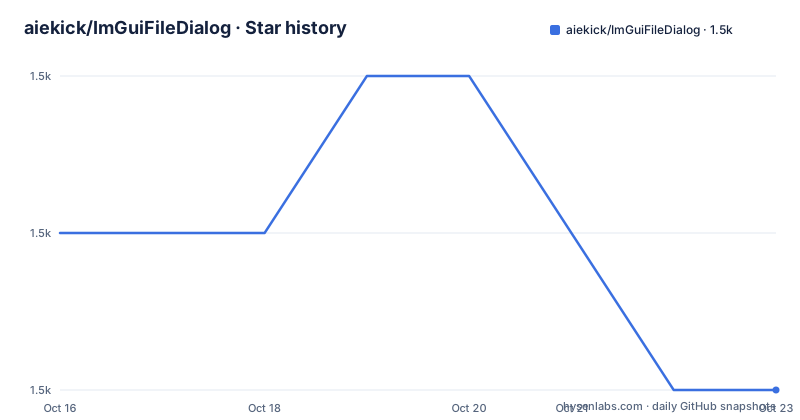
- aiekick/ImGuiFileDialog1,517 ★ · -1
| Repository | 2026-10-16 | 2026-10-23 |
|---|---|---|
| aiekick/ImGuiFileDialog | 1.5k | 1.5k |
-1 Stars in the last 7 days, measured from the daily GitHub snapshot. Compare with other projects
Editorial analysis
Compiled into your executable, not linked beside it
The integration model is stated plainly in the README: this library is designed to be dropped into your source code rather than compiled separately. There is no shared library to build, no package manager step and no runtime dependency. Add `ImGuiFileDialog.cpp` to the build and include `ImGuiFileDialog.h` in your source code.
That decision shapes everything else. The repository root holds the library directly, with `ImGuiFileDialogConfig.h` beside it and `dirent/` and `stb/` as bundled dependencies, so there is no submodule juggling. The demo application lives on a separate DemoApp branch rather than in the tree, which keeps the library directory clean enough to vendor wholesale.
There is a CMakeLists.txt at the root, but the documented path for an existing project is a one-line change to your own build. For a cmake project the README tells you to find your `add_executable(my_project_name main.cpp)` line and add the library source to it.
The hard prerequisite is Dear ImGui itself, which the README assumes you have already added to the project. The project follows ImGui's master and docking branches and reports a wrapped Dear ImGui version of 1.92.3, so pairing it with a much older ImGui checkout is the first thing that will bite you.
Opening and displaying are two separate calls
The simple usage example shows an API shape that differs from most file dialog libraries, and it is the part worth internalising before you write any integration code.
Opening happens inside a button handler, where a config object is filled in and passed to `OpenDialog` along with a key, a title and a filter string. Displaying happens every frame, in its own block, calling `Display` with the same key. When `Display` returns true and `IsOk` is true, you read the result.
void drawGui() {
  if (ImGui::Button("Open File Dialog")) {
    IGFD::FileDialogConfig config;
    config.path = ".";
    ImGuiFileDialog::Instance()->OpenDialog("ChooseFileDlgKey", "Choose File", ".cpp,.h,.hpp", config);
  }
  if (ImGuiFileDialog::Instance()->Display("ChooseFileDlgKey")) {
    if (ImGuiFileDialog::Instance()->IsOk()) {
      std::string filePathName = ImGuiFileDialog::Instance()->GetFilePathName();
      std::string filePath = ImGuiFileDialog::Instance()->GetCurrentPath();
    }
    ImGuiFileDialog::Instance()->Close();
  }
}
The reason for the split is stated in the feature list: you can have many function calls with different parameters feeding one display function. In practice that means your UI code can raise an open request from a menu item, a shortcut or a dropped file, and a single per-frame `Display` call renders whatever is pending.
Results come back through a small set of accessors with different granularity. `GetFilePathName` returns a full path, and the result modes listed in the README cover overwriting a file extension, keeping it, or adding one when the user supplied none.
A custom pane can hold your own widgets and block validation
The stated primary goal of the project was to have a custom pane with widgets according to file extension, and the README says this was not possible with other solutions. That is the feature to judge the library on.
A custom pane is created through function binding, meaning you supply a callback that draws whatever you want in that region, and the pane can also display different content depending on the active filter and on a user data value you pass in. The consequence is stated just as clearly: this pane can block the validation of the dialog. In other words, you can require the user to fill in your own widget before OK becomes usable.
The file style system works the same way, with predefined forms or a user custom form supplied by a lambda. The limitation there is specific: lambda mode is not available through the C API. If you bind from cimgui rather than the C++ interface, you lose the custom form.
The rest of the presentation layer is adjustable without writing code. You can tune the validation buttons, including placement, width and inversion, pick modal or standard dialog types, and embed the dialog in a frame of your own rather than the standard or modal one. There is light and dark styling and multiple themes, plus optional thumbnails, which the README describes as backend-agnostic and tested with OpenGL and Vulkan.
The filesystem is an interface you can replace
ImGuiFileDialog states that it is agnostic about which filesystem API you use, because it provides an IFileSystem interface you can override. Two implementations are defined by default, dirent and `std::filesystem`, and the DemoApp branch carries a demo of using the boost filesystem API.
The override is not theoretical. The README explains that you can override `GetDrieveList` to specify a different filesystem by hand, giving Android local storage and SD cards as the example. If you are porting to Android, the API 21 minimum is what the README states, and the file system layer is where you do that work.
Platform coverage is broad: macOS, Linux, Windows, Emscripten and Android, with a C API that the README says was successfully tested with cimgui. That last point matters for anyone who is not writing C++ against ImGui directly, and it comes with the same caveat as the lambda-based file styles, since the custom form is unavailable there.
Everything else in the browsing experience is deliberately conventional so the custom pane does not have to reinvent it. Multi-selection uses ctrl and shift with click, and a count of zero means unlimited while the default is one file. Keyboard navigation covers arrows, backspace and enter, select-all works on ctrl+a as in any OS, and typing explores the directory. Custom places work as bookmarks or system devices, and right-clicking a path element lets you edit that directory by hand. There is a popup on a slash in the path composer that selects a parallel directory in one click.
Filters that are regex wearing a disguise
The filter system is where this dialog goes beyond comma-separated extensions, and it is worth reading closely because the syntax looks like a filename and behaves like a pattern.
Plain filters are familiar, such as `.cpp,.h,.hpp` in the example. Beyond that, multi-layer extensions are supported, including `.a.b.c`, `.json.cpp` and `.vcxproj.filters`. Asterisk patterns go further: the README lists `.*`, `.*.*`, `.vcx.*`, `*.filters` and `.vcs*.filt.*` as working forms, and states that regex is used internally to make that work.
You can also write the regex yourself. It is recognised when placed between double parentheses in a filter, and the same treatment applies to collections of filters and to file styles. Case sensitivity in the search can be ignored independently.
Filter groups and custom filter names are supported, which is what you need when the same extension means different things depending on context, or when you want a readable label such as textures next to a set of formats.
There is a catch worth planning for. Natural sorting for filenames and extensions is available on demand rather than by default, so if you display large directories with numbered files, you have to ask for it.
A wide build matrix and a long gap since the last release
The build matrix at the top of the README is wider than most single-header libraries bother with. Windows is covered by MSVC, Linux and macOS each have GCC and Clang jobs, and Linux runs a leak sanitizer build. Continuous integration across MSVC, GCC and Clang is a reasonable proxy for the portability claim across Windows, Linux and macOS.
The release history tells a different story about cadence. v0.6.8 was published on 2025-10-03, and the versions before it are further apart still: v0.6.7 on 2024-02-21 and v0.6.6.1 on 2023-11-26. The last push was on 2026-04-18, after the v0.6.8 release. A master-branch checkout therefore includes later changes without a newer release tag.
The repository's licence is MIT, which is permissive and suitable for commercial and closed-source projects.
Full API documentation lives in Documentation.md at the repository root, and the README defers to it for anything beyond the simple example.
The README warns against its own keyboard navigation
The most useful line in the documentation is in the warnings section: the nav system keyboard behavior is not working as expected, so maybe full of bug for ImGuiFileDialog. That is the maintainer's own assessment, given in their words rather than softened into a caveat.
It matters because keyboard navigation is an accessibility path, not a convenience feature. The feature list promises arrow keys, backspace, enter, and character-based exploring, and all of that is listed in the same document as unreliable. Mouse and click interaction is what the dialog can be trusted for.
This is also where the wrong-tool answer sits. If your Dear ImGui application is an internal tool that a developer runs on a desktop, none of this matters and the custom pane alone justifies the library. If it ships to end users who may not use a mouse, or if it needs to pass an accessibility review, a native OS file dialog through the toolkit you already use will serve you better than fighting this widget's navigation.
The same applies if you already depend on a framework that ships its own file browser. This library is for the case where Dear ImGui is your entire UI layer and there is nothing else to call.
Editorial conclusion
Adopt ImGuiFileDialog when your Dear ImGui tool needs a file picker with custom widgets, custom filters or a replaced filesystem layer, and skip it if your application already uses a native OS dialog or a toolkit that already ships one. Verify first that the directory composer and the keyboard navigation, which the README flags as buggy, still behave in your ImGui version, and pin the version you build against.
Frequently asked questions
How do I add ImGuiFileDialog to my project?
Clone the repository into a directory such as `lib`, check out the master branch, add `ImGuiFileDialog.cpp` to your build system and include `ImGuiFileDialog.h`. In cmake that means adding the source file to your existing `add_executable` line.
Which Dear ImGui version does it work with?
The project follows the master and docking branches of Dear ImGui and reports a wrapped Dear ImGui version of 1.92.3. Dear ImGui must already be part of your project, since the dialog is built using only it.
Can I use it on Android or with a custom filesystem?
Yes. It provides an IFileSystem interface you can override, with dirent and `std::filesystem` defined by default, and you can override `GetDrieveList` to enumerate something else such as Android local storage and SD cards. The stated Android requirement is API 21 minimum.
Official sources
Add this badge to your README
If you maintain this project, the badge below links readers to this analysis and shows its maintenance status from the daily GitHub snapshot. Paste the markdown into your README; add ?metric=license or ?metric=stars to the image URL for a different field.

[](https://hysenlabs.com/projects/aiekick-imguifiledialog)Star history chart for your README
[](https://hysenlabs.com/projects/aiekick-imguifiledialog)Was this useful?