bytedeck: A Django LMS That Runs on Tenant Domains and Docker
LMS originating from Timberline Secondary School's Digital Hackerspace
At a glance
- What is it?
- bytedeck is a Python and Django learning management system that started at Timberline Secondary School's Digital Hackerspace. It uses a multitenant architecture where each deck is a separate tenant, and it relies on Docker, Postgres, Redis, and Celery to run.
- Who is it for?
- Adopt bytedeck if you are a small school, club, or hackerspace that wants a self-hosted LMS with a multitenant structure and you are comfortable with Docker and Django. Do not adopt it if you need a stable release, a production-ready installer, or a large user community, since the project has no recent releases and the default branch is develop.
- Can I use it commercially?
- Yes, with conditions. GPL-3.0 is a copyleft licence: if you distribute software that includes it, you must release that software's source code under the same licence. Running it internally without distributing it does not trigger that obligation.
- Is it still maintained?
- Yes. The repository received new commits within the last day.
- What is it written in?
- Mainly Python, according to GitHub's language statistics.
Answers come from the project's GitHub data, last synced on October 22, 2026, and from our analysis. They are not legal advice.
Star history
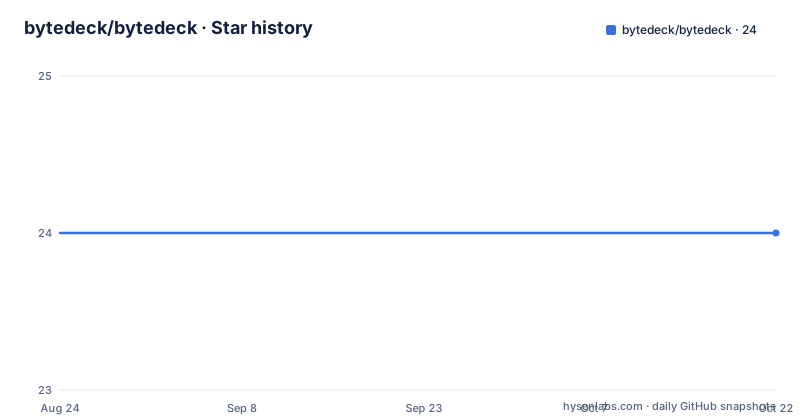
- bytedeck/bytedeck24 ★ · +0
| Repository | 2026-08-24 | 2026-10-22 |
|---|---|---|
| bytedeck/bytedeck | 24 | 24 |
0 Stars in the last 59 days, measured from the daily GitHub snapshot. Compare with other projects
Editorial analysis
What bytedeck Actually Is
bytedeck is a learning management system written in Python, built on Django, and it comes out of a high school hackerspace, Timberline Secondary School's Digital Hackerspace. The README does not describe the feature set in detail, so you cannot confirm what tools it offers beyond the basics of an LMS. What is clear is that the project is structured as a multitenant application. Each new site, called a deck, is a separate tenant. The architecture requires a domain name for each tenant, which is why the development server only works on localhost and not on 0.0.0.0. This is a specific design choice: the system is not a single-site LMS but a platform that hosts multiple independent learning sites from one codebase. That makes it interesting for an organization that wants to run several courses or schools under one installation, but it also means you cannot just point it at an IP address and expect it to work.
How the Multitenant Architecture Shapes the Setup
The README is explicit that the multitenant architecture requires a domain name. When you run the Django development server, it prints a URL with 0.0.0.0, but the documentation warns that this will not work. You must use localhost instead. This is a direct consequence of how Django handles host headers for tenant routing. The project uses django-tenants or a similar mechanism, though the README does not name the library. The practical effect is that every deck gets its own subdomain or domain, and the application resolves which tenant to serve based on the Host header. This is a clean separation for data isolation, but it adds friction for local development. The setup instructions include a step to create a new deck at /decks/new/, and after creation, you log in through a confirmation link that is written to a _sent_mail directory. That directory is a local file-based email backend, which is fine for development but not for production.
Getting It Running: Docker, Python 3.12, and initdb
The installation path is heavily Docker-based. You need Docker Engine and Docker Compose. The README recommends Ubuntu or a Debian-based distro, and it specifically asks for Python 3.12 because other versions will cause dependency errors. The steps are concrete: fork the develop branch, clone your fork, copy .env.example to .env, then run docker compose build. After that, you start the database container with docker compose up -d db. The application itself can run either in a Docker container or in a local virtual environment. If you choose the venv route, you create a virtual environment, install wheel, then install requirements.txt. The critical command is python src/manage.py initdb, which runs migrations, creates the public tenant, and creates a superuser. This command is not a standard Django migrate; it is a custom management command that sets up the tenant infrastructure. After initdb, you run the development server with runserver or docker compose up web. The admin site is at localhost:8000/admin/ with default credentials admin/password, which are defined in the .env file. This is a working setup, but it assumes you can install Python 3.12 and Docker without conflict.
Creating a Tenant: The Deck Creation Flow
Once the base system runs, you create a new deck by visiting /decks/new/. The README warns that you may need to log in to the Django admin first. After filling in the required fields, you are taken to a login page. The default admin credentials work, but to log in as the owner of the deck, you must go to the _sent_mail directory and open the most recent file. That file contains a confirmation link. After confirming, you open another file in the same directory to get the owner's username and password. This is a simulated email flow, which is practical for development but completely unsuitable for production. In a real deployment, you would need a real email backend, but the README does not cover that. The flow shows how the tenancy works: each deck is independent, with its own admin and owner. The confirmation link mechanism is a clear sign that the project is early-stage and oriented toward developers who can tolerate manual steps.
The Development Stack: Celery, Redis, and Background Tasks
The docker-compose setup includes four services: db, redis, celery, and celery-beat. The README instructs you to start redis, celery, and celery-beat after the initial setup. This suggests that the application uses asynchronous task processing for things like sending emails, generating reports, or other background work. The presence of celery-beat indicates scheduled tasks. The README does not explain what those tasks are, but the architecture is standard for a Django application that needs to handle long-running operations without blocking the web request. The fact that you can run the web container separately from the worker containers means you can scale them independently, but for a small school project, that is overkill. The main point is that bytedeck is not a simple CRUD app; it has a distributed task layer. This adds operational complexity. You need to monitor Redis and Celery, and if they fail, certain features will break silently. The README gives no guidance on monitoring or recovery.
Licence and Maintenance Realities
bytedeck is licensed under GPL-3.0. That means if you modify the code and distribute it, you must release your changes under the same license. For a school that wants to keep its instance private, this is not an issue, but for a company that wants to build a commercial product on top of it, the license is a significant constraint. The repository has no recent releases listed, and the default branch is develop. This is a strong signal that the project is in active development but not yet at a stable release point. There are no version tags to pin to, so you are effectively working with a moving target. The README mentions pre-commit hooks, which is good for code quality, but it also means contributors need to install pre-commit. The project has a build and test workflow and a lint workflow, according to the badges in the README, but the README does not describe how to run the test suite. You would have to figure that out from the repository layout. The maintenance cost is real: you need to keep up with the develop branch, handle database migrations with each update, and manage the Docker images. If you are not prepared to follow a develop branch, this project is not for you.
Alternatives and the Right Fit
The obvious alternative is Moodle, which is a mature, widely deployed LMS with a stable release cycle and a large plugin ecosystem. Moodle is also PHP-based, not Python, so the technology stack is completely different. Moodle does not use a multitenant architecture by default; you typically run one Moodle instance per school, or you use Moodle's built-in multi-tenancy features which are more recent and not as central as bytedeck's tenant-per-deck model. Another alternative is Open edX, which is Python-based but far heavier, with a complex service architecture and a steeper learning curve. bytedeck is much simpler to set up than Open edX, but it lacks the maturity and documentation. The right fit for bytedeck is a developer who wants to run a small LMS for a school or club, who is comfortable with Django and Docker, and who is willing to work with the develop branch. It is not the right fit for a non-technical administrator who needs a turnkey system. The README is written for developers, with commands and virtual environment instructions, not for teachers. The project's origin as a hackerspace project is clear: it is a learning tool as much as a learning management system.
Editorial conclusion
Adopt bytedeck if you are a small school, club, or hackerspace that wants a self-hosted LMS with a multitenant structure and you are comfortable with Docker and Django. Do not adopt it if you need a stable release, a production-ready installer, or a large user community, since the project has no recent releases and the default branch is develop. Before committing, verify that you can run Docker on your host, check the .env.example for required settings like DOMAIN_ROOT, and test the initdb command in a sandbox. The project's GPL-3.0 license means any derivative work you distribute must also be GPL-3.0, so review that if you plan to modify and share the code. The concrete next step is to fork the develop branch, clone it, and run docker compose build and initdb to see if the setup works on your machine.
Frequently asked questions
What does bytedeck need installed before it will start?
Docker and Python 3.12. Verify Docker with $ docker run hello-world and $ docker compose --version, and install Python with sudo apt install python3.12, because a different version will probably give errors when installing the dependencies.
How do I create a new deck or tenant in bytedeck?
Open http://localhost:8000/decks/new/, fill in the required fields and click Create. The confirmation link and then the owner's credentials arrive as files in the _sent_mail directory, and the owner username looks like firstname.lastname.
Why does bytedeck need localhost instead of 0.0.0.0 in development?
The address the Django server prints, 0.0.0.0, will not work because the multitenant architecture requires a domain name. Away from local development, DOMAIN_ROOT has to be set to the FQDN in the .env file.
Official sources
Add this badge to your README
If you maintain this project, the badge below links readers to this analysis and shows its maintenance status from the daily GitHub snapshot. Paste the markdown into your README; add ?metric=license or ?metric=stars to the image URL for a different field.

[](https://hysenlabs.com/projects/bytedeck-bytedeck)Star history chart for your README
[](https://hysenlabs.com/projects/bytedeck-bytedeck)