trackerjacker: mapping nearby WiFi networks and their devices with raw 802.11 monitoring
Like nmap for mapping wifi networks you're not connected to, plus device tracking
At a glance
- What is it?
- trackerjacker is a Python tool that sniffs 802.11 frames to build a map of nearby access points and the devices talking to them, then watches chosen MAC addresses and fires commands when they cross a byte threshold. It is built for Linux monitor-mode interfaces, and the macOS port is marked pre-alpha.
- Who is it for?
- Adopt trackerjacker if you have a Linux box with an interface that can enter monitor mode and you want a readable YAML map of nearby networks plus scriptable alerts on device traffic. Do not adopt it if you are on macOS and need reliability, since the README marks that platform pre-alpha, or if you need to defend against deauthentication frames, because the tool sends them rather than reports them.
- Can I use it commercially?
- Yes. MIT is a permissive licence: you can use, modify and sell software built on it, as long as you keep its copyright and licence notices.
- Is it still maintained?
- Activity is slowing. The repository last received commits 8 months ago.
- What is it written in?
- Mainly Python, according to GitHub's language statistics.
Answers come from the project's GitHub data, last synced on November 24, 2026, and from our analysis. They are not legal advice.
Star history
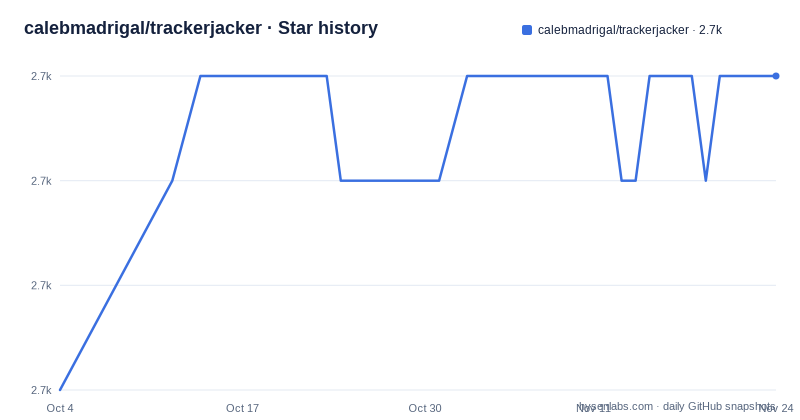
- calebmadrigal/trackerjacker2,745 ★ · +3
| Repository | 2026-10-04 | 2026-11-24 |
|---|---|---|
| calebmadrigal/trackerjacker | 2.7k | 2.7k |
3 Stars in the last 51 days, measured from the daily GitHub snapshot. Compare with other projects
Editorial analysis
What trackerjacker does that a normal network scan cannot
A conventional scan requires you to associate with an access point before it can tell you anything about it. trackerjacker works the other way around. It captures raw 802.11 frames from an interface in monitor mode and reconstructs, from those frames alone, which access points are nearby and which client devices are exchanging traffic with each one. The README describes the project as "Like nmap for mapping wifi networks you're not connected to", which is the clearest statement of the difference: no association, no credentials, no join.
The audience is narrow but real. The README lists the intended jobs directly: finding every nearby network and the devices on each, identifying which device is consuming bandwidth, running a command when a given MAC address crosses a byte threshold in a window, and deauthenticating devices that exceed a threshold. The author's stated origin for the project was watching a security camera to detect when it uploaded video, which indicates motion and could then trigger sirens. That is a home-automation use case, not a corporate network audit. If you are trying to inventory a network you own, this is a roundabout path; if you are trying to observe networks you do not control, it is the point of the tool.
How the 802.11 capture pipeline turns frames into a YAML map
The dependency list is short and tells you most of the architecture. requirements.txt pins scapy>=2.5.0, pyaml>=17.12.1 and ruamel.yaml>=0.15.35. Scapy does the packet parsing; the two YAML libraries handle serialization and round-tripping. The setup.py entry point registers a single console script, trackerjacker = trackerjacker.__main__:main, so the whole tool is one Python package plus a plugins subpackage.
In map mode, frames captured on the monitor interface are grouped by BSSID. Each access point entry in the output carries the BSSID, the SSID, a vendor string, a signal level, the channels it was seen on, a byte count, and a nested devices map. Each device entry carries its own byte count, signal and vendor. Vendors are resolved from MAC prefixes, which is why the sample output shows entries like Sony Corporation and Dropcam next to empty strings where the prefix is unknown. The README notes that the YAML file is meant to be consumed by other scripts and links an example parser, so the file is the interface, not just a report.
Track mode reuses the same capture path but changes the output. You name MAC addresses with -m, set a byte threshold, and optionally attach a trigger command or a plugin. The README's example output shows repeated threshold-hit lines with the observed byte counts, which means the threshold is evaluated against traffic accumulated over a window rather than against a lifetime total.
Installing trackerjacker and running a first map
The README gives one install command and it comes from PyPI. It assumes Python 3 and pip3 are already present, and it will pull scapy and the YAML libraries from requirements.txt.
pip3 install trackerjackerSupported platforms per the README are Linux, tested on Ubuntu, Kali and Raspberry Pi, plus macOS marked pre-alpha. You need an interface that can be put into monitor mode. The README's own examples use an interface named wlan1337, which is a placeholder for whatever your adapter presents; the tool prints the interface it selects, as in the sample line "Using monitor mode interface: wlan1337".
The first real use is map mode. Point it at your monitor interface and let it run.
trackerjacker -i wlan1337 --mapThe default output is a file named wifi_map.yaml in the working directory. Open it and you should see a top-level key per SSID, with BSSID entries underneath and a devices map inside each. If the file is empty or nearly so, the usual cause is that the interface was not actually in monitor mode or was tuned to a channel with no traffic. For the full option list the README points at the built-in help.
trackerjacker -hOnce the map looks right, track mode is the next step. This example watches one MAC address, alerts above 4000 bytes, runs a shell script when the threshold is hit, and limits monitoring to four channels.
trackerjacker --track -m 3c:2e:ff:31:32:59 --threshold 4000 --trigger-command "./alert.sh" --channels-to-monitor 10,11,12,44The README shows the expected console output: a line naming the monitor interface, a line listing the monitored channels, then repeated "threshold hit" lines with the byte count. If nothing prints, either the device is not transmitting on the channels you listed or the threshold is above its actual traffic.
The foxhunt plugin and where the plugin API stops being documented
trackerjacker ships one built-in plugin, foxhunt, invoked as trackerjacker -i wlan1337 --track --trigger-plugin foxhunt. It renders a curses screen listing power level, device ID and vendor, sorted by signal strength. The README shows a sample screen with entries ranging from -82dBm to -88dBm. This is a proximity display: you walk around and watch which device gets stronger. The README states that foxhunt is builtin but that you can define your own plugins using the same Plugin API, and points at examples/plugin_example for a working template.
Here the documentation thins out. The README does not describe the plugin interface itself, so the example directory is the specification. That is a common pattern in small tools and it is workable, but it means the API is defined by whatever the example happens to do rather than by a contract you can read before committing to it. If you plan to write plugins, read examples/plugin_example first and treat its shape as the interface. The repository also carries a plugin_examples/ directory at the top level alongside helpful_scripts/ and tests/, so there is more than one example to compare against.
Deauth as a feature, and why that makes trackerjacker the wrong tool for some jobs
Two of the README's listed use cases involve deauthenticating devices: deauthing anyone who exceeds 100000 bytes in a 10 second window, and deauthing every Dropcam in the area. This is stated plainly as a capability, and it is the clearest boundary on who should use the project. A tool that transmits deauthentication frames is an active instrument, not a passive monitor. If your goal is to observe a network you do not administer, understand that the same binary can disrupt it, and that the deauth use cases in the README are aimed at devices on networks the operator does not own.
The second limitation is platform. Linux is the tested path. macOS is labeled pre-alpha, and the most recent release, v1.8.0, is described as basic macOS support, dated 2018-04-30. Anyone on a Mac should treat monitor-mode capture as experimental rather than supported, and should not plan around it.
The third limitation is the output format itself. wifi_map.yaml accumulates whatever was seen while the tool ran. The README presents it as a database you can feed to other scripts, but nothing in the documentation describes how entries are aged out, merged across runs, or reconciled when a device moves between access points. If you need historical tracking rather than a snapshot, that logic is yours to write. The last push to the repository was on 2026-03-22, so the code has moved since the 2018 releases, but the README still carries the pre-alpha label for macOS and does not document change history for the map format.
trackerjacker versus Kismet and airodump-ng
The closest alternatives are Kismet and the aircrack-ng suite's airodump-ng. Both capture 802.11 frames in monitor mode, and both will show you access points and associated clients. The difference is in what they produce and how you extend them.
Kismet is a long-running capture system with its own storage layer, a client-server split and a web interface. It is built for continuous monitoring and for keeping history. trackerjacker is a single command that exits with a YAML file or streams threshold alerts to a shell command. If you want a dashboard and a database, Kismet is the more direct answer. If you want a file you can parse in twenty lines of Python and a hook that runs a script when one MAC address crosses a byte count, trackerjacker is closer to that shape, and the README explicitly frames the YAML output as input for your own scripts.
airodump-ng is the other comparison point. It is a C tool in a larger suite, focused on capture and on feeding cracking workflows, with a live terminal display of access points and stations. It does not have a plugin API for arbitrary trigger commands, and it does not emit a structured map with vendor resolution and per-device byte counts in the form trackerjacker's README shows. The trade is maturity and platform coverage against a Python codebase you can read and extend. For a Python developer who wants to script on top of the capture, trackerjacker's design is the easier starting point; for anyone who wants a maintained, widely deployed monitoring platform, airodump-ng and Kismet have longer track records.
Licence and the cost of keeping this running
trackerjacker is MIT licensed, stated in setup.py and in the repository's LICENSE file, and the PyPI classifiers confirm the OSI-approved MIT entry. MIT is permissive: you can use, modify and redistribute the code, including in closed products, provided the copyright notice and permission notice are retained. That is a description of the licence text, not legal advice; if you are embedding it in a product, have your own counsel read the terms.
The dependencies matter more than the licence here. scapy is the load-bearing one, and the release history notes that v1.7.9 moved the project to scapy core. That means trackerjacker's capture behaviour tracks scapy's, so a scapy upgrade can change what the tool sees. requirements.txt allows scapy>=2.5.0, an open-ended lower bound with no upper pin, which means a fresh install today may pull a different scapy than the one the code was written against. Pinning scapy in your own environment is the practical mitigation.
Upgrade cost is otherwise low. The package is small, the entry point is a single console script, and the output format is plain YAML. The maintenance question is not code churn but the README: the macOS support is still labeled pre-alpha and the releases listed stop at 2018, so the documentation describes an older surface than the current code. Read the source when the README and the behaviour disagree.
Editorial conclusion
Adopt trackerjacker if you have a Linux box with an interface that can enter monitor mode and you want a readable YAML map of nearby networks plus scriptable alerts on device traffic. Do not adopt it if you are on macOS and need reliability, since the README marks that platform pre-alpha, or if you need to defend against deauthentication frames, because the tool sends them rather than reports them. Before relying on it, confirm that your adapter supports monitor mode on the channels you care about, run the map command once and inspect wifi_map.yaml, then run track mode with a threshold and a trigger command to see whether the plugin API matches what you want to automate.
Frequently asked questions
What is trackerjacker?
It is a Python tool that maps nearby WiFi networks and the devices connected to them by capturing raw 802.11 frames on a monitor-mode interface. The README describes it as being like nmap for networks you are not connected to, and it also supports tracking specific MAC addresses with threshold alerts.
How do I install trackerjacker?
The README gives a single command, pip3 install trackerjacker, which pulls the dependencies listed in requirements.txt. Supported platforms are Linux, tested on Ubuntu, Kali and Raspberry Pi, with macOS marked pre-alpha.
Which platforms does trackerjacker support?
The README lists Linux as the tested platform and macOS as pre-alpha. The most recent release, v1.8.0, is described as basic macOS support.
What does trackerjacker need to capture packets?
It needs a wireless interface that can be placed in monitor mode, and the examples use an interface the tool prints as "Using monitor mode interface: wlan1337". It also depends on scapy for packet parsing.
What output does trackerjacker produce in map mode?
Map mode writes a YAML file named wifi_map.yaml by default, keyed by SSID, with each BSSID entry carrying signal, channels, byte counts and a nested map of devices. The README notes the file is intended to be parsed by other scripts.
Can trackerjacker run a command when a device crosses a traffic threshold?
Yes. Track mode takes -m for the MAC address, --threshold for the byte count, and --trigger-command for a shell command to run when the threshold is hit, with --channels-to-monitor to limit which channels are watched.
Official sources
Add this badge to your README
If you maintain this project, the badge below links readers to this analysis and shows its maintenance status from the daily GitHub snapshot. Paste the markdown into your README; add ?metric=license or ?metric=stars to the image URL for a different field.

[](https://hysenlabs.com/projects/calebmadrigal-trackerjacker)Star history chart for your README
[](https://hysenlabs.com/projects/calebmadrigal-trackerjacker)Was this useful?