Android Image Cropper has deprecated two of its three entry points
Image Cropping Library for Android, optimised for Camera / Gallery.
At a glance
- What is it?
- CanHub's Android Image Cropper is a Kotlin view for cropping camera and gallery images, now published under the com.vanniktech coordinate with classes in the com.canhub.cropper namespace. The README pushes you toward hosting CropImageView yourself and marks both the activity contract and the extend-the-activity route as on the way out.
- Who is it for?
- Adopt this library if you need a cropping view with zoom, rotation and multi-source input that you host in your own activity, since that is the one route the maintainers call the way forward. Do not start new work on the deprecated entry points.
- Can I use it commercially?
- Yes. Apache-2.0 is a permissive licence: you can use, modify and sell software built on it, as long as you keep its copyright and licence notices.
- Is it still maintained?
- Activity is slowing. The repository last received commits 6 months ago.
- What is it written in?
- Mainly Kotlin, according to GitHub's language statistics.
Answers come from the project's GitHub data, last synced on November 7, 2026, and from our analysis. They are not legal advice.
Star history
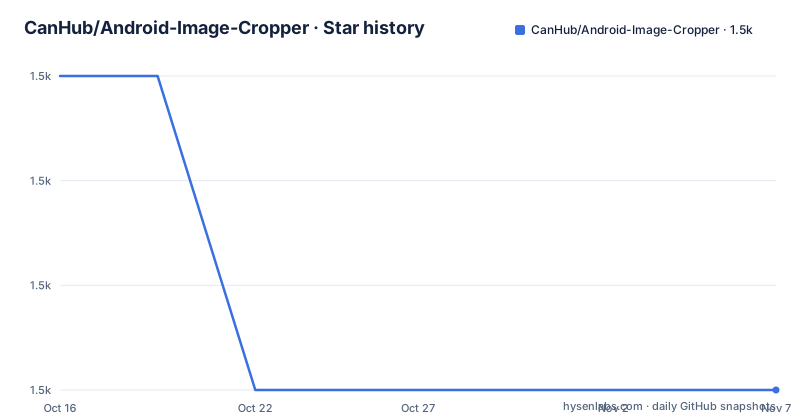
- CanHub/Android-Image-Cropper1,505 ★ · -3
| Repository | 2026-10-16 | 2026-11-07 |
|---|---|---|
| CanHub/Android-Image-Cropper | 1.5k | 1.5k |
-3 Stars in the last 22 days, measured from the daily GitHub snapshot. Compare with other projects
Editorial analysis
The dependency coordinate and the class package disagree
Before any code, one detail will confuse you if the README does not warn you. The artifact is published under a different group than the classes it contains:
dependencies {
  implementation("com.vanniktech:android-image-cropper:4.7.0")
}
The dependency is `com.vanniktech:android-image-cropper`, while every class you import lives in `com.canhub.cropper`. Your Gradle coordinates and your package statements will not look related, and that is expected rather than a mistake on your side.
The library is positioned as a simple cropping library for Android with three headline properties: powerful in zoom, rotation and multi-source input, customizable in shape, limits and style, and optimized through async work, sampling and a matrix.
The lineage is long and worth recording because it explains the package name. The README's licence section says it is forked from ArthurHub's Android-Image-Cropper, which was itself forked from edmodo/cropper, with copyright dating back to 2016 for Arthur Teplitzki and 2013 for Edmodo. Apache 2.0 throughout.
Two of the three ways to use it are deprecated
The README presents three routes and annotates two of them, which is unusual candour and the most important thing to read before choosing.
Route one is calling crop directly through `CropImageContract`, registered with `registerForActivityResult`. The note says this way is deprecated and will be removed in future versions, and the stated path forward is to write your own activity, handle the `Uri` handling yourself, and use `CropImageView`.
Route three is extending `CropImageActivity`. That is also deprecated and also slated for removal, with the same advice.
Route two, using `CropImageView` directly, is labelled the only way forward. That is a normal Android view you place in your own layout and drive yourself:
<com.canhub.cropper.CropImageView
  android:id="@+id/cropImageView"
  android:layout_width="match_parent"
  android:layout_height="0dp"
  android:layout_weight="1"
  />
What that changes in practice is ownership. Under the deprecated routes the library decides how the URI is obtained, which activity runs and what theme is used. Under the supported route you own the activity, the intent handling and the result delivery, and the library is a view with an async API.
Async versus sync, and why the URI path is preferred
Loading and cropping both come in two flavours, and the README's preference is explicit.
On the way in, there is a plain setter and an async one:
cropImageView.setImageUriAsync(uri)
// Or prefer using uri for performance and better user experience.
cropImageView.setImageBitmap(bitmap)
The comment is a bit confusingly placed, but the stated preference is for the URI variant, for performance and user experience. Decoding a full-size bitmap and handing it over means decoding happens on the calling thread and the bitmap is resident in memory before the view touches it. Passing a URI lets the view do that work itself, on its own terms.
The same pattern appears on the way out. `getCroppedImageAsync()` returns through a listener set with `setOnCropImageCompleteListener`, while `getCroppedImage()` hands back a `Bitmap` directly.
The consequence for your code is that the sync variants block. On a large image, cropping on the main thread is the kind of thing that shows up as an ANR, so the async calls are the ones to reach for by default and the sync ones exist for cases where you already know the image is small.
If you have to extend the activity anyway
Route three is deprecated rather than removed, and the README still documents how to use it for people with an existing subclass.
You declare the activity in your manifest, and the theme is optional, needed only if your default theme has no action bar:
<activity
  android:name="com.canhub.cropper.CropImageActivity"
  android:theme="@style/Base.Theme.AppCompat"
  />
Then you hand the activity the view after `super.onCreate`, because the activity has to find it before it can drive it: `setCropImageView(binding.cropImageView)`.
There is one customisation hook worth knowing. When you call crop directly, the library shows a dialog letting the user choose gallery or camera, and it uses the Android default AlertDialog. If your app has its own dialog styling, you override `showImageSourceDialog(..)` in the subclass.
All of this is on the way out, so treat it as a migration bridge: it works today, and it tells you what you have to reimplement yourself when the deprecated surface is removed.
Migrating from the old package name
A large share of the issues with this library are not bugs but old coordinates. The README has a dedicated migration section, and the version to start from is 4.3.3.
The change is an import rename from the Edmodo package to the CanHub one, and the same in XML layout references:
-import com.theartofdev.edmodo.cropper.CropImage
+import com.canhub.cropper.CropImage
What follows from there is the instruction that costs people the most: versions after 4.3.3 changed the APIs quite a bit, so it is best to upgrade to each minor version individually, remove deprecated API usages and continue. The stated sequence is 4.3.3, then 4.4.0, then 4.5.0, 4.6.0, and so on.
That is tedious advice, and it exists because the major API churn happened across minor releases rather than behind one major version. A single jump to the latest can leave you with several deprecation warnings at once and no obvious order to resolve them.
The activity result API is called out separately: `onActivityResult` has been deprecated, so if your existing code used it you should move to the activity contracts, with the sample app as the reference.
On maintenance: the last push was on 2026-04-28 and the repository has a `CHANGELOG.md`, `renovate.json` and a `lint.xml` lint configuration, with Kotlin Gradle build scripts for both the library and the sample. Releases are 4.7.0 on 2025-11-28, 4.6.0 on 2024-08-05 and 4.5.0 on 2022-11-02, a cadence of roughly one release a year.
Editorial conclusion
Adopt this library if you need a cropping view with zoom, rotation and multi-source input that you host in your own activity, since that is the one route the maintainers call the way forward. Do not start new work on the deprecated entry points. Verify first that version 4.7.0 is the one you want, since the release cadence is slow with 4.7.0 from 2025-11-28 after 4.6.0 in 2024, and plan for the coordinate and namespace split between com.vanniktech and com.canhub.cropper when you write your import statements.
Frequently asked questions
How do I add Android Image Cropper to an Android project?
Add `implementation("com.vanniktech:android-image-cropper:4.7.0")` to your Gradle dependencies. Note that the classes themselves are in the com.canhub.cropper package, not com.vanniktech.
Which way of using Android Image Cropper should I use?
Host CropImageView in your own activity. The README marks both calling crop directly through CropImageContract and extending CropImageActivity as deprecated and scheduled for removal, calling the view approach the only way forward.
How do I get the cropped image from CropImageView?
Call `getCroppedImageAsync()` and set a listener with `setOnCropImageCompleteListener`, or call `getCroppedImage()` for the Bitmap directly. Similarly, `setImageUriAsync(uri)` is preferred over passing a bitmap.
How do I migrate from the old Edmodo or ArthurHub package?
Move to version 4.3.3 first, change imports and XML references from com.theartofdev.edmodo.cropper to com.canhub.cropper, then upgrade one minor version at a time, removing deprecated usages as you go.
Official sources
Add this badge to your README
If you maintain this project, the badge below links readers to this analysis and shows its maintenance status from the daily GitHub snapshot. Paste the markdown into your README; add ?metric=license or ?metric=stars to the image URL for a different field.

[](https://hysenlabs.com/projects/canhub-android-image-cropper)Star history chart for your README
[](https://hysenlabs.com/projects/canhub-android-image-cropper)Was this useful?