bookmark-parser: A Small, Unmaintained Tool for Turning Firefox and Chrome Bookmarks into JSON
Find and parse Firefox/Chrome bookmark HTML and jsonlz4 file into useable JSON object or export as JSON file.
At a glance
- What is it?
- bookmark-parser reads Firefox and Chrome bookmark files, both HTML and Firefox's jsonlz4 backup format, and outputs a JSON object or file. It is a niche utility with a clear API, but it has not been updated since 2017 and has several unfinished features.
- Who is it for?
- Adopt bookmark-parser if you need a quick, dependency-free way to convert a Firefox or Chrome bookmark HTML file into JSON, or if you are on macOS and need to parse Firefox's jsonlz4 backup format. Do not use it if you require Windows or Linux jsonlz4 support, deduplication, or ongoing maintenance, as the project has been untouched since 2017 and those features remain unimplemented.
- Can I use it commercially?
- Yes. MIT is a permissive licence: you can use, modify and sell software built on it, as long as you keep its copyright and licence notices.
- Is it still maintained?
- Probably not. The repository last received commits 47 months ago, on December 10, 2022.
- What is it written in?
- Mainly JavaScript, according to GitHub's language statistics.
Answers come from the project's GitHub data, last synced on October 22, 2026, and from our analysis. They are not legal advice.
Star history
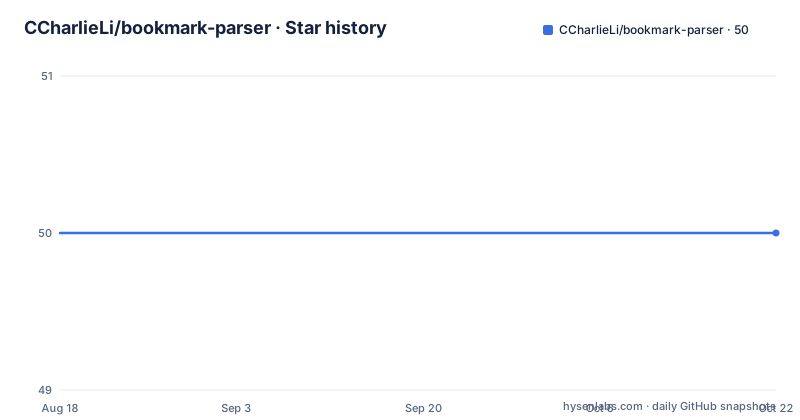
- CCharlieLi/bookmark-parser50 ★ · +0
| Repository | 2026-08-18 | 2026-10-22 |
|---|---|---|
| CCharlieLi/bookmark-parser | 50 | 50 |
0 Stars in the last 65 days, measured from the daily GitHub snapshot. Compare with other projects
Editorial analysis
What It Solves and Who It Is For
Bookmark files are not a friendly format for scripting. Firefox and Chrome export bookmarks as HTML in the NETSCAPE bookmark format, and Firefox also stores backups as jsonlz4, a compressed JSON variant. If you want to migrate bookmarks, audit them, or feed them into another tool, you need a parser. bookmark-parser targets that gap. It reads both the HTML export format and Firefox's jsonlz4 backup files, then returns a JavaScript object or writes a JSON file. The intended user is a developer or power user who wants a programmatic handle on their bookmarks, not someone looking for a GUI or a full bookmark manager. The README shows a simple Node.js API, so the project assumes you are comfortable writing a few lines of JavaScript.
How It Works: From File to JSON Object
The library exposes a set of promise-based functions. For HTML files, you call BMParser.readFromHTMLFile(htmlFilePath) and get a promise that resolves to a JSON object. There is also readFromHTMLReadStream for streams, and the same two functions accept an optional exportFilePath argument to write the result to a file. The README shows the result structure: a top-level 'Bookmarks' object with an 'id', a 'prevNode' field, and a 'children' array. Each child is a folder or a bookmark with fields like 'addDate', 'lastModified', 'name', 'type', and for bookmarks, 'url'. Notably, 'prevNode' is described as '[Circular ~]', which means the object contains circular references. That is a significant detail for anyone who plans to serialize the output directly with JSON.stringify, because circular references break standard serialization. The library's own export function presumably handles this, but if you take the object and try to stringify it yourself, you will hit an error unless you write a replacer function.
Getting It Running: Install and Basic Usage
Installation is straightforward. The README gives two commands: 'npm i bookmark-parser --save' and 'yarn add bookmark-parser'. After that, you require the module and call one of the read functions. The core usage is a single line: BMParser.readFromHTMLFile(htmlFilePath).then(res => { ... }). If you want to export, pass a second argument: BMParser.readFromHTMLFile(htmlFilePath, exportFilePath). The same pattern applies to readFromHTMLReadStream. There is also a 'Read' section in the README that is cut off, so the full set of interfaces is not documented in the material. The README does not show how to parse a jsonlz4 file directly, even though the TODO list says that feature is implemented. This is a documentation gap. You can infer that there is likely a function for it, but the exact name and arguments are not stated. That means you may have to read the source code to find it.
Limitations: What It Cannot Do
The most obvious limitation is the unfinished TODO list. The README marks 'Parse Firefox jsonlz4 bookmark backup file' as done, and 'Parse Firefox/Chrome html bookmark file' as done, but 'Option for deduplication' is unchecked. That means if you have duplicate bookmarks, you will get them all, with no built-in way to filter them. The library also does not find bookmark files on Windows or Linux; only macOS is supported for the 'Find and Parse' feature. Chrome bookmark backup file discovery is not implemented on any platform. Another limitation is the circular reference issue. The 'prevNode' field points back to the parent, which is useful for navigation but makes the object non-serializable with standard methods. If you need to store the result or send it over a network, you will have to write custom handling. Finally, the project has not been updated since July 2017. That is not a bug in itself, but it means no fixes for newer browser formats or Node.js versions have been added.
A Real Alternative: Writing Your Own Parser or Using a Different Library
If bookmark-parser does not fit, the main alternative is to write a small parser yourself. The NETSCAPE bookmark HTML format is a simple DL/DT structure with H3 tags for folders and A tags for links. A few dozen lines of JavaScript with a regex or a DOM parser can extract the same data. The advantage is full control over the output structure and no dependency on an unmaintained package. For jsonlz4, the format is Mozilla's LZ4 compression applied to JSON, so you would need an LZ4 decompression library, but that is a separate, well-maintained ecosystem. Another option is to use browser-native export: Chrome and Firefox can export bookmarks to HTML, and you can then parse that HTML with any tool. The difference is that bookmark-parser gives you a ready-made object with timestamps and parent-child relationships, which saves time if you accept its output shape. But if you need deduplication or Windows support, you are back to writing your own logic.
Maintenance and License Considerations
The repository shows no activity after July 2017. The last release is v0.1.5, and the last push is the same day. There is no homepage, and the project is not archived, but it is effectively dormant. That means no security updates, no compatibility patches, and no response to issues. The license is MIT, which is permissive. You can use, modify, and redistribute the code freely, as long as you include the copyright notice. The license text is included in the README. This is a low-risk license for internal use, but you should not expect any support. If you adopt it, you are taking on the maintenance burden yourself, which is fine for a small utility. The codebase is likely small, given the scope, so forking and fixing issues is feasible. But you should check the source to confirm the size and complexity before committing.
Editorial conclusion
Adopt bookmark-parser if you need a quick, dependency-free way to convert a Firefox or Chrome bookmark HTML file into JSON, or if you are on macOS and need to parse Firefox's jsonlz4 backup format. Do not use it if you require Windows or Linux jsonlz4 support, deduplication, or ongoing maintenance, as the project has been untouched since 2017 and those features remain unimplemented. Before adopting, verify that the output structure meets your needs, especially the circular references in the 'prevNode' field, and test it against your actual bookmark files, as the README does not guarantee handling of all edge cases.
Frequently asked questions
What does it mean to parse a file in bookmark-parser?
It means reading a browser bookmark backup, either a NETSCAPE or Firefox HTML export or a Firefox jsonlz4 file, and handing back a plain JSON object whose children arrays mirror the browser folder tree. The same call can write that object out to a JSON file instead of returning it.
What is the purpose of a bookmark in bookmark-parser?
The input is a bookmark backup file. Each entry comes back with the browser's own fields: name, type of folder or bookmark, url for bookmarks, addDate and lastModified as strings, an id, and children arrays for folders.
How do I read a Firefox bookmark file with bookmark-parser?
Require the package and call BMParser.readFromHTMLFile(htmlFilePath) for a file, or BMParser.readFromHTMLReadStream(readStream) for a stream, each returning a promise. Pass a second argument with an export path to write the JSON out at the same time.
Does bookmark-parser deduplicate bookmarks?
No. An option for deduplication is still an open item on the task list, alongside finding and parsing Firefox jsonlz4 files on Windows and Linux and finding Chrome bookmark backup files on every platform.
Official sources
Add this badge to your README
If you maintain this project, the badge below links readers to this analysis and shows its maintenance status from the daily GitHub snapshot. Paste the markdown into your README; add ?metric=license or ?metric=stars to the image URL for a different field.

[](https://hysenlabs.com/projects/ccharlieli-bookmark-parser)Star history chart for your README
[](https://hysenlabs.com/projects/ccharlieli-bookmark-parser)