CombineCocoa gives UIKit controls Combine publishers, one target-action at a time
Combine publisher bridges for UIKit
At a glance
- What is it?
- CombineCocoa is a Swift package that attaches Combine publishers to UIKit controls, gesture recognizers and a scroll view helper, so interaction becomes a publisher you can compose. It is honest about being a primal version, its newest release is from 2022, and the last push was on 2026-06-23, so treat it as a small library rather than a maintained dependency.
- Who is it for?
- Adopt CombineCocoa if you are on iOS 13 or newer, already using Combine, and want UIKit controls exposed as publishers instead of writing target-action bridges yourself for each one. Do not adopt it for a new RxSwift-to-Combine migration, because its author states the delegate-based publishers are future ideas and not implemented, which leaves the most common UIKit event source uncovered.
- Can I use it commercially?
- Yes. MIT is a permissive licence: you can use, modify and sell software built on it, as long as you keep its copyright and licence notices.
- Is it still maintained?
- Yes. The repository last received commits 137 days ago.
- What is it written in?
- Mainly Swift, according to GitHub's language statistics.
Answers come from the project's GitHub data, last synced on November 7, 2026, and from our analysis. They are not legal advice.
Star history
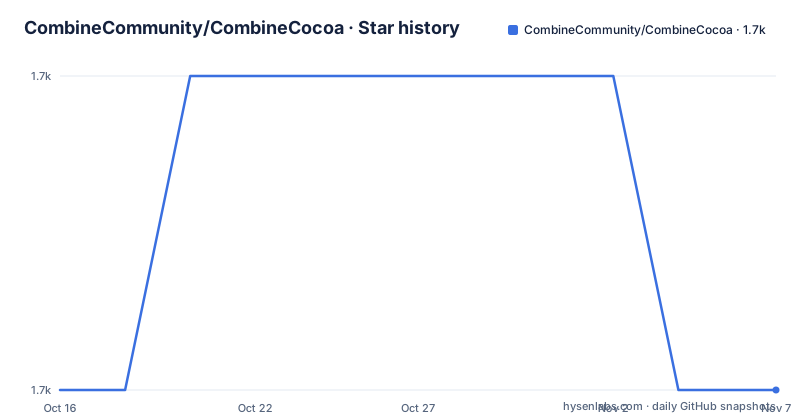
- CombineCommunity/CombineCocoa1,739 ★ · +0
| Repository | 2026-10-16 | 2026-11-07 |
|---|---|---|
| CombineCommunity/CombineCocoa | 1.7k | 1.7k |
0 Stars in the last 22 days, measured from the daily GitHub snapshot. Compare with other projects
Editorial analysis
Nineteen publishers, and a control target inside each
CombineCocoa's stated purpose is to provide publishers for common UIKit controls so you can consume user interaction as Combine emissions and compose them into meaningful publisher chains. The alternative it replaces is a target-action pair per control, a delegate method per control, or a small hand-written bridge for each one.
The list is fixed and short enough to read in full, which is also the honest boundary of the library. Text fields publish their text as a String, a segmented control publishes the selected index as an Int, a slider publishes a Float, a button and a bar button item publish Void, a switch publishes a Bool, a stepper publishes a Double, a date picker publishes a Date, a refresh control publishes a Bool, and a page control publishes an Int. Every one of these is an AnyPublisher with a Never failure type.
That Never is not an oversight. A tap on a button has no error case, so the publisher cannot fail, and composing these into chains stays free of error handling for the interaction layer. The cost is that it tells you nothing about what happens when the chain downstream breaks.
The gesture recognizers follow the same pattern but emit the recognizer itself rather than a derived value, so tapPublisher yields a UITapGestureRecognizer, pinchPublisher a UIPinchGestureRecognizer, rotationPublisher a UIRotationGestureRecognizer, swipePublisher a UISwipeGestureRecognizer, panPublisher a UIPanGestureRecognizer, screenEdgePanPublisher a UIScreenEdgePanGestureRecognizer and longPressPublisher a UILongPressGestureRecognizer. You get the raw object and do the extraction yourself.
The one convenience that is not a straight mirror is on the scroll view. Beyond contentOffsetPublisher, which emits a CGPoint, there is reachedBottomPublisher(offset:), which takes a threshold and emits Void.
All installation paths work, and the SPM floor is stale
CombineCocoa ships through all three major iOS dependency managers, and each route is a one-liner.
With CocoaPods, add the pod to your Podfile:
pod 'CombineCocoa'With Swift Package Manager, add the dependency to Package.swift:
.package(url: "https://github.com/CombineCommunity/CombineCocoa.git", from: "0.2.1")The from value is worth noticing. It says 0.2.1 while the newest tagged release is 0.4.1, which is a valid semver range that will resolve up to the next major version, so the dependency declaration is fine but reads as if it were written when 0.2.1 was current. If you copy that line into a fresh project today, SPM resolves to the 0.4.x line, not to 0.2.1.
With Carthage, add the repository to your Cartfile:
github "CombineCommunity/CombineCocoa"The Carthage route has a build step attached. The repository Makefile has an archive target that shells out to a script, and a project target that shells out to a Ruby script:
archive:
	scripts/carthage-archive.sh
project:
	scripts/make_project.rb
That project target regenerating the Xcode project explains the CombineCocoa.xcodeproj directory in the repository root, alongside Sources/ and Resources/. The podspec at the root is what CocoaPods consumes, and Package.swift sits next to it, so the same sources serve all three managers.
The platform floor is stated as a badge rather than in prose: iOS 13.0. That is the version where Combine itself arrived, so the floor is a consequence of the framework rather than a choice. There is also a .swiftlint.yml in the repository, so the source is linted, and a codecov.yml, so coverage is tracked.
For a first run, the README points at an example view controller inside the Example folder and says to open the project in Xcode 11, where Swift Package Manager should resolve the dependencies automatically. Xcode 11 is old enough to be a signal about the era this was written in.
The gap the author names: no delegate-based publishers
The README's future ideas list has exactly one concrete item: support non UIControl.Event-based publishers, for example delegates. That single line describes the library's largest functional gap.
Most UIKit interaction is not a control event. Table view selection, text view text changes, picker selection, navigation controller pushes and search bar delegate callbacks all arrive through delegate protocols, and CombineCocoa does not currently cover any of them. The control-based publishers in the list are the easy half of the surface.
The project positions itself as inspired by RxSwift's RxCocoa, with explicit credit to Krunoslav Zaher, and that comparison sets the expectation. CombineCocoa is explicitly described as a primal version with much more to be desired, and the author invites pull requests, ideas and opinions.
So the honest reading is that this is a starting set rather than a replacement for RxCocoa. If your app leans on delegate-driven UI, you will write the missing bridges yourself, and at that point you need to know the technique the library itself used. The acknowledgements name it: the idea to set up a control target inside the publisher came from a tutorial on creating custom Combine publishers by Antoine van der Lee.
That is the most useful architectural fact in the README. Each control publisher is a target-action pair set up from inside the publisher object, which means a custom publisher for a delegate-based control is the same shape of work rather than a different kind.
Maintenance signals, stated as dates
The release history is sparse and old. Tagged releases are 0.3.0 in May 2021, 0.4.0 in October 2021, and 0.4.1 in October 2022. Nothing has been released since.
The repository is not archived, and the last push was on 2026-06-23, which is more than three months before today and well within the six-month window. So the code has seen a commit this year even though no version has shipped, which is consistent with a project receiving occasional contributions without a release process running behind them.
What that means for an adopter is that pinning 0.4.1 through CocoaPods or Carthage gives you the 2022 code, not the current main branch. If you want the latest source you would need the SPM branch option, which the README does not document and which would carry no stability guarantee.
The topic list carries a single entry, hacktoberfest, which is a reasonable signal about where contributions come from. It also cuts against treating this as a dependency with an owner.
For a UI library this size, the real risk is not API churn, since a set of control publishers is unlikely to break. It is toolchain drift. The example is documented against Xcode 11, and a package whose build has not been validated in years on a current Xcode can fail to compile for reasons that have nothing to do with its code. Testing the build against your toolchain before wiring it into an app is the concrete first step here, not a general precaution.
The licence is MIT, which covers the source. The README also notes that the Apple logo and the Combine framework are property of Apple Inc, which is a trademark statement rather than a licence term, but it is the reason this library can only ever be an add-on to a platform framework rather than a replacement for one.
Where this sits against RxCocoa and against writing bridges
The comparison the README itself invites is with RxCocoa, and the difference is not API design, it is scope and ecosystem history.
RxCocoa is the UIKit layer of a large reactive framework with a documentation site, years of production use and a broad contributor base. Its publishers cover controls, delegates, gestures, table and collection views, and notification centres, and its operators live in the same family as its publishers so chains compose without crossing frameworks. Choose it when you want a complete reactive stack.
CombineCocoa is nineteen publishers for one framework, with Combine itself supplying the operators. Choose it when you are committed to Combine, want no additional dependency, and need only the common controls wired up.
The third option, writing your own publisher, is closer than it looks. The technique is a target-action pair inside the publisher object, and the README credits a specific tutorial for the idea. For a single delegate-based control, a hand-written publisher is a short file with no dependency at all, and it sidesteps both the missing-coverage problem and the maintenance question. The trade is that you own the thread and cancellation behaviour that a maintained library would have reviewed.
The one case where CombineCocoa is clearly right is when you need many controls wired consistently and want the chain to read the same everywhere. One button tap does not need a library.
Editorial conclusion
Adopt CombineCocoa if you are on iOS 13 or newer, already using Combine, and want UIKit controls exposed as publishers instead of writing target-action bridges yourself for each one. Do not adopt it for a new RxSwift-to-Combine migration, because its author states the delegate-based publishers are future ideas and not implemented, which leaves the most common UIKit event source uncovered. Verify first that the control you need appears in the publisher list before you commit, since the set is fixed at nineteen entries and anything outside it means writing your own publisher, which is what the acknowledged tutorial on creating custom publishers teaches.
Frequently asked questions
How do I add CombineCocoa to an Xcode project?
Three routes are documented. Add pod 'CombineCocoa' to your Podfile, add .package(url: "https://github.com/CombineCommunity/CombineCocoa.git", from: "0.2.1") to Package.swift, or add github "CombineCommunity/CombineCocoa" to your Cartfile and run the Carthage archive step.
Does CombineCocoa cover UIKit delegate callbacks?
Not yet. The README lists support for non UIControl.Event-based publishers such as delegates as a future idea, so table view selection, text view changes and other delegate-driven events are not covered and would need a custom publisher.
What is the minimum iOS version for CombineCocoa?
The badge in the README states iOS 13.0.
Official sources
Add this badge to your README
If you maintain this project, the badge below links readers to this analysis and shows its maintenance status from the daily GitHub snapshot. Paste the markdown into your README; add ?metric=license or ?metric=stars to the image URL for a different field.

[](https://hysenlabs.com/projects/combinecommunity-combinecocoa)Star history chart for your README
[](https://hysenlabs.com/projects/combinecommunity-combinecocoa)Was this useful?