DjangoGirls/tutorial: A Multilingual Django Workshop Guide
This is a tutorial we are using for Django Girls workshops
At a glance
- What is it?
- DjangoGirls/tutorial is the source for the Django Girls workshop documentation, written in Markdown and published with HonKit. It is aimed at workshop contributors and learners who need a translated, locally previewable Django tutorial rather than a reusable Django application library.
- Who is it for?
- Adopt DjangoGirls/tutorial if you need to maintain the workshop book or prepare a localized Django lesson. Do not treat it as a Django framework package, a tested application template, or a substitute for the workshop's current event instructions.
- Can I use it commercially?
- Check first. The repository uses a licence we do not classify automatically, so read its LICENSE file before any commercial use.
- Is it still maintained?
- Yes. The repository last received commits 96 days ago.
- What is it written in?
- Mainly Makefile, according to GitHub's language statistics.
Answers come from the project's GitHub data, last synced on October 23, 2026, and from our analysis. They are not legal advice.
Star history
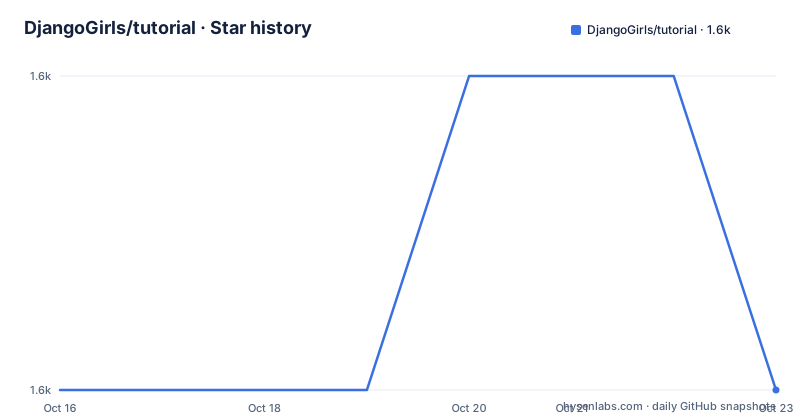
- DjangoGirls/tutorial1,579 ★ · +0
| Repository | 2026-10-16 | 2026-10-23 |
|---|---|---|
| DjangoGirls/tutorial | 1.6k | 1.6k |
0 Stars in the last 7 days, measured from the daily GitHub snapshot. Compare with other projects
Editorial analysis
Why DjangoGirls/tutorial exists
DjangoGirls/tutorial solves a documentation problem for Django Girls workshops. The repository is not a Django application that users install to build a web service. It is the source for the tutorial used during workshops, with the published version available at tutorial.djangogirls.org.
The audience includes workshop organizers, instructors, translators, and contributors who correct or extend the lessons. The README specifically describes small changes such as typo corrections and larger changes such as new chapters, longer text, and images. That distinction matters because the repository supports both GitHub's online editing flow and a local HonKit development environment.
The tutorial is also multilingual. The repository contains language directories such as `bg/`, `de/`, `en/`, `es/`, `fr/`, `ru/`, and `zh/`, while `LANGS.md` records language information used by the Makefile. The documentation states that translations are managed through Crowdin. Contributors working on translations can therefore follow either the translation-team process or the pull request process for small corrections and typo fixes.
The Markdown and HonKit publishing path
The book is written in Markdown. Individual chapter files live in language directories, and the repository uses HonKit for publication. The README links to HonKit's documentation but does not describe the full build pipeline beyond the commands exposed by the Makefile and the package configuration.
The `package.json` file identifies the project as `tutorial` and declares HonKit as a development dependency. It also lists plugins for code block labels, a collapsible menu, Google Analytics, GitHub integration, heading anchors, a language picker, rich quotes, section extensions, and sidebar advertisements. These plugins are part of the local tooling configuration, not Django dependencies. The package has no declared runtime dependencies and its `scripts` object is empty.
The top-level files reinforce the documentation structure. `book.json`, `styles/`, `CNAME`, `.bookignore`, and `.nojekyll` belong to the publishing setup. `crowdin.yaml` is associated with translation management, while `CHANGELOG.md` records project changes. The repository therefore combines tutorial text, translated editions, publishing configuration, and contributor documentation in one source tree. A change to a chapter is not automatically the same as a change to every translation, so the language directory and translation process need to be identified before editing.
Choosing the contribution path for DjangoGirls/tutorial
The README presents two concrete contribution paths. For a typo correction, the documented path is to open the relevant `README.md` file in a chapter on GitHub, select the editor icon, make the change, save it, and create a pull request. This avoids a local dependency setup for small edits.
For new content or complex changes, the documented path is to clone the fork, install the npm dependencies, and run the HonKit server. The local workflow is useful because it provides auto-reload and lets the contributor see the rendered book before submitting changes. It also gives the contributor a way to work with chapter images and longer Markdown sections.
The choice is based on change size, not on a difference in writing format. Both paths still use Markdown and the same fork and pull request workflow. The repository does not document a separate review checklist, automated test suite, or rollback procedure, so contributors should not assume that passing a local preview means the change is ready for publication.
Running the tutorial book locally
The README gives two development entry points. The shortest documented option is `make dev`, which the contribution quickstart says sets up the development environment and starts the server. The expected local address is `http://localhost:4000`.
The following commands install the project dependencies and start HonKit directly. The repository URL in the clone example uses `yourgithubusername`, so replace that placeholder with the account name of the fork. The branch name is shown as `contributing`.
git clone [email protected]:yourgithubusername/tutorial.git
cd tutorial
git checkout -b contributing
The clone command downloads the fork. The directory change moves the shell into the repository, and the branch command creates a separate branch for the work.
Install the npm packages after changing into the repository. The README identifies `npm` as the package manager and provides this command without a version pin.
npm installAfter installation, run the HonKit development server. The README says it provides auto-reload and serves the book on port 4000.
npx honkit serveThe browser should show the local book at `http://localhost:4000`. If auto-reload is slow, the README says to temporarily remove unwanted languages from `LANGS.md`. That changes the set of languages built during local development, so it should be treated as a temporary preview optimization rather than a publishing configuration change.
Make targets and generated book formats
The Makefile is the main project interface for contributors who prefer commands that combine setup, building, and serving. Its help text lists `help`, `dev`, `check`, `setup`, `build`, `build-dev`, `serve`, `pdf`, `epub`, `mobi`, `mode`, and `exit`. The default language is `en`, and `LANG` can select another short code listed in `LANGS.md`.
The README's quickstart uses `make dev` and reports a local server at `http://localhost:4000`. The Makefile describes that target as setting up the project and starting the development server with debugging enabled. Other targets have narrower roles. `build` builds the HonKit project, while `serve` starts the local server. The `check` target checks the root directory for dependencies.
The electronic book targets are conditional. The Makefile checks for `ebook-convert` before invoking it, and if the command is missing it prints installation guidance and fails the target. The documented operating-system options in that guidance are Calibre installation through Debian or Ubuntu, Homebrew on macOS, or a release download from the Calibre project. The repository does not state which of these outputs are produced by default, nor does it document release publication automation.
This setup is suitable for a documentation contributor who wants repeatable commands. It is less suitable for someone expecting a conventional library install, because the Makefile builds and serves a book rather than exposing an importable API.
Limits of the tutorial as an implementation reference
The repository's scope creates several practical boundaries. The README explicitly says the project is not intended for reading in GitHub and directs readers to tutorial.djangogirls.org. The GitHub copy is therefore a source and contribution interface, not necessarily the preferred reading experience.
The repository does not document a supported Django version matrix for the tutorial. The available release information includes `v1.3.0+20150817`, `v1.2.0+20150511`, and `v1.1.0+20150402`, with the last release dated 2015-08-17. Those release names describe tutorial releases, but the repository does not establish that every chapter example is current for a particular Django or Python release.
The tutorial also does not present a deployment, packaging, or rollback procedure for the book in the README. It gives local development commands, contribution links, and references to HonKit and Crowdin. A contributor who needs a repeatable publication pipeline must inspect `Makefile`, `book.json`, and `package.json` rather than infer one from the release list. For a current workshop, verify the lesson content against the event's intended environment before treating it as an authoritative setup guide.
Translations, licensing, and maintenance
Translation work has a defined place in the project. The README says Crowdin is used to manage translations, and it directs people who want to join an existing team or start a translation team to contact the translation managers or support team. Small changes and typo fixes in existing translations can be submitted through a pull request.
The project declares a Creative Commons Attribution-ShareAlike 4.0 license in the README and in `package.json` as `CC-BY-SA-4.0`. The repository metadata labels the license as Other because GitHub cannot classify the custom license file. That classification is not a separate technical license grant. Contributors should read `LICENSE` for the repository's exact terms, especially when reusing tutorial text or images in another publication.
The repository is not archived, and its last push was on 2026-07-19. That fact alone does not establish the state of each chapter or translation. The README notes that changes may already be in progress and directs contributors to existing pull requests. Before starting substantial work, check that area for a related contribution. The repository does not document an automated upgrade policy for HonKit, Node.js, npm plugins, or translations, so dependency upgrades should be reviewed as repository changes rather than assumed to be routine.
Why the local HonKit workflow differs from the GitHub editor
The two documented contribution methods differ in when the book is rendered. GitHub's online editor changes Markdown directly in a fork and sends the change through a pull request. It is the shortest route for a typo correction because the contributor does not need to run a local development environment.
The local HonKit workflow changes the same Markdown but adds dependency installation, a development server, auto-reload, and a browser preview. It is the more appropriate method when the contributor needs to inspect the rendered chapter, add a longer section, or work with an image. The Makefile also provides a command-based path that can select a language and construct different output formats.
For translations, Crowdin provides a separate coordination path. The project does not say that Crowdin automatically commits translated files or that a pull request bypasses Crowdin review. The exact synchronization behavior is therefore not confirmed by the README. Contributors should decide between GitHub, local HonKit, and Crowdin based on whether the task is a small text correction, a book preview, or translation coordination.
Editorial conclusion
Adopt DjangoGirls/tutorial if you need to maintain the workshop book or prepare a localized Django lesson. Do not treat it as a Django framework package, a tested application template, or a substitute for the workshop's current event instructions. Verify the relevant language, the local HonKit preview, and the translation workflow before publishing changes. The repository was not archived, and its last push was on 2026-07-19.
Frequently asked questions
How do I run DjangoGirls/tutorial locally?
Clone the repository, install its npm dependencies with `npm install`, and run `npx honkit serve`. The README says the local book will be available at `http://localhost:4000`. You can also start the documented development workflow with `make dev`.
What file format does DjangoGirls/tutorial use for its chapters?
The tutorial chapters are written in Markdown, and individual chapter pages use `README.md` files. The repository publishes the book with HonKit.
How are translations managed in DjangoGirls/tutorial?
The README identifies Crowdin as the platform used to manage translations. Translation teams are coordinated through the listed translation managers or support team, while small changes and typo fixes in existing translations can be submitted through a pull request.
Official sources
Add this badge to your README
If you maintain this project, the badge below links readers to this analysis and shows its maintenance status from the daily GitHub snapshot. Paste the markdown into your README; add ?metric=license or ?metric=stars to the image URL for a different field.

[](https://hysenlabs.com/projects/djangogirls-tutorial)Star history chart for your README
[](https://hysenlabs.com/projects/djangogirls-tutorial)Was this useful?