cfonts renders ANSI text in thirteen faces and two implementations
Sexy fonts for the console
At a glance
- What is it?
- cfonts is a GPL-3.0 licensed command line tool that turns a string into banner text in the terminal, shipped as both a Rust binary and a Node.js package with thirteen font faces and per-face colour counts. It suits adding a bit of character to a CLI, and the duplicated implementations, the GPL default and the fact that only a fixed character set survives the conversion are the limits.
- Who is it for?
- cfonts is worth adding to a personal toolchain or to a CLI whose help output is part of its personality, because thirteen faces with different colour counts give you more than one banner style without writing an ASCII art generator yourself. It is the wrong tool for production log output, for text containing punctuation outside its character set, and for anyone whose project cannot carry GPL-3.0.
- Can I use it commercially?
- Yes, with conditions. GPL-3.0 is a copyleft licence: if you distribute software that includes it, you must release that software's source code under the same licence. Running it internally without distributing it does not trigger that obligation.
- Is it still maintained?
- Yes. The repository last received commits 1 day ago.
- What is it written in?
- Mainly Rust, according to GitHub's language statistics.
Answers come from the project's GitHub data, last synced on October 23, 2026, and from our analysis. They are not legal advice.
Star history
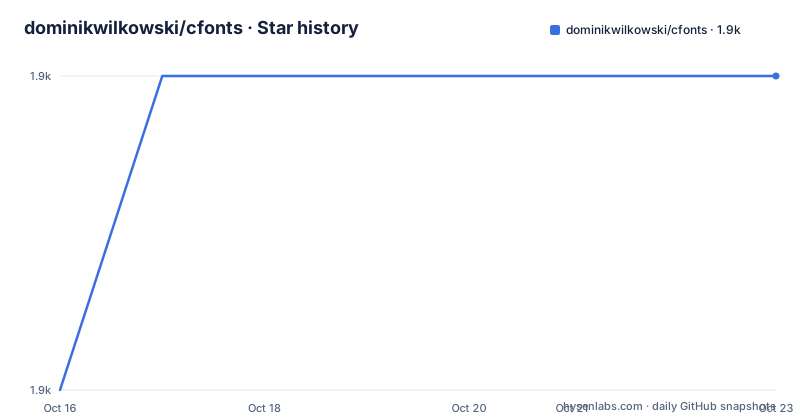
- dominikwilkowski/cfonts1,905 ★ · +1
| Repository | 2026-10-16 | 2026-10-23 |
|---|---|---|
| dominikwilkowski/cfonts | 1.9k | 1.9k |
1 Stars in the last 7 days, measured from the daily GitHub snapshot. Compare with other projects
Editorial analysis
Two implementations, one repository, two version lines
cfonts is not a single binary. The repository holds a rust/ directory and a nodejs/ directory, each with its own README, and the project publishes to both crates.io and npm. The repository's default branch is called released, which is how the two are kept visible as shippable code rather than as an evolving monorepo.
The release tags make the split visible. The most recent tags are v3.3.1nodejs from 2025-09-05, v1.3.0rust from 2025-07-25 and v3.3.0nodejs from 2024-06-17. The Node line is at 3.3 and the Rust line is at 1.3. That gap is the practical consequence of a dual implementation: the same tool, two codebases, two version numbers that do not line up.
Choose based on the runtime you already have rather than on features, since the README presents the two as equivalent implementations and describes the same CLI. The Node version installs globally with npm, the Rust version installs with cargo, and both are packaged for the usual Linux distributions.
The licence is GPL-3.0, and the LICENSE file sits at the repository root beside the two implementation directories, so it covers both.
Installing is a package manager command per platform
The Rust binary is packaged widely, and the README lists the install command for each channel. The package managers are the normal ones:
brew install cfonts
cargo install cfonts
sudo dnf install cfonts
yay -S cfonts
nix-env -iA nixos.cfonts
sudo port install cfonts
For Node the equivalent is a global install, from npm or from yarn:
npm i cfonts -g
yarn global add cfonts
One detail in the README is worth noticing. A larger Unix section covering snap, the Alpine repository, Scoop and RPM is present in the file but wrapped in an HTML comment, so it is not part of the rendered page. The RPM entry inside it still reads TODO. If you are on one of those channels, the repository is not the place that will tell you whether the package exists; the linked package page is.
The Alpine note is also conditional in a way that bites: the correct repository has to be enabled before apk add works, and the README links to the package index for the current repository name rather than hardcoding it.
Thirteen faces, and the colour count is part of the face
The font option takes a name and defaults to block. Thirteen faces ship, and the README annotates each with how many colours it uses, which is a detail that turns out to matter because a two-colour face cannot express a gradient the way a three-colour one can.
The single-colour faces are tiny, simple, simpleBlock, simple3d and console. The two-colour faces are block, slick, grid, pallet, shade, 3d and huge. chrome is the only three-colour face in the list, and that is why it looks different from everything else.
A command selecting a face looks like this:
cfonts "text" --font "chrome"For a script, that distinction is the useful part. If your banner has to sit on a terminal background of unknown colour, a one-colour face is safe and a three-colour one is a gamble. If it prints to a known dark background and you want the metallic look, chrome is the only face that produces it.
The faces themselves are data rather than code: the repository has a fonts/ directory at the top level alongside img/, rust/ and nodejs/, so adding a face is a matter of adding a definition there rather than modifying the renderer.
Only a fixed character set survives, and | becomes a newline
This is the constraint that determines where cfonts can be used. The supported characters are enumerated rather than derived, and the table covers uppercase A to Z, digits 0 to 9, and a punctuation set: $ % & ( ) / ! : ; . , + ' - " _ and space, along with = @ #.
Lowercase letters are absent from the table. Text is expected to be capitalised before conversion, or the characters simply are not part of the font.
The pipe character gets special treatment and the README calls it out separately: the | character will be replaced with a line break. So it is the escape mechanism for multi-line banners, and at the same time a literal pipe can never be printed. For a tool that prints build output, version banners or names, that is rarely a problem. For one that has to reproduce arbitrary text exactly, it is disqualifying.
The usage string shows how arguments compose:
Usage: cfonts "<value>" [option1] <input1> [option2] <input1>,<input2> [option3] etc...Running the text itself is the simplest case, and cfonts --help lists every available option at any point.
Alignment and colour are options, and the defaults are conservative
Alignment is handled by the -a, --align option, a string defaulting to left. The documented keywords are left, center and right for horizontal placement, plus top and bottom for vertical. The README notes that top and bottom are ignored when the spaceless option is used, which is the kind of interaction that only shows up when you have already spent ten minutes wondering why nothing moved.
The help and version commands are the other two documented options, both typed as commands with no default value:
cfonts --help
cfonts --version
The README documents each option with its type and default value, which makes it possible to check behaviour without running anything. Options that take strings carry a quoted default, options that take nothing carry none.
What the visible part of the README does not show is the rest of the option list: colour handling, background and foreground selection, the spaceless option itself, and the environment and output options. The help command is the authoritative list, and the README says so rather than pretending the page is complete. For a tool that reaches for colours through chalk, as the topic tags indicate, that full option list is what you will actually configure against.
Where cfonts sits against figlet and printing it yourself
figlet is the comparison that matters, and it is the tool cfonts most obviously resembles. cfonts offers ANSI-coloured faces through both a command line interface and a Node.js package.
That last point is the real distinction for a Node project. Depending on the package and calling it at startup is a different thing from shelling out to a binary, and it avoids adding a process spawn to a script that only wants a banner.
The cost of the curated set is that if you need a specific style, cfonts may not have it, while figlet almost certainly does.
For a serious production CLI, printing ASCII art at all is worth reconsidering: it does not survive a pipe, a narrow terminal, a log aggregator or a screen reader. cfonts is at its best in the interactive case where a human is looking at it.
Editorial conclusion
cfonts is worth adding to a personal toolchain or to a CLI whose help output is part of its personality, because thirteen faces with different colour counts give you more than one banner style without writing an ASCII art generator yourself. It is the wrong tool for production log output, for text containing punctuation outside its character set, and for anyone whose project cannot carry GPL-3.0. Before you depend on it in a script, run cfonts --help to see the full option list, note that the pipe character is consumed as a line break so a literal pipe cannot be printed, and decide which implementation you will ship, since the Rust and Node versions carry separate version lines and can drift apart.
Frequently asked questions
How do I install cfonts?
For the Rust version: cargo install cfonts, or a system package with brew install cfonts, sudo dnf install cfonts, yay -S cfonts, nix-env -iA nixos.cfonts or sudo port install cfonts. For Node: npm i cfonts -g or yarn global add cfonts.
Which characters can cfonts print?
Uppercase A to Z, digits 0 to 9, and a punctuation set including $ % & ( ) / ! : ; . , + ' - " _ = @ # and space. Lowercase letters are not in the supported set.
What font faces does cfonts ship?
Thirteen: block as the default, plus slick, tiny, grid, pallet, shade, chrome, simple, simpleBlock, 3d, simple3d, huge and console. The README annotates each with its colour count, from one colour up to three for chrome.
Why does my pipe character turn into a line break?
The README states that the | character will be replaced with a line break. It is how you produce a multi-line banner, and it also means a literal pipe can never be printed through the font conversion.
Are the Rust and Node versions of cfonts released together?
No. Recent tags are v3.3.1nodejs from 2025-09-05 and v1.3.0rust from 2025-07-25, so the two lines carry separate version numbers and the rust release trails the newest nodejs one. Pick one runtime for your project.
Official sources
Add this badge to your README
If you maintain this project, the badge below links readers to this analysis and shows its maintenance status from the daily GitHub snapshot. Paste the markdown into your README; add ?metric=license or ?metric=stars to the image URL for a different field.

[](https://hysenlabs.com/projects/dominikwilkowski-cfonts)Star history chart for your README
[](https://hysenlabs.com/projects/dominikwilkowski-cfonts)Was this useful?