Exeinfo Pe: a signature database for telling packers from protectors on Windows
Free Windows Detector Software
At a glance
- What is it?
- Exeinfo Pe is a freeware Windows utility that identifies the packer, compiler, protector or .NET obfuscator used to build a PE executable, and it ships as a closed binary rather than as source. It is a triage tool for analysts who need to know what they are looking at before deciding how to look at it.
- Who is it for?
- Adopt Exeinfo Pe if you do occasional triage of unknown Windows executables and want a quick read on whether a binary is packed, protected or obfuscated, without installing a full reverse engineering suite. Do not adopt it as your only analysis tool, and do not treat its verdict as proof of what a binary does, since a packer detection is a signature match and not a behavioural analysis.
- Can I use it commercially?
- Not without permission. GitHub finds no licence file in the repository, and without a licence all rights are reserved by default: you may read the code but not reuse it. Check the README, or ask the authors, before using it.
- Is it still maintained?
- Yes. The repository last received commits 57 days ago.
- What is it written in?
- GitHub does not report a main language for this repository.
Answers come from the project's GitHub data, last synced on November 7, 2026, and from our analysis. They are not legal advice.
Star history
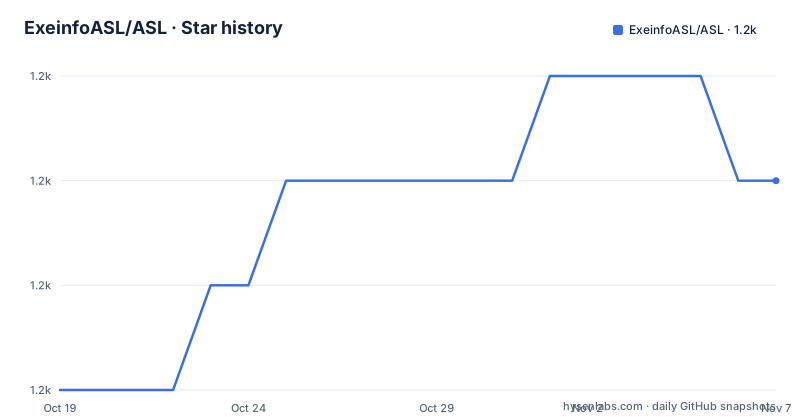
- ExeinfoASL/ASL1,161 ★ · +2
| Repository | 2026-10-19 | 2026-11-07 |
|---|---|---|
| ExeinfoASL/ASL | 1.2k | 1.2k |
2 Stars in the last 19 days, measured from the daily GitHub snapshot. Compare with other projects
Editorial analysis
What the tool actually answers
Exeinfo Pe is described in the README as a fast detector for executable PE files, under the category Exe detector, Data detector, Exe Tools. The project description line puts it more bluntly: detect packer, compiler, protector, .NET obfuscator, PUA application.
Those five categories are worth separating, because they answer different questions and a single binary can trip more than one. A packer compresses or encrypts the executable so that it unpacks itself at run time, which is what hides the code from a static reader. A compiler is the toolchain that produced the binary, from a Delphi or .NET or C++ compiler, and recognising it tells you which toolchain to load into a debugger. A protector is stronger than a packer, adding anti-debug and anti-dump tricks. A .NET obfuscator is the managed-code equivalent, renaming and restructuring IL so that the code resists decompilation. PUA, potentially unwanted application, is a judgement about the software's behaviour rather than about its packing.
There is a second detection axis, described in the README as binary packed data, with the list rar, zip, iso, 7zip, zx, sqz, lz4 and img among the formats named. That is a data detector rather than an executable detector, and it matters for a different job: telling you that a container inside a container is not what its outer label suggests.
So the value proposition is a single question answered quickly, what is this file made of. For an analyst with a directory of unknown executables, that is the first triage question, and answering it by hand means opening a hex editor and reading the section names and the entry point, which is exactly the work this tool automates.
The homepage is exeinfo.xn.pl and the project lives at github.com/ExeinfoASL/ASL, with a contact address of [email protected]. The distribution is registered as Freeware, and the README states that the tool is free Windows software.
The repository is a download, not a source tree
This is the first thing to understand, and it changes what you can expect from the project. The top-level repository entries are README.md, exeinfo_screen.png, exeinfope.zip and file_id.diz. That is the whole thing. There is no source directory, no build system, no test suite and no documentation folder beyond the README, and the primary language of the repository is listed as unknown because there is no code in it.
file_id.diz is the conventional file used by FTP and BBS scene indexers to describe an archive, and exeinfope.zip is the distributable. The README also mentions an info entry for inside zip file, which suggests the archive can describe its own contents when examined from within a zip tool.
This has two practical consequences. The first is that you cannot build the tool, review the detection logic, or extend the signature set yourself in the way you could with a source project. The second is that you are trusting a closed binary to run on your machine, which for a tool whose job is to open untrusted executables is worth thinking about. A detector that reads a file is a smaller risk than a tool that runs it, but a detector that is itself distributed as an unsigned zip from a personal site is not a supply-chain story you would want to tell in a security review.
The release list does show an active project behind it. The most recent release is V1.0.0, labelled Exeinfo Pe v.0.1.0.0, on 2026-09-11, preceded by v0.0.9.9 on 2026-08-08 and v0.0.9.8 on 2026-07-17. Note the two version numbers, a repository tag of 1.0.0 and an internal application version of 0.1.0.0, which is a reminder to check which one the release notes are describing. The repository is not archived and the last push was on 2026-09-11, the same day as the 1.0.0 tag, so the tool is being worked on.
Inside the signature set: three databases, one program
The README lists the internal components, and they explain the structure of the tool.
The main program is Exeinfo Pe, version 0.1.0.0, dated 2026, and it is described as carrying 1259 plus 215 signatures for x64. So the executable signature set is split between a 32-bit-sized core and a smaller set for 64-bit binaries, which reflects how packers and compilers differ between the two architectures.
The second component is Ext_detector at version 7.9.1, described as holding 781 non exe signatures. This is the packed data detector, the component that recognises the containers listed in the README, the rar, zip, iso, 7zip, zx, sqz, lz4 and img formats. The naming is slightly confusing, since the component is called a detector and the entry is described as non exe signatures, but the intent is clear: a second database for things that are not executables but are packed.
The third is the external signature set, userdb.txt, with 4469 entries. This is the part that matters for extensibility. Because it is an external file rather than something compiled into the binary, a user can add their own detections without waiting for a new release, and the size of that set, at 4469 entries, is far larger than the built-in 1259.
So the total detection surface is roughly 1259 plus 215 plus 781 plus 4469, which is on the order of six to seven thousand rules, though the exact arithmetic depends on how the categories overlap. The point is not the count, it is the shape: a small program with a large and partly user-extensible database, which is the right shape for a tool whose knowledge needs to change weekly because packers change weekly.
The README is also candid about how that database is sustained. It says that if you want the hot new version with new signatures only, that is available in the VIP area, and it points at a donation link. In other words, the signature set is the maintained product, and keeping it current is where the maintainer's effort goes, funded partly by donations rather than entirely by the free download.
Running it, and the strangely old system requirements
The README gives the supported operating systems as Windows XP/2003/7/8/10, with an XP included extra version, and the requirements are listed in a way that dates the project: a minimum 486 or 666 MHz processor, 1 GB of RAM, 50 MB of hard drive space, and an SVGA graphics card with 256 colours.
Those figures are almost certainly historical rather than current, since Windows 10 is listed alongside Windows XP and 2003, but they tell you something real about the tool's design. It is a small, self-contained Windows executable that runs on anything, including the old machines you find in an isolated environment. The README explicitly calls out an extra version that includes Windows XP support, which is the kind of thing you only maintain if you expect people to run it on old systems.
The product name given in the README is Exeinfo Pe, and the author's name is A.S.L Soft, with the project titled A.S.L Soft and Free Windows software. The listing also mentions an info entry, which refers to a file that a zip archiver can display.
For installation, the repository gives you one thing and one thing only, the exeinfope.zip archive at the top of the repository, with the exeinfo_screen.png screenshot and the file_id.diz description. There is no installer script, no documented command line, and no configuration file format described in the README. So the deployment is: download the archive, extract it, run the executable, and read the result on the screen. Anything more elaborate, such as running it in a script across a directory of samples, is something you would have to work out from the program's own interface, because the README does not document a command line or an output format.
The README asks for donations through PayPal, and notes that a version carrying only new signatures is offered in a VIP area.
Where a signature detector stops
The limitation here is not a missing feature, it is a category of question the tool cannot answer, and pretending otherwise would be dishonest.
A signature match tells you that a particular byte pattern is present. That is evidence, not proof. A packer signature tells you the binary was likely built with a known packer, not that it is malicious, and a compiler signature tells you the toolchain, not the behaviour. The README is not overselling, the categories are descriptive, but a reader who takes a detection as a verdict will be wrong often enough to matter.
The reverse failure is more common. A packed or protected binary that uses a packer not in the database, or a modified stub, will not match, and the tool will either report nothing or report the wrong thing. That is the base rate problem with signature detection, and it is why the userdb.txt external file exists, so that people can add the detections they find in the field.
The second limitation is scope. Exeinfo Pe identifies what a file is. It does not decompile it, it does not disassemble it, it does not show you the imports, it does not check the hashes against a reputation service, and it does not run the file in a sandbox. The README mentions packed data detection and a possible info entry inside zip files, and that is the extent of the analysis surface. For any question beyond identification, you still need a hex editor, a disassembler, a decompiler, and judgement.
There is also the trust dimension, which follows from the distribution model. A closed binary with a database of a few thousand rules, hosted on a personal site and mirrored to a GitHub repository as a zip file, is a tool you run on files you have not yet decided are safe. It is not a supply chain you would want to audit, and for an environment with strict software approval you would want to know how the vendor produces the build before you allow it. The licence is listed as unknown, and the absence of any source code makes the distribution model hard to audit.
Exeinfo Pe against the heavier analysis tools
The alternatives sit at two different points on the same axis, and the difference in approach is worth being precise about.
At one end are the general-purpose static analysis tools: a hex editor, a disassembler, a decompiler, an import table viewer, a PE resource extractor. These give you the raw material and the interpretive power. A decompiler for .NET assemblies will show you the obfuscated IL and the strings, which is what you need when the question is what the program does. The cost is time and expertise, and the learning curve for a non-specialist is steep.
At the other end is the automated triage approach, which is where Exeinfo Pe sits. Instead of giving you a disassembler, it gives you an answer to the question you ask first. For a malware analyst facing a hundred samples, the first question is not what the code does, it is what kind of thing this is, whether it is packed, and therefore whether the tools they are about to reach for will even work. A signature database answers that in seconds, and it does so the same way every time, which is what makes it useful in a pipeline rather than in a session.
The difference in approach is lookup versus interpretation. Exeinfo Pe is a lookup, backed by a database you can extend with userdb.txt. The heavier tools are interpretation, and they need a person. Neither replaces the other, and a good workflow uses the cheap answer first to decide where to spend the expensive one.
A third option is the sandbox, which answers a different question altogether: what does the program do when it runs. That is the answer to the malicious question rather than the structural one, and it costs an isolated environment. A tool that identifies the packer tells you which unpacking step to apply before you can even start reading the code, and for an analyst who does not already have that workflow built, that is the step that is worth automating.
So the deciding question is whether you need identification or comprehension. If you need to know what a binary is, and you are doing it repeatedly, a signature database is the right tool. If you need to know what it does, you are past what this project offers.
Editorial conclusion
Adopt Exeinfo Pe if you do occasional triage of unknown Windows executables and want a quick read on whether a binary is packed, protected or obfuscated, without installing a full reverse engineering suite. Do not adopt it as your only analysis tool, and do not treat its verdict as proof of what a binary does, since a packer detection is a signature match and not a behavioural analysis. Verify first that the signature database in the copy you downloaded is current, that the version you run matches the release notes you read, and that the report it gives is consistent with what you can see yourself in a hex editor before you act on it.
Frequently asked questions
What can Exeinfo Pe detect in a Windows executable?
The README lists packers, compilers, protectors, .NET obfuscators and potentially unwanted applications, plus binary packed data in formats including rar, zip, iso, 7zip, zx, sqz, lz4 and img. The built-in databases hold 1259 plus 215 x64 signatures for executables, 781 non-exe signatures in Ext_detector v7.9.1, and 4469 entries in the external userdb.txt.
Is Exeinfo Pe open source and how do I get it?
The repository contains no source code, only README.md, a screenshot, file_id.diz and the exeinfope.zip archive, and the primary language is listed as unknown. The README describes the program as registered as Freeware and asks for donations through PayPal, and the licence field is listed as unknown.
What operating systems does Exeinfo Pe run on?
The README lists Windows XP/2003/7/8/10, with an extra version that includes Windows XP support, and gives requirements of a 486 or 666 MHz processor, 1 GB of RAM, 50 MB of disk space and an SVGA card with 256 colours.
Can I add my own detections to Exeinfo Pe?
The README lists an external signature set in userdb.txt with 4469 entries, kept outside the program binary, which is the mechanism for extending detection coverage without waiting for a new release.
Official sources
Add this badge to your README
If you maintain this project, the badge below links readers to this analysis and shows its maintenance status from the daily GitHub snapshot. Paste the markdown into your README; add ?metric=license or ?metric=stars to the image URL for a different field.

[](https://hysenlabs.com/projects/exeinfoasl-asl)Star history chart for your README
[](https://hysenlabs.com/projects/exeinfoasl-asl)Was this useful?