docker-maven-plugin binds goals to lifecycle phases, not to scripts
Maven plugin for running and creating Docker images
At a glance
- What is it?
- The fabric8 docker-maven-plugin builds images, runs containers for integration tests and pushes to a registry through fourteen Maven goals, most of them already bound to a lifecycle phase. The version floors it documents are as important as the goal list.
- Who is it for?
- docker-maven-plugin fits a Java project whose integration tests need a real database or broker container and whose release process already runs through Maven phases, because start and stop bind to pre and post integration test and the container lifetime follows the build. Before adopting, check your daemon version against the documented API floors, because custom networks and build args need Docker 1.9 and docker:watch needs 1.8.1.
- Can I use it commercially?
- Yes. Apache-2.0 is a permissive licence: you can use, modify and sell software built on it, as long as you keep its copyright and licence notices.
- Is it still maintained?
- Yes. The repository last received commits 2 days ago.
- What is it written in?
- Mainly Java, according to GitHub's language statistics.
Answers come from the project's GitHub data, last synced on October 23, 2026, and from our analysis. They are not legal advice.
Star history
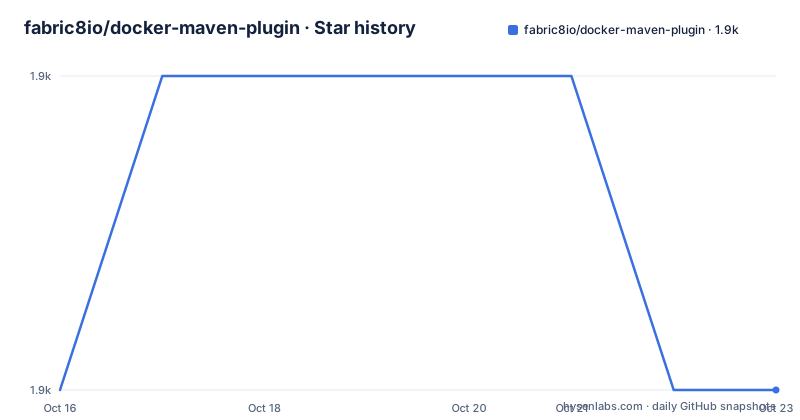
- fabric8io/docker-maven-plugin1,931 ★ · +0
| Repository | 2026-10-16 | 2026-10-23 |
|---|---|---|
| fabric8io/docker-maven-plugin | 1.9k | 1.9k |
0 Stars in the last 7 days, measured from the daily GitHub snapshot. Compare with other projects
Editorial analysis
Most goals are already wired into the lifecycle
The goal table has a column that matters more than the goal names: the default lifecycle phase. Only three of the fourteen goals have none.
docker:start creates and starts containers and is bound to pre-integration-test. Its counterpart docker:stop, which stops and destroys containers, is bound to post-integration-test. So a container exists for exactly the integration test phase and is torn down afterwards without anyone writing a shutdown step.
docker:build runs at install, which means the image is built as part of mvn install rather than by a separate command. docker:push is bound to deploy, so the registry push belongs to the release phase. docker:tag and docker:source are also bound, at install and package respectively, so tagging and attaching the build archive to the Maven project happen at the points where their inputs exist.
The cleanup goals are paired the same way. docker:remove runs at post-integration-test, docker:volume-create at pre-integration-test and docker:volume-remove at post-integration-test, and docker:copy runs at post-integration-test.
The unbound three are the interactive ones: docker:watch for rebuilds and restarts, and docker:logs and docker:save for inspecting what just happened. None of them belongs on a build server, and the phase column is how you tell at a glance which are which.
Docker version floors are stated per feature
The compatibility section is unusually precise, and it is worth reading as a table rather than a version number.
The stated baseline is Docker 1.6, API v1.18, as the minimal required version overall. Docker 29 or newer, corresponding to API v1.44, is named as the minimal required version for compatibility with that daemon, which is the forward-looking half of the same statement.
Two goals have their own higher floor. docker:watch requires Docker 1.8.1, API v1.20, and using custom networks and build args requires Docker 1.9, API v1.21. That is the shape to remember: the minimum moves up per feature, not per release, so an ancient daemon can still build an image while silently failing the moment you ask for a custom network.
The Maven side is simpler, with Maven 3.0.5 as the stated compatibility point. The plugin works with Docker 1.6.0 or later, and the repository ships the Maven wrapper as mvnw and mvnw.cmd so a build does not depend on a system Maven version.
The samples directory is the real feature list
While the README documents the goals, the samples/ directory shows what people actually build, and the names cover a wide range of setups.
The minimal entry points are smallest/ and zero-config/, which are the two to read first because they show how much configuration the plugin needs before it does anything useful. helloworld/ and run-java/ show the plain cases of running a container and running your own artifact.
Then come the ones that answer specific questions. build-cache/ is about layer reuse, multi-architecture/ and multi-assembly/ about producing more than one image from one build, docker-compose/ is another sample, custom-net/ and net/ about network topology, volume/ about shared data, healthcheck/ about waiting for a container to be ready, and multi-wait/ about the same problem from another angle. copy-from-container/ covers pulling artifacts back out, log/ and data-jolokia/ cover observing and reaching into a running container, and cargo-jolokia/ is another sample.
Two entries are worth calling out as alternatives rather than features. spring-boot-with-jib/ and properties/ are additional examples. The presence of both tells you the plugin's author expects it to be one part of a build rather than the whole of it.
The README points at samples/ as the source of examples and describes them as blueprints for your own projects.
Zero config is a claim, not a guarantee
A sample directory named zero-config/ invites the question of how little you can get away with. The plugin infers a lot: the image name comes from Maven coordinates, and the default lifecycle bindings mean that a minimal pom can produce an image at install without any explicit plugin configuration.
That works for a container that needs no ports, no volumes, no environment and no health check, which is a narrower set than most real services. The moment you need to publish a port, mount a volume or wait for readiness, you are writing configuration, and the relevant samples become the better reading than the goal table.
The container lifecycle also has a failure mode worth naming in advance. Since docker:start runs before integration tests and docker:stop after them, a test that hangs holds a container open, and a build killed between those phases can leave containers behind. The volume-create and volume-remove pair has the same shape. Nothing in the README documents a cleanup command for interrupted builds, so a CI agent that fails often will accumulate containers unless you script the teardown yourself.
Where the documentation lives
The README is an index rather than a manual, and the pointers are specific.
The User Manual is hosted at fabric8io.github.io/docker-maven-plugin with a PDF version, and is described as a detailed reference for all and everything. The Introduction in doc/intro.md is the high-level overview with a usage example and the provided goals and possible configuration parameters. Examples live under samples/, and the ChangeLog in doc/changelog.md carries the release history.
Nightly builds are published to Maven Central, with a dedicated document explaining how to use Docker Maven Plugin snapshot artifacts. That matters for anyone who wants to track the current commit, and it is also a reminder that the repository is consumed as an artifact from Central rather than built from source.
Release history from the tags is regular: v0.49.0 on 2026-08-09, v0.48.1 on 2026-02-07 and v0.48.0 on 2025-11-17. The version sits below 1.0 and the licence is Apache-2.0. Contributions run through pull requests, with a Jenkinsfile at the repository root and integration tests under it/.
The last push was on 2026-10-13, and the project also publishes coverage and technical debt badges from SonarCloud, so there is some signal about code health even without reading the source.
Editorial conclusion
docker-maven-plugin fits a Java project whose integration tests need a real database or broker container and whose release process already runs through Maven phases, because start and stop bind to pre and post integration test and the container lifetime follows the build. Before adopting, check your daemon version against the documented API floors, because custom networks and build args need Docker 1.9 and docker:watch needs 1.8.1.
Frequently asked questions
What are the requirements for the fabric8 docker-maven-plugin?
It works with Maven 3.0.5 and Docker 1.6.0 or later. The README adds that Docker 29 and later needs at least API v1.44, docker:watch needs Docker 1.8.1, and custom networks and build args need Docker 1.9.
Which Maven goals does docker-maven-plugin provide?
Fourteen goals are listed: docker:start, docker:stop, docker:build, docker:watch, docker:push, docker:remove, docker:logs, docker:source, docker:save, docker:tag, docker:volume-create, docker:volume-remove and docker:copy. All but docker:watch, docker:logs and docker:save are bound to a default lifecycle phase.
Does the plugin clean up containers after integration tests?
docker:stop is bound to post-integration-test and destroys the containers, with docker:remove and docker:volume-remove in the same phase. The README does not describe a cleanup mechanism for a build that is interrupted between those phases.
Where are examples for this Maven plugin?
The samples/ directory in the repository holds example setups, including smallest/, zero-config/, helloworld/, build-cache/, multi-architecture/, docker-compose/, volume/ and healthcheck/, which the README describes as blueprints for your own projects.
Official sources
Add this badge to your README
If you maintain this project, the badge below links readers to this analysis and shows its maintenance status from the daily GitHub snapshot. Paste the markdown into your README; add ?metric=license or ?metric=stars to the image URL for a different field.

[](https://hysenlabs.com/projects/fabric8io-docker-maven-plugin)Star history chart for your README
[](https://hysenlabs.com/projects/fabric8io-docker-maven-plugin)Was this useful?