FlutterGen generation for typed Flutter assets, fonts, and colors
The Flutter code generator for your assets, fonts, colors, … — Get rid of all String-based APIs.
At a glance
- What is it?
- FlutterGen turns pubspec.yaml declarations into Dart APIs for assets, fonts, colors, and selected integrations. It suits Flutter teams that prefer generated references over manually maintained string paths.
- Who is it for?
- FlutterGen is appropriate for Flutter packages that repeatedly reference declared assets and want generation to expose misspelled members. It is less suitable for projects that prefer direct string paths or cannot require Dart SDK 3.7.0 and build_runner 2.12.0 or later.
- Can I use it commercially?
- Yes. MIT is a permissive licence: you can use, modify and sell software built on it, as long as you keep its copyright and licence notices.
- Is it still maintained?
- Yes. The repository last received commits 3 days ago.
- What is it written in?
- Mainly Dart, according to GitHub's language statistics.
Answers come from the project's GitHub data, last synced on October 23, 2026, and from our analysis. They are not legal advice.
Star history
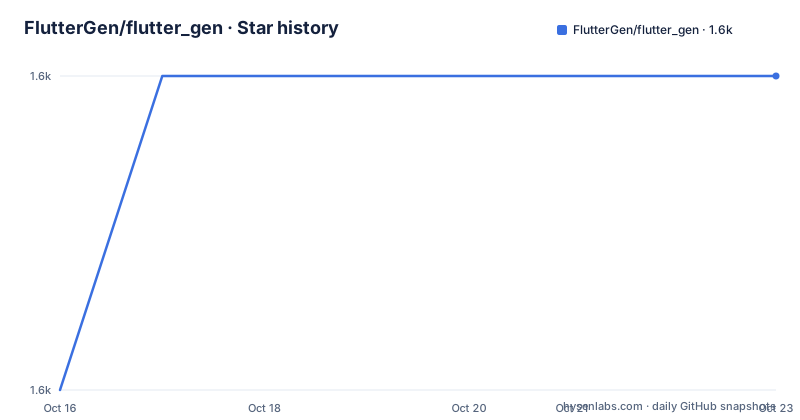
- FlutterGen/flutter_gen1,581 ★ · +1
| Repository | 2026-10-16 | 2026-10-23 |
|---|---|---|
| FlutterGen/flutter_gen | 1.6k | 1.6k |
1 Stars in the last 7 days, measured from the daily GitHub snapshot. Compare with other projects
Editorial analysis
The string-path problem FlutterGen addresses
FlutterGen targets a specific failure mode in Flutter applications: code and configuration can drift apart when assets are referenced through duplicated string literals. An image may be declared correctly in pubspec.yaml while application code spells its path incorrectly. Flutter can discover that problem only when a widget attempts to load the asset, as illustrated by the README example that raises an image codec assertion for `assets/images/profile.jpeg` after a configuration declares `assets/images/profile.jpg`.
The package moves asset identification into generated Dart members. Under this model, code refers to `Assets.images.profile.image()` instead of passing `assets/images/profile.jpg` directly to `Image.asset`. The intended benefit is earlier feedback when a generated member does not exist. It also reduces repeated path literals across widgets and makes a rename visible in source control through generated output.
This is aimed at Flutter developers and package maintainers who control pubspec.yaml declarations and accept a generated-code workflow. It is less relevant to a small application that rarely references declared resources, or to a team that has standardized on direct asset strings and does not want generated files in its repository. FlutterGen does not replace Flutter's asset bundling model. It creates typed-looking accessors whose names and underlying resources come from package configuration.
The repository describes FlutterGen as inspired by SwiftGen. That context does not change its Dart and Flutter workflow: configuration comes from pubspec.yaml, generated files are Dart, and selected integrations produce Flutter-oriented APIs.
How pubspec.yaml declarations become Dart APIs
FlutterGen reads the `flutter` and `flutter_gen` keys from pubspec.yaml. The `flutter` section follows Flutter's resource declarations, including asset directories, exact files, fonts, font families, styles, and optional input files such as Android color XML. The `flutter_gen` section controls output behavior and enables integrations.
For assets, the README requires no separate FlutterGen declaration. FlutterGen follows Flutter's asset specification and generates related Dart files. Asset entries can be directories or exact paths. The documented configuration also includes entries with Flutter asset transformers, although the README does not show the generated API for every transformer output.
Font generation is driven by entries under `flutter.fonts`. A family can contain regular, italic, and other declared font files. Color generation requires explicit inputs under `flutter_gen.colors.inputs`. Integrations are opt-in through keys such as `image`, `flutter_svg`, `rive`, and `lottie`. This explicit activation matters because the README does not state that every related Flutter package is generated automatically.
Generated file placement defaults to `lib/gen/`. The `output` and `line_length` settings can change that behavior. With build_runner, `build.yaml` options are applied on top of pubspec.yaml settings for the current target, which permits a target-specific output directory. The repository layout includes core, runner, CLI, and example areas, so the project is not only a single command script.
The core design is manifest-driven. FlutterGen does not scan arbitrary application expressions or infer resource use from widget code. It derives output from package manifests and configured inputs. A resource omitted from those declarations will not become an available generated member, while a declared resource can still be absent from the built Flutter bundle if the broader Flutter build is misconfigured.
Installing FlutterGen through build_runner
The README's primary setup path integrates FlutterGen with build_runner. The documented minimum is Dart SDK `^3.7.0` and `build_runner >=2.12.0`, because the current runner relies on post-process builders with `build_to: source`.
Add the generator dependencies to the package's pubspec.yaml:
environment:
  sdk: ^3.7.0

dev_dependencies:
  build_runner: ^2.12.0
  flutter_gen_runner:
Resolve those dependencies with Flutter:
flutter pub getThen create the generated Dart sources:
dart run build_runner buildThe README does not specify a universal first-use widget because generated class and import names depend on package configuration. A practical first verification is to declare one exact asset in pubspec.yaml, run the build command, inspect the generated output, and confirm that the application uses the member exposed for that asset. The README's motivating example expresses the intended usage as follows:
Widget build(BuildContext context) {
  return Assets.images.profile.image();
}
That code is an illustration rather than a copy-and-paste template. The asset example uses `assets/images/profile.jpg` in pubspec.yaml, so a package should not adopt the widget call without first creating the resource and checking the generated API.
Projects can also use Homebrew, asdf, a GitHub Actions setup action, or global pub activation. Those routes install the command-line generator, but they do not remove the need to configure resource declarations and regenerate output after those declarations change.
Running FlutterGen in pub workspaces
FlutterGen has package-aware workspace behavior rather than reading one root manifest and applying every member's settings to all packages. A root pubspec.yaml lists workspace members, while each member supplies its own Flutter declarations, FlutterGen configuration, and optional build.yaml overrides.
The documented root configuration is:
environment:
  sdk: ^3.7.0

workspace:
  - packages/app
The member must declare workspace resolution:
name: app
resolution: workspace

dev_dependencies:
  flutter_gen_runner:
  build_runner: ^2.12.0
Run generation from the workspace root:
dart run build_runner build --workspaceFlutterGen uses the root manifest to discover members, then loads each member's own pubspec.yaml and local build.yaml. Package resolution is based on the active build target instead of the process working directory. Local output paths therefore remain package specific.
There is one important configuration restriction: `--build` is available only in single-package mode. Workspace users must place overrides in each member's build.yaml instead. This preserves package-level control but means an organization with many members may have repeated configuration work.
The README documents a recovery case for generated files removed while `.dart_tool/build` still exists. In that situation, clean from the workspace root before rebuilding:
dart run build_runner cleanThe reason is stated directly: the post-process builder flow can recreate files after a clean build, while a warm incremental build may skip unchanged manifests. Teams that remove generated files without cleaning should therefore expect a possible missing-output problem.
Standalone CLI configuration and regeneration constraints
The standalone CLI supports single-package and workspace generation. The README documents these invocation forms:
fluttergen -h

fluttergen -c example/pubspec.yaml

fluttergen --workspace -c pubspec.yaml
Without `--workspace`, FlutterGen generates for exactly one package. With `--workspace`, the root pubspec.yaml is treated as a discovery manifest, and each listed member's local configuration is loaded. The CLI therefore offers a path for projects that do not invoke generation through build_runner.
A representative pubspec.yaml configuration shows the available controls:
flutter_gen:
  output: lib/gen/
  line_length: 80
  integrations:
    image: true
    flutter_svg: true
    rive: true
    lottie: true
  colors:
    inputs:
      - assets/color/colors.xml
This configuration enables four integrations and declares one color source. Font declarations remain under Flutter's normal `fonts` section. The README does not document validation messages for malformed font, color, SVG, Rive, or Lottie inputs.
Regeneration also affects repository hygiene. Generated files may appear under `lib/gen/` or `lib/build_gen/`, depending on configuration. The README does not prescribe whether those files should be committed or ignored. A project must select that policy, particularly if CI needs generated output before compilation or if local development expects generated Dart APIs before the first build.
The standalone CLI is useful when generation is a separate pipeline stage. build_runner is integrated with Dart package builds and supports local build.yaml overrides. Neither route removes the dependency between generated APIs and the resource declarations they represent.
Maintenance, licensing, and operational trade-offs
The repository is not archived, and its last push was on 2026-10-14. The documented release history lists v5.15.0 on 2026-07-13, v5.14.1 on 2026-04-27, and v5.14.0 on 2026-04-19. These dates show recent project changes, but they do not establish compatibility with Flutter or Dart releases beyond the constraints stated in the README.
The project uses the MIT license. That permits broad use, modification, and redistribution under the license's conditions, but adopters still need to read the repository's LICENSE file and retain required notices. The project license does not remove the need to review dependencies such as build_runner, Flutter packages used by enabled integrations, or tools installed through system package managers.
The clearest operational cost is regeneration. Resource names, output directories, line lengths, integrations, and workspace membership all become build configuration that contributors must understand. A manifest change may require generated Dart output to be refreshed. CI must also have compatible Dart and Flutter tooling and must invoke generation in the same package or workspace context used by developers.
A genuine wrong-fit case is a project that treats pubspec.yaml as the sole source of resource names but rejects generated source files. FlutterGen cannot provide its main benefit without accepting generation and associated review rules. Another limitation is diagnostic scope: the README does not document malformed-input reports, conflict behavior for duplicate declarations, or rollback procedures for generated output.
Compared with manual string APIs, FlutterGen adds a manifest-to-Dart generation layer and can expose misspelled member access earlier. The manual approach is simpler and has no generation step, but it leaves spelling and path consistency to runtime checks and code review. Compared with build_runner, the standalone CLI offers separate command execution without introducing a different resource declaration model.
Editorial conclusion
FlutterGen is appropriate for Flutter packages that repeatedly reference declared assets and want generation to expose misspelled members. It is less suitable for projects that prefer direct string paths or cannot require Dart SDK 3.7.0 and build_runner 2.12.0 or later. Before adoption, verify resource declarations, generated import paths, CI generation, and package-level build.yaml overrides.
Frequently asked questions
How do I install FlutterGen with build_runner?
Add `flutter_gen_runner` and `build_runner: ^2.12.0` under `dev_dependencies`, run `flutter pub get`, and then run `dart run build_runner build`. The documented Dart constraint is `sdk: ^3.7.0`.
Can FlutterGen generate code for a Dart pub workspace?
Yes. Run `dart run build_runner build --workspace` from the workspace root. The root pubspec.yaml discovers members, while each member supplies its own pubspec.yaml and optional build.yaml configuration.
Where does FlutterGen write generated files?
The default output is `lib/gen/`. The `flutter_gen.output` setting can change it, and build_runner users can apply target-specific overrides through the package's build.yaml.
What should I do if generated workspace files disappear during an incremental build?
Run `dart run build_runner clean` from the workspace root, then run the workspace build again. The README says a clean build can recreate files that a warm incremental build may skip when manifests appear unchanged.
Does FlutterGen automatically generate code for every Flutter integration?
No. The documented configuration explicitly enables `image`, `flutter_svg`, `rive`, and `lottie` under `flutter_gen.integrations`. Asset generation follows Flutter asset declarations, while color generation requires configured input files.
Official sources
Add this badge to your README
If you maintain this project, the badge below links readers to this analysis and shows its maintenance status from the daily GitHub snapshot. Paste the markdown into your README; add ?metric=license or ?metric=stars to the image URL for a different field.

[](https://hysenlabs.com/projects/fluttergen-flutter-gen)Star history chart for your README
[](https://hysenlabs.com/projects/fluttergen-flutter-gen)Was this useful?