Foundatio: pluggable distributed infrastructure blocks for .NET applications
Pluggable foundation blocks for building distributed apps.
At a glance
- What is it?
- Foundatio is an Apache-2.0 C# library that abstracts caching, queues, distributed locks, messaging, file storage and background jobs behind provider-swappable interfaces. Swapping from in-memory to Redis or from local disk to S3 requires no code changes, only a different registered implementation.
- Who is it for?
- Foundatio fits .NET teams building distributed systems who want a single abstraction layer for caching, queues, locks and storage without coupling their business logic to specific cloud vendors or on-premises infrastructure. It is the wrong choice for teams outside the .NET ecosystem or for projects that need distributed locks on Azure without also running Redis, because the Azure Storage provider covers only Queues and Storage.
- Can I use it commercially?
- Yes. Apache-2.0 is a permissive licence: you can use, modify and sell software built on it, as long as you keep its copyright and licence notices.
- Is it still maintained?
- Yes. The repository received new commits within the last day.
- What is it written in?
- Mainly C#, according to GitHub's language statistics.
Answers come from the project's GitHub data, last synced on October 23, 2026, and from our analysis. They are not legal advice.
Star history
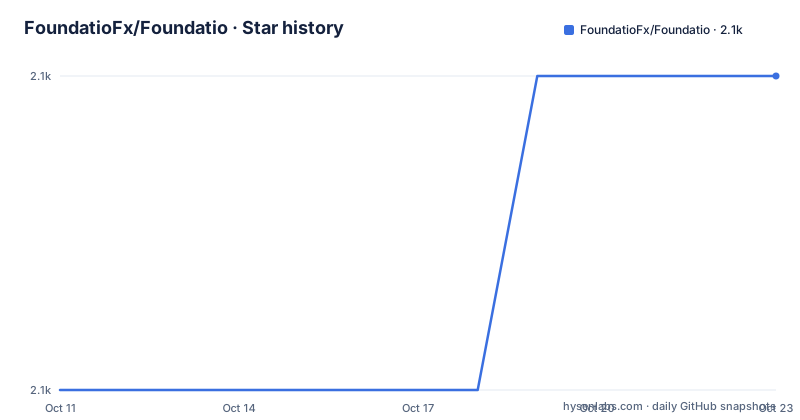
- FoundatioFx/Foundatio2,103 ★ · +1
| Repository | 2026-10-11 | 2026-10-23 |
|---|---|---|
| FoundatioFx/Foundatio | 2.1k | 2.1k |
1 Stars in the last 12 days, measured from the daily GitHub snapshot. Compare with other projects
Editorial analysis
Foundatio codes against ICacheClient, IQueue and ILockProvider, not against vendors
Foundatio's central design choice is that application code calls interfaces rather than concrete vendor clients. ICacheClient, IQueue, IFileStorage and ILockProvider are the abstractions you write against, and switching from InMemoryCacheClient to a Redis implementation happens at the dependency injection registration, not at the call site.
The project calls this approach "interface-first: code against abstractions, not implementations." The practical result is that a queue consumer written against IQueue<WorkItem> runs in tests with InMemoryQueue<WorkItem> and in production with a Redis, SQS or Azure Service Bus queue, as long as the registered implementation matches.
Foundatio is built for Microsoft.Extensions.DependencyInjection, the standard .NET dependency injection container. The DI-native design means the registration pattern follows the same conventions as other .NET libraries: register the implementation in the container, inject the interface, swap the implementation per environment. No special framework adapter or wrapper class is needed.
This abstraction layer is the main reason to choose Foundatio over writing thin wrappers yourself. A team that needs caching, queuing and file storage already has to write those integrations; the question is whether to write them against a specific vendor SDK or against a shared interface that other projects in the organization can also use. Foundatio packages the common patterns and makes the implementations interchangeable, with a community of providers maintained under the FoundatioFx GitHub organization.
7 building blocks with dedicated documentation pages at foundatio.dev
Foundatio covers 7 capability areas, each with a page in the documentation at foundatio.dev/guide/. Caching covers in-memory, Redis and hybrid caching with automatic invalidation. Queues provide FIFO message delivery with lock renewal and retry policies. Locks handle distributed locking and throttling. Messaging implements pub/sub with size limits and notification patterns. Jobs handle background job processing with hosted service integration. File Storage gives a unified API for disk, S3, Azure Blob and other storage targets. Resilience adds retry policies, circuit breakers and timeouts.
Each of the 7 areas is a separate interface with at least an in-memory implementation and a production implementation. The in-memory implementations are not test stubs. All of them are documented as viable for production in single-process or low-scale environments where external services would add cost without adding benefit.
The Jobs capability integrates with the Queue capability, which is a deliberate design choice that ties job processing to the messaging layer. Background job processing and distributed locks share the same ILockProvider, so the lock behavior for jobs is governed by the same implementation you configure for everything else.
dotnet add package Foundatio and the first cache and queue operations
Install the core package from NuGet with:
dotnet add package FoundatioThe README's quick-start shows 3 in-memory operations. Caching stores a value with a 5-minute TTL:
ICacheClient cache = new InMemoryCacheClient();
await cache.SetAsync("user:123", user, TimeSpan.FromMinutes(5));
var cached = await cache.GetAsync<User>("user:123");
Queuing enqueues and dequeues a work item:
IQueue<WorkItem> queue = new InMemoryQueue<WorkItem>();
await queue.EnqueueAsync(new WorkItem { Data = "Hello" });
var entry = await queue.DequeueAsync();
Acquiring a distributed lock against a named resource key:
ILockProvider locker = new CacheLockProvider(cache, messageBus);
await using var handle = await locker.AcquireAsync("resource-key");
All 3 examples use in-memory implementations, which means no Redis, no cloud credentials and no running services are needed to verify these paths locally. The interface names in each example match the production interfaces, so swapping InMemoryCacheClient for a Redis implementation leaves the SetAsync and GetAsync call sites unchanged.
Provider packages for Redis, Azure and AWS are in separate repositories under the FoundatioFx GitHub organization, each with its own NuGet package.
Only Redis and in-memory cover all 5 capabilities; Azure and AWS are partial
The provider table in the README lists 10 providers across Caching, Queues, Messaging, Storage and Locks. Reading it closely reveals an asymmetry: only 2 providers cover all 5 capabilities. In-Memory and Redis (via Foundatio.Redis) each check every column. Every other provider fills a subset.
Azure Storage (Foundatio.AzureStorage) covers Queues and Storage, but not Caching, Messaging or Locks. Azure Service Bus (Foundatio.AzureServiceBus) covers Queues and Messaging, but not Caching, Storage or Locks. The AWS provider (Foundatio.AWS) covers Queues, Messaging and Storage, but not Caching or Locks. RabbitMQ and Kafka cover Messaging only. Minio, Aliyun and SFTP cover Storage only.
The practical implication for an Azure-first team is that distributed locks require either Redis or in-memory implementations, because no Azure provider supplies a lock implementation. A team that wants to avoid adding a Redis dependency while targeting Azure infrastructure would need to use in-memory locks, which work only within a single process and defeat the distributed purpose. The provider gap is not documented in a warnings section of the README; it requires reading the checkmarks in the table row by row.
This is the architecture decision to verify before adopting Foundatio: map your infrastructure to the provider table and confirm that the providers for your platform cover every capability you need.
In-memory implementations run in tests and in single-process production workloads
Every capability in Foundatio ships with an in-memory implementation. InMemoryCacheClient, InMemoryQueue, InMemoryFileStorage and the in-memory message bus all work without external services. This is not a testing convenience that behaves differently from production. InMemoryCacheClient, InMemoryQueue and InMemoryFileStorage are all documented as production options for development environments and for workloads that do not need horizontal scaling.
For testing, the in-memory implementations let unit tests call the same interface they call in production without standing up a Redis cluster or cloud storage bucket. A cache test that uses ICacheClient and InMemoryCacheClient runs in isolation and does not accumulate state across test runs unless the test manages that itself.
The trade-offs of in-memory storage are clear from the interface design. InMemoryCacheClient does not survive process restarts, InMemoryQueue does not share entries across application instances, and none of the in-memory implementations offer the durability or delivery guarantees of Redis, SQS or Azure Service Bus. Any code that calls ICacheClient will compile and run with InMemoryCacheClient, but correctness under production conditions requires that the in-memory behavior matches the production provider's behavior in every scenario your tests exercise. A test that only checks the happy path may not catch a difference in how the providers handle concurrent dequeue operations or expired lock handles.
Feedz CI builds and the .NET Aspire sample projects in samples/
For teams that want CI builds before they appear on NuGet, the README gives a 2-step Feedz install. Add the feed source first:
dotnet nuget add source https://f.feedz.io/foundatio/foundatio/nuget -n foundatio-feedz
dotnet add package Foundatio --prerelease
Alternatively, the NuGet.config snippet in the README adds the source under packageSourceMapping with a Foundatio.* package pattern, so only Foundatio packages resolve from Feedz while everything else continues to resolve from the default NuGet feed.
The samples/ directory holds 2 sample projects: Foundatio.AppHost and Foundatio.HostingSample. Both are .NET Aspire projects, based on the Foundatio.AppHost naming and the presence of a .aspire/ directory at the repository root. The start-all-services.ps1 and stop-all-services.ps1 scripts at the root provide PowerShell commands for bringing local infrastructure dependencies up and down during development.
A related project, Foundatio.Mediator, lives in a separate repository at github.com/FoundatioFx/Foundatio.Mediator. Foundatio.Mediator is a convention-based C# mediator that uses source generators, per its description in the README.
The repository targets a pinned .NET SDK and holds 2 solution files for different scopes
A global.json file sits at the repository root, which means the build targets a specific .NET SDK version rather than whatever the developer has installed. The file's contents are not reproduced in the repository listing, so confirming the required SDK version means opening the file directly before building from source to avoid a version mismatch that would fail the build silently on some SDK installations.
Two solution files exist at the root: Foundatio.slnx and Foundatio.All.slnx. The naming pattern points to 2 different entry points: Foundatio.slnx covers the core library, while Foundatio.All.slnx includes the full set of projects including samples, benchmarks and tests. Both are .slnx files rather than the older .sln format, which requires a Visual Studio version or a CLI that understands the newer format. The benchmarks/ directory at the root contains a benchmarking project for evaluating performance at the provider level.
v13.0.4 was published on 2026-08-28 as the most recent NuGet build, and a commit arrived on 2026-10-06. Contributing follows the standard GitHub pull request flow, with no special contributor license agreement mentioned in the README. The getting-started guide at foundatio.dev/guide/getting-started covers the initial setup steps and DI configuration patterns that the README does not reproduce inline.
Editorial conclusion
Foundatio fits .NET teams building distributed systems who want a single abstraction layer for caching, queues, locks and storage without coupling their business logic to specific cloud vendors or on-premises infrastructure. It is the wrong choice for teams outside the .NET ecosystem or for projects that need distributed locks on Azure without also running Redis, because the Azure Storage provider covers only Queues and Storage. Before adopting it, check global.json in the repository to confirm the required .NET SDK version, verify which provider packages exist for your specific infrastructure, and test the in-memory implementations against your test suite to confirm they match the behavior of your production provider.
Frequently asked questions
What is Foundatio?
Foundatio is a C# library of pluggable building blocks for .NET distributed applications. It provides abstractions for caching, queues, distributed locks, messaging, file storage, background jobs and resilience, each backed by in-memory and production provider implementations.
How do I install Foundatio?
Add the core package with dotnet add package Foundatio from the NuGet feed. Provider-specific packages for Redis, Azure and AWS are in separate repositories under the FoundatioFx organization. Pre-release CI builds are available from the Feedz feed at f.feedz.io/foundatio/foundatio/nuget.
Does Foundatio support distributed locks on Azure without Redis?
According to the provider table in the README, neither the Azure Storage nor the Azure Service Bus provider supports locks. Only the In-Memory and Redis providers cover all 5 capabilities including locks. Adding Redis is required for distributed locks in an Azure environment using Foundatio.
Can Foundatio be used without Redis?
Yes. Every capability ships with an in-memory implementation that requires no external services. In-memory implementations work for local development, testing, and single-process production workloads. They do not share state across application instances or persist across process restarts.
What .NET version does Foundatio require?
A global.json file at the repository root pins the required .NET SDK version, but the file's contents are not reproduced in the top-level listing. Check global.json directly before building from source to find the specific SDK requirement.
Official sources
Add this badge to your README
If you maintain this project, the badge below links readers to this analysis and shows its maintenance status from the daily GitHub snapshot. Paste the markdown into your README; add ?metric=license or ?metric=stars to the image URL for a different field.

[](https://hysenlabs.com/projects/foundatiofx-foundatio)Star history chart for your README
[](https://hysenlabs.com/projects/foundatiofx-foundatio)Was this useful?