Raspberry-Pi-Status: A Minimal Node.js Web Monitor for Pi and Linux Boxes
Aplicación Web desarrollada en node.js para monitorizar el estado de la Raspberry Pi.
At a glance
- What is it?
- GeekyTheory's Raspberry-Pi-Status is a small Node.js web app that shows temperature, memory, CPU load, and top tasks. It is simple to run, but it stops at basic metrics and has not been touched since 2014.
- Who is it for?
- Adopt Raspberry-Pi-Status if you want a quick, no-frills web page for a single Pi or Linux box and you are comfortable with nodejs on an old codebase. Do not use it if you need historical graphs, alerts, or support for modern Pi models beyond what the 2014 code reads from /proc and /sys.
- Can I use it commercially?
- Yes. Apache-2.0 is a permissive licence: you can use, modify and sell software built on it, as long as you keep its copyright and licence notices.
- Is it still maintained?
- Probably not. The repository last received commits 47 months ago, on November 23, 2022.
- What is it written in?
- Mainly HTML, according to GitHub's language statistics.
Answers come from the project's GitHub data, last synced on October 22, 2026, and from our analysis. They are not legal advice.
Star history
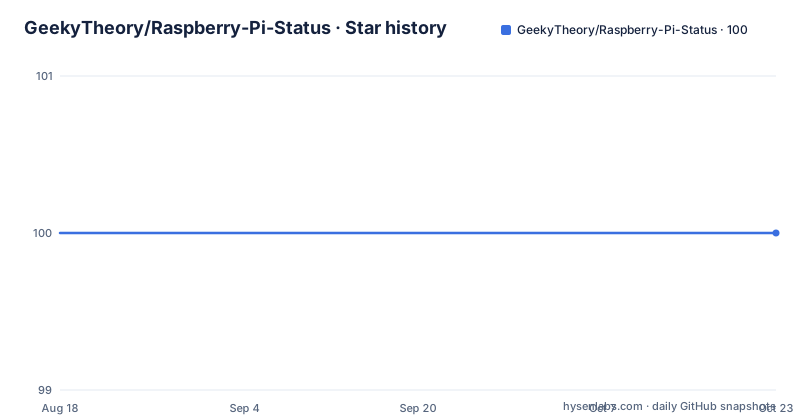
- GeekyTheory/Raspberry-Pi-Status100 ★ · +0
| Repository | 2026-08-18 | 2026-10-22 |
|---|---|---|
| GeekyTheory/Raspberry-Pi-Status | 100 | 100 |
0 Stars in the last 65 days, measured from the daily GitHub snapshot. Compare with other projects
Editorial analysis
What This Panel Actually Solves
Raspberry-Pi-Status answers a narrow question: what is my Pi doing right now? It reads the temperature, the memory breakdown (free, cached, buffered, total), the CPU load, and the top tasks with their PIDs. That is the whole scope. It is meant for hobbyists who want a browser-accessible status page without installing a heavy monitoring stack. The README says it works not only on a Raspberry Pi but also on any Linux computer. So if you have a headless Pi sitting in a corner and you want to check its health from your phone, this tool gives you that with almost no setup. It does not try to be a full observability platform. It is a single-page readout, and that is both its strength and its ceiling.
How It Works: Reading /proc and /sys
The code is not shown in the repository material, but the README and the project's description tell you what it reports: temperature, memory, CPU load, and top tasks. On Linux, those numbers come from standard files like /proc/meminfo, /proc/loadavg, and /sys/class/thermal/thermal_zone0/temp. The Node.js server, server.js, likely reads those files and serves them over HTTP on port 8000. The README instructs you to open a browser to http://192.168.1.100:8000, which means the server binds to all interfaces by default. There is no authentication, no database, and no polling interval mentioned. It is a request-response model: you load the page, the server reads the current values, and you see them. That is simple and predictable, but it also means every page refresh triggers a fresh read, which is fine for occasional checks but not for continuous monitoring.
Install and Run: Five Commands, One Port
The README gives a step-by-step install. First, update the system with sudo apt-get update && sudo apt-get upgrade. Then install Node.js, npm, and git with sudo apt-get install nodejs npm git. Clone the repository with git clone https://github.com/GeekyTheory/Raspberry-Pi-Status.git, change into the directory, and run npm install to pull dependencies. If npm install fails, the README suggests resetting the registry with npm config set registry http://registry.npmjs.org/ and trying again. Finally, start the server with nodejs server.js. That is the whole process. Note that the command uses nodejs, not node, which is typical for Debian-based systems where the binary is named nodejs to avoid a conflict with another package. There is no systemd unit provided, no configuration file, and no environment variables. You get one port, 8000, and that is it.
The 2014 Time Capsule Problem
The copyright line says 2014, and the repository has not had a recent push according to the metadata. That is a real limitation. The code was written for the Raspberry Pi models and Linux kernels of that era. Modern Pi boards, like the Pi 5, may expose temperature sensors on different paths, and the memory reporting in /proc/meminfo has changed slightly over the years. The README's fallback for npm install, setting the registry to http, is a workaround for an old npm version and is now unnecessary and even insecure, since npm defaults to https. The project has no releases, so there is no versioned artifact to pin. If you run this on a current Raspberry Pi OS, it may work, but it may also break silently if a file path does not exist. You have no way to know without trying it. The documentation is thin, and the only source of truth is the code itself.
Wrong Tool for Serious Monitoring
If you need historical data, alerts, or graphs, this panel is the wrong choice. It shows a point-in-time snapshot only. There is no mention of logging, no database, and no notification mechanism. If your Pi overheats at 3 a.m., this tool will not tell you unless you happen to have the page open. It is also not designed for multiple machines. You would need to run one instance per Pi and remember each IP and port. For a single device, it is fine. For a fleet, it becomes unmanageable. Additionally, there is no access control. Anyone on your network who knows the IP can see the status page. That is acceptable on a home LAN, but not on a public network. The README does not mention any security considerations, and the code likely has none.
A Real Alternative: Netdata
A common alternative is Netdata, which is a daemon that collects system metrics and serves a real-time web dashboard. Unlike Raspberry-Pi-Status, Netdata runs continuously in the background, stores historical data in memory, and provides charts, alarms, and a plugin system. It is far heavier, but it gives you trend lines and alerting out of the box. The difference in approach is fundamental: Raspberry-Pi-Status is a passive readout that you refresh manually, while Netdata is an active collector that maintains a rolling history. If you only want a quick glance, the Pi Status panel is lighter and simpler. If you want to know whether the CPU load has been climbing over the last hour, Netdata gives you that. The trade-off is complexity and resource usage. Netdata is a single binary, but it uses more memory and CPU than a tiny Node.js script.
Licence and Maintenance Cost
The project is licensed under Apache-2.0, as stated in the README. That is a permissive licence, so you can use, modify, and redistribute the code, even in commercial products, as long as you retain the copyright notice and include a copy of the licence. There is no contributor agreement or CLA mentioned. The maintenance cost is effectively zero because there is no active maintenance. You are on your own if something breaks. The repository is not archived, but the last push is unknown and there are no recent releases. That means you should not expect updates or security patches. If you adopt this, you are adopting a frozen codebase. The upside is that the code is small and readable, so you can fix it yourself if you know Node.js. The downside is that you are responsible for any bugs, including ones that might appear with newer Node versions.
Editorial conclusion
Adopt Raspberry-Pi-Status if you want a quick, no-frills web page for a single Pi or Linux box and you are comfortable with nodejs on an old codebase. Do not use it if you need historical graphs, alerts, or support for modern Pi models beyond what the 2014 code reads from /proc and /sys. Before relying on it, verify that the source files still parse with your Node version, check that the port 8000 is not blocked by your firewall, and confirm that the temperature path matches your Pi's sensor location. It is a snapshot of 2014-era monitoring, not a maintained tool.
Frequently asked questions
What is Raspberry Pi mainly used for, according to this project?
For monitoring. The panel checks the temperature, memory status including free, cached, buffered and total, the CPU load, and the top tasks with their PID, and it says it works on a Linux computer as well as on a Raspberry Pi.
Does the Raspberry Pi have a future?
The repository says nothing about that. What it records is a Node.js monitoring panel with one dependency, socket.io at about 2.4.0, and a last push to master dated 2022-11-23.
Is a Raspberry Pi legal?
Nothing here addresses legality. The project is a monitoring panel distributed under the Apache License, Version 2.0, with the copyright line naming GeekyTheory and Mario Pérez Esteso.
Does NASA use Raspberry Pi?
The repository does not mention NASA or any deployment outside a Raspberry Pi or a Linux computer. The only documented access path is a browser at the machine's IP address on port 8000.
Official sources
Add this badge to your README
If you maintain this project, the badge below links readers to this analysis and shows its maintenance status from the daily GitHub snapshot. Paste the markdown into your README; add ?metric=license or ?metric=stars to the image URL for a different field.

[](https://hysenlabs.com/projects/geekytheory-raspberry-pi-status)Star history chart for your README
[](https://hysenlabs.com/projects/geekytheory-raspberry-pi-status)