nexrender: data-driven After Effects rendering with a network CLI
📹 Data-driven render automation for After Effects
At a glance
- What is it?
- nexrender automates Adobe After Effects rendering through `aerender`, prepared template assets, and a network-oriented server and worker design. It suits developers who need repeatable, data-driven video output, but its documentation does not provide a complete first-render procedure.
- Who is it for?
- Adopt nexrender when After Effects templates must be rendered repeatedly from structured data and your team can operate a CLI-oriented render system. Do not choose it as a no-code or managed solution, and do not assume the network binary is a drop-in replacement for every renderer.
- Can I use it commercially?
- Yes. MIT is a permissive licence: you can use, modify and sell software built on it, as long as you keep its copyright and licence notices.
- Is it still maintained?
- Yes. The repository last received commits 144 days ago.
- What is it written in?
- Mainly JavaScript, according to GitHub's language statistics.
Answers come from the project's GitHub data, last synced on October 25, 2026, and from our analysis. They are not legal advice.
Star history
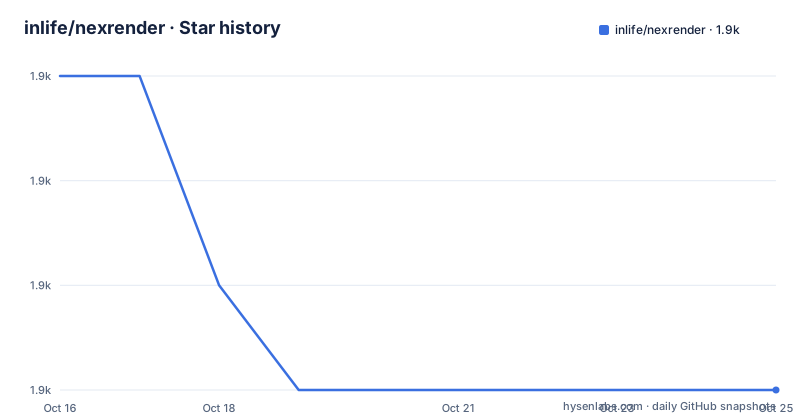
- inlife/nexrender1,858 ★ · -3
| Repository | 2026-10-16 | 2026-10-25 |
|---|---|---|
| inlife/nexrender | 1.9k | 1.9k |
-3 Stars in the last 9 days, measured from the daily GitHub snapshot. Compare with other projects
Editorial analysis
What nexrender automates in After Effects
nexrender targets a specific repetitive task: rendering Adobe After Effects compositions without manually operating the After Effects interface. It is intended for developers who are already comfortable with JavaScript and JSON, which is an important qualification. The README does not present it as a general-purpose video editor or a visual template builder. Instead, it assumes that an After Effects project and a template structure already exist.
The project supports data-driven and personalized video rendering. A production workflow can vary source media or template values and then request a corresponding render. It also organizes rendering as a network-oriented system with scheduling and a render-farm structure. Based on the repository layout, the implementation is split into packages rather than existing as one small script. The root `package.json` identifies separate CLI, server, and worker packaging targets, while `@nexrender/core` and `@nexrender/server` are referenced by development scripts.
This design is most relevant to teams that already produce After Effects templates and need many output variants. A studio with one occasional composition can probably accomplish the same task by opening a project and invoking Adobe's own command-line renderer. nexrender becomes more useful when template preparation, repeated submissions, job state, worker allocation, or programmatic control matter enough to justify another layer.
The aerender, asset preparation, and job pipeline
The documented rendering mechanism starts with Adobe After Effects' `aerender` command-line application. nexrender operates in CLI mode and, according to the README, never launches the After Effects GUI. That distinction can matter on rendering infrastructure where each job should run as a controlled process rather than through desktop automation.
Template preparation is separate from Adobe's final rendering step. The README states that nexrender creates a temporary folder, copies the project, and replaces assets with the ones supplied for the job. Input media does not necessarily have to be inserted permanently into the master After Effects project. The temporary project receives the requested assets, after which `aerender` handles the render operation.
Personalization is delegated partly to After Effects. The README identifies expressions, scripting, and compositing as mechanisms used to generate personalized output. It also documents footage items, static assets, data assets, and script assets in the template model. Script assets can expose dynamic parameters with supported types including strings, numbers, arrays, objects, null values, and functions. This moves much of the template's data interpretation into JavaScript or After Effects scripting rather than into a separate visual composition engine.
For distributed rendering, the project separates responsibilities between `nexrender-server`, `nexrender-worker`, and the CLI. The documented architecture is therefore closer to a small render service than to a wrapper around one `aerender` command. The README does not describe the scheduling persistence model, worker authentication, retry policy, or queue protocol, so those operational details would need confirmation before production adoption.
Local bootstrap versus packaged CLI, server, and worker binaries
The repository exposes source development through a Lerna-based workspace. From a checkout, the root `package.json` defines `npm run bootstrap` as the `start` action. That script runs `lerna bootstrap --no-ci -- --no-package-lock`.
For developers working from the repository, the documented root lifecycle can be initiated with:
npm run bootstrapThe repository layout indicates that this initializes dependencies across the child packages rather than creating a render by itself. A first useful check is the repository's test command, which runs linting and Mocha:
npm testThe root manifest defines that command as `npm run lint && mocha`, with the lint step invoking ESLint. This can confirm whether the checkout is ready for development, but it does not demonstrate a completed After Effects output.
For deployment, the manifest defines separate packaging scripts for the CLI, server, and worker. They use `pkg` to produce executables under `bin/`:
npm run pkg-clinpm run pkg-servernpm run pkg-workerThe README says packaged binaries are available for network rendering, but its installation section truncates before listing download locations and complete platform requirements. It therefore does not provide a verified sequence for downloading a binary, starting a server, connecting a worker, or submitting a first render. Those steps should not be guessed from the package names.
Template assets as the contract between jobs and After Effects
nexrender's job model is more specific than an arbitrary list of command-line arguments. The README's template section distinguishes several asset classes, and each class serves a different purpose during project preparation.
Footage items represent replaceable media associated with a template. Data assets expose fields that can be referenced from expressions, scripts, or composition logic. Script assets add executable JavaScript behavior and support typed dynamic parameters. The documented type coverage includes strings, numbers, arrays, objects, null, named functions, and anonymous functions. That flexibility is useful for personalized output, but it also moves validation responsibility into the template and job data.
A common design mistake would be to treat arbitrary JSON as automatically safe and semantically correct. The README describes accepted parameter types and warnings around function usage, but it does not claim that every value is valid for every template. The function parameter is especially important because job-driven JavaScript can introduce errors that ordinary JSON schema validation cannot describe. Template authors should decide which fields are required, which values are bounded, and which operations belong in trusted script assets.
Static assets provide another reason to treat the After Effects composition as a contract rather than a finished media file. A job may need to preserve established layout and animation while substituting inputs. The documented flow of copying the project into a temporary folder protects the source template from direct mutation during that preparation step. It does not establish that templates can be stored in every arbitrary format or that assets can be fetched from every network location. The README does not cover those cases.
Job states and network rendering boundaries
The README includes a `Job States` section, confirming that jobs are observable application objects rather than merely synchronous calls to `aerender`. The page does not enumerate those states or define transitions, retries, cancellation behavior, or restart recovery. It would therefore be inappropriate to claim that a worker survives an After Effects crash, resumes a partially rendered file, or guarantees exactly-once processing.
The project also supports two network-rendering approaches: packaged `nexrender-server` and `nexrender-worker` binaries, and an API. This is a meaningful distinction from local rendering. A server can receive jobs while separate workers perform renders, creating a render-farm topology. That topology can distribute workloads across machines, but it also introduces deployment concerns that a local wrapper would not need.
The README's WSL section indicates attention to a Linux-to-Windows environment, including Windows pathing, binary behavior, workpath, and memory. This supports a hybrid deployment story, but the section does not provide enough detail to specify supported distributions, memory settings, or path conversions. Workers also need access to the template, required fonts, plugins, codecs, and source assets. Those are practical After Effects dependencies even though the README explicitly states that worker machines do not require Adobe After Effects licenses.
For a small team, the additional server and worker layer may be unnecessary. A direct CLI workflow can be easier to observe when volume is modest. For a render farm, the important question is not whether more machines are available, but whether job submission, worker availability, failure reporting, and output transfer are sufficiently visible to the surrounding system.
nexrender compared with direct Adobe command-line rendering
The clearest alternative is a project-specific wrapper around Adobe's `aerender` command. That approach keeps rendering close to Adobe's own interface: the operator prepares a project, invokes the command, and handles process monitoring and output collection directly. It avoids adding nexrender's asset model, job abstraction, server, workers, and scheduling layer.
Direct `aerender` use is the better fit when a pipeline has one fixed composition or a small number of predictable variants, and the operator already knows how to prepare each project. It also gives the team full visibility into the command and process with no intermediate scheduler. The trade-off is that every template substitution, repeated invocation, or distributed workload must be implemented separately.
nexrender takes the opposite approach. It standardizes temporary project preparation, provides a modular plugin model, and organizes work around jobs and network rendering. The benefit is not speed by itself. It is reuse across many template-driven renders and the possibility of allocating work among workers. The cost is a larger operational surface and more behavior that must be understood beyond After Effects itself.
Another relevant alternative is the managed Nexrender Cloud service described in the README. That is a different procurement and hosting model: users receive a ready-to-use SaaS rendering platform instead of operating the open source components themselves. It may fit teams seeking managed infrastructure, although the README does not publish pricing, operating-system support, data handling, or feature-parity details.
Maintenance signals and the MIT upgrade responsibility
The repository is not archived, and its last push was on 2026-06-03. The release history includes `v1.63.4` on 2026-06-03, followed by `v1.63.3` and `v1.63.2` on 2026-02-25. These dates indicate that changes continued into 2026, but they do not establish compatibility across every After Effects version, Node.js version, operating system, plugin, or worker configuration.
The repository is licensed under MIT. That permits use, modification, distribution, and private development subject to the license text, but this review does not provide legal advice. The practical upgrade implication is that an adopter must manage the open source code, its transitive dependencies, Adobe templates, plugins, worker operating systems, and deployment configuration. The repository's `purge-cache` and `purge-master` scripts explicitly remove `node_modules` and `package-lock.json`, so teams need a deliberate reinstall process if they use those maintenance commands.
The root manifest also relies on older development tooling, including Lerna `^3.21.0` and Mocha `^7.1.2`. The manifest does not state the supported Node.js version. That omission matters because package installation can fail or behave differently before any nexrender rendering logic runs. A deployment team should inspect the package's `engines` field, CI configuration, and release documentation for its chosen release rather than infer support from the last push date.
Editorial conclusion
Adopt nexrender when After Effects templates must be rendered repeatedly from structured data and your team can operate a CLI-oriented render system. Do not choose it as a no-code or managed solution, and do not assume the network binary is a drop-in replacement for every renderer. Before adoption, verify a complete local job from an After Effects template through output validation, then confirm binary behavior on the intended operating system and review the cost of Node.js, worker storage, Adobe assets, and operational maintenance under the MIT license.
Frequently asked questions
How does nexrender automate Adobe After Effects rendering?
nexrender uses After Effects' `aerender` command-line interface in CLI mode. It prepares a temporary project folder, copies the project, and replaces its assets with those supplied for the render job.
Does nexrender require the After Effects GUI to be launched?
No. The README states that nexrender works only in CLI mode and never launches the After Effects GUI application.
Can nexrender distribute renders across multiple machines?
Yes. Its network-rendering design separates `nexrender-server`, which schedules work, from `nexrender-worker`, which performs rendering. The README does not document retry, recovery, or authentication behavior.
What does nexrender need to render personalized videos?
It uses After Effects templates with footage items, static assets, data assets, or script assets. Personalization can use expressions, scripting, compositing, and documented dynamic parameter types such as strings, numbers, arrays, objects, null values, and functions.
How do I install nexrender from the repository?
The root `package.json` provides `npm run bootstrap`, which installs child package dependencies through Lerna. The README does not include a complete binary installation or first-render walkthrough, and the repository manifest does not declare a supported Node.js version.
Official sources
Add this badge to your README
If you maintain this project, the badge below links readers to this analysis and shows its maintenance status from the daily GitHub snapshot. Paste the markdown into your README; add ?metric=license or ?metric=stars to the image URL for a different field.

[](https://hysenlabs.com/projects/inlife-nexrender)Star history chart for your README
[](https://hysenlabs.com/projects/inlife-nexrender)Was this useful?