InnoCMS: A Laravel 13 B2B Website System with Hook-Based Plugins
Innovative Content Management System. QQ group: 960062283.
At a glance
- What is it?
- InnoCMS is a lightweight B2B standalone website system built on Laravel 13, offering built-in product management, multi-language support, and a hook-based plugin architecture. Its modular innopacks design and GeoIP2 visitor tracking make it a practical choice for rapid B2B site deployment, though its young release history and OSL-3.0 license warrant careful evaluation.
- Who is it for?
- Adopt InnoCMS if you need a Laravel-based B2B site with product management and multi-language out of the box, and you are comfortable with the OSL-3.0 license and its relatively young release history. Avoid it if you require a mature ecosystem, extensive third-party plugins, or permissive licensing.
- Can I use it commercially?
- Yes, with conditions. OSL-3.0 is a weak copyleft licence: you can use it inside commercial and closed-source software, but if you distribute changes to its own files, you must publish those changes under the same licence.
- Is it still maintained?
- Yes. The repository last received commits 1 day ago.
- What is it written in?
- Mainly PHP, according to GitHub's language statistics.
Answers come from the project's GitHub data, last synced on October 22, 2026, and from our analysis. They are not legal advice.
Star history
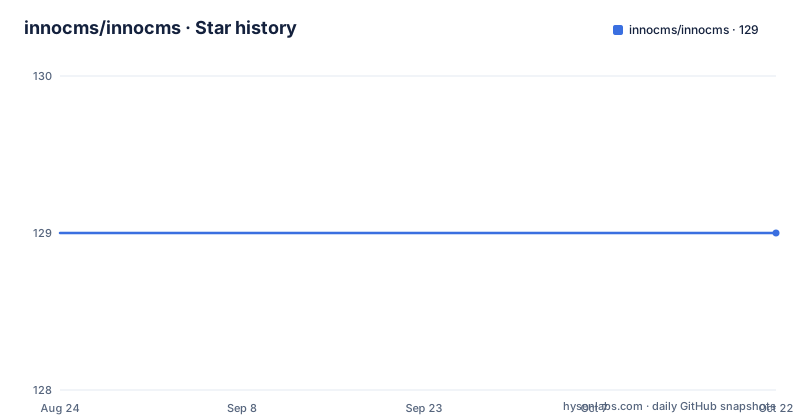
- innocms/innocms129 ★ · +0
| Repository | 2026-08-24 | 2026-10-22 |
|---|---|---|
| innocms/innocms | 129 | 129 |
0 Stars in the last 59 days, measured from the daily GitHub snapshot. Compare with other projects
Editorial analysis
What InnoCMS Solves and Who It Targets
InnoCMS addresses a specific niche: companies that need a standalone B2B website with product listings and multilingual content, without the weight of a full e-commerce platform. The README positions it as 'lightweight B2B standalone website system', which means it is not for building a store with shopping carts or payments. It is for corporate sites that showcase products, support multiple languages, and need to track visitors. The target user is a developer or small team that wants to deploy a Laravel-based site quickly, with built-in product management and a theme system, and who is willing to extend functionality via plugins. The demo credentials ([email protected] / 123456) suggest a low barrier to trying the admin panel, which is typical for open-source projects that want adoption.
Architecture: Modular innopacks and Hook-Based Plugins
The core architectural idea is modularity through what the README calls 'innopacks' and a hook-based plugin system. The README states that InnoCMS shares the same underlying architecture as InnoShop, so the development workflow and plugin system are largely identical. This means that instead of modifying core code, developers are expected to implement features as plugins that attach to hooks. The example in the README shows a Boot class with an init() method that calls listen_hook_filter('component.sidebar.plugin.routes', ...) to add a new sidebar route. This is a filter hook, which allows plugins to modify data passed through the system. The implication is that the core is intentionally minimal, and the plugin system is the primary extension mechanism. However, the documentation is thin: the README only gives this one example, and the full hook list is not provided. Developers will need to refer to the shared InnoShop documentation at docs.innoshop.cn, which may or may not be complete for InnoCMS-specific hooks.
Installation and Setup: Commands and Configuration
The installation process is standard for a Laravel application, but with a few specifics. The README lists requirements: PHP >= 8.3, MySQL >= 5.7 or 8.0, Node.js >= 18, and Composer >= 2.0. The setup commands are: git clone, composer install, npm install, cp .env.example .env, php artisan key:generate, then edit .env with database credentials, run php artisan migrate, php artisan db:seed, and finally npm run prod. After that, you access the admin panel at your-domain.com/panel with the default credentials [email protected] / 123456. Notably, the README does not mention running php artisan serve or configuring a web server, which is a gap. The presence of npm run prod indicates a Vite-based frontend build, as stated in the introduction. The db:seed command suggests that demo data is included, which is useful for testing but means you must reset the database for production. There is no mention of a production deployment guide, so users will need to rely on standard Laravel practices.
Visitor Tracking with GeoIP2: A Built-In Feature
One distinctive feature is visitor tracking with GeoIP2 geographic location integration. The README lists it as a key capability, but provides no details on how it works or how to configure it. This is a common need for B2B sites that want to know where their visitors come from, but the lack of documentation is a limitation. The implementation likely uses the MaxMind GeoIP2 database, but the README does not specify whether it requires a license key or if it bundles a free database. For a developer, this means you will need to inspect the source code or wait for the documentation to be completed. The feature is promising, but the absence of configuration instructions makes it hard to evaluate its readiness. It is also worth noting that GeoIP2 data is not always accurate, so the tracking should be treated as approximate.
Theme System and Frontend Pipeline
The README mentions a theme system with live preview and one-click import, plus a Vite-powered frontend build pipeline. This suggests that themes are not just static templates but are managed within the admin panel, allowing for previewing changes before going live. The one-click import feature implies that themes can be installed from external sources, possibly via a marketplace or a zip file. However, the README does not explain how to create a custom theme or how the theme system interacts with the plugin system. The Vite integration means that frontend assets are compiled using modern tooling, which is a plus for developers familiar with Vue or React, but it also means that the build step is mandatory, as seen in the npm run prod command. The combination of a theme system and a build pipeline is a trade-off: it offers flexibility but adds complexity to the deployment process.
Limitations and When InnoCMS Is the Wrong Tool
InnoCMS is not a general-purpose CMS. It is explicitly for B2B standalone websites, so if you need a blog, a forum, or a full e-commerce system, this is the wrong tool. The plugin system is designed for adding features, but the README states that all features should be implemented as plugins, which can be a steep learning curve for those not familiar with hook systems. The documentation is sparse, and the only example plugin is PartnerLink, which is a simple sidebar link. There is no mention of a plugin marketplace or a list of available plugins, so you may have to develop most features yourself. Additionally, the project has a short release history: v0.4.2 was pushed in June 2026, but v0.3.1 was from July 2024, indicating a gap of almost two years. This could mean the project is not actively developed, or it could be a deliberate slow release cycle. The OSL-3.0 license is also a consideration: it is not OSI-approved in the same way as MIT or Apache, and it has specific clauses about network distribution, which could affect how you deploy modified versions.
Alternative: InnoShop and the Shared Architecture
The most direct alternative is InnoShop, the e-commerce platform that shares the same architecture. The README explicitly states that InnoCMS shares the same underlying architecture as InnoShop, so the development workflow and plugin system are largely identical. The difference is scope: InnoShop is for commerce, while InnoCMS is for standalone B2B sites without commerce. If you need both a website and a store, InnoShop might be a better fit, as it likely includes product management and checkout. However, InnoShop is heavier and may require more configuration. Another alternative is a generic CMS like WordPress with a B2B theme, but that would not have the built-in product management or the hook-based plugin system. The choice depends on whether you want a specialized tool with a steeper learning curve or a more general platform with a larger ecosystem.
Maintenance, License, and Upgrade Considerations
The maintenance cost is not clearly documented. The release history shows only three releases, with the latest in June 2026, but the gap between v0.3.1 and v0.4.2 suggests that upgrades may be infrequent. The README does not provide a changelog or upgrade guide, so moving from one version to another may require manual steps. The license is OSL-3.0, which is an open-source license but not as permissive as MIT. It has specific provisions regarding network use and distribution, which could affect how you share modifications. This is not legal advice, but you should read the license terms carefully if you plan to modify and redistribute the software. The plugin system is a potential maintenance point: if the hook API changes between versions, existing plugins may break. The README's example is simple, but a complex plugin could be fragile. Overall, the project is young, and the lack of detailed documentation means that maintenance and upgrades will require direct source code inspection.
Editorial conclusion
Adopt InnoCMS if you need a Laravel-based B2B site with product management and multi-language out of the box, and you are comfortable with the OSL-3.0 license and its relatively young release history. Avoid it if you require a mature ecosystem, extensive third-party plugins, or permissive licensing. Before adopting, verify the current state of the plugin API, check the demo backend at demo.innocms.com/panel, and review the OSL-3.0 terms for your use case, especially if you plan to distribute modified versions.
Frequently asked questions
What is InnoCMS built on?
Laravel 13, with a Vite-powered frontend build and PHP 8.3 or higher required. It ships product management, multi-language with built-in locale management, visitor tracking via GeoIP2, and a theme system with live preview and one-click import.
How do I install InnoCMS?
Clone the repository, run composer install and npm install, copy the environment example to .env, run php artisan key:generate, edit .env with your database credentials, then run php artisan migrate, php artisan db:seed and npm run prod. The admin panel is at your-domain.com/panel.
How do I add a feature to InnoCMS?
As a plugin using the hook system, not as a core edit. A plugin has a Boot class whose init method registers a hook listener, as shown in the example that hooks the admin sidebar route list. A complete example is in the PartnerLink plugin directory.
What is the default admin password for InnoCMS?
The installation instructions and the public demo both publish the same credentials, with the password 123456. The account is created by the database seed rather than by a setup wizard, so change it after installing.
What is the relationship between InnoCMS and InnoShop?
InnoCMS shares the same underlying architecture as InnoShop, and the documentation states the development workflow and the plugin system are largely identical. The difference is the target: InnoCMS is a lightweight B2B standalone site system with products built in.
Does npm run dev give a watch server in InnoCMS?
Not according to the package manifest. The dev, build, prod and production scripts all invoke the same command, node build.js, so there is no separate development server behind the dev script.
Official sources
Add this badge to your README
If you maintain this project, the badge below links readers to this analysis and shows its maintenance status from the daily GitHub snapshot. Paste the markdown into your README; add ?metric=license or ?metric=stars to the image URL for a different field.

[](https://hysenlabs.com/projects/innocms-innocms)Star history chart for your README
[](https://hysenlabs.com/projects/innocms-innocms)Was this useful?