intl-tel-input: international phone number input for vanilla JS, React, Vue, Angular and Svelte
For entering, formatting, and validating international telephone numbers. Available in vanilla JavaScript, or as React, Vue, Angular, and Svelte components.
At a glance
- What is it?
- intl-tel-input is a MIT-licensed input widget for entering, formatting and validating international telephone numbers, shipped as a vanilla JavaScript library plus official React, Vue, Angular and Svelte components. It is a front-end input layer, not a phone verification service.
- Who is it for?
- Adopt intl-tel-input if you need a country picker plus as-you-type formatting and E.164 output in a modern browser app, and you accept that validation is client-side only. Do not adopt it if you need to verify that a number is reachable by SMS, or if you must support browsers older than Chrome 93, Safari 15.4 and Firefox 92.
- Can I use it commercially?
- Yes. MIT is a permissive licence: you can use, modify and sell software built on it, as long as you keep its copyright and licence notices.
- Is it still maintained?
- Yes. The repository received new commits within the last day.
- What is it written in?
- Mainly TypeScript, according to GitHub's language statistics.
Answers come from the project's GitHub data, last synced on November 25, 2026, and from our analysis. They are not legal advice.
Star history
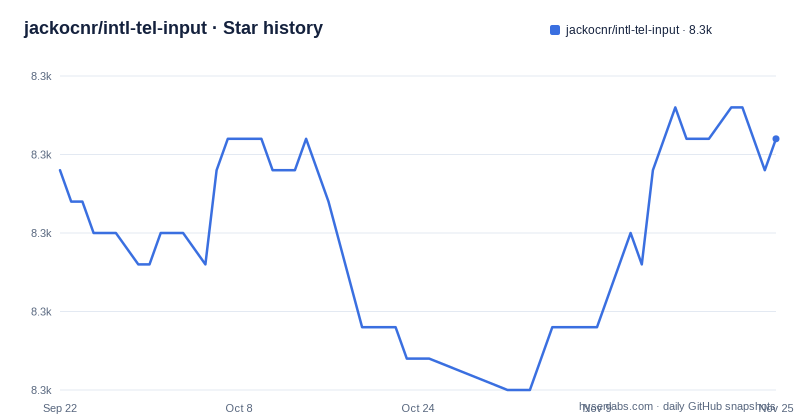
- jackocnr/intl-tel-input8,263 ★ · +1
| Repository | 2026-09-22 | 2026-11-25 |
|---|---|---|
| jackocnr/intl-tel-input | 8.3k | 8.3k |
1 Stars in the last 64 days, measured from the daily GitHub snapshot. Compare with other projects
Editorial analysis
The problem intl-tel-input solves, and who it is for
A phone number field is a deceptively expensive control. You need a country selector, a dial code, per-country formatting rules, a placeholder that looks like a real number, and a value you can store. Building that by hand means reimplementing a slice of libphonenumber in the browser and keeping it current as numbering plans change.
intl-tel-input packages that work into one input. The README describes it as being "for entering, formatting, and validating international telephone numbers", with a country dropdown that supports search by country name or dial code and full keyboard navigation. The audience is front-end developers: the project ships a vanilla JavaScript build plus official React, Vue, Angular and Svelte components, and the README points at intl-tel-input.com/docs/integrations for the wrapper documentation.
The scope boundary matters more than the feature list. This is an input widget. It formats and validates what the user types, and it can extract a standard E.164 number to store. It does not send an SMS, it does not confirm that a number is reachable, and it does not tell you whether the number belongs to the person filling in the form.
How formatting and validation actually work
The README attributes the formatting, validation and example-number code to libphonenumber, Google's phone number library. That attribution is the architecture in one line: intl-tel-input is a browser-side wrapper around libphonenumber metadata rather than a set of hand-written per-country regexes. The repository layout supports this. There is a third_party/ directory, a functions/ directory, and build scripts named build:utils:closure and build:utils:check, with check-lpn-metadata.js in scripts/. The "lpn" in that filename reads as libphonenumber metadata, and the build pipeline appears to generate and then verify the metadata bundle rather than committing it by hand. If you fork the project, that build step is the thing you inherit.
The runtime data flow is conventional for a controlled input. The user picks a country, or the widget auto-detects one from the browser. As the user types, the input reformats the digits according to that country's rules, and the widget enforces a maximum length so invalid digits cannot be entered at all. The README lists "Validate numbers with specific error types" and "Only allow users to type valid digits and enforce max length". The output side is E.164: the README's feature list says the library can "Extract standard E.164 numbers to store", which is the format you want in a database column.
The monorepo structure is worth noting because it affects upgrades. The root package.json is named intl-tel-input-monorepo, is marked private, and carries the version number (29.5.10 at the time of the most recent release). The publishable artefacts live under packages/ (core, react, vue, angular), and the clean scripts target packages/core/dist and the per-framework dist directories. So the version you install from npm and the version in the repository root move together, but they are not the same package.
Installing intl-tel-input and getting a first E.164 value
The README does not include a copy-paste install block; it points to the website for "a full set of docs" and to a live playground for trying options. What the repository does give you is the npm package name, which is intl-tel-input, and the fact that the wrappers live in the same monorepo. Install the core package with npm:
npm install intl-tel-inputThe README states that TypeScript definitions are included, so you should get types without a separate @types package. The README also documents theming through CSS variables and utility classes such as Tailwind, which means the stylesheet is part of the setup rather than optional. The docs site at intl-tel-input.com/docs/integrations is where the exact import paths and CSS entry points are listed per framework; the README itself does not spell them out.
For the framework wrappers, the repository layout is the guide: packages/react, packages/vue and packages/angular each have their own dist directory and their own clean script. Install the wrapper for your framework rather than wiring the vanilla build into a component by hand, because that is the arrangement the project tests. The root package.json runs vitest for unit tests and Playwright for end-to-end tests, with a separate Linux path through scripts/playwright-linux-docker.sh.
The first thing to verify in your own app is the value your form submits. The README's claim is that you can extract a standard E.164 number to store, so log the field value on submit and confirm you are getting something like a leading plus and country code, not the formatted display string with spaces and parentheses.
Localization, RTL and accessibility are the differentiators
The feature most likely to decide the choice is translation coverage. The README states the library is translated into 50+ languages, with support for RTL and alternative numerals. If your product ships in markets where the country list has to be readable in the local language, that is a large amount of work you are not doing yourself. The repository reflects this: there is a build:translations script, a build:translations:gen step that runs generate-country-names.js and translations.js, and the contributing guide covers how to add a new translation.
The accessibility claim is similarly specific: "Screen reader-friendly ARIA markup". A country dropdown with search, keyboard navigation and a text input is hard to make work with assistive technology, and the README treats it as a first-class feature rather than a footnote.
The trade-off is bundle weight. Carrying metadata and translations for every country means more JavaScript than a single-country input, and the 50+ language claim only helps if you load the translations you need. The README does not document per-language code splitting or a lazy-loading pattern, so treat translation loading as something to check in the docs and the playground before you assume it is free.
Where intl-tel-input is the wrong tool
The clearest limitation is that validation here is client-side. The README's validation feature is about digits and error types in the browser. It cannot tell you that a number exists, that it is a mobile number, or that the person typing it controls it. If your signup flow needs to prove ownership, you still need to send a code through an SMS provider, and the README's sponsorship section points at Twilio for exactly that kind of work. Do not read "validates international telephone numbers" as "verifies phone numbers".
The second boundary is browser support. The README states Chrome/Edge 93+, Safari 15.4+ and Firefox 92+, describing that as roughly anything released since early 2022, and links to the FAQ for older browsers. If you have an enterprise contract that pins an older browser, this project is not the one to fight that battle with.
The third is the input model itself. Enforcing a maximum length and blocking invalid digits is good for data quality and occasionally annoying for users who paste a number with a local trunk prefix or an extension. The README does not describe an extension field. If your users routinely enter extensions, check the playground before assuming the input accepts them.
Alternatives and how they differ
ngx-intl-tel-input is a separate Angular-specific wrapper around this library rather than a different approach to the problem. If you are on Angular, the real question is which wrapper to use: the official packages/angular component maintained in this monorepo, or the third-party ngx wrapper. The official one moves with the core library's release cadence, which the release list shows is frequent; a third-party wrapper adds a maintainer between you and the core.
Beyond that, the alternative approach is to skip the widget and use a phone number library directly. libphonenumber is the upstream source the README credits for formatting, validation and example-number code, and its JavaScript port exposes parsing and formatting functions without rendering an input. That path gives you control over the UI and a smaller dependency surface, at the cost of building the country picker, the as-you-type formatting and the ARIA markup yourself. For a single-country product, that is often the better trade. For a global signup form, it is a lot of work to redo.
A third option is a hosted verification service's own drop-in field. Those bundle the input with the SMS step, which removes the client-side-only limitation but ties the field to a vendor.
Maintenance, upgrade cost and the MIT licence
The repository is not archived, and the last push was on 2026-10-31, with v29.5.10 released the same day. Three releases (v29.5.8, v29.5.9, v29.5.10) landed on consecutive days from 2026-10-29 to 2026-10-31, which tells you the project is being patched quickly, and also that patch releases can arrive in bursts. Pin your version and read CHANGELOG.md before upgrading rather than floating on a caret range.
The version number is at 29.x, and the monorepo layout means an upgrade can touch the core package, the wrapper package and the generated metadata at once. The build scripts that regenerate libphonenumber metadata and translations are the reason: a numbering-plan update is a data change, not just a code change. Budget for that when you plan upgrades, and check whether your wrapper's dist is rebuilt in the same release.
The licence is MIT, stated in both the README and the root package.json. That is permissive: you can use it in commercial and closed-source products, and you keep the copyright notice. One attribution detail is worth tracking, because it is not a licence term but a practical one. The README credits flag-icons for the flag images, mledoze's World countries dataset for the original country data, and libphonenumber for formatting, validation and example-number code. If you strip or replace the flag images, you are changing a third-party asset, not the MIT-licensed code, and you should check that asset's own terms. This is not legal advice; read the licences of the bundled assets yourself.
Editorial conclusion
Adopt intl-tel-input if you need a country picker plus as-you-type formatting and E.164 output in a modern browser app, and you accept that validation is client-side only. Do not adopt it if you need to verify that a number is reachable by SMS, or if you must support browsers older than Chrome 93, Safari 15.4 and Firefox 92. Before committing, check the packages/ directory for the wrapper matching your framework, confirm the E.164 output your form actually receives, and confirm which translation files are loaded so the country list is not silently half-translated.
Frequently asked questions
How do I use intl-tel-input?
Install the intl-tel-input package and attach it to a text input. The README points to intl-tel-input.com/docs/integrations for the full documentation and to a live playground for trying options, and the repository ships official React, Vue, Angular and Svelte components alongside the vanilla JavaScript build.
What is intl-tel-input?
It is a library for entering, formatting and validating international telephone numbers, available in vanilla JavaScript or as React, Vue, Angular and Svelte components. It provides a searchable country dropdown, as-you-type formatting, per-country placeholders and validation, and can extract standard E.164 numbers to store.
How do I use intl-tel-input in Angular?
The repository contains an official Angular wrapper under packages/angular, with its own dist directory and clean script, so install that rather than wiring the vanilla build in by hand. The README directs you to intl-tel-input.com/docs/integrations for the wrapper documentation.
What is an alternative to intl-tel-input?
You can use libphonenumber directly, which the README credits for the formatting, validation and example-number code behind this library. That approach gives you the parsing and formatting functions without the rendered input, so you build the country picker and the ARIA markup yourself.
How do I convert a phone number to international format with intl-tel-input?
The README lists extracting standard E.164 numbers to store as a feature, and the library formats the number as the user types. Check the value your form receives on submit to confirm you are getting the E.164 output rather than the formatted display string.
Official sources
Add this badge to your README
If you maintain this project, the badge below links readers to this analysis and shows its maintenance status from the daily GitHub snapshot. Paste the markdown into your README; add ?metric=license or ?metric=stars to the image URL for a different field.

[](https://hysenlabs.com/projects/jackocnr-intl-tel-input)Star history chart for your README
[](https://hysenlabs.com/projects/jackocnr-intl-tel-input)Was this useful?