rpi_ws281x: Raspberry Pi Control for WS281X LED Chains
Userspace Raspberry Pi PWM library for WS281X LEDs
At a glance
- What is it?
- rpi_ws281x is a C userspace library for driving WS2812, SK6812RGB, and preliminary SK6812RGBW LEDs through Raspberry Pi PWM, PCM, or SPI. It suits embedded projects that need precise serial timing, but GPIO, DMA, voltage, and audio conflicts require hardware-specific planning.
- Who is it for?
- Adopt rpi_ws281x when the project runs directly on a Raspberry Pi and needs native WS281X timing through PWM, PCM, or SPI. Do not choose it without checking the LED voltage, GPIO availability, DMA channel, audio conflicts, and transfer limits first.
- Can I use it commercially?
- Yes. BSD-2-Clause is a permissive licence: you can use, modify and sell software built on it, as long as you keep its copyright and licence notices.
- Is it still maintained?
- Yes. The repository last received commits 173 days ago.
- What is it written in?
- Mainly C, according to GitHub's language statistics.
Answers come from the project's GitHub data, last synced on October 23, 2026, and from our analysis. They are not legal advice.
Star history
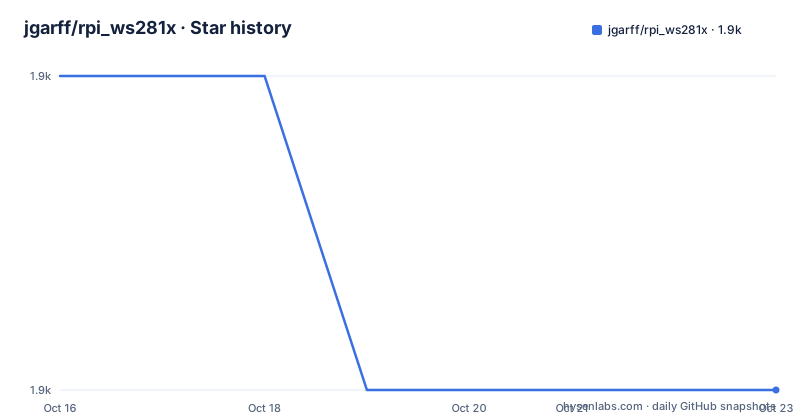
- jgarff/rpi_ws281x1,888 ★ · -1
| Repository | 2026-10-16 | 2026-10-23 |
|---|---|---|
| jgarff/rpi_ws281x | 1.9k | 1.9k |
-1 Stars in the last 7 days, measured from the daily GitHub snapshot. Compare with other projects
Editorial analysis
What rpi_ws281x Controls on a Raspberry Pi
rpi_ws281x targets individually addressable WS281X LEDs that use a timed serial protocol. The README names WS2812 and SK6812RGB RGB LEDs, and it also states that preliminary support exists for SK6812RGBW, which adds a white channel. The intended users are Raspberry Pi projects that need to generate LED timing from userspace rather than relying on a generic GPIO bit-banging loop. This includes matrices, strings, and other chains connected to a suitable output pin.
The library supports three Raspberry Pi peripherals. PWM provides two independent channels, PCM provides one channel, and SPI provides one channel. PWM and PCM use DMA transfers to send the encoded LED signal. SPI uses the Raspbian `spidev` driver and the `/dev/spidev0.0` device. The available GPIO differs between these methods, so the choice is tied to the physical Raspberry Pi model and the peripherals already used by the operating system.
The project also supplies a C test program. Its default settings target an 8 by 8 LED matrix, which is useful for confirming the basic path before adapting the program to another layout. This is not a general-purpose graphics library. Its scope is the timed transmission of LED color data, with the caller responsible for selecting the signal method, GPIO, DMA channel, strip type, dimensions, and electrical arrangement.
How the PWM, PCM, and SPI Signal Paths Encode LED Data
The core mechanism is a bit pattern generated in RAM from an array of colors. The README specifies that the output clock is set to three times the desired output frequency and that each data bit is represented by three internal bits:
Bit 1 - 1 1 0 Bit 0 - 1 0 0
This encoding creates the high and low intervals required by the WS281X serial protocol. The color array is therefore expanded into a memory pattern that can be sent through a DMA FIFO, PWM serial mode, PCM, or the SPI driver. The repository layout reflects a native C implementation, with separate source files for DMA, PWM, PCM, mailbox access, Raspberry Pi hardware handling, and the public WS2811 interface.
PWM and PCM use DMA transfers, and the README states that the maximum size of a DMA transfer is 65536 bytes. It also gives a per-LED calculation based on four color bytes, eight symbols per color, and three bits per symbol. The excerpt ends while discussing the resulting LED capacity, so it does not establish a complete supported-chain figure here. For PWM and PCM, the transfer path is a hardware-assisted DMA operation rather than a sequence of ordinary GPIO writes.
SPI follows a different route. The library uses `/dev/spidev0.0`, sets the clock rate to three times the desired output frequency, and creates the same kind of bit pattern in RAM. The README states that many distributions limit SPI transfers to 4096 bytes. It gives a boot configuration change for increasing that limit, while Raspberry Pi 3, Raspberry Pi 4, and Raspberry Pi Zero models have separate clock or group requirements.
Installing rpi_ws281x with CMake and Running the Test Program
The README provides two build routes. The first uses SCons, while the second uses CMake. The documented CMake path installs CMake, configures a build with static libraries and the test program enabled, builds the project, and installs the resulting binaries and headers. The example commands are:
mkdir build
cd build
cmake -D BUILD_SHARED=OFF -D BUILD_TEST=ON ..
The build directory contains the generated build system, and the options select a static build and enable the test executable. The repository also includes `CMakeLists.txt`, which the README identifies as the place to find additional build options. After configuration, build the configured directory:
cmake --build .The README says to install the built binaries and headers into the system with `make install`. Because this writes into system locations, the documented command uses `sudo`:
sudo make installThe first real use is the bundled test program. Run it with root privileges, using the default PWM channel 0 setup unless the hardware configuration requires another interface:
sudo ./testThe expected visible result, according to the README, is a moving rainbow scroll across the display. The test defaults to an 8 by 8 matrix and GPIO 18, which the README identifies as PWM0. The command-line help lists options for strip type, width, height, DMA channel, GPIO, inversion, and clearing the matrix on exit. Before running it, the test source must be adjusted to match the actual hardware, especially the signal rate and strip or matrix dimensions.
GPIO Selection, Electrical Setup, and DMA Conflicts
GPIO selection is not interchangeable across Raspberry Pi generations. The README lists PWM0 GPIOs 12, 18, 40, and 52, but only GPIO 12 and GPIO 18 are available on the B+, 2B, and 3B. PWM1 has a different set, and only GPIO 13 is listed as available on the B+, 2B, Pi Zero, and 3B. PCM uses GPIO 21 or 31, with only GPIO 21 listed for those models. SPI0-MOSI uses GPIO 10 or 38, with GPIO 10 identified as available across all listed models. GPIO numbers also differ from physical header pin numbers.
The electrical requirements deserve equal attention. WS281X LEDs are generally driven at 5V, while Raspberry Pi GPIO signals are 3.3V. The README says a level shifter may be needed to convert the Raspberry Pi output to 5V. It also describes operation from a 3.3V to 3.6V supply as possible, but marks direct GPIO use in that arrangement as not recommended because of reduced brightness. The library cannot remove the need for a suitable power supply and data-line arrangement.
DMA selection is another operational dependency. The chosen channel must not already be in use by the operating system. The README specifically warns against DMA channel 5 on the Raspberry Pi 3 Model B because it can cause filesystem corruption. It identifies DMA channel 10 as the default and says it should be safe for that model, while warning that this may change in future software releases. A project should therefore treat the DMA channel as a board and OS configuration decision, not merely as a performance setting.
Audio and SPI Constraints in the Bundled Test Setup
PWM and PCM have resource conflicts that can make an otherwise correct build fail at runtime. The README states that the library and onboard Raspberry Pi audio both use PWM, so they cannot be used together. To disable the Broadcom audio module, the documented configuration is:
blacklist snd_bcm2835That line belongs in `/etc/modprobe.d/snd-blacklist.conf`. If the audio device still loads, the README says it may also be necessary to comment out the module in `/etc/modules`. On headless systems, the documented `config.txt` additions are:
hdmi_force_hotplug=1
hdmi_force_edid_audio=1
A reboot is required. The README also warns that some distributions use audio by default even when no audio is playing, and identifies USB audio as an alternative when audio is needed. This is a system-level trade-off, not just a library option.
PCM has a separate constraint. Digital audio devices using I2S cannot be used because I2S uses the PCM hardware, although analog audio can be used. SPI avoids those PWM and PCM audio conflicts, but the README says the LED string must be the only device connected to the SPI bus. SPI also requires membership in the `gpio` group for non-root control. These constraints can determine which transport is appropriate before application code is written.
Signal Rate, Strip Types, and Project-Specific Limits
The test program exposes the settings that commonly need adjustment. Its documented signal-rate range is 400kHz to 800kHz, with 800kHz as the default. The strip type can be `rgb`, `grb`, `gbr`, or `rgbw`, and an inverting level shifter can be selected with `ledstring.invert=1` in the source configuration. The test command also supports `-i` to invert pin output, which is useful when the electrical interface reverses the signal polarity.
The program supports matrix dimensions and string layouts through width and height. The README says to set height to 1 for an LED string. It does not document a complete compatibility matrix for every LED model, chain length, signal rate, or Raspberry Pi generation. It also does not document rollback behavior, a recovery mechanism for an incorrect GPIO configuration, or a library-level guarantee for a particular maximum chain size in the available excerpt. Those omissions matter when planning a deployment.
The SPI path has additional transfer and clock requirements. The README describes increasing `spidev.bufsiz` in `/boot/cmdline.txt` for distributions with a 4096-byte maximum. It also requires `core_freq=250` on a Raspberry Pi 3. For a Raspberry Pi 4, it requires fixed clock settings:
core_freq=500
core_freq_min=500
The README says these settings require a reboot. The fixed Raspberry Pi 4 values are intended to prevent idle CPU scaling from changing the SPI frequency and breaking WS281X timings. This makes SPI less convenient on systems where changing boot configuration is undesirable, even though it avoids the PWM audio conflict.
Maintenance, Licensing, and Adoption Boundaries
The repository is not archived. Its recorded last push was on 2026-05-03. The available release information lists `v1.0.0` from 2023-03-06. These facts indicate that the repository has received a recent repository update, but they do not by themselves establish compatibility with every Raspberry Pi model, current distribution, or LED variant. The README also contains version text for the test program that differs from the release list, so an adopter should check the source version and build configuration rather than assuming that the latest displayed test version identifies the latest repository release.
The project uses the BSD-2-Clause license. That is the license identifier supplied for the repository, and the license file should be reviewed for the exact terms applicable to redistribution and derivative work. This article does not interpret the legal effect of those terms.
A direct alternative is a different hardware transport or a userspace driver built for a different platform. The distinction is architectural: rpi_ws281x relies on Raspberry Pi PWM, PCM, or `spidev`, and it encodes WS281X timing for those interfaces. A software-only GPIO loop would avoid some hardware reservations but would not provide the same DMA or SPI mechanism described here. Conversely, a system that already requires onboard audio, I2S, or another SPI device may find these reservations unacceptable. The correct adoption decision starts with peripheral availability, voltage, strip type, and chain layout, not with the C API alone.
Editorial conclusion
Adopt rpi_ws281x when the project runs directly on a Raspberry Pi and needs native WS281X timing through PWM, PCM, or SPI. Do not choose it without checking the LED voltage, GPIO availability, DMA channel, audio conflicts, and transfer limits first. For a non-Raspberry-Pi Linux system or a setup that cannot reserve the required hardware interfaces, use another LED-control approach; for this target, the documented interface constraints make rpi_ws281x suitable only when its hardware assumptions match the board.
Frequently asked questions
Can rpi_ws281x control SK6812RGBW LEDs?
Yes, but the README describes support for SK6812RGBW as preliminary. The documented strip type list includes `rgbw`.
Which Raspberry Pi interfaces can rpi_ws281x use?
It supports PWM with two independent channels, PCM with one channel, and SPI with one channel. GPIO availability depends on the Raspberry Pi model and selected interface.
Why does the rpi_ws281x test program need root or special configuration?
The documented test command uses `sudo` because PWM control operates on Raspberry Pi hardware. For SPI, the README says non-root control requires membership in the `gpio` group.
Official sources
Add this badge to your README
If you maintain this project, the badge below links readers to this analysis and shows its maintenance status from the daily GitHub snapshot. Paste the markdown into your README; add ?metric=license or ?metric=stars to the image URL for a different field.

[](https://hysenlabs.com/projects/jgarff-rpi-ws281x)Star history chart for your README
[](https://hysenlabs.com/projects/jgarff-rpi-ws281x)Was this useful?