CUDA.jl: NVIDIA GPU programming in Julia
CUDA programming in Julia.
At a glance
- What is it?
- CUDA.jl gives Julia programmers GPU arrays, a compiler for writing kernels in Julia, and wrappers for major NVIDIA libraries. It fits NVIDIA projects, subject to explicit driver, toolkit, Julia, architecture, and licence checks.
- Who is it for?
- Adopt CUDA.jl when the project already uses Julia, targets a supported NVIDIA GPU, and benefits from expressing kernels and GPU arrays in the same language. Do not adopt it for unsupported architectures, custom Julia builds, or workflows that require another licence.
- Can I use it commercially?
- Check first. The repository uses a licence we do not classify automatically, so read its LICENSE file before any commercial use.
- Is it still maintained?
- Yes. The repository received new commits within the last day.
- What is it written in?
- Mainly Julia, according to GitHub's language statistics.
Answers come from the project's GitHub data, last synced on October 23, 2026, and from our analysis. They are not legal advice.
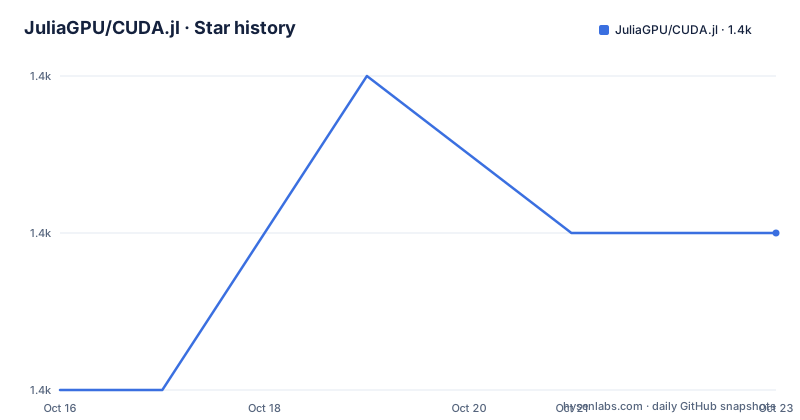
Star history
- JuliaGPU/CUDA.jl1,433 ★ · +1
| Repository | 2026-10-16 | 2026-10-23 |
|---|---|---|
| JuliaGPU/CUDA.jl | 1.4k | 1.4k |
1 Stars in the last 7 days, measured from the daily GitHub snapshot. Compare with other projects
Editorial analysis
Why CUDA.jl exists for Julia codebases
CUDA.jl is the main Julia programming interface for NVIDIA CUDA GPUs. It addresses three needs that would otherwise require different integration layers: representing GPU-resident data, compiling kernels written in Julia, and calling CUDA libraries from the same environment. That makes it relevant to Julia developers moving numerical or data-parallel work to NVIDIA hardware without changing their primary application language.
The package is also the recommended entry point for its associated libraries. From version 6.0, CUDA.jl acts as a meta-package that imports CUDACore and several registered wrappers. The default set includes cuBLAS, cuFFT, cuRAND, cuSPARSE, and cuSOLVER. CUDATools adds developer capabilities such as profiling, CUPTI, NVML, and code reflection. cuTENSOR, cuStateVec, cuTensorNet, and CUDNN are available separately rather than imported by default.
This organization creates a practical distinction between convenience and load time. Importing CUDA.jl keeps access to the default stack together, while importing a subpackage separately may reduce precompilation or loading work. The README specifically lists that optimization as a possibility. It does not quantify the reduction, so direct subpackage imports should be treated as a deployment experiment rather than an automatic performance improvement.
The CUDA.jl compiler, arrays, and library-call path
The documented architecture has three layers. At the user-facing layer is an array abstraction for data used with NVIDIA GPUs. Above it sits a compiler that accepts CUDA kernels written in Julia. The lower layer exposes the CUDA API and wraps vendor libraries such as cuBLAS, cuFFT, and cuSOLVER. CUDACore contains the principal API wrappers and compiler, while the other packages isolate particular tools and libraries.
CUDA.jl is therefore more than a device-selection module. It offers different paths for GPU work: launch Julia code as a CUDA kernel, operate on its GPU array abstraction, or call an existing optimized NVIDIA library. Which path fits depends on the computation. The repository includes examples for `hello_world.jl`, `pairwise.jl`, `peakflops.jl`, and `vadd.jl`, plus separate `wmma` and `driver` directories. The README does not reproduce their source, so it would be misleading to claim that every example follows the same programming model.
Initialization also has a toolchain side effect. The documentation states that CUDA.jl automatically selects and downloads a CUDA Toolkit compatible with the NVIDIA driver and the system's devices. This avoids a system-wide Toolkit installation for ordinary use, but the first package use can include artifact download and precompilation. That delay is expected, not necessarily an installation failure.
Installing CUDA.jl and checking the local toolchain
The stated prerequisites are a recent NVIDIA driver and a supported Julia version. The latest development version requires Julia 1.10 or higher. Julia 1.10 through 1.12 are marked CI tested, Julia 1.13 is marked supported, and versions at or below 1.9 are not supported by that development version. The package manager can select an earlier compatible CUDA.jl release for an older Julia installation.
From a Julia session, the documented API installation is:
import Pkg; Pkg.add("CUDA")This adds CUDA through Julia's package manager. The README also documents the Pkg REPL form `pkg> add CUDA`, but the API command is suitable for copying into a Julia session.
After installation, import the package and inspect the toolchain:
using CUDA
CUDA.versioninfo()
The first execution may take time while CUDA.jl precompiles and downloads a suitable Toolkit. If the GPU is not fully supported, initialization is documented to issue a warning. A real first-use check should therefore record the reported driver, Toolkit, device, and any warning rather than treating package installation alone as readiness.
For an isolated evaluation, the README provides container images containing Julia, a precompiled CUDA.jl, and a matching Toolkit. The stable CUDA 13 image can be launched with:
docker run -it --rm --gpus=all ghcr.io/juliagpu/cuda.jl:cuda13The Docker host must expose NVIDIA GPU access, and the selected tag determines the CUDA major version or release channel.
Platform and GPU support behind CUDA.jl
CUDA.jl explicitly targets NVIDIA CUDA GPUs, rather than providing a generic GPU portability layer. Its support varies by host operating system, CPU architecture, CUDA Toolkit generation, and GPU compute capability. Linux x86-64 and Windows x86-64 have strong status for CUDA 12.0 through 13.3, while older Toolkit lines move to best-effort or unsupported categories. Linux ARM64/SBSA and Tegra are listed for current Toolkit ranges, but their boundaries differ.
The device table matters because a supported operating system does not guarantee support for every GPU. Kepler and older devices through compute capability 3.7 are marked not supported. Maxwell, Pascal, Volta, Turing, Ada Lovelace, Hopper, and listed Blackwell capabilities have supported status. Ampere 8.0 and 8.6 are marked CI tested. Other combinations can fall into best-effort or unsupported categories, so compute capability must be checked separately from the GPU product name.
Tegra support introduces another constraint: the CUDA Toolkit shipped with the applicable JetPack release can limit operation. On JetPack 5 and 6, the README says CUDA.jl loads NVIDIA's L4T forward-compatibility driver, allowing those boards to use a CUDA version newer than the version with which they were flashed. The installation guide is the place to verify generation-specific details.
The status legend also sets an evidentiary boundary. CI tested means the configuration is regularly exercised by CI. Supported means it is expected to work but is not covered by CI. Best effort is untested and may lack functionality. Unsupported configurations should not be treated as adoption candidates.
Version lockstep, artifacts, and upgrade work
CUDA.jl and its subpackages are released together with version numbers that move in lockstep. That policy simplifies version matching across CUDACore, CUDATools, cuBLAS, cuFFT, cuRAND, cuSPARSE, and cuSOLVER. It also means an upgrade can affect several imported packages even when an application directly invokes only one wrapper.
The release history contains v6.4.0 on 2026-09-14, v6.4.1 on 2026-09-30, and v6.4.2 on 2026-10-03. The repository was not archived, and its last push was on 2026-10-16. Those facts indicate ongoing repository activity, but they do not establish that every supported GPU, Toolkit combination, or wrapper is covered by CI.
Upgrade cost is visible in several places. Julia 1.10 is the minimum for the latest development version. A machine with an older Julia release must remain on a previous CUDA.jl version. Initialization can download and cache Toolkit artifacts, while container images offer a way to control Julia, CUDA.jl, and Toolkit versions together. Direct imports of subpackages may also change which packages need precompilation. Application environments should therefore be tested across the Julia package environment, driver, Toolkit selection, GPU architecture, and any separately imported wrapper.
The repository is classified as not archived, so maintenance is not presented as discontinued. The project's support tables still matter more than release frequency when choosing a production configuration.
CUDA.jl licensing and separation from direct NVIDIA APIs
The repository metadata reports a custom licence that GitHub cannot classify, and the repository includes `LICENSE.md`. The repository Dockerfile also carries an MIT licence label, but that does not resolve the terms stated by the project's licence file. This mismatch should be checked directly in `LICENSE.md` before redistribution or organizational approval. This review does not interpret the licence or provide legal advice.
The architectural alternative is to bypass CUDA.jl and use NVIDIA's native CUDA interfaces directly. In that approach, application code interacts with the vendor API and libraries without Julia's array abstraction, Julia kernel compiler, or meta-package organization. For an existing Julia application, that can mean maintaining language and native-runtime integrations across the boundary. CUDA.jl instead centralizes those concerns in Julia packages and can select a compatible Toolkit artifact automatically.
The trade-off is that CUDA.jl introduces its own compatibility model. Julia version, package artifacts, driver compatibility, selected Toolkit, and device support all affect the result. A direct native integration is not automatically simpler, but it can be the better fit when an application already standardizes on a particular NVIDIA SDK workflow or requires behaviour outside the wrappers documented here. CUDA.jl is the stronger choice only when its supported stack and licence terms fit the application.
Where CUDA.jl is a poor fit
The clearest exclusion is hardware outside the documented support boundary. Kepler and older compute capabilities are not supported, and many older Toolkit combinations are only best effort. The package also targets NVIDIA CUDA GPUs, so it is the wrong abstraction for projects that require one GPU implementation across non-NVIDIA accelerators without a separate portability layer.
Custom Julia builds are another poor fit. The README recommends official Julia binaries or `juliaup`, stating that CUDA.jl may not work with a custom build. Organizations using a patched Julia runtime should verify that assumption instead of treating it as a supported distribution.
There is also a cost when only one library is needed. Importing CUDA.jl pulls in the default subpackage set, while direct imports of cuBLAS, cuFFT, cuRAND, cuSPARSE, cuSOLVER, or other registered wrappers can be considered to optimize precompilation and load time. Conversely, directly managed subpackages reduce convenience by requiring teams to understand version coordination themselves. CUDA.jl's lockstep releases reduce that version risk, but they also expand the upgrade surface.
Finally, a successful package installation does not prove device readiness. Toolkit download, driver access, architecture support, and initialization warnings remain separate acceptance checks.
Editorial conclusion
Adopt CUDA.jl when the project already uses Julia, targets a supported NVIDIA GPU, and benefits from expressing kernels and GPU arrays in the same language. Do not adopt it for unsupported architectures, custom Julia builds, or workflows that require another licence. Before migration, verify the reported toolchain on the intended GPU, inspect LICENSE.md, and test the CUDA library wrappers required by the application.
Frequently asked questions
Does CUDA.jl require a separate CUDA Toolkit installation?
No. The README says CUDA.jl can download and use a compatible CUDA Toolkit automatically. You do need a recent NVIDIA driver, and initialization may still download artifacts and precompile the package.
What is the minimum Julia version for the latest CUDA.jl development version?
The latest development version requires Julia 1.10 or higher. For older Julia versions, Julia's package manager can select a previous compatible CUDA.jl release.
How can I inspect the CUDA toolchain after installing CUDA.jl?
Import CUDA and run `CUDA.versioninfo()`. The command can take time on first use because CUDA.jl may precompile and download a suitable Toolkit, and it can warn if the GPU is not fully supported.
Which libraries does CUDA.jl import by default?
From version 6.0, the meta-package imports CUDACore, CUDATools, cuBLAS, cuFFT, cuRAND, cuSPARSE, and cuSOLVER. Other registered wrappers, including cuTENSOR and CUDNN, can be imported separately.
Can CUDA.jl be used with an older NVIDIA GPU architecture?
Not every older architecture is supported. The README marks Kepler and older devices, with compute capability 3.7 or lower, as not supported, and gives separate best-effort or unsupported statuses for various older Toolkit combinations.
Official sources
Add this badge to your README
If you maintain this project, the badge below links readers to this analysis and shows its maintenance status from the daily GitHub snapshot. Paste the markdown into your README; add ?metric=license or ?metric=stars to the image URL for a different field.

[](https://hysenlabs.com/projects/juliagpu-cuda-jl)Star history chart for your README
[](https://hysenlabs.com/projects/juliagpu-cuda-jl)Was this useful?