mongoskin: A Thin JavaScript Layer over node-mongodb-native
The wrapper for node-mongodb-native.
At a glance
- What is it?
- mongoskin is a JavaScript wrapper for the MongoDB driver, adding shorter collection access, bound helpers, and callback-oriented examples. It is most suitable for codebases that still depend on the older mongodb ^2.0 API and can accept an extra abstraction layer.
- Who is it for?
- Adopt mongoskin when an existing Node.js application needs its documented convenience methods and can remain on mongodb ^2.0. Do not choose it for a new application unless compatibility with that driver generation is an explicit requirement.
- Can I use it commercially?
- Yes. MIT is a permissive licence: you can use, modify and sell software built on it, as long as you keep its copyright and licence notices.
- Is it still maintained?
- Yes. The repository last received commits 94 days ago.
- What is it written in?
- Mainly JavaScript, according to GitHub's language statistics.
Answers come from the project's GitHub data, last synced on November 6, 2026, and from our analysis. They are not legal advice.
Star history
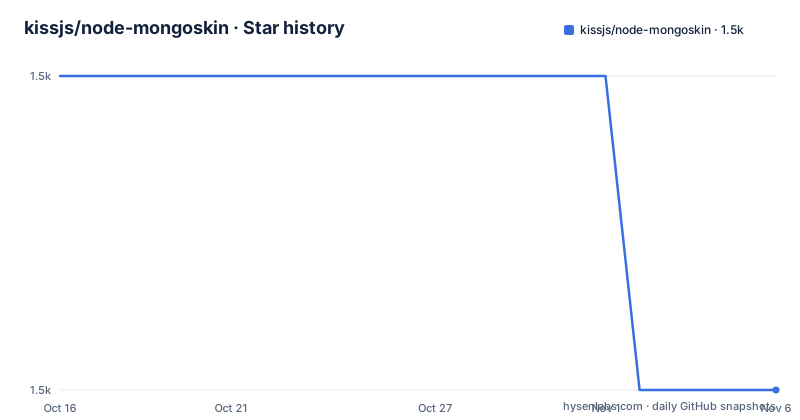
- kissjs/node-mongoskin1,502 ★ · -1
| Repository | 2026-10-16 | 2026-11-06 |
|---|---|---|
| kissjs/node-mongoskin | 1.5k | 1.5k |
-1 Stars in the last 21 days, measured from the daily GitHub snapshot. Compare with other projects
Editorial analysis
Connection modes and collection access
The documented connection mechanisms include a MongoDB URL and explicit replica set setup. For a URL connection, `mongo.db(...)` creates the database object and accepts driver options. The README uses `{native_parser:true}` in its example. A collection can then be bound with `db.bind('article')`, after which `db.article.find()` starts a query. The query ends through the callback form of `toArray`, and the example calls `db.close()` after that callback returns.
Replica set users can construct `Server` and `Db` objects directly. The example creates three `Server` instances on ports `30000`, `30001`, and `30002`, then passes them through `ReplSetServers` to `Db`. It also passes driver options including `w:0` and a conditional `native_parser` setting. The README states that opening the database and waiting for a `fullsetup` event is unnecessary. A collection named `myconnection` can then be queried with `setReadPreference(ReadPreference.SECONDARY)`. The repository also exposes `MongoClient`, `Grid`, and `GridStore`, plus `db.admin(...)`, `db.grid(...)`, and `db.gridStore(...)` aliases. These are direct access points into the driver rather than a separate persistence abstraction.
Bound collection helpers and generated query methods
Beyond collection binding, mongoskin adds methods that translate identifiers into the corresponding MongoDB query shape. The documented `collection.findById(id, ...)` is an alias for `collection.find({_id: toObjectID(id)}, ...)`. The same pattern applies to `collection.updateById(id, ...)` and `collection.removeById(id, ...)`, which delegate to `update` and `remove` with an `_id` generated by `toObjectID`. This is useful when application code repeatedly performs the same document lookup or update operation, because the query construction is moved into the wrapper method.
The package also supports `collection.bind(extendObject)`. Each function in the supplied object is attached to the collection, allowing a helper such as `getByAuthor` to use `this.findOne`. The README presents this as a model helper. It reduces repeated query syntax in application code, but it also makes collection objects carry application-specific behavior. The documentation does not describe collision handling, method enumeration, validation, or a formal lifecycle for helpers. Consequently, the mechanism is convenient for a small number of explicit methods, but developers should avoid binding generic names that could conflict with existing collection methods. The wrapper is adding behavior to objects, not creating a separate model system with validation, schema enforcement, or persistence hooks.
Installing mongoskin and running the first collection query
The README gives `npm` as the installation route. This installs the wrapper package. The package file declares `mongodb` as a peer dependency at `^2.0`, so a compatible driver must also be present in the application environment.
$ npm install mongoskinThe simplest first use requires `mongoskin`, creates a database handle from a MongoDB URL, binds the `article` collection, runs `find().toArray`, and closes the handle in the callback. The example assumes that a MongoDB service is listening at the URL shown by the README.
var mongo = require('mongoskin');
var db = mongo.db("mongodb://localhost:27017/integration_tests", {native_parser:true});
db.bind('article');
db.article.find().toArray(function(err, items) {
        db.close();
});
The callback receives `err` and `items`, although the README example does not inspect `err`. Production code should handle it. The example also does not log `items`, and it does not show what collection contents should appear because no result data is documented. The observable setup target is a successful callback from the query followed by `db.close()`. The database must be reachable, and the MongoDB driver version must satisfy the package's `mongodb ^2.0` peer dependency.
Replica set construction and read preference
For replica set deployments, the wrapper exposes the driver's server-oriented construction classes. The README uses `new ReplSetServers([...])`, followed by `new Db('integration_test_', replSet, options)`. The database name in this example is `integration_test_`, which differs from the URL example's `integration_tests`. That difference is visible in the documentation and should not be silently normalized when adapting an example.
The example enables a secondary read preference through the driver API:
var mongo = require('mongoskin');
var Server = mongo.Server;
var Db = mongo.Db;

var replSet = new ReplSetServers([
        new Server('localhost', 30000),
        new Server('localhost', 30001),
        new Server('localhost', 30002),
]);

var db = new Db('integration_test_', replSet, {w:0, native_parser: (process.env['TEST_NATIVE'] != null)});
The README then queries `myconnection` and applies `setReadPreference(ReadPreference.SECONDARY)`. It states that an explicit `open` call and a `fullsetup` listener are not needed. That is a documented convenience of this version, but it also leaves an operational question for the application owner: the exact failure behavior and connection timing are not described in the README. The examples use localhost addresses and fixed ports. They are suitable as syntax references, not as a complete production replica set configuration.
Version boundaries, removal of older APIs, and licensing
The package metadata reports version `2.1.0` and declares support for Node.js `>= 0.4.0`. It also lists `mongodb` `^2.0` as a peer dependency. These constraints place the project in an older JavaScript and MongoDB driver generation. The README contains a prominent compatibility note stating that the API changed from version `1.3.20`. It lists removed APIs including `module.bind`, `module.Skin*`, `module.router`, `skinDb.toId`, `skinDb.toObjectId`, `skinDb.gridfs`, and `skinCollection.bind`. It also lists modified APIs such as `module.db` and `skinDb.bind`, and additional APIs including `module.MongoClient`, `module.Grid`, `module.GridStore`, and `module.helper.toObjectID`.
This history is an adoption constraint. Code written for the earlier API cannot simply be carried forward. There are no GitHub releases in the repository information, so the documented package version and repository files are the relevant release signals here. The repository is not archived, and its last push was on 2026-08-06. That is the maintenance fact available from the repository record. The package has no recent GitHub release entry to provide a separate upgrade history.
The license is MIT. The README includes the MIT permission and warranty disclaimer. This permits use, modification, distribution, and sublicensing subject to the stated notice conditions, but this article is not legal advice. The practical upgrade cost is primarily compatibility work: check the peer dependency, review removed APIs, and confirm that the underlying `mongodb` driver version still fits the server and application.
Limitations and a driver-level alternative
The clearest limitation is the age and specificity of the supported API generation. The package declares a `mongodb ^2.0` peer dependency, while the README directs users to an older node-mongodb-native API reference. A project that needs newer MongoDB driver features should not assume that the documented aliases will remain compatible. The wrapper also leaves several operational details undocumented. The README does not explain connection retry policy, authentication setup beyond passing driver options, transaction behavior, error propagation beyond callback arguments, or how `db.close()` behaves when a query fails. The basic examples do not inspect `err`, so copying them unchanged can hide failures.
The real alternative is to use the `mongodb` driver directly. The direct approach requires importing `mongodb` and using its `MongoClient`, `Db`, and collection APIs, but it removes the extra layer and avoids relying on aliases such as `db.bind`, `findById`, or `collection.bind`. It is the better choice when the application needs to track the driver's current API closely, when custom collection methods would obscure the source of a behavior, or when the application needs control over connection lifecycle details that the wrapper does not document. mongoskin is more appropriate when its shorter names and bound helpers materially simplify an existing codebase and the `mongodb ^2.0` constraint is already satisfied.
Editorial conclusion
Adopt mongoskin when an existing Node.js application needs its documented convenience methods and can remain on mongodb ^2.0. Do not choose it for a new application unless compatibility with that driver generation is an explicit requirement. Verify the installed Node.js environment, MongoDB deployment, peer dependency resolution, error handling, and shutdown behavior first; the documented examples close the database manually after each operation.
Frequently asked questions
How do I install mongoskin?
The README documents `npm install mongoskin`. The package file also declares `mongodb` as a peer dependency at `^2.0`, so the application must provide a compatible MongoDB driver version.
What does db.bind do in mongoskin?
`db.bind(name, options)` is an alias for assigning `db[name]` to the result of `db.collection(name, options)`. After `db.bind('article')`, the README uses `db.article.find()` to query the bound collection.
Does mongoskin support replica sets?
Yes, according to the README, it exposes `Server`, `Db`, and `ReplSetServers`. Its example creates three servers and calls `setReadPreference(ReadPreference.SECONDARY)` on a collection.
Which MongoDB driver version does mongoskin target?
The package metadata declares `mongodb` `^2.0` as a peer dependency. The README also states that the API was redesigned from version `1.3.20` to follow changes in node-mongodb-native.
Official sources
Add this badge to your README
If you maintain this project, the badge below links readers to this analysis and shows its maintenance status from the daily GitHub snapshot. Paste the markdown into your README; add ?metric=license or ?metric=stars to the image URL for a different field.

[](https://hysenlabs.com/projects/kissjs-node-mongoskin)Star history chart for your README
[](https://hysenlabs.com/projects/kissjs-node-mongoskin)Was this useful?