Plyer for Cross-Platform Python Hardware Access
Plyer is a platform-independent Python wrapper for platform-dependent APIs
At a glance
- What is it?
- Plyer gives Python applications a shared API for hardware and platform features across Android, iOS, macOS, Linux and Windows. It is most useful for Kivy projects that need to cross platform boundaries without rewriting every integration.
- Who is it for?
- Adopt Plyer when a Kivy or standalone Python application needs several operating-system integrations and can accept its platform matrix. Do not adopt it for a capability that is marked unsupported on the target platform.
- Can I use it commercially?
- Yes. MIT is a permissive licence: you can use, modify and sell software built on it, as long as you keep its copyright and licence notices.
- Is it still maintained?
- Yes. The repository last received commits 35 days ago.
- What is it written in?
- Mainly Python, according to GitHub's language statistics.
Answers come from the project's GitHub data, last synced on November 7, 2026, and from our analysis. They are not legal advice.
Star history
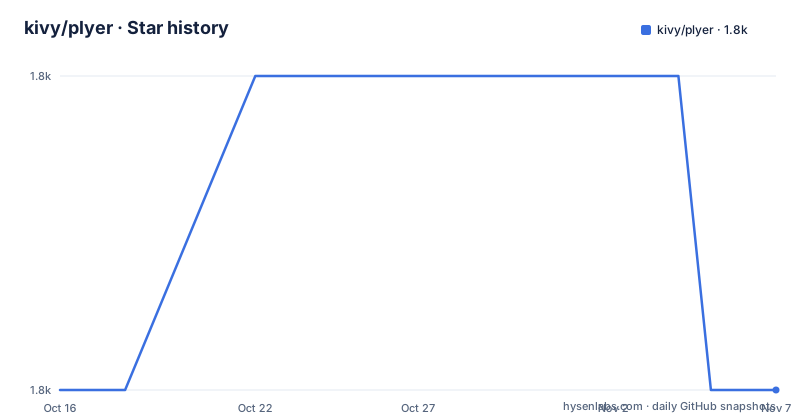
- kivy/plyer1,805 ★ · +0
| Repository | 2026-10-16 | 2026-11-07 |
|---|---|---|
| kivy/plyer | 1.8k | 1.8k |
0 Stars in the last 22 days, measured from the daily GitHub snapshot. Compare with other projects
Editorial analysis
What Plyer solves across Python targets
Plyer addresses a specific form of platform fragmentation: applications often need access to hardware features that are exposed through different operating-system mechanisms on different targets. A camera, battery, notification, file chooser or text-to-speech request may require a different native integration on Android, desktop Linux and Windows. Plyer places a platform-independent Python API in front of those integrations so application code can use a common entry point where the feature is supported.
The intended audience is Kivy application developers, but the README also says that Plyer can be used independently. This makes it relevant to ordinary Python applications that deliberately target more than one operating system or mobile platform. It is not a general abstraction for every possible device API. The project describes hardware features and platform-dependent APIs, and its support table contains uneven coverage.
Battery, email, native file chooser, storage path, text to speech and unique ID are listed for all five target platforms. Features such as GPS, camera taking a picture, compass and voice calls are limited to selected systems. The table is therefore more useful than a general claim that Plyer works everywhere. A team should first identify the exact API it needs, then check both the relevant platform column and the documentation for that facade.
Plyer backend selection and API surface
The repository architecture shows that Plyer does not implement every device capability as one universal native driver. Instead, it calls external libraries and platform programs. On Android through python-for-android, it uses PyJNIus. On iOS through kivy-ios and on macOS, it uses pyobjus. Windows, macOS and Linux can also use other commonly available libraries and programs.
The setup.py package list includes separate platform packages for Linux, Android, Windows, iOS and macOS, with platform-specific subpackages and bundled libraries in several cases. This design keeps the application-facing API separate from the implementation selected for the current platform. It also explains an operational consequence: installation of Plyer alone does not guarantee that every listed backend dependency is present on every host.
The Android and Apple paths are tied to their respective Kivy packaging ecosystems, while desktop functionality may depend on system packages or libraries that the README does not enumerate. The repository includes example directories for many features, including accelerometer, audio, battery, bluetooth, camera, compass, email, file chooser, flash, GPS, gravity, gyroscope, maps, notifications, orientation, proximity, screenshots, SMS and spatial orientation. Those examples provide a map of the intended surface, but the README does not include executable examples or detailed call signatures. The online documentation is the stated source for API details, so feature selection should be checked there rather than inferred from the presence of an example directory.
Installing Plyer on desktop
The documented desktop installation is:
pip install plyerOn Android, the project is not described as a normal desktop install. The README says to add `plyer` to the requirements used by python-for-android and Kivy for iOS. setup.py also declares optional extras named `ios`, `macosx` and `android`, with `pyobjus` for iOS and macOS and `pyjnius` for Android.
The setup.py comments document separate dependency commands for Apple and Android platforms:
pip install https://github.com/kivy/pyobjus/zipball/masterpip install https://github.com/kivy/pyjnius/zipball/masterThose commands document platform-specific dependency setup. They are not a universal installation sequence, especially for desktop deployments. The README does not list the additional Linux, Windows or macOS system dependencies needed by individual facades.
A first feature check for a Kivy application
The first practical use of Plyer is feature selection, not a hardware command. In a Kivy project, list the operations the application needs, such as a battery query, a notification, a native file chooser or text to speech. Then compare those operations with the platform matrix. This matters because a cross-platform API name does not imply identical platform support.
Plyer supports camera taking pictures on Android and iOS according to the table, but the matrix does not mark Windows or Linux for that row. Audio recording is marked for Android, Windows and macOS, not iOS or Linux. Native file chooser support is listed across all five platforms, making it a different adoption case from a sensor such as proximity, which is listed only for Android.
The repository's `examples/` directory contains separate examples for these categories. Those directories can help locate the intended starting point, but the repository file list does not show their contents, so a specific import or call cannot be quoted safely. The first verification should use the corresponding facade documentation to confirm its method signature, return type, permissions, availability behavior and platform-specific exceptions. The README confirms the existence of online API documentation but does not document those details itself.
Where Plyer creates maintenance work
Plyer reduces the need for application-level branches, but it does not remove platform maintenance. Its implementation depends on PyJNIus, pyobjus, native system libraries and other external programs. A feature can therefore be present in the Python API while remaining unavailable on a particular operating-system version, device configuration or packaging target.
The repository's platform packages make this boundary visible. Android is connected to python-for-android, iOS to kivy-ios, and macOS has a separate implementation package. Changes in those native ecosystems can affect Plyer behavior. Desktop packaging may also expose differences that are not visible in a top-level import.
The last push was on 2026-10-04, and the repository is not archived. The listed latest release is 2.1.0 from 2022-11-12. The README does not document a rollback procedure, a long-term-support policy or the exact dependency constraints for every platform. A project using Plyer in a released application should inspect `CHANGELOG.md`, pin the package version in its build process and review the target platform's packaging requirements before shipping.
Plyer versus calling native APIs directly
The meaningful alternative is direct use of each platform's native API or its dedicated Python library. That approach gives an application the narrowest possible abstraction and avoids an additional Plyer layer, but it requires separate implementations, error handling and packaging work for Android, Apple platforms, Linux and Windows.
Plyer takes a different approach by selecting PyJNIus on Android, pyobjus on iOS and macOS, and other libraries or programs elsewhere. The trade-off is easier cross-platform application code when the needed feature has broad support, at the cost of dependency and backend constraints.
Plyer is the wrong tool when a project needs one obscure device feature with no supported matrix entry, when deterministic control over native APIs is more important than shared naming, or when the application cannot package the required mobile bridges. A direct native integration may be more appropriate for a desktop-only application that needs a single operating-system capability. The choice should be based on the target platform matrix and packaging model, not on the phrase platform-independent.
Licence, support and adoption boundaries
Plyer is distributed under the MIT licence, as stated in the README and represented by the repository's `LICENSE` file. The README says the project is managed by the Kivy Team and points users with problems to `CONTACT.md`. That support information is useful context, but it is not a guarantee that every platform integration is available or compatible with every current operating-system release.
The documentation also says earlier documentation is linked from the latest documentation, which helps projects pinned to an older Plyer version locate the matching API reference. Before adoption, confirm that the required facade is documented for every target, that native permissions and packaging entries are available in the host build system, and that the external libraries selected by the platform backend are included.
The README does not provide a complete permission checklist, version support policy or rollback command. For a new Kivy application with a small set of common features, Plyer offers a clear reason to exist. For a narrowly scoped native tool, a direct platform library may produce a smaller dependency surface. The decision hinges on Plyer's documented platform coverage and the exact packaging requirements of the application.
Editorial conclusion
Adopt Plyer when a Kivy or standalone Python application needs several operating-system integrations and can accept its platform matrix. Do not adopt it for a capability that is marked unsupported on the target platform. Verify the facade documentation, platform backend, native dependencies and packaging behavior first, because the README does not specify rollback, a complete dependency matrix or the behavior of every unsupported operation.
Frequently asked questions
How do I install Plyer for desktop Python?
The README gives `pip install plyer` as the desktop installation command. For Android and iOS projects in the Kivy ecosystem, it says to add `plyer` to the project requirements.
Does Plyer support the same hardware APIs on every platform?
No. The README includes a platform matrix, and coverage varies by API. For example, camera taking a picture is marked for Android and iOS, while audio recording is marked for Android, Windows and macOS.
Which external libraries does Plyer use on Android and Apple platforms?
The README states that Android through python-for-android uses PyJNIus, while iOS through kivy-ios and macOS use pyobjus. setup.py declares `pyjnius` for the Android extra and `pyobjus` for the `ios` and `macosx` extras.
Official sources
Add this badge to your README
If you maintain this project, the badge below links readers to this analysis and shows its maintenance status from the daily GitHub snapshot. Paste the markdown into your README; add ?metric=license or ?metric=stars to the image URL for a different field.

[](https://hysenlabs.com/projects/kivy-plyer)Star history chart for your README
[](https://hysenlabs.com/projects/kivy-plyer)Was this useful?