Kunena 7.0 for Joomla: Installation and Platform Requirements
Kunena Forum - Forum / Bulletin Board / Discussions component for Joomla - This is the 6.x/5.x main development branch. Please do not open issues regarding earlier versions of Kunena
At a glance
- What is it?
- Kunena is a PHP-based forum component for Joomla sites that need public discussions, bulletin boards, support forums, or comments. Its installer simplifies setup, but its Joomla 5.3.4, PHP 8.2.0, and database requirements make it a better fit for sites prepared to meet a current extension stack.
- Who is it for?
- Site operators running Joomla 5.3.4 or later with PHP 8.2.0 or later and a supported database can use Kunena when integrated support forums, bulletin boards, or public discussions belong inside the same Joomla site. It is unsuitable for a standalone forum or for an older Joomla stack that cannot be upgraded.
- Can I use it commercially?
- Yes, with conditions. GPL-3.0 is a copyleft licence: if you distribute software that includes it, you must release that software's source code under the same licence. Running it internally without distributing it does not trigger that obligation.
- Is it still maintained?
- Yes. The repository received new commits within the last day.
- What is it written in?
- Mainly PHP, according to GitHub's language statistics.
Answers come from the project's GitHub data, last synced on October 23, 2026, and from our analysis. They are not legal advice.
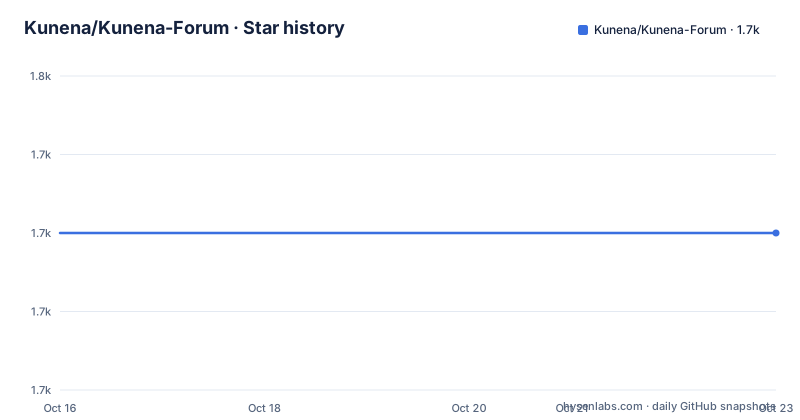
Star history
- Kunena/Kunena-Forum1,730 ★ · +0
| Repository | 2026-10-16 | 2026-10-23 |
|---|---|---|
| Kunena/Kunena-Forum | 1.7k | 1.7k |
0 Stars in the last 7 days, measured from the daily GitHub snapshot. Compare with other projects
Editorial analysis
What Kunena Adds to a Joomla Site
Kunena addresses sites that already use Joomla and need a discussion layer within that content system. The project describes itself as a native Joomla forum and communications component written in PHP. Its intended uses include forums, bulletin boards, support forums, discussions, and comments. This makes the relevant users Joomla site operators, community publishers, support teams, and organizations that want discussion features governed through the same site rather than operating a separate discussion service.
The project is a component, not an independent forum server or a general-purpose PHP package intended to run under an arbitrary framework. That distinction controls the adoption decision. A team already standardized on Joomla can add forum behavior through Joomla's extension system. A team looking for a self-contained application on another platform would need a different project. The README does not document a separate API architecture, a headless interface, or deployment outside Joomla, so none should be assumed.
The repository description calls the branch the main 6.x/5.x development area, but the default branch is identified as K7.0, the requirements describe Kunena 7.0, and the listed recent releases include 7.0.10 and 7.1-RC1. That mismatch makes release-line selection an installation check rather than a minor documentation detail.
Kunena's Joomla and PHP Runtime Boundaries
Kunena 7.0 defines a current minimum stack rather than accommodating the broad PHP and Joomla ranges associated with older Kunena releases. The stated minimums are Joomla 5.3.4, PHP 8.2.0, MariaDB 10.4, or MySQL 8.0.16. The README also gives recommended versions of Joomla 5.4.10 or later, PHP 8.3.0 or later, MariaDB 10.8.6 or later, and MySQL 8.4.2 or later.
The installer checks the minimum requirements and aborts installation when they are not met. That is a useful failure boundary because an operator does not have to infer from a failed forum render whether the underlying platform is unsupported. However, the documentation only states that the check exists. It does not describe every compatibility issue that can occur after installation, so extension integration still needs separate verification.
Kunena also expects a Bootstrap 5 compatible Joomla template and the latest versions of extensions that claim to integrate with Kunena 7.0. Plugins and modules built for earlier Kunena versions are explicitly excluded. Fireboard-era extensions are also called out as unsuitable. This is a migration boundary, not merely a list of preferred packages.
Installing Kunena Through Joomla's Extension Installer
The documented installation route is the Joomla component or extension installer. Kunena publishes release downloads at https://www.kunena.org/download, and the README says Joomla accepts either a package URL or a local download through that installer.
First, confirm that Joomla is at least version 5.3.4, PHP is at least version 8.2.0, and the database is MariaDB 10.4 or later or MySQL 8.0.16 or later. Also confirm that the active Joomla template supports Bootstrap 5. The project warns against plugins or modules developed for previous Kunena versions or for Fireboard, while extensions claiming Kunena 7.0 integration should be upgraded to their latest versions.
Next, take a backup before the installation. The README does not prescribe a backup command because the correct procedure depends on the Joomla hosting arrangement, so none can be supplied accurately here. Open the Joomla extension installer, choose the downloaded Kunena package or its package URL, and begin the installation. As long as the minimum requirements are satisfied, the documentation says the installation should take only a few moments.
A successful first use then begins inside Joomla: create or configure the forum area presented by Kunena, apply the permissions appropriate to the site, and place the forum or discussion entry point where visitors can reach it. The README does not document menu-item labels, administrator screens, default categories, or setup steps beyond the package installation, so those details should be taken from the installed interface rather than invented here.
Upgrading Kunena Through the Same Installer
An upgrade uses the Joomla extension installer rather than an uninstall and reinstall cycle. The README explicitly says that users do not need to uninstall Kunena before upgrading. It describes the process as identical to a fresh installation, with Kunena detecting prior versions and running the necessary upgrade tasks automatically.
The upgrade still requires preparation. The project strongly recommends taking a backup before any new software installation or upgrade. Operators should also resolve the repository's mixed release signals by confirming whether the intended deployment is the stable 7.0 line, the 7.1 release candidate, or an older supported line. The listed releases include 7.0.10, 7.1-RC1, and 6.4.15, while the repository description says not to open issues for earlier versions.
Automatic detection reduces manual migration work, but the documentation does not state whether it validates every third-party integration, restores custom templates automatically, or defines a rollback procedure. A backup therefore remains part of the documented procedure, not evidence of an automated recovery feature. The README is silent on rollback.
PHP Limits, Extensions, and Runtime Configuration
Kunena's recommended PHP settings show that installation depends on more than version numbers. The README recommends `max_execution_time` of at least 30, `memory_limit` of at least 32M with 64M recommended, `allow_url_fopen` set to on, and `upload_max_filesize` of at least 12M. It also lists GD Library 2.0 or later, fileinfo, DOM, Mbstring, Exif functions, and JSON support. OpenSSL is identified as necessary only for embedded tweets.
These settings affect execution limits, uploads, and available PHP capabilities. The documentation says that `memory_limit` depends on other Joomla extensions in use, which means the 64M recommendation is not a fixed target for every installation. Similarly, OpenSSL is tied to embedded tweets rather than being presented as a general forum requirement.
The repository also contains `composer.json`, `package.json`, JavaScript sources, Cypress configuration, tests, scripts, and build definitions. The package file defines Node 20.0.0 or later and npm 10.1.0 or later, plus Cypress commands. Those entries describe development and testing resources visible in the repository. The README does not present them as requirements for an ordinary Joomla site administrator installing a release package, so they should not be confused with the documented runtime stack.
GPL-3.0-or-later and Community Support Boundaries
Kunena is distributed under the GNU General Public License v3 or later, recorded as GPL-3.0-or-later in the repository metadata. This is a direct licensing implication for an organization reviewing the source and release package, although the project files do not provide legal advice about a particular deployment. Administrators should review the included license text against their own compliance process before redistribution or modification.
The project states that it is community built and maintained, with no commercial entity behind it. It does not offer commercial or paid support through Kunena itself. Instead, its support forum is presented as the community support channel, and the README points commercial support seekers to the Joomla Resource Directory. This matters when an organization evaluates operational ownership: the application may be appropriate for a self-supporting Joomla team, while a site needing contractual support from the project should not assume that arrangement exists.
The repository is not archived, and the last push was on 2026-10-16. Releases 7.0.10 and 6.4.15 were published on 2026-10-13, with 7.1-RC1 listed on the same date. This indicates current development activity, but it does not remove upgrade work or compatibility checks.
Kunena Compared with a Separate Forum Platform
The practical alternative is a separate forum platform rather than another Kunena component. The difference is architectural: Kunena adds forum and discussion behavior to an existing Joomla site, while a separate platform would own its account system, administration, hosting, and extension environment. That separation can avoid forcing forum requirements onto the Joomla stack, but it also changes how users sign in, how content is presented, and where administrators maintain the community.
A standalone platform may be the wrong choice for a site whose editors need Joomla content workflows, common templates, and a single administrative environment. Conversely, Kunena is the wrong tool when its Joomla 5.3.4 and PHP 8.2.0 minimums conflict with the existing platform, when the required database is unavailable, or when the site cannot use a Bootstrap 5 compatible template. The README does not document migration between Kunena and a separate forum, so choosing between those approaches should include planning for content and account continuity.
Kunena is also not a general comments package for arbitrary PHP applications. Its documented target is Joomla, and its integration warnings exclude plugins and modules made for earlier Kunena or Fireboard versions. That narrow boundary makes adoption easier to assess for Joomla sites and less suitable for teams shopping by language alone.
Editorial conclusion
Site operators running Joomla 5.3.4 or later with PHP 8.2.0 or later and a supported database can use Kunena when integrated support forums, bulletin boards, or public discussions belong inside the same Joomla site. It is unsuitable for a standalone forum or for an older Joomla stack that cannot be upgraded. Before installation, verify the active Kunena release line, remove components made for previous Kunena or Fireboard versions, ensure the Joomla template supports Bootstrap 5, and take a backup as recommended by the project.
Frequently asked questions
What are the minimum system requirements for Kunena 7.0?
Kunena 7.0 requires Joomla 5.3.4 or later, PHP 8.2.0 or later, and either MariaDB 10.4 or later or MySQL 8.0.16 or later. The installer checks these minimums and aborts when they are not met.
How do I install or upgrade Kunena for Joomla?
Use the Joomla extension installer with a package URL or local download from the Kunena downloads page. Upgrades use the same installer and do not require uninstalling Kunena, but the project recommends taking a backup first.
Does Kunena work outside Joomla?
The documented product is a native Joomla component written in PHP. The README describes use inside a Joomla base website and does not document standalone operation outside Joomla.
Official sources
Add this badge to your README
If you maintain this project, the badge below links readers to this analysis and shows its maintenance status from the daily GitHub snapshot. Paste the markdown into your README; add ?metric=license or ?metric=stars to the image URL for a different field.

[](https://hysenlabs.com/projects/kunena-kunena-forum)Star history chart for your README
[](https://hysenlabs.com/projects/kunena-kunena-forum)Was this useful?