shiv for building self-contained Python zipapps
shiv is a command line utility for building fully self contained Python zipapps as outlined in PEP 441, but with all their dependencies included.
At a glance
- What is it?
- linkedin/shiv packages a Python application and its dependencies into a PEP 441 zipapp. It is suited to command-line distribution, with important limits around native extensions, platform compatibility and extracted files.
- Who is it for?
- Choose shiv when the deliverable is a Python archive that should carry its dependencies and remain directly executable through a console entry point. Do not select it for a cross-platform build containing compiled extensions unless you test each target, and check the extraction behavior under ~/.shiv before distributing many artifacts.
- Can I use it commercially?
- Yes. BSD-2-Clause is a permissive licence: you can use, modify and sell software built on it, as long as you keep its copyright and licence notices.
- Is it still maintained?
- Yes. The repository last received commits 154 days ago.
- What is it written in?
- Mainly Python, according to GitHub's language statistics.
Answers come from the project's GitHub data, last synced on October 23, 2026, and from our analysis. They are not legal advice.
Star history
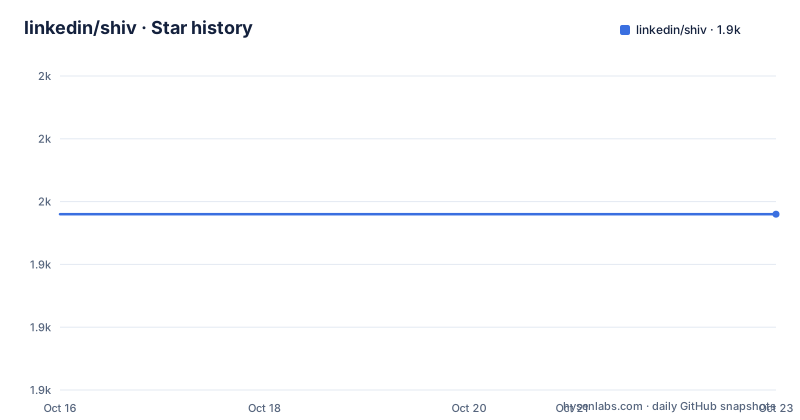
- linkedin/shiv1,948 ★ · +0
| Repository | 2026-10-16 | 2026-10-23 |
|---|---|---|
| linkedin/shiv | 1.9k | 1.9k |
0 Stars in the last 7 days, measured from the daily GitHub snapshot. Compare with other projects
Editorial analysis
What linkedin/shiv solves
shiv is a command line utility for building self-contained Python zipapps based on PEP 441. Its specific purpose is distribution: instead of shipping a Python package and asking every recipient to install its dependencies separately, shiv includes those dependencies in the archive. The resulting `.pyz` file can be used as an executable artifact, with shiv handling the packaging and startup arrangement described by PEP 441.
The primary audience is developers who distribute Python command-line tools, including utilities that are already published to PyPI. The README uses flake8 as the first example. A command identifies the console script to invoke, an output path names the generated executable, and the final argument identifies the dependency to install from PyPI. This arrangement makes shiv useful when a team wants a compact file to place in a bin directory or hand to users.
It is not a general installer replacement for an application that needs external services, system configuration or a full operating-system package. The project concerns creating Python zipapps, and its documentation does not describe support for those broader deployment concerns. The archive contains the application and its dependencies, but it does not turn compiled dependencies into platform-independent binaries. The README specifically warns that C extensions can limit compatibility.
How shiv assembles the zipapp
The documented flow combines a package dependency with a specified console entry point. In the flake8 example, `-c flake8` selects the console script that runs when the output file is launched, while the final `flake8` argument tells shiv to install that dependency. The output path is set with `-o`.
shiv is not described as a new archive format. It builds a PEP 441 zipapp, which means Python can treat the artifact as an executable zip application. The README also says that shiv accepts almost all options passable to `pip install`, so dependency resolution and installation use familiar pip-oriented options. The archive therefore combines application code and the installed dependency set rather than relying on a separately provisioned environment.
At runtime, the README documents an extraction step: zipapps created by shiv extract themselves into `~/.shiv` unless `SHIV_ROOT` overrides that location. This is an important architectural detail. The file is self-contained as a distribution artifact, but the documented runtime model also creates local extracted files. Users who build many utilities may accumulate content there and may need to clean the directory periodically. The README does not explain a remote cache, startup daemon or alternative extraction strategy.
Installation and a first shiv package
The project documents two installation paths: download a release from the GitHub releases page or install the package through pip and PyPI. The latter is the shortest documented route for a working environment:
pip install shivThe README states that shiv requires Python 3.8 or newer and supports Linux, macOS and Windows. After installation, create a small executable from flake8 with this command:
shiv -c flake8 -o ~/bin/flake8 flake8Here, `-c flake8` selects the console script, `-o ~/bin/flake8` chooses the destination, and `flake8` is the dependency installed from PyPI. The generated file can then be invoked directly:
~/bin/flake8 --versionThe README shows version output from its example, so that command is the first practical check that the generated executable starts and reports the packaged application version. The exact version printed will depend on the package and Python versions resolved when the archive is built. The README also documents creating an interactive archive for boto:
shiv -o boto.pyz botoThat example does not specify a console script because it starts an interactive Python session, then imports `boto` inside the session.
Bootstrap development of shiv
The README gives a separate development path for contributors. It starts by cloning the repository, creating a virtual environment and installing the build frontend. The documented commands are:
git clone [email protected]:linkedin/shiv.git
cd shiv
python3 -m venv venv
source ./venv/bin/activate
python3 -m pip install --upgrade build
python3 -m build
python3 -m pip install -e .
The build frontend is upgraded before `python3 -m build` runs, and the editable install follows the build step. The README also tells contributors to run and write tests through tox:
python3 -m pip install tox
tox
Documentation changes have their own documented setup. The documentation requirements are installed from `docs/requirements.txt`, and Sphinx writes HTML output to `build/html`:
python3 -m pip install -r docs/requirements.txt
sphinx-build docs build/html
These instructions describe a source checkout workflow. They do not state which Python versions are covered by tox, nor do they document the test matrix or release automation in the repository files. The top-level layout does show `src/`, `test/`, `tox.ini`, `pyproject.toml` and `setup.cfg`, which places packaging metadata, source code and tests in conventional separate areas. The `pyproject.toml` build-system section requires `setuptools` and `wheel` and selects `setuptools.build_meta` as the build backend.
Platform boundaries and extraction overhead
The main limitation is portability. The README says that zipapps created with shiv are not guaranteed to be cross-compatible with other architectures. A `.pyz` built on a Mac may only work on other Macs, and a file built on RHEL may have the same constraint. The document attributes this mainly to zipapps whose dependencies contain C extensions. If every dependency is pure Python, the README says the archive has a better chance of working on other platforms, but it does not promise universal compatibility.
That distinction matters for release engineering. A developer producing one artifact for Windows, macOS and Linux cannot infer portability from the fact that Python itself is available on those systems. Native code can bind the archive to a platform or architecture. The README gives no build matrix, testing matrix or universal-binary mode for solving that issue.
The second constraint is storage and runtime state. By default, shiv extracts archives into `~/.shiv`, while `SHIV_ROOT` changes the destination. This behavior means the output is not a zero-extraction executable. A directory full of utilities can occupy space beyond the original `.pyz` files, and the README explicitly mentions occasional cleanup. It does not document automatic pruning, cache expiration or conflict handling for multiple archives.
Packaging choice and maintenance signals
The README names PEX, pyzzer and superzippy as similar projects, but it does not explain their packaging models or compare their runtime behavior. The concrete difference available in the shiv documentation is that shiv creates PEP 441 zipapps and accepts nearly all options passable to `pip install`. An alternative can therefore be evaluated by checking whether it produces the same executable form, handles the intended console entry point and carries the same dependency set. The README does not provide enough detail to claim that one named alternative is faster, smaller or more portable.
shiv is not archived, and its last push was on 2026-05-22. That is a maintenance fact, not a guarantee of compatibility or release frequency. The recent release list includes 1.0.8 on 2024-11-01, 1.0.7 on 2024-10-16 and 1.0.6 on 2024-05-09. The repository is therefore not archived, but the visible release dates are separated from the recorded push date. The README does not define a support window or explain the upgrade policy for generated zipapps.
The repository declares `BSD-2-Clause`, and the README includes a license badge. That tells users the advertised license identifier, but it does not replace examining the `LICENSE` and `NOTICE` files for the actual obligations that apply to a particular distribution.
Editorial conclusion
Choose shiv when the deliverable is a Python archive that should carry its dependencies and remain directly executable through a console entry point. Do not select it for a cross-platform build containing compiled extensions unless you test each target, and check the extraction behavior under ~/.shiv before distributing many artifacts. For this project, adoption depends on confirming that `pip install shiv` works in the intended build environment and that `-c` identifies the correct application entry point.
Frequently asked questions
How do I install shiv?
The README documents installing it with `pip install shiv`. It also lists downloading a release from the linkedin/shiv GitHub releases page as another route.
How do I create a self-contained Python executable with shiv?
Use `shiv -c <console-script> -o <output-path> <dependency>`. The README uses `shiv -c flake8 -o ~/bin/flake8 flake8` to create an executable around flake8.
Are shiv zipapps portable across operating systems and architectures?
They are not guaranteed to be cross-compatible, especially when dependencies contain C extensions. Pure Python dependencies have a better chance of working across platforms, according to the README.
Where does a shiv zipapp extract its files?
The README says shiv zipapps extract themselves into `~/.shiv` by default. Setting `SHIV_ROOT` overrides that location.
Official sources
Add this badge to your README
If you maintain this project, the badge below links readers to this analysis and shows its maintenance status from the daily GitHub snapshot. Paste the markdown into your README; add ?metric=license or ?metric=stars to the image URL for a different field.

[](https://hysenlabs.com/projects/linkedin-shiv)Star history chart for your README
[](https://hysenlabs.com/projects/linkedin-shiv)Was this useful?