GBDeviceInfo answers the hardware question your app should not guess
Detects the hardware, software and display of the current iOS or Mac OS X device at runtime.
At a glance
- What is it?
- GBDeviceInfo is an Objective-C library that reports the model, family, operating system version, display, processor and other properties of the running iOS or Mac OS X device at runtime, with a CocoaPods subspec for jailbreak detection. The device list is maintained by hand, so a new iPhone is not recognised until someone adds it.
- Who is it for?
- Adopt GBDeviceInfo if your app needs to branch on hardware capabilities, screen density or device family and you want one call rather than a pile of sysctl and uname parsing, since it exposes model, family, display, processor and raw system info strings behind a single object. Do not adopt it for feature detection, since a model string is a proxy for a capability rather than the capability itself.
- Can I use it commercially?
- Yes. Apache-2.0 is a permissive licence: you can use, modify and sell software built on it, as long as you keep its copyright and licence notices.
- Is it still maintained?
- Yes. The repository last received commits 53 days ago.
- What is it written in?
- Mainly Objective-C, according to GitHub's language statistics.
Answers come from the project's GitHub data, last synced on November 7, 2026, and from our analysis. They are not legal advice.
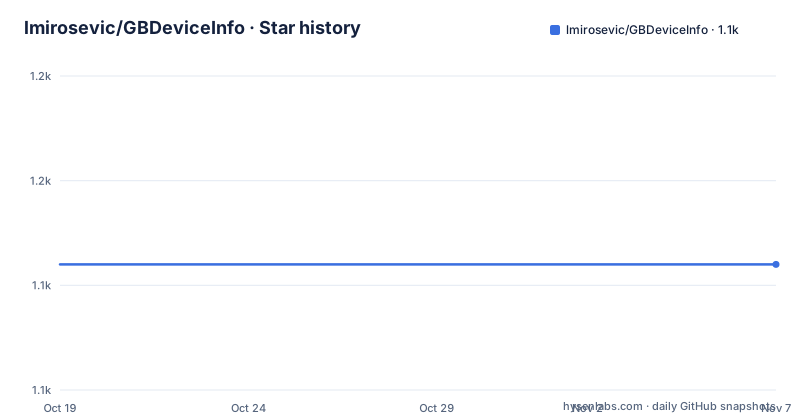
Star history
- lmirosevic/GBDeviceInfo1,142 ★ · +0
| Repository | 2026-10-19 | 2026-11-07 |
|---|---|---|
| lmirosevic/GBDeviceInfo | 1.1k | 1.1k |
0 Stars in the last 19 days, measured from the daily GitHub snapshot. Compare with other projects
Editorial analysis
One object, one call, many properties
The library detects the hardware, software and display of the current iOS or Mac OS X device at runtime, and the entry point is a single class method that returns an object:
[[GBDeviceInfo deviceInfo] isOperatingSystemAtLeastVersion:@"8.0"]; // #> YES

[GBDeviceInfo deviceInfo].isJailbroken;                             // #> NO

[GBDeviceInfo deviceInfo].model;                                    // #> GBDeviceModeliPhone6
[GBDeviceInfo deviceInfo].family;                                   // #> GBDeviceFamilyiPad

[GBDeviceInfo deviceInfo].modelString;                              // #> @"iPhone 6"
[GBDeviceInfo deviceInfo].osVersion.major;                          // #> 8
[GBDeviceInfo deviceInfo].osVersion.minor;                          // #> 1

[GBDeviceInfo deviceInfo].displayInfo.pixelsPerInch;                // #> 326
The properties are the point. There is a model enum, a family enum, a human readable model string, a version object with major, minor and patch components, a display info object that gives you pixels per inch, a display enum for specific screen sizes, and a raw system info string. The README also suggests assigning the object to a variable so you are not repeating the class call, which is the obvious but easily missed step when you need five properties on one line.
The device list is the maintenance burden
The README ends with a long list of supported devices, and it is the part of the project that most affects how you should use it. The list runs from the first generation iPhone through iPhone1, iPhone3G, iPhone3GS, iPhone4 and the rest, to the iPhone17 family including iPhone17Pro, iPhone17ProMax, iPhone17, iPhoneAir and iPhone17e, and it covers iPad generations from iPad1 to iPad11, the iPadMini series, the iPadAir series, and a long run of iPadPro sizes including the 12.9 inch variants up to the eighth generation. This is a hand-maintained table, so a device released after the last update is not in it, and the model enum for it will be unknown. That is a genuine limitation for anyone shipping an app that must recognise hardware released this year.
Jailbreak detection is a separate subspec
The jailbreak check is not in the base pod, which is a decision worth noting because it means the default install is smaller and does not run the check at all. If you want the `isJailbroken` property you add the subspec explicitly:
pod 'GBDeviceInfo', '~> 6.0'
pod 'GBDeviceInfo/Jailbreak', '~> 6.0'
The reason to keep it separate is straightforward: a jailbreak check is only meaningful in some contexts, such as deciding whether to enable a debugging feature or warn about a compromised environment, and in most apps it is dead weight. On a managed corporate fleet, the check has a different use again, where you might want to know that a device is not jailbroken before allowing a feature. The README points to a support address for a commercial edition if a property you need is missing, alongside the option of submitting a pull request.
The Mac side exposes the hardware in more detail
The OS X section is not just the iOS section with different constants. On a Mac the library reports the node name, the physical memory in gigabytes, the CPU frequency, the number of cores, the L2 cache size, the byte order, the family, and the screen resolution, alongside the OS version and the App Store and in-app purchase availability flags:
NSLog(@"SystemInfo: %@", deviceInfo.rawSystemInfoString);          // SystemInfo: MacPro3,1
NSLog(@"Major device ver: %d", deviceInfo.deviceVersion.major);    // Major device ver: 3
NSLog(@"Minor device ver: %d", deviceInfo.deviceVersion.minor);    // Minor device ver: 1
NSLog(@"Node name: %@", deviceInfo.nodeName);                      // Node name: MyMac.local
NSLog(@"RAM: %.3f GB", deviceInfo.physicalMemory);                 // RAM: 16.000 GB
NSLog(@"CPU freq: %.3f GHz", deviceInfo.cpu.frequency);            // CPU freq: 3.500 GHz
NSLog(@"Number of cores: %d", deviceInfo.cpu.numberOfCores);       // Number of cores: 8
NSLog(@"L2 Cache size: %.0f KB", deviceInfo.cpu.l2CacheSize);      // L2 Cache size: 256 KB
That is a lot of information that would otherwise mean several sysctl calls and a uname lookup. The version check is the same call on both platforms, `isOperatingSystemAtLeastVersion:`, which takes a version string, and the App Store flags matter if you ship a Mac build, since they tell you whether a purchase route is available at all on that machine.
Distribution is by CocoaPods and Swift Package Manager
The repository layout shows both distribution paths side by side. There is a `GBDeviceInfo.podspec` at the root, an Xcode project, an Xcode workspace, the `GBDeviceInfo/` source directory, and a `GBDeviceInfoExample/` directory that presumably demonstrates the usage. There is also a `Package.swift`, which means the library is consumable from Swift Package Manager as well, and the README shows the import in Objective-C form with `#import <GBDeviceInfo/GBDeviceInfo.h>`. The licence is Apache 2.0, with a badge in the README header and the licence file in the repository root. There are no GitHub releases, so the versioned artefacts come from CocoaPods, and the last push to the master branch was on 2026-09-16.
Where the model string stops being the right question
The library answers what the device is, and that is genuinely useful for things like screen density, for choosing an asset variant, or for excluding a model that has a known display quirk. It is less useful as a proxy for capability. A model string tells you what was sold, not what the hardware can do, and the two drift: the same model can ship with different amounts of memory, and a performance characteristic can change across generations in ways the name does not capture. The library gives you the raw identifiers, `rawSystemInfoString` for the hardware identifier and `deviceVersion` for the major and minor revision, and the revision numbers are the part that actually distinguishes two devices of the same family. For anything that depends on raw performance, measuring is the only reliable answer.
Editorial conclusion
Adopt GBDeviceInfo if your app needs to branch on hardware capabilities, screen density or device family and you want one call rather than a pile of sysctl and uname parsing, since it exposes model, family, display, processor and raw system info strings behind a single object. Do not adopt it for feature detection, since a model string is a proxy for a capability rather than the capability itself. Verify first that the device you need to recognise appears in the supported list, which is maintained by hand, and add the Jailbreak subspec only if you actually need it, since the base pod does not include that check.
Frequently asked questions
What does GBDeviceInfo report?
The model, model family, model string, operating system version with major, minor and patch components, display information including pixels per inch, a display enum for screen sizes, and the raw system info string. On macOS it also reports node name, physical memory, CPU frequency, core count, L2 cache size, byte order, screen resolution and App Store availability.
How do I check whether the jailbreak property is available?
You add the Jailbreak subspec to your Podfile with `pod 'GBDeviceInfo/Jailbreak', '~> 6.0'` alongside the main pod. The check is not part of the base pod.
How do I check the OS version with GBDeviceInfo?
Call `isOperatingSystemAtLeastVersion:` on the device info object with a version string, for example `[[GBDeviceInfo deviceInfo] isOperatingSystemAtLeastVersion:@"10.8"]` for a Mac, and read `osVersion.major`, `osVersion.minor` and `osVersion.patch` for the exact version.
Can GBDeviceInfo be used from Swift?
The repository contains a Package.swift file, so the library is consumable through Swift Package Manager, alongside the CocoaPods route with the GBDeviceInfo.podspec and the Xcode project and workspace.
What licence is GBDeviceInfo released under?
Apache 2.0, with the licence file in the root of the repository and a matching badge in the README header. The repository has no GitHub releases, so the published versions come through CocoaPods.
Official sources
Add this badge to your README
If you maintain this project, the badge below links readers to this analysis and shows its maintenance status from the daily GitHub snapshot. Paste the markdown into your README; add ?metric=license or ?metric=stars to the image URL for a different field.

[](https://hysenlabs.com/projects/lmirosevic-gbdeviceinfo)Star history chart for your README
[](https://hysenlabs.com/projects/lmirosevic-gbdeviceinfo)Was this useful?