RemotePlayWhatever usage, compatibility limits, and build guide
Tiny application that lets you force remote play together any game you have in your steam library including non-steam ones.
At a glance
- What is it?
- RemotePlayWhatever asks a running Steam client to start Remote Play Together for the current game, including non-Steam games identified by AppID. Its operation depends on undocumented Steam interfaces, and the README warns that recent Steam Client changes currently break the application.
- Who is it for?
- RemotePlayWhatever may suit users who understand its AppID workflow and accept compatibility risk, but the repository explicitly says recent Steam Client changes prevent it from functioning as intended. Developers should not adopt it for a dependable multiplayer setup without first checking issues 285 and 279 and building the current master branch.
- Can I use it commercially?
- Yes. MIT is a permissive licence: you can use, modify and sell software built on it, as long as you keep its copyright and licence notices.
- Is it still maintained?
- Activity is slowing. The repository last received commits 6 months ago.
- What is it written in?
- Mainly C++, according to GitHub's language statistics.
Answers come from the project's GitHub data, last synced on October 23, 2026, and from our analysis. They are not legal advice.
Star history
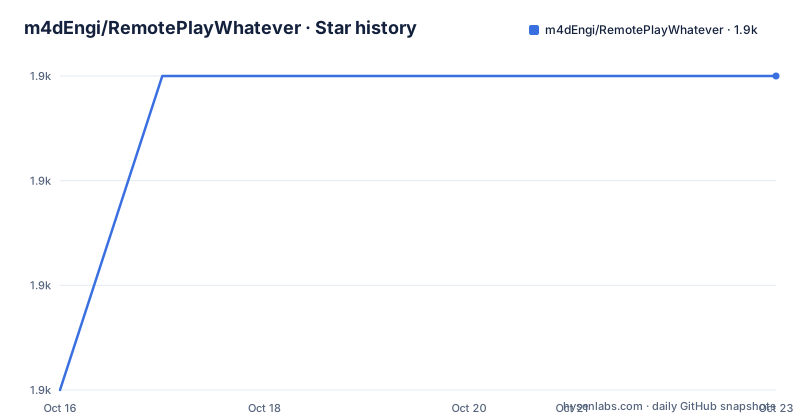
- m4dEngi/RemotePlayWhatever1,927 ★ · +3
| Repository | 2026-10-16 | 2026-10-23 |
|---|---|---|
| m4dEngi/RemotePlayWhatever | 1.9k | 1.9k |
3 Stars in the last 7 days, measured from the daily GitHub snapshot. Compare with other projects
Editorial analysis
RemotePlayWhatever's Steam session task
RemotePlayWhatever addresses a narrow gap in Steam Remote Play Together: starting a session for the game that is currently running through Steam, particularly when that game does not have normal Steam metadata. It is intended for players who want to send Steam invitations to friends or distribute a guest link after launching the game. The application is not a game host, launcher, input relay, or replacement for Steam. Steam remains responsible for launching the game and handling the Remote Play Together session.
The utility is most relevant to a Steam user with a local game library that includes titles without useful Steam entries. Its command-line interface accepts an AppID for a non-Steam game and defaults to AppID 480 when no value is supplied. That default is only a fallback documented in the README. A user inviting a different non-Steam title needs the correct AppID selection. The README does not explain how to discover or validate it.
The repository describes RemotePlayWhatever as a small C++ application. Its entries include a wxWidgets application directory, CMake build files, and an `open-steamworks` submodule. This is a local graphical client rather than a hosted service. It talks to an already running Steam process, so it is not positioned as a way to bypass game ownership or operate without Steam.
Local Steam IPC and undocumented interfaces
The documented mechanism is direct communication with a running Steam client. RemotePlayWhatever asks that client to initiate Remote Play Together for the currently running game launched through Steam. The README describes this communication as using Steam's standard local IPC channel and states that the application does not modify files. That boundary matters because the tool's behavior depends on the local Steam session rather than on a separately hosted backend.
The implementation uses undocumented internal Steam client APIs. These are not the stable APIs intended for games, which means their interfaces and assumptions can change when Steam updates. The README labels this dependency potentially unstable. Even if the local IPC transport remains available, a Steam client update can alter the internal calls or data that RemotePlayWhatever expects.
That fragility is not hypothetical for the current release line. The README opens with a caution saying the application does not function as intended because breaking changes in recent Steam Client releases. It links issues 285 and 279 and recommends considering an alternative. This warning takes precedence over the nominal support target of the latest stable Steam client. The project intends to track that client, but users are told to check for a newer RemotePlayWhatever version or report a problem after a Steam update.
The repository was not archived, and its last push was on 2026-04-22. That does not resolve the compatibility problem stated in the README. The releases also retain alpha labels: version 0.2.14 was published on 2026-03-23, following versions 0.2.13 and 0.2.12 in 2025. Users should therefore treat the alpha designation and explicit Steam break warning as concrete adoption constraints.
Linux packages and Windows portable setup
The quickest documented route is to download the latest release for the required operating system. Linux users can choose a third-party AUR package on Arch, a `.deb` package on Ubuntu, or an `.AppImage` for another distribution. Windows releases are ZIP archives that require extraction but no conventional installation.
For a generic Linux AppImage, first download `RemotePlayWhatever-*.AppImage` from the latest release page. The README then requires making that file executable. This command changes the file permission and does not launch it:
chmod +x RemotePlayWhatever-*.AppImageRun `./RemotePlayWhatever-*.AppImage` from a terminal or use the file manager's normal application launcher. Some systems may lack the support needed to execute AppImages. The project specifically notes that `fuse2`, or an alternative package, may be required. If execution reports an AppImage-related failure, check that dependency before treating the application itself as the failing component.
Ubuntu users can instead download and install the `.deb` package. The README gives no generic installation command for that package, so the exact package filename and system package tools should come from the selected release. Arch users are directed to a third-party AUR package maintained by Rojikku, rather than an official RemotePlayWhatever package repository.
Windows users download and extract the `RemotePlayWhatever-*.zip` archive somewhere. The README says no installation is required. No packaged route removes the core dependency, however: Steam must be installed and running before RemotePlayWhatever can communicate with it.
Building the C++ client on Debian
The source build documented for Debian uses standard build tools, Git, CMake, and wxWidgets. These dependencies provide the compiler toolchain, build system, version control, and GUI framework used by the project. The repository contains submodules, so the documented clone command uses `--recurse-submodules` rather than fetching only the top-level repository.
Install the documented Debian build dependencies:
sudo apt update
sudo apt install build-essential git cmake libwxgtk3.2-dev
Clone the project and enter its directory:
git clone --recurse-submodules https://github.com/m4dEngi/RemotePlayWhatever.git
cd RemotePlayWhatever
Configure a release build and compile it:
cmake -B build -DCMAKE_BUILD_TYPE=Release
cmake --build build
The README states that the executable is placed at `build/RemotePlayWhatever`. Launch that file while Steam is running. A successful compilation only establishes that the local toolchain can build the repository. It does not establish compatibility with the installed Steam Client, because the final application still relies on internal Steam interfaces that can change independently of this source build.
An optional Debian package can be produced from the configured build:
cmake --build build --target package
sudo dpkg -i build/RemotePlayWhatever-*-Linux.deb
This target invokes CMake's package generation and then installs the generated `.deb` with `dpkg`. It changes the distribution package state, so it is separate from the basic compile-and-run path.
Windows build requirements and output
The Windows source instructions assume a 32-bit build using Visual Studio. Commands are to be run in a `Developer Command Prompt for VS`. The documented workload is `Desktop development with C++`, together with `Git For Windows` and `MSVC v142 - VS 2019 C++ x64/x86 build tools`. wxWidgets must also be downloaded and installed separately according to its documentation.
Clone the repository with its submodules:
git clone --recurse-submodules https://github.com/m4dEngi/RemotePlayWhatever.git && cd RemotePlayWhateverConfigure the documented Win32 target and build the Release configuration:
cmake -B build -A Win32
cmake --build build --config Release
According to the README, a successful build places the executable in `build\RemotePlayWhatever\Release`. The required Visual Studio components and separate wxWidgets installation make the Windows source path more involved than downloading the ZIP, which needs only extraction according to the README.
Neither route addresses the Steam compatibility constraint. A newly compiled executable still depends on the same undocumented client interfaces as the packaged application. The build instructions explain how to produce the program, but the README does not document integration tests against Steam Client versions, automated compatibility verification, or a rollback procedure for a failed Steam update.
First Remote Play Together session
A first session follows a strict order because RemotePlayWhatever asks Steam to act on the game that is already running. Start Steam, launch RemotePlayWhatever, and then launch the selected game through Steam. Switch back to the RemotePlayWhatever window before generating an invitation. The tool is not documented as accepting a game path and starting the game itself.
The graphical workflow offers two invitation paths. A direct invite selects a Steam friend and sends an invite link through Steam Chat. A guest link generates a link, places it on the clipboard, and leaves distribution to the user. Neither path is documented as bypassing Steam invitations or changing Steam's account requirements.
The command-line interface provides arguments for selected operations. Its documented options are `-a` or `--appid=<num>` for a non-Steam game's AppID, `-i` or `--invite=<str>` for a comma-separated SteamID64 list, `-g` or `--guestid=<num>` for a guest client ID, and `-c` or `--cancel=<str>` for cancellation by SteamID64 and GuestID. The invitation argument documents `0` as the guest-link value.
The README does not provide a complete end-to-end command example, so users cannot confirm from the documentation how these arguments should be combined for a specific session. It also does not explain how to find the correct AppID for an arbitrary non-Steam game or what feedback appears when the value is wrong. The default of 480 therefore should not be treated as a universal selection.
Steam alternatives and Parsec's different path
The README identifies alternatives in two categories. Under Steam, it lists RemotePlayDetached and cooplauncher. Both remain within the Steam-oriented remote-play category, although the README does not explain their installation, invocation mechanism, supported platforms, or compatibility boundaries. Their appearance in the alternatives list confirms that they are relevant alternatives, but it does not establish that either fixes every problem affecting RemotePlayWhatever.
Parsec is listed separately as a standalone option. RemotePlayWhatever communicates locally with Steam and asks that client to initiate Remote Play Together, while Parsec appears under a separate alternative category. That distinction may matter to someone who does not want the utility to depend on undocumented Steam client behavior.
The README provides no information about Parsec's account requirements, platform coverage, performance, or game compatibility, so those points cannot be evaluated from this repository. It is best treated as an alternative category to investigate, not as a verified replacement for every Steam Remote Play Together workflow. For RemotePlayWhatever itself, the strongest documented reason to consider an alternative is the explicit warning that recent Steam Client changes stop it from working as intended.
MIT licensing and compatibility upgrade cost
RemotePlayWhatever is distributed under the MIT License. The repository identifies that license, but its README does not summarize notice obligations or address compatibility with Steam, game publishers, or other locally installed software. Distributors should read the repository's `LICENSE` file and assess their own requirements rather than treating this review as legal advice.
The upgrade burden comes from two separate layers. Users of a packaged build may need a newer RemotePlayWhatever release when a Steam update breaks internal compatibility. Source builders may need to compile updated source after Steam changes its behavior. Recent alpha releases do not provide a stable compatibility contract, especially while the README says the application currently does not function as intended.
The README states that the utility communicates locally with Steam through its standard IPC channel and does not modify files. That is a useful scope boundary, but it does not remove the maintenance work associated with undocumented APIs. The repository's last push was on 2026-04-22, and it is not archived. Because that push is more than six months old, the project should not be described as actively maintained. Its alpha status and explicit Steam compatibility warning remain the decisive facts.
Editorial conclusion
RemotePlayWhatever may suit users who understand its AppID workflow and accept compatibility risk, but the repository explicitly says recent Steam Client changes prevent it from functioning as intended. Developers should not adopt it for a dependable multiplayer setup without first checking issues 285 and 279 and building the current master branch. Users seeking a connection outside Steam should evaluate Parsec instead.
Frequently asked questions
Does RemotePlayWhatever currently work with the latest Steam Client?
The README says it does not function as intended because of breaking changes in recent Steam Client releases. It links issues 285 and 279 and recommends considering an alternative.
How do I invite a friend to Remote Play Together with RemotePlayWhatever?
Run Steam, launch RemotePlayWhatever, start the game through Steam, and return to RemotePlayWhatever. Select a friend for a direct Steam Chat invitation, or generate a guest link and share it manually.
Which AppID does RemotePlayWhatever use for a non-Steam game?
Use `-a` or `--appid=<num>` to supply the AppID for the non-Steam game. The documented default is 480, but the README does not explain how to find the correct AppID for other games.
Official sources
Add this badge to your README
If you maintain this project, the badge below links readers to this analysis and shows its maintenance status from the daily GitHub snapshot. Paste the markdown into your README; add ?metric=license or ?metric=stars to the image URL for a different field.

[](https://hysenlabs.com/projects/m4dengi-remoteplaywhatever)Star history chart for your README
[](https://hysenlabs.com/projects/m4dengi-remoteplaywhatever)Was this useful?