android-junit-framework: running JUnit 5 tests on Android
Modern testing with JUnit for Android.
At a glance
- What is it?
- The android-junit-framework Gradle plugin puts JUnit 5 and JUnit 6 on Android, configuring the unit test tasks of every build variant to run on the JUnit Platform and extending the same support to instrumentation tests. It exists because Google has shipped no first-party JUnit 5 support for Android, and the instrumented half has hard version floors.
- Who is it for?
- android-junit-framework suits an Android team that has decided to move off JUnit 4 and wants the same test code to run on the JVM and on a device, with a per-variant configuration DSL rather than a pile of Gradle workarounds. It does not suit a project still on an Android Gradle Plugin older than 8.2, nor one whose instrumentation tests must run on devices below Android 8.0, since the JUnit 5 requirement there is API 26.
- Can I use it commercially?
- Yes. Apache-2.0 is a permissive licence: you can use, modify and sell software built on it, as long as you keep its copyright and licence notices.
- Is it still maintained?
- Yes. The repository last received commits 24 days ago.
- What is it written in?
- Mainly Kotlin, according to GitHub's language statistics.
Answers come from the project's GitHub data, last synced on November 7, 2026, and from our analysis. They are not legal advice.
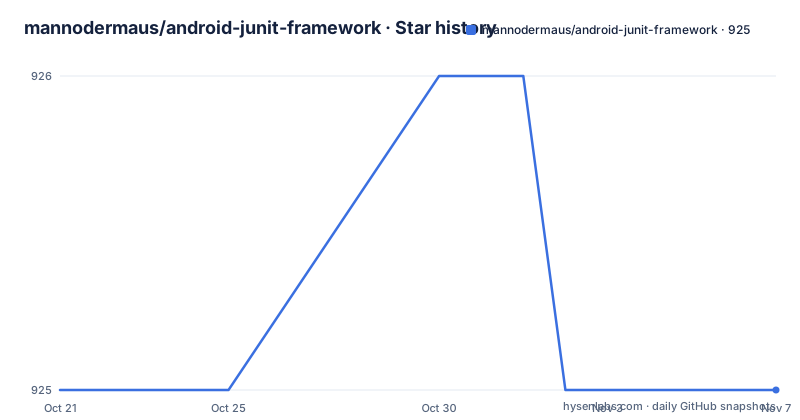
Star history
- mannodermaus/android-junit-framework925 ★ · +0
| Repository | 2026-10-21 | 2026-11-07 |
|---|---|---|
| mannodermaus/android-junit-framework | 925 | 925 |
0 Stars in the last 17 days, measured from the daily GitHub snapshot. Compare with other projects
Editorial analysis
A Gradle plugin that moves Android tests onto the JUnit Platform
The android-junit-framework is a Gradle plugin that allows for the execution of JUnit 5 and later tests in Android environments using Android Gradle Plugin 8.2 or later. The mechanism is stated in one sentence: the plugin configures the unit test tasks for each build variant of a project to run on the JUnit Platform.
That single sentence is the whole value proposition. Android's built-in test infrastructure was built around JUnit 4, and the modern JUnit 5 model is built around extensions, a platform launcher, and a different discovery mechanism. Without help, an Android project cannot simply add the Jupiter dependencies and expect its existing test tasks to find and run those tests.
The plugin also provides additional configuration options for these tests through a DSL, and it facilitates the usage of JUnit for instrumentation tests, which is the harder half of the problem because it involves the on-device runner rather than a JVM task.
The audience is an Android team that has decided to adopt JUnit 5, and the alternative it competes with is writing the same Gradle wiring by hand in every module. The repository topics name the territory: android, gradle-plugin, junit, junit5, unittesting. The author also points at a small showcase project and at the JUnit User Guide, which is a sensible division of labour: this project supplies the Android side, and JUnit supplies the testing model.
A detail worth noticing in the repository itself: the README is generated. Its header says the file was automatically generated by Gradle and should not be modified, and that changes belong in README.md.template, followed by running the generateReadme task from Gradle. The documentation is part of the build, which is a sign of how the project is maintained.
Setup takes a plugin line and a JUnit BOM
The setup is short, and the README splits it into numbered steps inside a single Gradle script block. You declare the plugin in the app module's build script alongside the latest version, add the JUnit BOM and the required dependencies, and add JUnit Vintage if you still have JUnit 4 tests such as those written for Robolectric:
plugins {
    // 1. Apply the plugin
    id("de.mannodermaus.android-junit") version "2.0.2"
}

dependencies {
    // 2. Add JUnit BOM and the required dependencies
    testImplementation(platform("org.junit:junit-bom:5.14.1"))
    testImplementation("org.junit.jupiter:junit-jupiter-api")
    testImplementation("org.junit.jupiter:junit-jupiter-params")
    testRuntimeOnly("org.junit.jupiter:junit-jupiter-engine")
}
The BOM matters more than it looks. Using a platform dependency pins the whole Jupiter stack to a consistent set of versions, so the API, the params module and the engine cannot drift apart. The engine is testRuntimeOnly because it is needed to run the tests rather than to compile against them.
Snapshots of the development version are published through Sonatype's snapshots repository, so a team that wants to track the plugin's main branch can, at the cost of moving targets.
The requirements are stated as floors: the latest version of the plugin requires at least Android Gradle Plugin 8.2 and Gradle 8.2. Those are hard constraints, and an AGP 8.1 project cannot use the current plugin at all.
Instrumentation tests carry a device version floor
Enabling JUnit for instrumentation tests is where the trade-offs appear. You can write instrumentation tests with the new JUnit APIs and execute them on emulators and physical devices, but the README is explicit that depending on the Java requirements of the JUnit version, these tests only run on devices that meet those requirements, and on older devices an exception is raised at runtime.
The floors are listed. JUnit 5 requires Java 8, and devices require at least Android 8.0, which is API 26. JUnit 6 requires Java 17, and devices require at least Android 15, which is API 35.
That second line is a much higher bar. An Android 15 device requirement for JUnit 6 means the newest JUnit generation is effectively unusable on the long tail of devices many apps still support, so the JUnit 5 path with API 26 is the practical choice for most projects today.
The setup also has a prerequisite that is easy to miss. Before writing instrumentation tests with JUnit Jupiter, the module must be using androidx.test.runner.AndroidJUnitRunner or a subclass of it as its testInstrumentationRunner. Then you add a Jupiter dependency to the androidTestImplementation configuration and the plugin configures the JUnit 5 tests for you:
dependencies {
    androidTestImplementation(platform("org.junit:junit-bom:5.14.1"))
    androidTestImplementation("org.junit.jupiter:junit-jupiter-api")
}
What you gain is described in the README as access to ActivityScenarioExtension among other things, which helps with the orchestration of Activity classes. That extension is the specific reason a Compose or Activity test suite would move to JUnit 5 rather than stay on the built-in runner.
The 2.0.0 change: unsupported devices now raise
Historically, tests were ignored if the Android device running them did not meet the requirements of JUnit. That changed in the 2.0.0 of the plugin and library, and the DSL can restore the previous behaviour:
junitPlatform {
    instrumentationTests.behaviorForUnsupportedDevices = UnsupportedDeviceBehavior.Skip
}
This is a small setting with a large blast radius, and it deserves attention rather than a copy and paste. The old behaviour of skipping meant a test run on an unsupported device reported success without running anything, which is a green build that proves nothing. The new behaviour raises an exception at runtime, so the failure is visible.
For most teams the new default is the right one, because a silently skipped suite is how device coverage quietly disappears. For a project that still supports old devices and wants the run to complete rather than fail, the Skip setting is the way to keep the old semantics, at the cost of knowing that those devices contributed nothing to the result.
The same DSL block holds the other instrumentation options. There is an extensions flag, an optional artifact containing APIs such as GrantPermissionExtension for granting permissions before each test, and a version override for the instrumentation test libraries:
junitPlatform {
    instrumentationTests.includeExtensions = true
}
By default the plugin makes sure to use a compatible version of the instrumentation test libraries when it sets up the artifacts automatically, and the DSL lets you pick a custom version instead if your project needs one.
Compose tests and the bridge for JUnit 4 rules
Jetpack Compose support is layered on top of the instrumentation story rather than being separate. You enable support for instrumentation tests as described earlier, add the Compose test dependency to the androidTestImplementation configuration, and the plugin autoconfigure JUnit 5 Compose support:
dependencies {
    // Setup from the previous section for enabling instrumentation tests...

    // Compose test framework
    androidTestImplementation("androidx.compose.ui:ui-test-android:$compose_version")

    // Needed for createComposeExtension() and createAndroidComposeExtension()
    debugImplementation("androidx.compose.ui:ui-test-manifest:$compose_version")
}
The second dependency is not optional decoration. The ui-test-manifest artifact exists for createComposeExtension() and createAndroidComposeExtension(), and leaving it out is the classic cause of a Compose test that cannot find its activity.
There is also a bridge for the older JUnit 4 world. Since JUnit 5 replaced the @Rule mechanism with the concept of an Extension, some existing rules have no direct equivalent. The README names the specific pain point in the Official Support section, where it aggregates pending Google feature requests: InstantTaskExecutorRule uses @RestrictTo with the LIBRARY_GROUP scope, which is the first item in that list, alongside the general requests for JUnit 5 support.
For that case the README points to an external artifact, InstantExecutorExtension, which replaces InstantTaskExecutorRule in JUnit 5:
dependencies {
    testImplementation("io.github.neboskreb:instant-task-executor-extension:1.0.0")
}
Note that this is a third-party artifact maintained outside this repository, pinned to a specific version, so it is a dependency you would inherit rather than one this project maintains.
Release cadence and the state of the repository
The repository is not archived and the last push was on 2026-10-15, the same day as the plugin-2.0.2 release. The release record shows plugin-2.0.2 on 2026-10-15, plugin-2.0.1 on 2026-01-14 and plugin-2.0.0 on 2026-01-01. So the 2.0 line was cut at the start of the year and the 2.0.1 and 2.0.2 patches followed, with the latest landing in October 2026.
That is a slow, deliberate cadence for a build plugin, and it matches the constraint of the ecosystem: the plugin has to track Android Gradle Plugin releases, and AGP moves on its own schedule. A plugin that updated itself weekly would break builds on every AGP change.
The repository layout supports the same two-audience structure the README describes. The root contains build-logic/, instrumentation/, plugin/, a README.md.template, the .images/ directory and the CircleCI configuration in .circleci/. The README says the repository contains multiple modules divided into two sub-projects, with the root directory holding build logic shared across the sub-projects, which in turn use symlinks to connect to the common build scripts in their parent folder. The instrumentation folder is the root for the instrumentation libraries and a sample and is meant to be opened in Android Studio, and the plugin folder is the Gradle plugin itself.
On licensing, the licence field on the repository says Apache-2.0, which is the permissive grant with the standard obligations to retain the licence and the notices when redistributing. For a build plugin that teams apply rather than ship, the practical effect is minimal, but it does mean a vendored copy inside a proprietary build has to keep its attribution.
Editorial conclusion
android-junit-framework suits an Android team that has decided to move off JUnit 4 and wants the same test code to run on the JVM and on a device, with a per-variant configuration DSL rather than a pile of Gradle workarounds. It does not suit a project still on an Android Gradle Plugin older than 8.2, nor one whose instrumentation tests must run on devices below Android 8.0, since the JUnit 5 requirement there is API 26. Before adopting, apply the plugin in one module with the JUnit BOM, run the existing unit test suite to confirm it still executes on the JUnit Platform, and check your minimum supported API level against the instrumentation test floors before enabling device tests.
Frequently asked questions
What does the android-junit-framework Gradle plugin do?
It allows JUnit 5 and later tests to run in Android environments with Android Gradle Plugin 8.2 or later. The plugin configures the unit test tasks of each build variant to run on the JUnit Platform, offers configuration options through a DSL, and extends the same support to instrumentation tests.
How do I add android-junit-framework to a project?
Apply the plugin in the app module build script with id("de.mannodermaus.android-junit") version "2.0.2", then add the JUnit BOM and the Jupiter api, params and engine dependencies, adding JUnit Vintage if you still have JUnit 4 tests such as Robolectric ones. The plugin requires at least Android Gradle Plugin 8.2 and Gradle 8.2.
Which devices can run JUnit 5 and JUnit 6 instrumentation tests?
The README states that JUnit 5 requires Java 8 and devices require at least Android 8.0, API 26, while JUnit 6 requires Java 17 and devices require at least Android 15, API 35. On older devices an exception is raised at runtime unless you restore the skip behaviour.
What changed in version 2.0.0 of the plugin?
Historically, tests were ignored when the device did not meet the JUnit requirements. That changed in 2.0.0 of the plugin and library, and the old behaviour can be restored through the junitPlatform DSL by setting instrumentationTests.behaviorForUnsupportedDevices to UnsupportedDeviceBehavior.Skip.
How do I test Jetpack Compose composables with this plugin?
Enable instrumentation test support first, then add androidx.compose.ui:ui-test-android to androidTestImplementation and androidx.compose.ui:ui-test-manifest to debugImplementation. The manifest artifact is needed for createComposeExtension() and createAndroidComposeExtension(), and the plugin autoconfigure JUnit 5 Compose support once both are in place.
Official sources
Add this badge to your README
If you maintain this project, the badge below links readers to this analysis and shows its maintenance status from the daily GitHub snapshot. Paste the markdown into your README; add ?metric=license or ?metric=stars to the image URL for a different field.

[](https://hysenlabs.com/projects/mannodermaus-android-junit-framework)Star history chart for your README
[](https://hysenlabs.com/projects/mannodermaus-android-junit-framework)Was this useful?