ImageViewer.swift for Facebook-style image galleries
An easy to use Image Viewer that is inspired by Facebook
At a glance
- What is it?
- ImageViewer.swift adds a tap-driven image gallery to existing iOS UIImageView instances, with local and remote image input. It fits simple photo viewers, but its documented setup does not cover modern Swift Package Manager usage or advanced presentation requirements.
- Who is it for?
- Adopt ImageViewer.swift when an existing iOS app needs a compact, Facebook-inspired gallery around UIImageView and local or remote images. Do not assume it covers current Swift Package Manager integration, explicit iOS 11 or later deployment, or application-specific navigation without checking the project files first.
- Can I use it commercially?
- Not without permission. GitHub finds no licence file in the repository, and without a licence all rights are reserved by default: you may read the code but not reuse it. Check the README, or ask the authors, before using it.
- Is it still maintained?
- Yes. The repository last received commits 131 days ago.
- What is it written in?
- Mainly Swift, according to GitHub's language statistics.
Answers come from the project's GitHub data, last synced on October 23, 2026, and from our analysis. They are not legal advice.
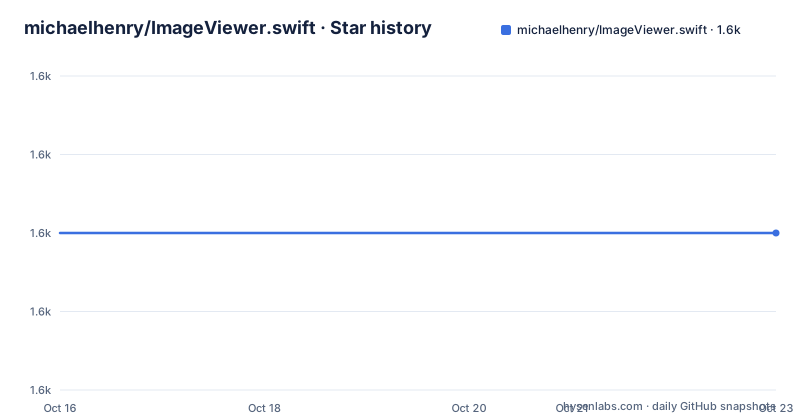
Star history
- michaelhenry/ImageViewer.swift1,580 ★ · +0
| Repository | 2026-10-16 | 2026-10-23 |
|---|---|---|
| michaelhenry/ImageViewer.swift | 1.6k | 1.6k |
0 Stars in the last 7 days, measured from the daily GitHub snapshot. Compare with other projects
Editorial analysis
Why ImageViewer.swift fits UIImageView-based galleries
ImageViewer.swift addresses a narrow iOS UI problem: turning an image display into a full-screen viewer without making the app implement paging, dismissal, and navigation details itself. Its intended audience is Swift and Objective-C iOS developers who already have a UIImageView or a gallery represented by an array of images or URLs. The library describes itself as an image viewer inspired by Facebook, and its examples connect it to familiar photo browsing patterns such as tapping an image, moving through a collection, and closing the viewer.
The integration surface is deliberately small. The documented entry point is the `setupImageViewer()` method on a UIImageView. Other overloads accept one URL, an array of UIImage values, or an array of URL values. That model is useful for conventional mobile screens where image content already exists in the interface and the desired result is a viewer attached to that content. It is less suitable for apps that need a separate gallery object, custom transition orchestration, or behavior not represented by ImageViewer.swift's listed options.
The library supports iOS 10 and the README lists Swift 4.0, 4.2, and 5.0. Those statements describe the documented compatibility range, not a guarantee that every Swift release remains supported. An engineer adopting the code in a newer toolchain should inspect `Package.swift`, `ImageViewer.swift.podspec`, and the release contents before deciding whether compatibility changes are required.
The UIImageView setup path and supported image inputs
The visible integration model begins with a UIImageView that already holds image content. Calling `setupImageViewer()` attaches the viewer behavior to that view. When several images belong to the gallery, the `images:` overload receives an array of UIImage values. The viewer therefore operates around content supplied by the application rather than requiring the project to expose a separate data-loading layer.
Remote content follows the same surface but depends on the `ImageViewer.swift/Fetcher` pod. The repository identifies SDWebImage as the dependency for downloading and caching images. That distinction matters during installation: adding only the base pod provides the viewer, while the documented remote-fetching setup adds the fetcher subspec. The URL overloads should be considered only when that dependency is present and the application is prepared to handle asynchronous image loading.
The documented `ImageViewerOption` enum exposes theme selection, a close icon, and either a title or icon for a right navigation item. The title and icon forms can receive an optional tap callback carrying an image index. These options show that the viewer is designed for a small amount of presentation customization, not an open extension system. The README points to `Sources/ImageViewerOption.swift` for the available options and to the `Example` project for further usage, so those files are the relevant places to check for details omitted from the overview.
Installing the iOS dependency and displaying the first image
For a CocoaPods project, the README specifies version 3 as the integration range. Add the base dependency to the Podfile. This installs the image viewer itself without enabling the documented remote-fetching subspec.
pod 'ImageViewer.swift', '~> 3.0'After CocoaPods integrates the dependency, the smallest documented use imports the Swift module, creates a UIImageView, assigns an image, and calls `setupImageViewer()`. The assignment must produce a UIImage value for the supplied example pattern to succeed.
import ImageViewer_swift

let imageView = UIImageView()
imageView.image = UIImage(named: 'cat1')
imageView.setupImageViewer()
The project uses the same setup style for a remote image by passing a URL. This form requires the fetcher dependency documented in the installation section.
imageView.setupImageViewer(url: URL(string: "https://example.com/image.jpg")!)For a gallery, pass either UIImage objects or URL objects. The examples use force-unwrapped URLs, so an application should not copy that pattern for input that is not already known to be valid.
let images = [
    UIImage(named: "cat1"),
    UIImage(named: "cat1"),
    UIImage(named: "cat1")
]
imageView.setupImageViewer(images: images)let urls = [
URL(string: "https://example.com/your-image-1.jpg")!,
URL(string: "https://example.com/your-image-2.jpg")!,
URL(string: "https://example.com/your-image-3.jpg")!
]
imageView.setupImageViewer(urls: urls)Remote galleries add SDWebImage and caching responsibilities
Remote images introduce a dependency beyond presentation. The README identifies SDWebImage as the component used for downloading and caching, and the optional `Fetcher` pod is the documented installation path for remote image fetching. This keeps the base integration smaller, but it also means a remote gallery depends on another image-loading system and its behavior under slow or unreliable network conditions.
The release history includes `3.3.8`, described as fixing a flaky transition when the internet is slow, and `3.3.7`, described as fixing a blank image when using a remote URL. These release notes are useful because they identify failure modes associated with remote use. They do not specify timeout values, retry behavior, cancellation semantics, cache policy, placeholder images, or error presentation. The README is also silent on what the application should display when a remote request fails.
For that reason, remote adoption should be based on the actual 3.3.9 implementation and example behavior rather than on the brief URL examples alone. In particular, verify how an image index is represented before it reaches the transition, how invalid or unreachable URLs are handled, and whether a controller already owns loading and cancellation work. The documented architecture is concise, but it leaves those operational details to the dependency and source files.
Theming and navigation customization in ImageViewerOption
Presentation customization is limited to a documented option surface. `theme` selects an `ImageViewerTheme`, `closeIcon` accepts a UIImage, and the right navigation item can be configured with either a string title or a UIImage icon. Each right-item form can include a callback with an Int index, allowing application code to respond to a tap on a particular position in the gallery.
This is a practical compromise. An app can replace the close control and add navigation behavior without building a separate viewer shell. It cannot, based on the README, assume support for arbitrary stacked overlays, custom paging layouts, gesture configuration, localization policy, or a replacement for every UINavigationController behavior. The enum itself is the documented reference point, not an invitation to infer unsupported options from naming.
The included dark-mode, light-mode, and auto-rotate examples demonstrate that visual states and rotation are part of the expected experience. They do not specify the deployment behavior for split-screen multitasking, accessibility settings, VoiceOver labels, reduced motion, or custom safe-area handling. Those are concrete checks if the gallery is used in an application with accessibility requirements. The project should not be treated as a complete product-level photo browser solely because it reproduces the core Facebook-inspired interaction.
License, release state, and dependency maintenance
The README identifies the license as MIT and includes the standard permission and warranty text. The copyright notice attributes the project to Michael Henry Pantaleon. Redistribution and modification conditions should be checked against the actual repository license file and any dependency licenses before shipping an application, although this article does not provide legal advice.
The repository is not archived, and its last push was on 2026-06-14. The most recent listed release is `3.3.9`, also dated 2026-06-14. That means the project has recent repository activity, but the README's compatibility text still names Swift 4.0, 4.2, and 5.0 and its CocoaPods example uses `~> 3.0`. There is a gap between current release metadata and the age of several integration instructions. Upgrade planning should compare the podspec, `Package.swift`, dependency declarations, and build settings in the tagged release rather than relying on the README alone.
The dependency manager choice also affects upgrades. CocoaPods users need to review both base and `Fetcher` pods when remote loading is enabled. Carthage users add the repository to a `Cartfile`, while Swift Package Manager users have a `Package.swift` in the repository, although the README does not document Swift Package Manager installation steps. That file may be useful to the build system without constituting a documented support promise.
Editorial conclusion
Adopt ImageViewer.swift when an existing iOS app needs a compact, Facebook-inspired gallery around UIImageView and local or remote images. Do not assume it covers current Swift Package Manager integration, explicit iOS 11 or later deployment, or application-specific navigation without checking the project files first. The first checks should be the current podspec, Package.swift, and the exact 3.3.9 release because the README still lists older Swift versions and a 3.x dependency range.
Frequently asked questions
How do I install ImageViewer.swift with CocoaPods?
Add `pod 'ImageViewer.swift', '~> 3.0'` to the Podfile. If the application needs remote image fetching, also add `pod 'ImageViewer.swift/Fetcher', '~> 3.0'`.
Can ImageViewer.swift display an array of images?
Yes. The documented API accepts an array of UIImage values through `setupImageViewer(images:)`. A URL array is supported through `setupImageViewer(urls:)` when the documented remote-fetching setup is included.
Which iOS and Swift versions does the README document?
The README says ImageViewer.swift supports iOS 10 and lists Swift 4.0, 4.2, and 5.0. The current release is `3.3.9`, so developers using newer tools should inspect the package and podspec before selecting it.
Official sources
Add this badge to your README
If you maintain this project, the badge below links readers to this analysis and shows its maintenance status from the daily GitHub snapshot. Paste the markdown into your README; add ?metric=license or ?metric=stars to the image URL for a different field.

[](https://hysenlabs.com/projects/michaelhenry-imageviewer-swift)Star history chart for your README
[](https://hysenlabs.com/projects/michaelhenry-imageviewer-swift)Was this useful?