mParticle Web SDK: A Client-Side Hub for 300+ Analytics and Marketing Integrations
mParticle SDK for client-side web apps
At a glance
- What is it?
- The mParticle Web SDK routes browser events to dozens of third-party services through a single API. This review covers its two initialization paths, its integration model, and the operational costs of adopting it.
- Who is it for?
- Adopt the mParticle Web SDK if you need to send browser events to multiple analytics, marketing, or data warehouse services without writing and maintaining a separate snippet for each. Skip it if you only need one or two integrations, or if you cannot accept the dependency on mParticle's hosted snippet and their identity resolution flow.
- Can I use it commercially?
- Yes. Apache-2.0 is a permissive licence: you can use, modify and sell software built on it, as long as you keep its copyright and licence notices.
- Is it still maintained?
- Yes. The repository received new commits within the last day.
- What is it written in?
- Mainly TypeScript, according to GitHub's language statistics.
Answers come from the project's GitHub data, last synced on October 22, 2026, and from our analysis. They are not legal advice.
Star history
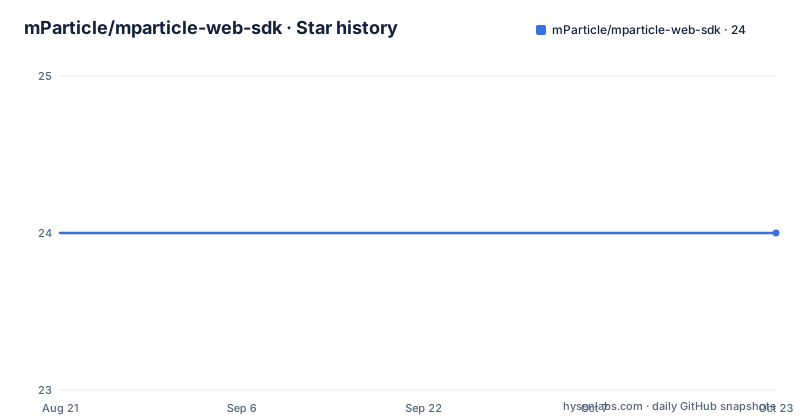
- mParticle/mparticle-web-sdk24 ★ · +0
| Repository | 2026-08-21 | 2026-10-22 |
|---|---|---|
| mParticle/mparticle-web-sdk | 24 | 24 |
0 Stars in the last 62 days, measured from the daily GitHub snapshot. Compare with other projects
Editorial analysis
What the SDK Actually Does
The mParticle Web SDK is a client-side library that collects events, user identities, and other data from a browser, then forwards that data to a large set of third-party services. The README describes the platform as supporting 300+ integrations, including analytics, data warehouses, and marketing automation. For an engineer, the value proposition is simple: instead of loading the Amplitude snippet, the Google Analytics snippet, the Mixpanel snippet, and a dozen more, you load one SDK and call one API like mParticle.logEvent. The SDK then delegates to each configured integration. This is a hub-and-spoke model. The hub is the mParticle SDK, and the spokes are the individual integration libraries that mParticle maintains separately. The target user is a web team that needs to feed multiple downstream systems without writing custom glue code for each one.
Two Initialization Paths: Script Tag and npm
The SDK supports two distinct ways to load. The first is a script tag that you place in the head of your page. You define a global window.mParticle object with a config property, then the snippet pre-populates method stubs for the public API. This lets you call mParticle.logEvent before the full SDK finishes loading. The second path is self-hosting via npm. You run npm install @mparticle/web-sdk, import mParticle from '@mparticle/web-sdk', and call mParticle.init with your API key and a config object. The npm path is for teams that already bundle their JavaScript and want to control when and how the SDK loads. The script tag path is for teams that want a quick drop-in. The README's examples show identical config keys in both paths: isDevelopmentMode, identifyRequest, identityCallback, and dataPlan. That consistency reduces the cost of switching between the two, but it also means you need to understand the config schema before you start.
The Configuration Schema: Identity and Data Plans
The config object is where you set up the SDK's behavior. The README shows several keys. isDevelopmentMode toggles development logging. identifyRequest takes a userIdentities object, with fields like email and customerid, and it drives the initial identity call. identityCallback is a function that runs once an identity call completes, and the README points to the id sync documentation for details. dataPlan lets you specify a planId and planVersion, which suggests the SDK can enforce or validate events against a predefined data plan. This is a real mechanism, not decoration. The identity flow is the backbone of the SDK: events are associated with a user, and the identifyRequest tells the SDK who the user is before any event is logged. If your site has a complex login flow, you need to think about when to call identify and how to handle the callback. The README does not explain the full identity state machine, so you will need the external docs.
How Integrations Are Structured
The SDK's ability to forward events depends on separate integration packages. The README lists example integrations on GitHub, including Amplitude, Appboy, BingAds, Facebook, Google Analytics, Inspectlet, Intercom, Mixpanel, Optimizely, and Twitter. Each is a separate repository under the mparticle-integrations organization. When you use the script tag path, the SDK can automatically include, initialize, and delegate calls to these third-party SDKs. When you self-host via npm, you install them yourself. This split is important. The core SDK is not a monolithic bundle that contains every integration. It is a framework that expects integration modules to be present. For an engineer, this means your bundle size and load time depend on how many integrations you activate. The README does not give a list of all 300+ integrations, so you must check the mParticle docs or the integration repos to confirm your specific tools are supported.
Getting It Running: Commands and Config
The setup is straightforward. For the npm path, you run npm install @mparticle/web-sdk. Then you create a config object. The README's example sets isDevelopmentMode to true, passes an identifyRequest with email and customerid, sets an identityCallback, and adds a dataPlan with planId and planVersion. You call mParticle.init('YOUR_API_KEY', mParticleConfig). After that, you log events with mParticle.logEvent('Play Movie', mParticle.EventType.Navigation, { movie_length: '127 minutes', rating: 'PG' }). The EventType enum is part of the public API. The script tag path is similar, but you assign the config to window.mParticle.config before the SDK loads. The README says to replace YOUR_API_KEY with your workspace API key. There is no mention of a build step beyond npm install. The testing workflow uses Karma and ChromeHeadless, and you can run tests with BROWSER=[browserBrand] npm run testBrowser. That is for contributors, not for SDK users.
A Real Limitation: The Identity and Integration Dependency
The SDK has a clear failure mode: it is only as useful as its integration coverage and its identity resolution. If you use a niche analytics tool that mParticle does not have an integration for, you cannot just forward events to it without writing a custom integration. The README lists only a handful of example integrations, and while it claims 300+ total, you cannot assume your tool is among them. The identityCallback is another point of risk. The SDK makes an identify call during initialization, and if that call fails or returns an unexpected result, your event data may be attributed to the wrong user. The README does not describe error handling for identity calls. In development mode, you might see console logs, but the production behavior is not documented in this material. Also, the SDK is tied to the mParticle platform. You are sending your user data to mParticle's servers, which then forwards it. That is a third-party dependency that some privacy-conscious teams will not accept.
The Maintenance and Release Track Complexity
The README describes a three-step release process for maintainers, and it reveals a dual-track system: v2 and v3. Releases are published on separate tracks, with v2 on the master branch and v3 on main. The process uses GitHub Actions workflows named staging-step-1.yml and staging-step-2.yml. Step 1 builds and tests the track, creates a release branch, runs semantic-release, and publishes to npm. Step 2 is optional and publishes the SDK release to a release order branch, with options like release-order-a, -b, or -c. For v3, those map to v3-release-order-* branches. This complexity matters to users because it means the SDK has two active versions with potentially different behavior. You need to know which track you are on. The last push and releases shown are all v2.81.x, so v2 is actively maintained. The README does not say when v3 will become the default or what changes it introduces. That uncertainty is a maintenance cost: you may need to migrate from v2 to v3 later, and the migration path is not described here.
Alternatives and a Comparative View
The direct alternative is to load each third-party SDK individually. For example, you could include the Google Analytics snippet, the Mixpanel snippet, and the Amplitude snippet directly in your page. That approach gives you full control over each SDK's initialization and version, but it multiplies your bundle size and your maintenance burden. You must update each snippet separately and handle conflicts between them. Another alternative is a server-side event router like Segment, which collects events on the client but forwards them from your backend. That approach keeps third-party SDKs off the browser, but it requires you to run and operate a server component. The mParticle SDK is purely client-side, so it has no server infrastructure to maintain. The trade-off is that all third-party SDKs still run in the browser, which can slow down your page. The README does not compare these options, but the integration list shows that mParticle's model is to wrap other client-side SDKs, not to replace them.
Editorial conclusion
Adopt the mParticle Web SDK if you need to send browser events to multiple analytics, marketing, or data warehouse services without writing and maintaining a separate snippet for each. Skip it if you only need one or two integrations, or if you cannot accept the dependency on mParticle's hosted snippet and their identity resolution flow. Before adopting, verify that your target integrations are covered by the current integration list, confirm the v2/v3 track status for your use case, and test the identityCallback behavior with your real user identity data, since the SDK's identity model is central to how events are attributed.
Frequently asked questions
What is the web SDK used for?
It is the client side piece of the mParticle platform, which is built to act as the connector between services such as analytics, data warehouses and marketing automation, a set the project counts as more than 300 integrations.
What is mParticle used for?
The mParticle platform takes a new approach to web and mobile app data and serves as the connector between third party services. The Web SDK is what runs inside the browser and feeds those calls.
Does the npm package ship TypeScript declarations?
Yes. The types field points at dist/types/src/public-types.d.ts, and a typesVersions block maps the internal subpath to dist/types/src/internal-types.d.ts, so two declaration entry points ship inside dist/types/.
Official sources
Add this badge to your README
If you maintain this project, the badge below links readers to this analysis and shows its maintenance status from the daily GitHub snapshot. Paste the markdown into your README; add ?metric=license or ?metric=stars to the image URL for a different field.

[](https://hysenlabs.com/projects/mparticle-mparticle-web-sdk)Star history chart for your README
[](https://hysenlabs.com/projects/mparticle-mparticle-web-sdk)