The build instructions start by compiling a different project
maim (make image) takes screenshots of your desktop. It has options to take only a region, and relies on slop to query for regions. maim is supposed to be an improved scrot.
At a glance
- What is it?
- maim is a screenshot utility for X11 written to overcome the shortcomings of scrot. Its CMake instructions begin by cloning and installing slop, its companion selection tool, before maim itself is built, and it is packaged by seventeen distributions.
- Who is it for?
- maim suits a Linux user who scripts screenshots, since it writes to standard output by default and composes cleanly with ImageMagick, xclip and zbarimg. It does not suit a macOS or a Wayland-only setup, and it is not an image editor, because what you do with a frame after the capture belongs to a different tool.
- Can I use it commercially?
- Check first. The repository uses a licence we do not classify automatically, so read its LICENSE file before any commercial use.
- Is it still maintained?
- Yes. The repository last received commits 148 days ago.
- What is it written in?
- Mainly C++, according to GitHub's language statistics.
Answers come from the project's GitHub data, last synced on October 23, 2026, and from our analysis. They are not legal advice.
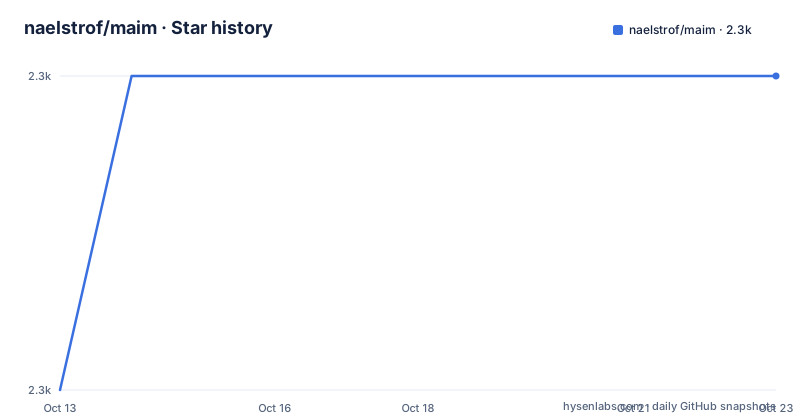
Star history
- naelstrof/maim2,284 ★ · +1
| Repository | 2026-10-13 | 2026-10-23 |
|---|---|---|
| naelstrof/maim | 2.3k | 2.3k |
1 Stars in the last 10 days, measured from the daily GitHub snapshot. Compare with other projects
Editorial analysis
Building maim means building slop first
The CMake section is where the project reveals a dependency you would not guess from the description. Build-time requirements are CMake, glm and x11proto, and build-and-runtime requirements add libjpeg-turbo, libpng, libwebp and the X11 libraries including libXcomposite, libXext, libXfixes, libXrandr and libXrender. Then the commands run, and the first repository cloned is not maim:
git clone https://github.com/naelstrof/slop.git
cd slop
cmake -DCMAKE_BUILD_TYPE=Release -DCMAKE_INSTALL_PREFIX="/usr" ./
make && sudo make install
cd ..
After that the same four commands run against maim itself, with a Release build type and a /usr prefix. The reason is the selection feature: maim does not implement its own region picker, it queries for regions through slop, and the README says it supports anything slop does, including slop's selection shaders. So a source installation is a two-project operation with the same author behind both, which is worth knowing before you start it on a machine where you would rather not have two new binaries installed under /usr.
Seventeen distributions ship it, and the list asks for an eighteenth
The preferred installation route is a package manager, and the list is the strongest signal in the README. ALT Linux, Arch Linux in its extra repository, Debian, Ubuntu, Void Linux, FreeBSD, NetBSD, OpenBSD, CRUX, Gentoo, NixOS, GNU Guix, Ravenports, Fedora, Fedora EPEL for RHEL and CentOS, and Alpine Linux each package it, which covers the BSDs, the two major Linux families, a musl distribution, Nix and two independent package collections. After the list there is a request: make a package for maim on your favorite system and send a pull request to add it here. Two things follow from that list. First, the source build path above is rarely necessary, so the slop dependency is mostly a packaging problem rather than a user problem. Second, the project treats packaging as part of its own support surface, which is a good sign for longevity and explains why the compile instructions can stay at the level of detail they do.
Region and window capture are for automation
Three of the feature lines describe what can be captured rather than how. Screenshots of the desktop are saved in png, jpg or bmp. Screenshots of predetermined regions or windows are described as useful for automation, which is the phrasing that distinguishes this mode from interactive selection: nothing is asked of the user, the region or window id is known in advance, which is what makes it usable in a script or a keybinding. And a user can select a region or a window before a shot is taken, interactively, on the fly. Those three sit together because the same binary serves a cron job and a human at a keyboard, and the difference between them is entirely in the flags you pass. The i3 binding later in the README is the automation case: a key combination that takes all displays after a delay with the cursor hidden and writes to a filename derived from the date.
The manual page, maim.1, sits at the repository root, so the complete flag list lives there rather than in the README, which is why the examples below are the practical documentation.
Standard output is the design, not a side effect
One feature line does more work than the others for anyone scripting: maim cleanly pipes screenshots directly to standard output unless otherwise specified, allowing command chaining. Every other capability in the list becomes more useful because of that. The simplest example selects a region on screen and copies the selection to the clipboard:
$ maim -s | xclip -selection clipboard -t image/pngThe region selection itself comes from slop, so -s is a thin wrapper around another binary rather than a mode inside maim. Two options shape what lands in the pipe. Blending the system cursor into the screenshot is optional and off by default, which is the behavior you want for documentation and the opposite of what you want when someone asks where your pointer is. And masking off-screen pixels to be transparent or black handles the multi-monitor case where a window straddles two displays with different sizes, which produces garbage from a naive capture.
The examples are pipelines, and ImageMagick does the rest
The examples section is really a set of composition recipes, and reading them tells you the whole feature surface. The shadow example forces a region selection and then pipes into ImageMagick's convert to apply a shadow, which the README says looks nice on windows supporting an alpha channel. The color picker takes a selection, resizes it to a single pixel and prints the RGB value, and the README notes that with the geometry and window flags the returned color might warn you of a found match in a particular game. The active window shot combines maim -i with xdotool getactivewindow and writes a jpg. The timestamped shot uses the seconds since 1970 as a filename, which the author describes as guaranteed unique, already sorted and easily read. A QR code example pipes a selection into zbarimg and copies the decoded text to the clipboard. And an overlay example runs maim piped into feh in the background while a second invocation takes a cropped shot, which the README notes does not play well with multiple monitors.
A window manager binding shows what the flags are for
The last example is an i3 window manager binding rather than a screenshot command, and it is the most revealing one in the README because it uses almost every flag at once. It toggles a Thinkpad microphone mute LED through sysfs, waits five seconds, takes a screenshot of all displays with cursor hidden and a filename built from the date converted to lowercase, restores the LED, and then shows an i3 notification for three seconds.
bindsym $mod+Shift+x exec "\
    maim --hidecursor ~/screenshots/$(date +%Y-%b-%d--%H-%M-%S_maim | tr A-Z a-z).png; \
    i3-nagbar --message 'Screenshot created' --type warning & \
    sleep 3; pkill i3-nagbar"
So the flags that matter in practice are the cursor toggle, the delay, the region selection, the window id, and the destination path. The README also points at imgur.sh as an example of automatically uploading a shot and copying its URL to the clipboard, which is the shape of a screenshot tool being used as the front end of something else. The manual page, maim.1, sits at the repository root, so the full flag list lives there rather than in the README.
Where maim is the wrong tool
Four cases. The first is a non-X11 system. The dependency list is libX11 and its satellite libraries, and the project topics include imagemagick, scrot and screenshots against an X11 background, so on a Wayland-only session there is no described path and the slop selection helper is part of the same ecosystem. The second is someone who wants a graphical screenshot tool with an editing UI. maim is a command line utility whose selection is delegated, so the interaction after the shot is ImageMagick's or your image editor's rather than maim's. Third is a workflow that needs to run where you cannot install two programs. The selection feature reaches outside the binary to slop, so a minimal container or a locked-down machine where only one package is permitted breaks a feature that looks built in. Fourth is a team that wants more than still images in the pipeline. Everything here is a single frame captured to png, jpg or bmp, so recording a window or trimming a clip is a different tool. What maim does well is one frame, cleanly, in a way that composes with everything else on a Linux desktop.
Editorial conclusion
maim suits a Linux user who scripts screenshots, since it writes to standard output by default and composes cleanly with ImageMagick, xclip and zbarimg. It does not suit a macOS or a Wayland-only setup, and it is not an image editor, because what you do with a frame after the capture belongs to a different tool. Before adopting, install from your distribution rather than building from source, and remember that the source path compiles slop first, so a source install is a two-project operation under /usr.
Frequently asked questions
How do I install maim?
From a package manager, which is the preferred route. ALT Linux, Arch, Debian, Ubuntu, Void, FreeBSD, NetBSD, OpenBSD, CRUX, Gentoo, NixOS, GNU Guix, Ravenports, Fedora, EPEL and Alpine all package it, and the README asks for a pull request adding any others.
How do I build maim from source?
You need CMake, glm and x11proto at build time, plus libjpeg-turbo, libpng, libwebp and the X11 libraries. The documented commands clone and install slop first, then configure maim with a Release build type and run make and sudo make install.
Why does maim need slop?
Region selection is delegated to slop, and the README says maim supports anything slop does, including its selection shaders. That is also why a source install compiles two projects.
How do I copy a selection to the clipboard with maim?
Pipe the screenshot to xclip with the image type set, for example maim -s | xclip -selection clipboard -t image/png. maim writes to standard output by default, which is what makes the chain work.
What formats can maim save?
png, jpg and bmp. It can also blend the system cursor into the screenshot and mask off-screen pixels to be transparent or black, which matters when a window spans displays of different sizes.
Official sources
Add this badge to your README
If you maintain this project, the badge below links readers to this analysis and shows its maintenance status from the daily GitHub snapshot. Paste the markdown into your README; add ?metric=license or ?metric=stars to the image URL for a different field.

[](https://hysenlabs.com/projects/naelstrof-maim)Star history chart for your README
[](https://hysenlabs.com/projects/naelstrof-maim)Was this useful?