ArduinoMenu and the case for a menu system that polls
Arduino generic menu/interactivity system
At a glance
- What is it?
- ArduinoMenu 4 is a generic menu and interactivity system for the Arduino framework, where a macro defines the menu tree, the library owns input and output, and your code only supplies handlers. Its design is built for eight bit budgets, with static allocation and lazy drawing, and its successor, OneMenu, is being rebuilt on a compile time composition engine.
- Who is it for?
- Adopt ArduinoMenu 4 if you are building an interface on a microcontroller with a display and a keypad, an encoder or a serial console, and you want one navigation model across several devices instead of a bespoke loop per project. Do not adopt it for a new project if the successor will serve, because the AM5 branch work is where the maintenance is.
- Can I use it commercially?
- Yes, with conditions. LGPL-2.1 is a weak copyleft licence: you can use it inside commercial and closed-source software, but if you distribute changes to its own files, you must publish those changes under the same licence.
- Is it still maintained?
- Yes. The repository last received commits 45 days ago.
- What is it written in?
- Mainly C++, according to GitHub's language statistics.
Answers come from the project's GitHub data, last synced on November 7, 2026, and from our analysis. They are not legal advice.
Star history
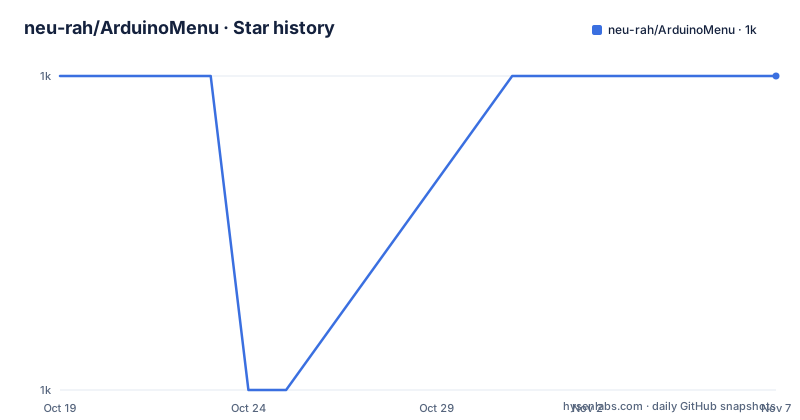
- neu-rah/ArduinoMenu1,023 ★ · +0
| Repository | 2026-10-19 | 2026-11-07 |
|---|---|---|
| neu-rah/ArduinoMenu | 1k | 1k |
0 Stars in the last 19 days, measured from the daily GitHub snapshot. Compare with other projects
Editorial analysis
A menu system that owns the input loop
ArduinoMenu 4 is a generic menu and interactivity system for the Arduino framework, and its stated purpose is a full automated or user code driven navigation system. You define menus, submenus, input fields and other iteration objects, and those objects deal with all the input and output, calling a user defined handler as a result of the user's iteration.
That last part is the design decision. The library does not merely draw screens, it owns the interaction model, and your code supplies behaviour. A user function can be operated as a single action called on click or enter, or as an event driven function responding to focus in, focus out, enter and escape events.
The whole system is designed as a non blocking polling system, so a concurrent task can keep running while the menu is on screen. That constraint shapes the API. The navigation is driven from a single call in the loop:
void loop() {
  nav.poll();
  digitalWrite(LEDPIN, blink(timeOn,timeOff));
}

bool blink(int timeOn,int timeOff) {return millis()%(unsigned long)(timeOn+timeOff)<(unsigned long)timeOn;}
The blink function is not decoration. It shows the pattern the library is designed for, a poll that returns immediately when there is nothing to do, so the rest of your program keeps its timing. The feature list says it plainly, that the system simply returns when no input is available and nothing needs to be drawn, and it draws lazily, only when something changed, which avoids both time consumption and flickering.
The audience is a maker or product engineer who has a display and a control surface and does not want to write a menu system per project.
Macros define the tree, your code does the work
The menu is declared with macros, and the example in the README is short enough to read as an API tour.
MENU(mainMenu, "Blink menu", Menu::doNothing, Menu::noEvent, Menu::wrapStyle
  ,FIELD(timeOn,"On","ms",0,1000,10,1, Menu::doNothing, Menu::noEvent, Menu::noStyle)
  ,EXIT("<Back")
);
A MENU takes a name, a title, a default handler, an event handler and a style, followed by its items. A FIELD declares an editable value with a label, a unit, a minimum, a maximum, a step and a default, and an EXIT item closes the level. The macros exist so that a menu reads like a table rather than a sequence of drawing calls.
Two structures connect the menu to the hardware. MENU_INPUTS binds the input devices, and MENU_OUTPUTS binds the output devices, and the example shows the shape of the output list with a note that it must have at least two items, because a menu needs somewhere to draw and a cursor to draw it with. NAVROOT then ties a root menu to those two sets, and the navigation object is what you poll.
The properties of the FIELD macro are the heart of the design, and they are what separate this from a screen of buttons. Fields edit values hooked to existing program variables by reference, so there is no copy and paste of a value in and out of the menu. Numeric fields can edit variables of any type through templates, with range validation. Text fields validate per character as you type. Enumerated fields work for numeric and non numeric types. And fields are reflexive, meaning a value changed elsewhere in your program is reflected in the menu display.
For a device that shows a setpoint and lets someone change it, those five features are the difference between a working interface and a UI that lies.
Static allocation and PROGMEM for an eight bit budget
The two constraints that shape the implementation are RAM and flash, and the feature list addresses both directly.
On RAM, the system uses static allocation, avoiding heap fragmentation, and all the RAM needed to define the menu structure is allocated at program startup. That is a deliberate architectural choice. Dynamic allocation on an eight bit microcontroller is the classic source of intermittent failures after days of running, and a menu library that never allocates at runtime removes an entire category of bug.
The cost is that the menu size is fixed at compile time, which is the right trade for a system with 2 KB of RAM but does mean that a menu built from a runtime data structure is not possible.
On flash, the library uses PROGMEM on systems where it is available, which is the AVR mechanism for keeping string constants in program memory rather than RAM. The topics list carries progmem, ram and static for exactly this reason.
The device support list is long and specific: the library is tested on Arduino AVRs and ARM boards, Teensy, ESP8266, ESP32, nRF52 and STM32. The examples directory makes the same point in code, with folders for the ESP32, TFT displays, the HX8257 board, SSD1306 and U8G2 and U8x8 displays, UCGLib and UTFT, LiquidCrystal, an I2C LCD expander board, Grove RGB, a text field example, an SD card example, an SdFat example, a UART example and a button navigation example.
That list is the real answer to the question of whether the library fits your hardware, and it is better than any compatibility claim, because each folder is a working sketch against a specific library you are likely to already be using.
Events, multiple devices and a semi-automated mode
Beyond the menu tree there are three mechanisms that make the library usable in systems rather than demos.
The first is events. Events are available for menus and prompts, and the handler signature in the example takes a focus in, focus out, enter or escape event, which is how a menu entry can show a value only while it is selected, or validate on exit. The second is parallel devices. The system supports multiple inputs and outputs in parallel, so a project can accept keys from a matrix keypad and a rotary encoder while driving a local LCD and a serial console.
The third is the semi-automated mode, where navigation commands are issued from your own code rather than by a human. That is what makes the system scriptable, and it is the feature that separates a menu library from a UI toolkit.
The navigation API is available in both synchronous and asynchronous forms, and the asynchronous form is described as being for stateless clients, as a web client would be. There is an experimental web interface, which is the direction the project was exploring before the successor arrived.
One constraint is stated with unusual honesty, that a menu can be confined to a display area, but numeric fields can still overflow that area and the user should take account for them. On a 16 by 2 character LCD, a field with a five digit range and a wide unit string is the case where the library's geometry is not enough, and knowing that in advance saves an afternoon.
Plugins and an SD card file picker
Plugins are particular menu combinations, or item customised behaviours, or drawing. The README is clear that some plugins are platform specific or require particular hardware.
Four are listed. barField displays a bar for a numeric field on an LCD, which is the cheapest way to show a value graphically on a character display. cancelField allows the previous numeric value to be restored on escape, which is a small thing that makes a settings menu usable, because an accidental edit is otherwise permanent. SDMenu is a fully automated SD card file picker using the standard Arduino SD library, and SdFatMenu does the same with the SdFat library.
The file pickers are the plugins that show the design working, because a file browser is exactly the kind of thing that would otherwise take a week of list handling, scroll position management and path parsing, and the plugin delivers it as a menu item. The fact that it can be built on either SD library also reflects a practical approach to the Arduino ecosystem, where two SD card libraries both have to be supported.
The applications section of the README is a good proxy for who uses this. A temperature sensor and timer with a heater and light schedule, an electrically heated glass kiln, a servo tester and monitor, a panorama robot, a MIDI performance sequencer, an amplifier control procedure, a reloading powder hopper level gauge, and a copper tape cutter. These are all devices with a display, a few inputs and a few outputs, which is exactly the shape of a problem ArduinoMenu addresses.
OneMenu and HAPI, the compile time successor
The top of the README is about what comes next, and it is the most interesting paragraph in the project.
A successor is in active development, built on HAPI, described as a zero-overhead compile-time composition engine at github.com/InternetOfPins/HAPI. The claim is that menu definitions compile down to code indistinguishable from hand-written C, and the project points at a Compiler Explorer demo to let you judge that for yourself.
The framing is careful. This is not a release. The core, OneMenu, is described as solid, and a drop-in compatibility layer for existing AM4 sketches is in progress on the AM5 branch of this same repository. Real, unmodified AM4 examples, Blink, Button and Confirm, already build against it with just a library dependency swap, at roughly the same flash and RAM savings the demo suggests.
What is missing is named too: masked text-field editing, the idle and suspend API, and most device drivers, before it covers the full AM4 example set. And the closing reassurance is the important part for anyone with a working project, no migration is required right now and AM4 keeps working exactly as it does today.
The engineering logic is coherent. A menu system on a microcontroller is a large part of the flash budget, and if the menu tree can be composed at compile time into code that looks like what you would have written by hand, the library stops being a runtime cost. The compatibility layer on the AM5 branch is the hard part, and the fact that it is being built as a drop-in rather than a new API is what makes adoption of the successor low risk.
LGPL-2.1, a 2020 release and a branch pushed in 2026
The licence is LGPL-2.1-or-later, which for a library that a sketch links against is the usual choice, and the project distributes it as a normal Arduino library with library.json and library.properties for the PlatformIO and Arduino IDE package managers, plus a keywords.txt for syntax highlighting.
The release history needs reading carefully. The recent tags are v4.21.4 from 2020-10-03, v4.21.1 from 2020-06-04 and v4.20.2 from 2020-05-18, so the published releases of the 4.x line stopped in 2020. The repository is not archived, and the last push was on 2026-09-24, which is the AM5 and HAPI work rather than a new 4.x release.
That means the version you install from a package manager is a 2020 build, and the active development is in the successor and in the compatibility layer. For a project that has been running ArduinoMenu 4 for years, that is fine, because the 4.x line is stable and the README says so. For a new project, it is a decision point, and the branch structure of the repository is the thing to look at rather than the tag list.
The judgement is that this is a mature and complete system for its niche, with a well designed successor that has not yet replaced it. The 4.x design decisions, static allocation, macro defined menus, fields bound to variables by reference, are exactly what a microcontroller interface needs, and the successor's compile-time approach is the natural next step without changing what a sketch looks like.
Editorial conclusion
Adopt ArduinoMenu 4 if you are building an interface on a microcontroller with a display and a keypad, an encoder or a serial console, and you want one navigation model across several devices instead of a bespoke loop per project. Do not adopt it for a new project if the successor will serve, because the AM5 branch work is where the maintenance is. Verify three things first: that the input and output drivers you need exist, since the example set covers a long list of libraries but not every device, that the static allocation model fits your sketch, since the menu structure is allocated at startup and cannot grow, and how you want the numeric field editing to behave, because the reflexive and range validation features are what make it more than a list of buttons. The last push was on 2026-09-24, the newest release is v4.21.4 from 2020-10-03, and the licence is LGPL-2.1-or-later.
Frequently asked questions
What is ArduinoMenu 4?
A generic menu and interactivity system for the Arduino framework, written in C++ and licensed under LGPL-2.1-or-later. It lets you define menus, submenus and input fields with macros, handles all the input and output, and calls your own handlers for the user's actions.
How do I define a menu with ArduinoMenu?
With the MENU macro for the menu itself, FIELD for an editable value and EXIT for a back item, then MENU_INPUTS and MENU_OUTPUTS to bind the input and output devices and NAVROOT to tie them together. The navigation object is then polled from the main loop, for example with nav.poll().
Does ArduinoMenu block the main loop?
No. The system is designed as a non blocking polling system so concurrent tasks keep running, it simply returns when no input is available and nothing needs drawing, and it draws lazily, only when something changed, which avoids time consumption and flickering.
How does ArduinoMenu handle memory on a small microcontroller?
All RAM needed to define the menu structure is allocated at program startup through static allocation, which avoids heap fragmentation, and PROGMEM is used on systems that have it to keep string constants out of RAM. The feature list also notes that numeric fields can still overflow a confined display area.
What is OneMenu and HAPI?
OneMenu is a successor to ArduinoMenu built on HAPI, a zero-overhead compile-time composition engine, and the README says menu definitions compile down to code indistinguishable from hand-written C. A drop-in compatibility layer for AM4 sketches is in progress on the AM5 branch, and no migration is required for now.
How current is ArduinoMenu 4?
The newest release is v4.21.4 from 2020-10-03, preceded by v4.21.1 and v4.20.2, and the repository is not archived with the last push on 2026-09-24, which is the successor work rather than a new 4.x release. The library is tested on Arduino AVR and ARM, Teensy, ESP8266, ESP32, nRF52 and STM32.
Official sources
Add this badge to your README
If you maintain this project, the badge below links readers to this analysis and shows its maintenance status from the daily GitHub snapshot. Paste the markdown into your README; add ?metric=license or ?metric=stars to the image URL for a different field.

[](https://hysenlabs.com/projects/neu-rah-arduinomenu)Star history chart for your README
[](https://hysenlabs.com/projects/neu-rah-arduinomenu)Was this useful?