NixOS Hydra: Local Nix CI and Build Farm Setup
Hydra, the Nix-based continuous build system [maintainers=@dasj,@Ericson2314]
At a glance
- What is it?
- Hydra is a continuous integration service for Nix-based projects, supported for local setup and production operation through the NixOS module. Its project, jobset, input, evaluation, and build model suits reproducible Nix workloads, but the README limits its quick setup instructions.
- Who is it for?
- Hydra is appropriate for developers and organizations that already use Nix and need CI for Nix expressions, especially when a local NixOS build farm is useful. It is a poor fit for a production service on a non-NixOS host or for teams wanting the README's short setup to serve as a complete deployment guide.
- Can I use it commercially?
- Yes, with conditions. GPL-3.0 is a copyleft licence: if you distribute software that includes it, you must release that software's source code under the same licence. Running it internally without distributing it does not trigger that obligation.
- Is it still maintained?
- Yes. The repository last received commits 2 days ago.
- What is it written in?
- Mainly PLpgSQL, according to GitHub's language statistics.
Answers come from the project's GitHub data, last synced on October 23, 2026, and from our analysis. They are not legal advice.
Star history
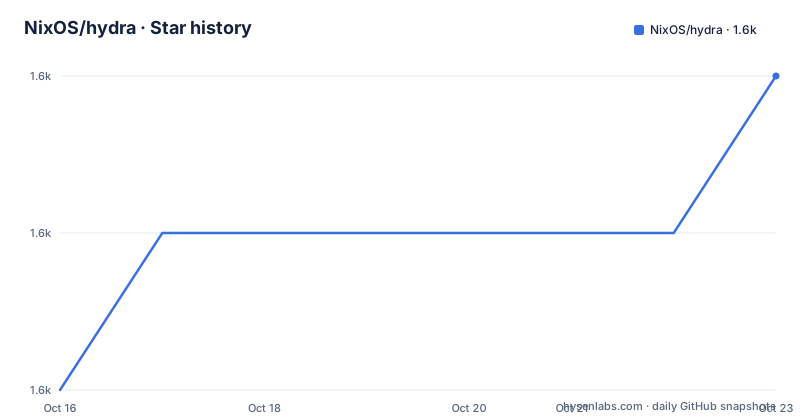
- NixOS/hydra1,583 ★ · +2
| Repository | 2026-10-16 | 2026-10-23 |
|---|---|---|
| NixOS/hydra | 1.6k | 1.6k |
2 Stars in the last 7 days, measured from the daily GitHub snapshot. Compare with other projects
Editorial analysis
Hydra's Nix-Native Continuous Integration Boundary
Hydra solves a specific CI problem: evaluating and building Nix-based projects as jobs in a continuous integration service. It is intended for projects whose build definitions are Nix expressions and whose inputs can be represented as Hydra jobsets. The documented example creates a project, attaches a jobset, supplies Git checkouts for nixpkgs and Hydra itself, and evaluates the expression `examples/hello.nix` every 60 seconds. That workflow is more specific than a general-purpose CI runner. Hydra does not begin with a language matrix or a repository webhook. Its central object is a Nix evaluation, and its build results are associated with Nix's dependency model and substitutable outputs.
The project supports both imperative and declarative project configurations, although the README's first-use walkthrough uses the imperative web interface. The repository contains a web service, API specification, NixOS modules, evaluator, queue runner, builder, and ad-hoc components. The Cargo workspace lists `hydra-builder`, `hydra-ad-hoc`, `hydra-evaluator`, `hydra-queue-runner`, and `hydra-ws`, alongside additional crates. This layout indicates that Hydra is more than a build trigger. It combines a server interface, evaluation logic, job scheduling, execution, and a PostgreSQL-backed service layer. The README does not explain every component boundary, so the exact runtime process model should be taken from the repository files rather than inferred from the user interface.
For a reader, the practical distinction is important. Hydra is a build coordination system for Nix projects, not a general deployment platform for arbitrary application stacks. A team whose build process already depends on Nix can use Hydra to express and observe evaluations. A team that only wants to run a conventional test pipeline has fewer reasons to introduce it.
NixOS Module Configuration for a First Hydra Service
The README states that running Hydra is currently supported only on NixOS. It points users to the Hydra module in nixpkgs and provides a small configuration intended to perform all builds on localhost. The configuration enables the service, defines the Hydra URL, sets the notification sender, and enables substitutes. These options establish a local service foundation, but the README explicitly says the instructions are not sufficient for production or public operation.
Add the documented configuration to the relevant NixOS configuration, activate that configuration, and confirm that the Hydra interface is reachable at the configured URL. The example uses port 3000 locally:
{
  services.hydra = {
    enable = true;
    hydraURL = "http://localhost:3000";
    notificationSender = "hydra@localhost";
    useSubstitutes = true;
  };
}
After activation, the reader should see the web interface at `http://localhost:3000`. `useSubstitutes = true` instructs the configuration to use Nix substitutes, which can reduce the need to build outputs locally when matching substitutes are available. The README does not specify the full substitute requirements, authentication model, queue capacity, storage policy, or production hardening checklist, so those details remain outside what this walkthrough establishes.
The local-build setting also affects expectations. A simple setup that performs all builds on localhost is convenient for learning the service, but it does not describe a distributed build farm. Production operators would need to decide where builders run, how jobs reach them, and how database, storage, and access settings are managed. Those are deployment concerns, not consequences of enabling the four configuration values shown in the example.
Creating the First Administrator and Legacy Jobset
After the NixOS service is configured and activated, the README says the UI is available at the configured URL. Some actions require an administrator, so the first real setup task is to create that account through `hydra-create-user`. Switch to the `hydra` operating-system user and replace the displayed placeholders with the account details:
$ su - hydra
$ hydra-create-user <USER> --full-name '<NAME>' \
    --email-address '<EMAIL>' --password-prompt --role admin
The password prompt keeps the credential out of the command line. Once the administrator can sign in, the UI path is `Admin -> Create Project`. The documented project uses `hello-project` as its identifier, `hello` as its display name, and `hello project` as its description. The next step is `Actions -> Create jobset`. For this tutorial, the jobset type is set to Legacy. The example identifies the jobset as `hello-project`, points its Nix expression at `examples/hello.nix` in Hydra, sets a check interval of 60, and assigns scheduling shares of 1.
The jobset then receives two Git checkout inputs. The `nixpkgs` input points to `https://github.com/NixOS/nixpkgs nixos-24.05`, while the `hydra` input points to `https://github.com/nixos/hydra`. State must be set to `Enabled` before creating the jobset. According to the README, evaluations appear under `Evaluations` after a brief delay. The `Check interval` value means the example is intended to evaluate once per minute. This is an explicit polling configuration, and the README does not document a different trigger or rollback procedure.
Evaluation, Queueing, and Build Execution in the Repository
The user-facing jobset form describes the inputs, but the repository layout shows where execution logic is separated. `hydra-evaluator` is a workspace member associated with Nix evaluation, while `hydra-queue-runner` handles queue-related work and `hydra-builder` represents build execution. The `hydra-ws` member is consistent with a web service layer. This separation gives Hydra a path from job definition to evaluation, then from accepted work to queued execution and build results. The README does not provide a detailed sequence diagram, so the exact messages between these components should not be inferred beyond their names and the documented project flow.
The example uses a Nix expression plus Git inputs. That is a meaningful data contract. The jobset references a file in Hydra, and its inputs make the repositories needed by that expression available to evaluation. Hydra can also expose a JSON API. The API contract is `hydra-api.yaml`, and the README links the Swagger editor to the raw file for exploration. This gives users a machine-readable interface in addition to the browser UI. The README does not document authentication requirements, pagination rules, rate limits, or every endpoint, so those questions must be checked in the API specification and options documentation.
For developers working on Hydra itself, the repository provides a different execution path. The documented development commands enter a flake environment, build generated artifacts with Ninja, compile Rust code, and start processes through foreman. The README says the `Procfile` describes how those processes start. This separates changing Hydra from using Hydra as a CI service, which is useful for contributors but does not replace the NixOS module for actual production operation.
Local Development Commands and Test Boundaries
The repository supports a development environment through its flake. The README lists `nix build` for building Hydra and `nix develop` for entering a working environment. For running a working copy, it gives a sequence that enters the environment, builds the `build` directory with Ninja, compiles Rust code, and starts Hydra with foreman. The README also supplies a `Procfile` reference for understanding process startup.
The development services use nonstandard ports to avoid conflicts with services on the host. Hydra is documented on port 63333 with username `alice` and password `foobar`. PostgreSQL is documented on port 64444. These credentials and ports are described as an ad-hoc development arrangement. They should not be treated as production configuration. The README also lists Kanidm users `andy` and `bert`, with `andy` identified as a Hydra administrator. These credentials are explicitly development context.
The test commands distinguish several layers. `meson test -C build` runs the Perl tests and perlcritic together. A focused Perl test enters `build` and supplies a test path through `meson test --test-args=../t/Hydra/Event.t testsuite`. Running only perlcritic uses `meson test perlcritic`, while `cargo test` runs the Rust tests. The Cargo workspace sets strict lints, including denied Clippy checks, forbidden unsafe code, and denied `panic` and `unwrap_used`. Those settings describe contributor expectations in the repository; they do not mean every deployment user needs to run the Rust workspace tests before configuring a service.
Operational Limits, Licence, and Alternative CI Models
The most immediate limitation is platform support. The README says Hydra is currently supported only on NixOS. A team with Linux hosts that do not use NixOS cannot copy the documented service setup and expect the same supported path. The README also limits the installation scope: the documented configuration is for a simple local installation, not a production server or public instance. It does not document a complete backup plan, database upgrade procedure, disaster recovery process, access-control design, or rollback behavior. Those omissions matter for an evaluation because Hydra coordinates builds and stores service state.
The documented example also makes a trade-off with `Check interval = 60`. Polling can be straightforward for a small example, but it does not establish whether changes are detected immediately or how missed evaluations are handled. The example uses a Legacy jobset type, while the README says Hydra supports imperative and declarative project configurations. That means the walkthrough demonstrates one supported setup, not every current project model.
An alternative approach is to run CI through another general-purpose automation system and invoke Nix commands in its jobs. The actual difference is scope. Such an approach can provide repository-native triggers and familiar pipeline steps, but it does not by itself give the Hydra project model, Hydra's evaluator and queue-runner components, or its Hydra-specific jobset API. Hydra instead centers the CI workflow on Nix evaluation and build coordination, which fits teams that want their build graph and inputs represented as Nix data. The GPL-3.0 licence covers the project. The README points to `COPYING`, and the repository identifies Hydra as GPL-3.0 licensed; licence implications should be reviewed for the intended distribution and integration scenario rather than inferred from the licence label alone.
Editorial conclusion
Hydra is appropriate for developers and organizations that already use Nix and need CI for Nix expressions, especially when a local NixOS build farm is useful. It is a poor fit for a production service on a non-NixOS host or for teams wanting the README's short setup to serve as a complete deployment guide. Verify NixOS support, the NixOS module configuration, administrator access, jobset inputs, and the distinction between localhost setup and production operation first. The repository was not archived, and its last push was on 2026-10-16, but that status does not replace evaluating the documented deployment requirements.
Frequently asked questions
What is NixOS Hydra used for?
Hydra is a continuous integration service for Nix-based projects. It evaluates Nix expressions, coordinates jobsets, and builds Nix projects through a web interface and JSON API.
How do I install Hydra for a local NixOS setup?
The README supports a simple local setup through the NixOS `services.hydra` module. It enables the service, sets `hydraURL` to `http://localhost:3000`, configures `notificationSender`, and sets `useSubstitutes` to true.
How do I create the first Hydra project and jobset?
Create an administrator with `hydra-create-user`, then use the web interface to create a project and a jobset. The README's example uses the `Legacy` type, `examples/hello.nix`, a 60-second check interval, and Git checkout inputs for nixpkgs and Hydra.
Does Hydra support production installation on any Linux system?
The README states that running Hydra is currently supported only on NixOS. It also says the short setup instructions are not sufficient for a production server or a public instance.
How do developers run and test Hydra from the repository?
The README documents `nix develop`, `ninja -C build`, `cargo build`, and `foreman start` for development execution. Tests include `meson test -C build`, `meson test perlcritic`, and `cargo test`.
Official sources
Add this badge to your README
If you maintain this project, the badge below links readers to this analysis and shows its maintenance status from the daily GitHub snapshot. Paste the markdown into your README; add ?metric=license or ?metric=stars to the image URL for a different field.

[](https://hysenlabs.com/projects/nixos-hydra)Star history chart for your README
[](https://hysenlabs.com/projects/nixos-hydra)Was this useful?