notifme-sdk: A Unified Node.js Notification Interface
A Node.js library to send all kinds of transactional notifications.
At a glance
- What is it?
- notifme-sdk gives Node.js applications one interface for transactional email, SMS, push, WebPush, and Slack notifications. Its main appeal is provider switching and fallback configuration, but the project is tied to an older package ecosystem and requires provider-specific credentials and operational decisions.
- Who is it for?
- Adopt notifme-sdk when a Node.js service needs a single transactional notification interface across several channels or providers. Do not adopt it if you need an actively isolated modern SDK, a browser delivery client, or guaranteed provider-independent delivery semantics.
- Can I use it commercially?
- Yes. MIT is a permissive licence: you can use, modify and sell software built on it, as long as you keep its copyright and licence notices.
- Is it still maintained?
- Yes. The repository last received commits 95 days ago.
- What is it written in?
- Mainly JavaScript, according to GitHub's language statistics.
Answers come from the project's GitHub data, last synced on October 23, 2026, and from our analysis. They are not legal advice.
Star history
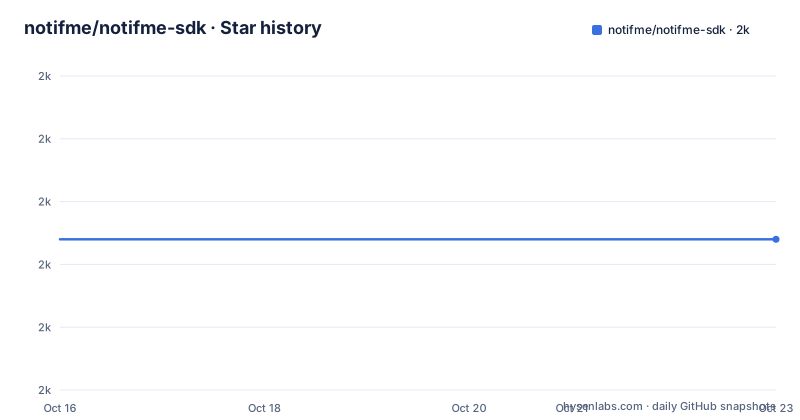
- notifme/notifme-sdk1,994 ★ · +0
| Repository | 2026-10-16 | 2026-10-23 |
|---|---|---|
| notifme/notifme-sdk | 2k | 2k |
0 Stars in the last 7 days, measured from the daily GitHub snapshot. Compare with other projects
Editorial analysis
Why notifme-sdk consolidates transactional delivery
notifme-sdk addresses the problem of scattering notification code across provider-specific SDKs. A service may need to send an email through SMTP, an SMS through a carrier gateway, a mobile push through a push service, a WebPush message to a browser subscription, or a Slack message, while keeping the application-facing call consistent. The README presents channels such as `email`, `SMS`, `pushes`, `webpushes`, and `slack` as part of the same library.
The target user is a Node.js developer or backend team that wants to change delivery providers without rewriting the notification request shape. The documentation specifically highlights provider switching as a reason to keep channel parameters in one place. This is useful when a provider becomes expensive, unavailable, or operationally unsuitable, although the library does not make the underlying provider differences disappear.
It is a transactional notification library, not a marketing campaign system. The examples focus on sending an individual SMS or using Notification Catcher during development. The repository does not document scheduling, audience segmentation, campaign analytics, templates stored in a database, or delivery-list management. Those omissions define a fairly clear boundary around the project.
notifme-sdk configuration and provider selection
The SDK is initialized with a `NotifmeSdk` instance. The README shows that an empty configuration sets providers to `console.log`, which makes the first example useful without provider credentials. In a real application, configuration is supplied through `channels`. Each channel contains a `providers` array and, when more than one provider is configured, a `multiProviderStrategy`.
The documented strategies are `fallback` and `roundrobin`. The fallback example attempts the next provider if the first fails. The SMS example uses `roundrobin`, described as using providers in turns and falling back if there is an error. This gives the application a policy boundary for provider redundancy, but the README does not define retry counts, timeout behavior, duplicate-message prevention, or what constitutes a provider failure. Those details need confirmation against the implementation before they are used in a production delivery policy.
Provider configuration remains channel-specific. Email providers include `logger`, `smtp`, `sendmail`, `mailgun`, `mandrill`, and `sendgrid`. SMTP configuration contains a host, port, secure flag, and authentication object. This is not a completely provider-neutral configuration model. Switching provider types still requires changing credentials and provider-specific fields, even though the outer channel interface stays consistent.
The library also supports `NOTIFME_HTTP_PROXY` for HTTP proxy access. The documented command passes the variable to a Node.js process. This is an environment-level concern, so deployments must ensure that the proxy value is present in the process environment and that the provider client can use it.
Installing notifme-sdk and sending the first SMS
The README gives Yarn as the installation path. Install `notifme-sdk`, create an SDK instance, and send an SMS. With an empty configuration, the selected provider logs to the console, so this first use does not require an external account.
Install the package with:
$ yarn add notifme-sdkThe first script can be written as follows:
import NotifmeSdk from 'notifme-sdk'

const notifmeSdk = new NotifmeSdk({})
notifmeSdk
  .send({sms: {from: '+15000000000', to: '+15000000001', text: 'Hello, how are you?'}})
  .then(console.log)
The README says the console should show the resulting notification lines. The actual phone numbers in this example are placeholders. Replace them with values accepted by the configured provider when moving beyond the logger path.
For local delivery inspection, the README recommends Notification Catcher. Install it as a development dependency and start it with:
$ yarn add --dev notification-catcher
$ yarn run notification-catcher
Configure the SDK to use the catcher:
import NotifmeSdk from 'notifme-sdk'

const notifmeSdk = new NotifmeSdk({
  useNotificationCatcher: true
})
notifmeSdk
  .send({sms: {from: '+15000000000', to: '+15000000001', text: 'Hello, how are you?'}})
  .then(console.log)
The README states that this sends notifications to the catcher on port 1025 and directs the developer to `http://localhost:1080` for the web interface. The two ports serve different roles in the documented setup: 1025 is the catcher connection endpoint used by the SDK, while 1080 is the browser interface. The README does not explain the internal protocol behind that separation, so applications should follow the documented setup rather than assume both addresses are interchangeable.
Provider configuration for email and multi-provider delivery
The README gives concrete configurations for several email providers. The logger provider is suitable for local development and does not require SMTP settings. SMTP accepts a host, port, TLS flag, and credentials. Sendmail uses a local executable path. Mailgun, Mandrill, and Sendgrid use API-key based configuration, with Mailgun also requiring a domain name.
A typical email configuration looks like this:
new NotifmeSdk({
  channels: {
    email: {
      providers: [{
        type: 'smtp',
        host: 'smtp.example.com',
        port: 465,
        secure: true,
        auth: {
          user: 'xxxxx',
          pass: 'xxxxx'
        }
      }]
    }
  }
})
For redundancy, the documented structure places providers in order and selects a strategy:
new NotifmeSdk({
  channels: {
    email: {
      multiProviderStrategy: 'fallback',
      providers: [{
        type: 'Provider1'
      }, {
        type: 'Provider2'
      }]
    }
  }
})
The example intentionally uses abstract provider names, so it demonstrates configuration shape rather than a complete deployable provider setup. The concrete provider examples show that credentials belong in application configuration. The README does not document secret management, credential rotation, or redaction of provider errors. Those concerns belong in the surrounding application and deployment process.
The package metadata identifies `lib/index.js` as the package entry point. Source files are under `src`, and the build script compiles them into `lib`. This distinction matters when diagnosing package behavior, because consumers use the built package while repository changes are made against source.
Notification Catcher and local delivery boundaries
Notification Catcher is a separate project and is explicitly recommended for local testing. With `useNotificationCatcher: true`, the README says that all notifications go to the catcher and that the `channels` option is completely ignored. That makes the option useful for a development profile, but it also means a developer must avoid enabling it in an environment that should reach real providers.
The catcher integration reduces the need to send test messages to real recipients. It also creates a second operational dependency. The developer must start Notification Catcher, keep its web interface accessible, and ensure that the SDK's connection settings match the running process. The documented custom connection setting is `NOTIFME_CATCHER_OPTIONS`, which accepts an SMTP-style URL:
$ NOTIFME_CATCHER_OPTIONS=smtp://127.0.0.1:3025?ignoreTLS=true node your-script-using-notifme.jsThe same command style is used for the HTTP proxy variable:
$ NOTIFME_HTTP_PROXY=http://127.0.0.1:8580 node your-script-using-notifme.jsThe README does not document authentication for Notification Catcher, persistence of captured messages, retention controls, or protection of the web interface. Those points matter if the catcher is ever exposed beyond localhost. The documented workflow is strongest when kept local and isolated from production traffic.
notifme-sdk limitations and operational trade-offs
The central trade-off is interface consolidation versus dependency age and configuration complexity. The package metadata pins several runtime dependencies, including `nodemailer` 6.9.10, `node-fetch` 2.7.0, `web-push` 3.6.7, and `winston` 3.17.0. The repository was last pushed on 2026-07-20, and the listed releases include v1.16.25 dated 2025-03-25, v1.16.24 dated 2025-03-12, and v1.16.23 dated 2025-02-18. These dates do not prove runtime compatibility with every current Node.js release, so the deployment environment should be checked against the package's supported versions and any transitive constraints.
The README does not document automatic retries beyond the stated fallback behavior, delivery-status callbacks, idempotency keys, rate limiting, or durable queues. If an application needs guaranteed retry semantics or delivery receipts, it may need to place notifme-sdk behind its own job and observability layer. The library's provider abstraction also cannot guarantee identical delivery behavior across SMTP, API providers, push services, and Slack.
Compared with direct provider SDKs, notifme-sdk reduces the need to learn several client interfaces. Compared with a full notification platform, it does not document user preferences, templates, campaigns, analytics, or message lifecycle management. The right alternative depends on the missing feature. Use provider-specific clients when exact provider control matters, or a notification platform when persistence, scheduling, and audience management are required.
Maintenance, licensing, and upgrade boundaries
The repository is not archived. Its last push was on 2026-07-20, while the latest listed release is v1.16.25 from 2025-03-25. The package is released under the MIT license. That license is permissive, but it does not resolve provider terms, delivery regulations, privacy obligations, or the operational requirements attached to external messaging services.
The package uses a compiled `lib` directory as its published entry point and a Babel build from `src`. Its scripts include `build`, `lint`, `test`, and `testonly`. An upgrade therefore involves more than changing the package version in application code: credentials and provider configuration must be reviewed, and the build and test commands should be run in the consuming project when the package is forked or integrated from source.
The README does not publish a migration guide for provider changes, Node.js upgrade requirements, or a compatibility matrix. It also does not state a rollback procedure. Engineers should inspect the package's `package.json`, lockfile, provider documentation, and runtime constraints before upgrading. The absence of those project-specific upgrade instructions is a limitation, not evidence that upgrades are safe or unsafe.
Editorial conclusion
Adopt notifme-sdk when a Node.js service needs a single transactional notification interface across several channels or providers. Do not adopt it if you need an actively isolated modern SDK, a browser delivery client, or guaranteed provider-independent delivery semantics. Verify first that the required channel providers are supported, that fallback and roundrobin behavior matches your failure policy, and that the package's Node.js and dependency versions fit your runtime.
Frequently asked questions
What does notifme-sdk do in a Node.js application?
It provides a unified interface for transactional email, SMS, push, WebPush, and Slack notifications. Applications configure channels and providers through the SDK rather than sending every message through a separate provider-specific client.
How do I test notifme-sdk locally without sending real notifications?
The README recommends installing `notification-catcher` as a development dependency and setting `useNotificationCatcher: true`. The documentation says notifications are sent to the catcher, with the web interface available at `http://localhost:1080`.
Can notifme-sdk use multiple notification providers?
Yes. The documented `fallback` strategy uses another provider when the first fails, while `roundrobin` uses providers in turns and can fall back on an error. The README does not specify retry limits, timeouts, or duplicate-delivery handling.
Official sources
Add this badge to your README
If you maintain this project, the badge below links readers to this analysis and shows its maintenance status from the daily GitHub snapshot. Paste the markdown into your README; add ?metric=license or ?metric=stars to the image URL for a different field.

[](https://hysenlabs.com/projects/notifme-notifme-sdk)Star history chart for your README
[](https://hysenlabs.com/projects/notifme-notifme-sdk)Was this useful?