RoughSwift: sketchy hand-drawn shapes for SwiftUI, drawn by Rough.js in JavaScriptCore
🎃 Create hand-drawn, sketchy, comic shape in Swift
At a glance
- What is it?
- RoughSwift is a Swift package that renders hand-drawn, sketchy shapes by running the Rough.js generator inside JavaScriptCore and converting its output into UIBezierPath for CAShapeLayer, so both SwiftUI and UIKit can use it. The shape vocabulary is broad, the fill styles are the interesting part, and the whole thing depends on an embedded JavaScript runtime.
- Who is it for?
- RoughSwift suits an iOS developer who wants a sketched, hand-drawn look for charts, diagrams or playful UI, because it exposes the full Rough.js shape and fill vocabulary through SwiftUI modifiers and keeps the API composable and immutable, so a style can be built once and reused.
- Can I use it commercially?
- Not without permission. GitHub finds no licence file in the repository, and without a licence all rights are reserved by default: you may read the code but not reuse it. Check the README, or ask the authors, before using it.
- Is it still maintained?
- Activity is slowing. The repository last received commits 7 months ago.
- What is it written in?
- Mainly Swift, according to GitHub's language statistics.
Answers come from the project's GitHub data, last synced on November 7, 2026, and from our analysis. They are not legal advice.
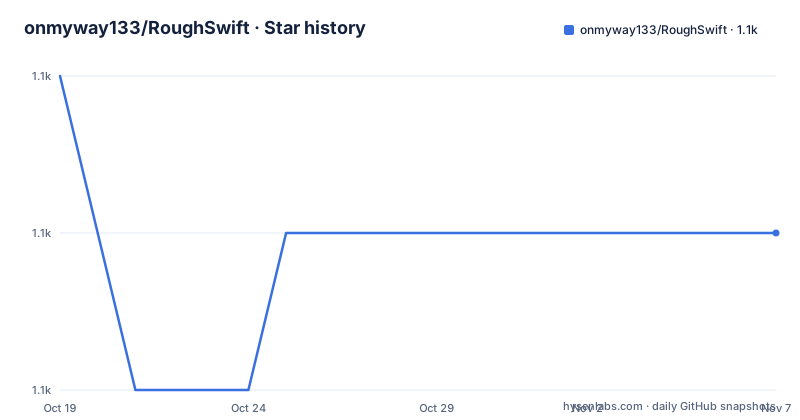
Star history
- onmyway133/RoughSwift1,140 ★ · -1
| Repository | 2026-10-19 | 2026-11-07 |
|---|---|---|
| onmyway133/RoughSwift | 1.1k | 1.1k |
-1 Stars in the last 19 days, measured from the daily GitHub snapshot. Compare with other projects
Editorial analysis
Rough.js runs inside JavaScriptCore, and that is the whole design
RoughSwift creates sketchy, hand-drawn styled graphics in iOS apps using Rough.js via JavaScriptCore. That single sentence is the architecture.
Rough.js is a JavaScript library that generates hand-drawn looking shapes. Rather than reimplement its drawing algorithm in Swift, RoughSwift embeds the JavaScript and runs it in JavaScriptCore, then converts the resulting path data into a UIBezierPath that CAShapeLayer can draw.
The credit section makes the dependency chain explicit. rough by pshihn is the generator that powers RoughSwift via JavaScriptCore, and SVGPath by timrwood is used for constructing UIBezierPath from an SVG path.
So there are two conversions in the pipeline. First JavaScript produces a drawing description, then that becomes a UIBezierPath. The README states it as a feature in its own right: generates UIBezierPath for CAShapeLayer. The output is a native path, not a rendered bitmap, which means it scales, animates and takes a stroke colour the way a normal SwiftUI shape does.
The cost of the design is a JavaScript engine in the process and a boundary between two languages on the hot path of every shape. For a chart that redraws on a slider drag, that is a question worth asking, and the answer is not in the README.
A modifier chain that ends in a shape
The SwiftUI API is built as a chain of modifiers, and the shape type is chosen last, which is an unusual ordering worth noting.
RoughView()
    .fill(.yellow)
    .fillStyle(.hachure)
    .hachureAngle(-41)
    .hachureGap(-1)
    .stroke(.systemTeal)
    .strokeWidth(2)
    .rectangle()
    .frame(width: 200, height: 100)
RoughView() starts with no shape. You configure fill and stroke, then call .rectangle() to say which shape it is, then apply the frame. The fill, fillStyle, hachureAngle, hachureGap, stroke and strokeWidth modifiers all take effect on the shape that comes after them, which is why the ordering in the example matters and why a reader copying a snippet has to keep the shape call in the right place.
The feature list calls the API composable and immutable. The example supports that reading: every modifier returns a new configuration rather than mutating shared state, so a style can be built once and applied to many views.
The UIKit path is the same engine with a lower-level interface. For direct CALayer-based rendering, you make a Renderer with a layer, get a generator from Engine.shared.generator for a given size, generate a drawing for a shape, and render it.
let layer = CALayer()
let size = CGSize(width: 200, height: 200)

let renderer = Renderer(layer: layer)
let generator = Engine.shared.generator(size: size)

let drawing = generator.generate(drawable: Rectangle(x: 10, y: 10, width: 100, height: 50))
renderer.render(drawing: drawing)
That path is the one to use when you need the layer itself, for example to animate the path or to render outside a view hierarchy.
Nine fill styles, and a generator with its own randomness
The fill styles are the part of the library that produces the recognisable look, and the README lists them: crossHatch, dashed, dots, hachure, solid, starBurst, zigzag and zigzagLine.
RoughView().fill(.red).fillStyle(.crossHatch).circle().frame(width: 100, height: 100)
RoughView().fill(.green).fillStyle(.dashed).circle().frame(width: 100, height: 100)
RoughView().fill(.purple).fillStyle(.dots).circle().frame(width: 100, height: 100)
RoughView().fill(.cyan).fillStyle(.hachure).circle().frame(width: 100, height: 100)
RoughView().fill(.orange).fillStyle(.solid).circle().frame(width: 100, height: 100)
RoughView().fill(.gray).fillStyle(.starBurst).circle().frame(width: 100, height: 100)
RoughView().fill(.yellow).fillStyle(.zigzag).circle().frame(width: 100, height: 100)
RoughView().fill(.systemTeal).fillStyle(.zigzagLine).circle().frame(width: 100, height: 100)
Hachure is the default in the basic example and is the closest to what people picture when they think of a hand-drawn fill, a set of parallel sketchy strokes across the shape. crossHatch overlays hachure in two directions. starBurst and the zigzag family are less common and are what give a shape its character. dotted and dashed are the lighter options.
The shapes supported are line, rectangle, circle, ellipse, linear path, arc, curve, polygon and SVG path.
The SVG path route is the most flexible, and the example loads a path string directly.
RoughView()
    .stroke(.systemTeal)
    .fill(.red)
    .draw(Path(d: apple))
    .frame(width: 300, height: 300)
The path is the Apple logo silhouette as an SVG path string, which is a good demonstration of what the library is for. The chart example then composes ten RoughView rectangles of random heights into an HStack, which is the kind of thing this library exists to make possible.
Options is an immutable struct you can build up
For the UIKit path, and for reuse across shapes, the configuration object is Options, an immutable struct for per-shape customization.
var options = Options()
options.roughness = 2.0
options.strokeWidth = 3
options.fill = .blue
options.stroke = .black
options.fillStyle = .hachure
options.hachureAngle = 60
options.hachureGap = 8

let drawing = generator.generate(drawable: Circle(x: 100, y: 100, diameter: 150), options: options)
The fields map onto the same concepts Rough.js exposes. roughness controls how irregular the strokes are, hachureAngle and hachureGap control the angle and spacing of the fill strokes, fillStyle picks the pattern, and fill and stroke are the colours. strokeWidth is set separately from the stroke colour, so a wide stroke is not the same thing as a different colour.
The mutability of the var declarations here is a small inconsistency with the claimed immutability of the API. Options is an immutable struct, and the example builds one by mutating a local var before passing it in. That is the standard Swift pattern for a value type with a memberwise initialiser, but it does mean the immutability claim is about the value semantics, not about a builder pattern.
For a SwiftUI project the equivalent configuration is expressed through the modifier chain instead, and the Options struct is what the underlying generator receives.
The package requirement and the release tags do not line up
There is a discrepancy in the version information that a reader should resolve before depending on this.
The installation section says to add the dependency in Package.swift with the package url and from 3.0.0.
dependencies: [
    .package(url: "https://github.com/onmyway133/RoughSwift", from: "3.0.0")
]
The release history for the repository, however, lists 2.0.0 with the tag name SwiftUI from 2022-04-13, and 1.1.0 from 2021-01-28. There is no 3.0.0 tag among the listed releases.
The requirements section compounds it: iOS 16 or newer, Swift 6, and Xcode 16 or newer. A SwiftUI release tagged 2.0.0 in April 2022 predates Swift 6, which arrived later, so the 2.0.0 tag cannot be the build that satisfies the stated requirements.
The reasonable conclusion is that the 3.0.0 line exists but has not been listed as a GitHub release, or that the release list is not exhaustive. Either way, the check to do is simple: look at the tags in the repository and confirm which one carries the SwiftUI API and the Swift 6 requirement, and pin to that exact version rather than to the from clause alone.
The last push was on 2026-04-07, and the licence is stated in the README as MIT with copyright 2019 to 2026 for Khoa Pham, even though the licence field in the repository listing shows as unknown.
A package that is really two dependencies
The repository layout is small: Sources/, Tests/, Example/RoughSwiftApp/, Screenshots/, Package.swift and a.swiftpm/ directory. The Example app is the thing to look at first if you want to see the library used in context.
The dependency story is worth being explicit about, because it affects what you are shipping.
RoughSwift is not a Swift reimplementation of the sketchy drawing algorithm. It embeds rough, a JavaScript library, and runs it in JavaScriptCore, which is the JavaScript engine shipped with the operating system on Apple platforms. On the Swift side it depends on SVGPath for turning an SVG path string into a UIBezierPath.
So there are two external inputs, one in JavaScript and one in Swift, and the JavaScriptCore bridge is the mechanism between them. That is a reasonable trade for matching an established generator exactly rather than approximating it, and the Rough.js shape vocabulary and fill styles come through unchanged, which is why the hachure and starBurst fills look the way they do in the original library.
The flip side is that the app binary carries a JavaScript payload. For a package whose output is decorative shapes, that is a meaningful size cost, and a team with a hard binary size budget should measure it before committing.
JavaScriptCore is part of the system on Apple platforms, so there is no separate runtime to install, but the app is therefore tied to Apple platforms, which is consistent with the iOS 16 and Xcode 16 requirements.
Editorial conclusion
RoughSwift suits an iOS developer who wants a sketched, hand-drawn look for charts, diagrams or playful UI, because it exposes the full Rough.js shape and fill vocabulary through SwiftUI modifiers and keeps the API composable and immutable, so a style can be built once and reused. It is the wrong tool if you need the sketchy look to be a fixed asset, since the shapes are generated at runtime rather than baked, and it is the wrong choice if your app forbids a JavaScript runtime in the process. Before you adopt it, check the platform requirements, iOS 16, Swift 6 and Xcode 16 or newer, and note that the README's installation snippet asks for version 3.0.0 of the package while the most recent tagged release listed for the project is 2.0.0, so confirm which tag actually contains the SwiftUI API before wiring it into an app.
Frequently asked questions
What is RoughSwift and how does it draw sketchy shapes?
RoughSwift runs the Rough.js generator inside JavaScriptCore and converts the resulting drawing into a UIBezierPath for CAShapeLayer, so sketchy shapes render as native vector paths in SwiftUI and UIKit rather than as images.
How do I add RoughSwift to a Swift project?
Add the package to Package.swift with .package(url: "https://github.com/onmyway133/RoughSwift", from: "3.0.0"), or use File and Add Package Dependencies in Xcode. The requirements are iOS 16 or newer, Swift 6 and Xcode 16 or newer.
Which fill styles does RoughSwift support?
The README lists crossHatch, dashed, dots, hachure, solid, starBurst, zigzag and zigzagLine, and the supported shapes are line, rectangle, circle, ellipse, linear path, arc, curve, polygon and SVG path.
Can I use RoughSwift with UIKit instead of SwiftUI?
Yes. For direct CALayer-based rendering you create a Renderer with a CALayer, get a generator from Engine.shared.generator for a size, generate a drawing with the shape and optional Options, and pass it to renderer.render.
What licence is RoughSwift released under?
The README states that RoughSwift is available under the MIT license, with copyright 2019-2026 Khoa Pham, and credits the rough generator and the SVGPath library used to build UIBezierPath from SVG paths.
Official sources
Add this badge to your README
If you maintain this project, the badge below links readers to this analysis and shows its maintenance status from the daily GitHub snapshot. Paste the markdown into your README; add ?metric=license or ?metric=stars to the image URL for a different field.

[](https://hysenlabs.com/projects/onmyway133-roughswift)Star history chart for your README
[](https://hysenlabs.com/projects/onmyway133-roughswift)Was this useful?