OpenNext for Cloudflare: Next.js Deployment Adapter
Open Next.js adapter for Cloudflare
At a glance
- What is it?
- OpenNext for Cloudflare adapts a Next.js application built with `next build` in standalone mode for Cloudflare's `workerd` runtime. It is intended for teams deploying Next.js projects to Cloudflare rather than maintaining a custom server adapter.
- Who is it for?
- Adopt `@opennextjs/cloudflare` when the target is Cloudflare and the application already uses the documented Next.js standalone build shape. Do not choose it for an ordinary Next.js server deployment without checking compatibility first.
- Can I use it commercially?
- Yes. MIT is a permissive licence: you can use, modify and sell software built on it, as long as you keep its copyright and licence notices.
- Is it still maintained?
- Yes. The repository last received commits 7 days ago.
- What is it written in?
- Mainly TypeScript, according to GitHub's language statistics.
Answers come from the project's GitHub data, last synced on October 25, 2026, and from our analysis. They are not legal advice.
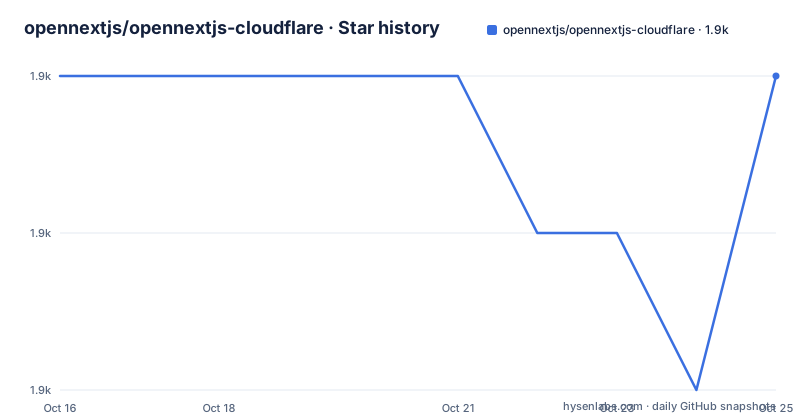
Star history
- opennextjs/opennextjs-cloudflare1,908 ★ · +0
| Repository | 2026-10-16 | 2026-10-25 |
|---|---|---|
| opennextjs/opennextjs-cloudflare | 1.9k | 1.9k |
0 Stars in the last 9 days, measured from the daily GitHub snapshot. Compare with other projects
Editorial analysis
Why OpenNext Exists for Cloudflare
OpenNext for Cloudflare solves a deployment mismatch. Next.js applications commonly produce output for a Node.js-oriented server, while Cloudflare executes workloads in the `workerd` runtime. This adapter sits between those environments. The README states that the package adapts a Next.js application built with `next build` in standalone mode to run in `workerd` using Cloudflare's Workers Node.js compatibility layer.
The intended users are developers who want to place an existing or new Next.js application on Cloudflare. The repository includes examples for several Next.js scenarios, including `ssg-app`, `middleware`, `prisma`, `prisma-7`, `vercel-blog-starter`, and `create-next-app`. That layout suggests the adapter is used for more than a single application template, but the README does not document compatibility guarantees for every example or feature. It also does not claim that every Next.js application can be migrated unchanged.
This is an adapter, not a replacement for Next.js. The application still starts from a Next.js build, and the package converts that output for a different runtime. Teams should therefore understand their existing Next.js build output and deployment assumptions before adopting it.
The Standalone Build to `workerd` Path
The core mechanism is specific. A Next.js application is built using `next build` with standalone mode enabled. OpenNext then adapts that build so it can execute inside Cloudflare's `workerd` runtime. The Workers Node.js compatibility layer is the bridge between Node.js-oriented application code and the Cloudflare runtime.
The repository is a monorepo. The `packages` directory contains the Cloudflare package used to build Workers-compatible output, while `examples` contains Next.js applications that use it. This separation keeps adapter code and example applications distinct, which is useful when comparing deployment patterns or tracing a configuration problem to the adapter rather than to an example.
The repository's root `package.json` defines a build script that filters the workspace package named `cloudflare`. It also defines scripts for formatting, linting, TypeScript checks, end-to-end tests, development tests, Playwright installation, and benchmarking. These scripts describe project development rather than the deployment command for an application. The README does not document the complete Wrangler configuration, route definitions, or runtime settings for a production application.
Installing the Cloudflare Adapter
For a new project or an existing migration, the README directs users to the OpenNext Cloudflare get-started documentation. It does not provide a complete standard installation command, so this article does not invent one. The documented package identity is `@opennextjs/cloudflare`.
The repository does document a prerelease installation path. This is useful when a team needs to evaluate the package as it changes on a branch, but it should not be confused with a normal release. The README describes `main` as containing the latest reasonably stable prerelease and `experimental` as containing features being tested before they are committed.
The following command installs the prerelease published from `main` with npm:
npm i https://pkg.pr.new/@opennextjs/cloudflare@mainThe README says that `https://pkg.pr.new/@opennextjs/cloudflare@main` is updated on every push to `main`. That means the package contents can change without matching the stable package name `@opennextjs/cloudflare`. For production adoption, the get-started documentation should be the starting point, and the selected package version should be recorded before deployment.
A First Use Through the Repository Examples
The README does not give a standalone application deployment command, Wrangler file, or first-request example. It instead points users to the Open documentation and the repository's `examples` directory. That makes the examples the most concrete starting point available.
The repository includes `examples/create-next-app`, which is the most direct example for a newly created Next.js application. It also includes `examples/middleware` for middleware use cases and `examples/ssg-app` for static generation. The presence of `examples/e2e` and `examples/playground15` and `examples/playground16` shows that the repository includes paths for automated checks and version-oriented playgrounds, although the README does not explain which Next.js version each playground targets.
For a first use, read the get-started documentation, choose an example that matches the application shape, and follow the package configuration required there. Then confirm that the application can be built in standalone mode before looking for Cloudflare-specific deployment behavior. The README and repository files do not state the expected HTTP response, a local port, or a required environment variable, so those details cannot be prescribed here.
Development Checks and Upgrade Cost
The root scripts provide a clear maintenance surface for contributors. `pnpm build` builds the filtered `cloudflare` package, while `pnpm test` builds it and then runs recursive package tests. The `e2e` script follows the same build-first pattern and runs recursive end-to-end tests. Separate scripts exist for Turbopack end-to-end checks, development tests, formatting checks, lint checks, and TypeScript checks.
The root package is private and identifies `[email protected]+sha512.10568bb4a6afb58c9eb3630da90cc9516417abebd3fabbe6739f0ae795728da1491e9db5a544c76ad8eb7570f5c4bb3d6c637b2cb41bfdcdb47fa823c8649319` as its package manager. A contributor changing the adapter therefore faces a TypeScript monorepo workflow with recursive checks, not a single-package script surface. The `postinstall` script also builds the filtered `cloudflare` package after installation, which can matter in dependency and CI setup.
Recent releases listed for the repository are `@opennextjs/[email protected]`, `1.20.11`, and `1.20.10`. The last push was on 2026-10-16. The repository is not archived. The README and release listing support observing recent release activity, but they do not provide a compatibility matrix or a documented upgrade procedure for individual Next.js versions.
Cloudflare Compatibility and MIT Licensing Boundaries
The package is released under the MIT License. That license permits broad use, modification, distribution, and sublicensing subject to its conditions, including preservation of the copyright and license notice. This is a licensing summary, not legal advice. Teams still need to review dependency licenses separately, especially because the project relies on Next.js, Cloudflare runtime facilities, and packages used by their own application.
The real limitation is that the README documents a runtime adaptation path, not universal Next.js compatibility. Standalone mode is a required input to the described mechanism. Applications with server, middleware, static generation, or data-access patterns still need to be checked against the package documentation and the relevant example. The repository contains examples for Prisma and middleware, but listing an example does not prove that every feature or deployment configuration behaves identically.
A direct alternative is to deploy the Next.js application to an environment that accepts its native Node.js server output without this adapter. That approach avoids adding the OpenNext conversion step, but it does not meet a requirement to run the application in Cloudflare `workerd`. The decision therefore depends on the runtime target, build mode, and tolerance for adapter-specific configuration rather than on a general claim that one deployment style is better.
Editorial conclusion
Adopt `@opennextjs/cloudflare` when the target is Cloudflare and the application already uses the documented Next.js standalone build shape. Do not choose it for an ordinary Next.js server deployment without checking compatibility first. Verify the OpenNext get-started requirements, the `next build` output, and the Cloudflare runtime configuration before committing to the adapter. The package is under the MIT License, while the repository's last push was on 2026-10-16.
Frequently asked questions
What does `@opennextjs/cloudflare` do?
It adapts a Next.js application built with `next build` in standalone mode to run in Cloudflare's `workerd` runtime through the Workers Node.js compatibility layer.
How do I install the OpenNext Cloudflare package?
The README points users to the OpenNext Cloudflare get-started documentation for installation. It also documents installing the `main` prerelease with `npm i https://pkg.pr.new/@opennextjs/cloudflare@main`.
Can I use the experimental prerelease from `@opennextjs/cloudflare`?
The README documents `https://pkg.pr.new/@opennextjs/cloudflare@experimental` as the latest experimental package, containing features being tested before being committed. It does not provide a production recommendation.
What license does opennextjs-cloudflare use?
The repository lists the MIT License. The license permits use, modification, distribution, and sublicensing subject to its conditions, while the repository does not replace review of all dependency licenses.
Official sources
Add this badge to your README
If you maintain this project, the badge below links readers to this analysis and shows its maintenance status from the daily GitHub snapshot. Paste the markdown into your README; add ?metric=license or ?metric=stars to the image URL for a different field.

[](https://hysenlabs.com/projects/opennextjs-opennextjs-cloudflare)Star history chart for your README
[](https://hysenlabs.com/projects/opennextjs-opennextjs-cloudflare)Was this useful?