how-to-scrape-amazon-prices runs two different scrapers under one README
A code for extracting best-selling items, search results, and currently available deals from Amazon using Python and Oxylabs E-Commerce Scraper API.
At a glance
- What is it?
- how-to-scrape-amazon-prices ships a free Selenium CLI that turns one Amazon department page into a four-column CSV, plus a separate script that posts to the Oxylabs Scraper API for best sellers, search results and deals. The two halves share a repository and almost nothing else.
- Who is it for?
- This repository is built for one job: reading the prices on a single Amazon department page into a CSV, today, on your own machine. Take it if that is the whole requirement and you can live with a local browser session.
- Can I use it commercially?
- Not without permission. GitHub finds no licence file in the repository, and without a licence all rights are reserved by default: you may read the code but not reuse it. Check the README, or ask the authors, before using it.
- Is it still maintained?
- Yes. The repository last received commits 126 days ago.
- What is it written in?
- Mainly Python, according to GitHub's language statistics.
Answers come from the project's GitHub data, last synced on October 23, 2026, and from our analysis. They are not legal advice.
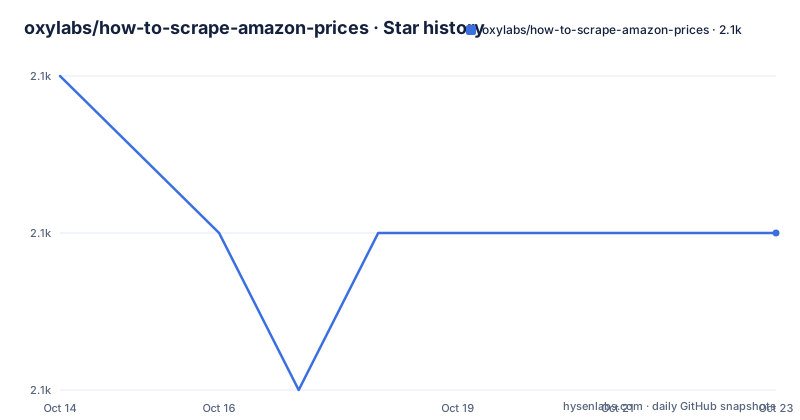
Star history
- oxylabs/how-to-scrape-amazon-prices2,093 ★ · -1
| Repository | 2026-10-14 | 2026-10-23 |
|---|---|---|
| oxylabs/how-to-scrape-amazon-prices | 2.1k | 2.1k |
-1 Stars in the last 9 days, measured from the daily GitHub snapshot. Compare with other projects
Editorial analysis
One Amazon department page becomes one CSV
how-to-scrape-amazon-prices is a small Python repository with two halves that barely touch each other. The first half is a command line tool that opens an Amazon department page in a local browser and writes every price it finds into a CSV file in your working directory. That is the whole job: one department, one page, one file. The second half is a standalone script that posts JSON to the Oxylabs Scraper API and covers best sellers, search results and deals instead, which is the path to read when a single page is not enough.
The audience is narrow on purpose. Somebody checking what a category of listings costs today, taking a price snapshot for a handful of products, or writing a first attempt at price monitoring gets what they need from the two Make targets. A team that wants thousands of listings across many categories does not, because the free tool drives a browser you control rather than a service that handles the hard parts. The repository topics place it among `amazon-scraper`, `python-scraper`, `scraper-api` and `web-scraping` tools, and the default branch is `main`.
`make install` pulls Poetry 1.8.2 through pip
The prerequisite line asks for Python 3.11 in your system, and `pyproject.toml` agrees by constraining the interpreter to the 3.11 series. Installation is a single Make target, run from a clone of the repository:
make installThat target does two things in order. It installs Poetry 1.8.2 into the current interpreter with pip, then hands the rest to `poetry install`, which resolves the dependency list and builds the `amazon_prices_scraper` package out of the src directory. A `poetry.lock` and a `.python-version` file ship alongside, so the virtual environment Poetry creates is not left to whatever happens to be installed on the machine already. Version 0.1.0 in the same file is the only project version on offer, and `.flake8` plus `.pre-commit-config.yaml` sit in the top-level listing next to a `Makefile` and a `code_examples/` folder, which tells you the project lints itself. That listing also carries no licence file and no release tags, and the last push was on 2026-06-19.
`make scrape URL=` refuses to run with an empty variable
The Makefile has exactly two targets, `install` and `scrape`, and the second one checks its input before touching a browser:
scrape:
	@if [ -z "$(URL)" ]; then \
		echo 'Error: A URL of an Amazon page is required. Use make scrape URL="<amazon_page_url>"'; \
		exit 1; \
	else \
		poetry run python -m amazon_prices_scraper --url="$(URL)"; \
	fi
Running `make scrape` with no URL variable prints that message and stops with exit code 1, which is the entirety of the free path's error handling: one missing variable, one line of advice. With an address present, the target passes it to `python -m amazon_prices_scraper --url=` inside the Poetry environment, so browser work happens in the project virtualenv rather than your system Python. The `click` dependency at 8.1.7 is what turns that `--url` flag into a command line, and `pydantic-settings` at 2.3.4 is there to validate whatever configuration the package reads next. Nothing in this file retries, throttles or schedules. One run, one page, one CSV.
Copying the Camera and Photo department URL
The free tool takes no product URL, no search string and no category id. It takes the address of an Amazon department page, which you copy by hand after that page loads in your own browser. The walkthrough uses `Camera & Photo`, and the command it arrives at looks like this:
make scrape URL="https://www.amazon.com/s?i=specialty-aps&bbn=16225009011&rh=n%3A%2116225009011%2Cn%3A502394&ref=nav_em__nav_desktop_sa_intl_camera_and_photo_0_2_6_3"That single URL carries the department id 16225009011, two node filters and a referral tag, and the tool consumes all of it as one opaque string: point it at another department and it does the same work there. The quotation marks are not decoration, because an unquoted address lets the shell split it at every ampersand and the parser then gets fragments instead of a link. That example also states the limits plainly. It is a listing address for the US storefront, one page of results per run, and getting to page 2 means doing it by hand.
Four columns in `amazon_prices.csv`, and rows that never arrive
After a run the README says to look for `amazon_prices.csv` in your directory, with four documented columns: `title`, the product link, `price` and `currency`. The currency column is the reason this is more than a numbers dump. A department grid can quote in one currency while a listing inside it shows another, and the file keeps that distinction per row instead of flattening everything into a single column of digits.
Out-of-stock listings are handled by omission. When a listed product is out of stock, the tool prints a dedicated message and skips that product. None of the four columns records stock, so the file that lands on disk is shorter than the grid you saw in the browser and no flag marks which rows went missing. A use case that needs every tile on the page, priced or not, cannot be served by this output and has to be reconstructed from the page itself.
One habit worth naming: the file name is fixed. Every run writes `amazon_prices.csv` into the current directory, so two runs in a row overwrite each other unless you move the first file aside yourself.
Selenium, selenium-wire and a browser on your machine
The dependency list is the clearest statement of how the free path works. `selenium` at 4.22.0 and `webdriver-manager` at 4.0.1 together mean a real browser session starts locally, and `selenium-wire` at 5.1.0 sits next to them to intercept and inspect the requests that session makes, which is how prices get read without depending only on rendered markup. `pandas` at 2.2.2 writes the CSV, `pydantic` at 2.7.4 validates what comes in, and `blinker` is the only dependency written as a hard upper bound, below 1.8.0, rather than a caret range.
What the README leaves out is the extraction itself. The package lives in src as `amazon_prices_scraper`, but no selector, retry count, timeout or configuration file is documented anywhere in the tutorial, even though `pydantic-settings` is installed to read one. Treat the parsing rules as something you will have to read in the source rather than something the tutorial hands you.
The cost of that design is concrete. A browser on your machine has to load the full listing page, wait for Amazon's own scripts to run, and survive whatever the storefront serves a first-time visitor. The only failure notice the README documents anywhere is the out-of-stock message, and there is no stated answer to a blocked request or a changed page layout.
The paid half posts JSON and never imports the package
The second half of the tutorial is a different program. It imports `requests` and `pandas`, never `amazon_prices_scraper`, and it runs as a standalone file rather than as a Make target. The repository keeps `code_examples/` and `src/` as separate top-level directories, and the complete code printed at the end of the README belongs to neither: nothing in it calls the CLI you just installed.
A call is a JSON payload posted to `https://realtime.oxylabs.io/v1/queries` with HTTP basic auth:
def get_search_results(query):
    payload = {
        "source": "amazon_search",
        "domain": "com",
        "query": query,
        "start_page": 1,
        "parse": True,
    }
    response = requests.post(
        "https://realtime.oxylabs.io/v1/queries",
        auth=(USERNAME, PASSWORD),
        json=payload,
    )
Three sources cover three jobs: `amazon_bestsellers` with a category id in `query`, `amazon_search` with a keyword such as `couch`, and `amazon` with a full listing address for deals. `domain` is set to com in the first two and left out of the third, which takes an address instead. With `parse` set to true the answer arrives as JSON, so no local browser starts at all. That is the real trade: the free tool becomes a service call, which is why the README frames this half as the answer for projects of bigger scale. Access needs an account on the Oxylabs dashboard, where a 1-week free trial is described.
Three response shapes behind one helper function
Everything the paid path writes passes through `parse_price_results`, a comprehension that keeps three keys and drops the rest:
def parse_price_results(results):
    return [
        {
            "price": result["price"],
            "title": result["title"],
            "currency": result["currency"],
        }
        for result in results
    ]
That helper is why the two halves of this repository write different files. The free tool's CSV carries a product link; `best_seller.csv`, `search.csv` and `deals.csv` from the example do not, even though the deals call takes a full page address as its input. Join the two outputs later and the product link is missing from the half you pay for.
The three functions also read the response differently while looking almost identical. `get_best_seller_results` takes `response.json()["results"][0]["content"]["results"]` directly, a list, while `get_search_results` and `get_deals_results` walk the same path and then index `["organic"]` on it. No check confirms that any of those keys exist, every payload hardcodes `start_page` at 1, and the only error handling is `response.raise_for_status()`: an HTTP failure stops the script, while a response missing the expected shape fails on a missing key inside the comprehension.
Editorial conclusion
This repository is built for one job: reading the prices on a single Amazon department page into a CSV, today, on your own machine. Take it if that is the whole requirement and you can live with a local browser session. Leave it if you need best sellers, search results or deals at volume, since those live behind an Oxylabs account instead. Before building on either half, open the package source under `src/` and read the extraction code, because the README documents neither the selectors nor a retry, and the paid example keeps credentials as plain literals in the file.
Frequently asked questions
What does how-to-scrape-amazon-prices need installed before the first run?
Python 3.11, then `make install`, which installs Poetry 1.8.2 with pip and runs `poetry install` to build the `amazon_prices_scraper` package out of src.
What does `make scrape URL=` produce?
It writes `amazon_prices.csv` into the current directory with four columns for title, product link, price and currency, and prints a dedicated message for any product found to be out of stock before skipping it.
Do I need an Oxylabs account for the free Amazon price scraper?
Not for the two Make targets, which run locally against one department page. The account belongs to the second half of the tutorial, which posts to `https://realtime.oxylabs.io/v1/queries` with a USERNAME and PASSWORD and asks for `parse` to be true.
Can one script pull best sellers, search results and deals together?
Yes. `get_best_seller_results`, `get_search_results` and `get_deals_results` post `amazon_bestsellers`, `amazon_search` and `amazon` payloads to the same endpoint, and the run at the bottom of the file writes best_seller.csv, search.csv and deals.csv.
How does the API example reach results past the first page?
As written, it does not. All three payloads set `start_page` to 1, and the README does not document looping over pages or changing that value.
Official sources
Add this badge to your README
If you maintain this project, the badge below links readers to this analysis and shows its maintenance status from the daily GitHub snapshot. Paste the markdown into your README; add ?metric=license or ?metric=stars to the image URL for a different field.

[](https://hysenlabs.com/projects/oxylabs-how-to-scrape-amazon-prices)Star history chart for your README
[](https://hysenlabs.com/projects/oxylabs-how-to-scrape-amazon-prices)Was this useful?