Parinfer.js for Lisp indentation and parenthesis editing
Let's simplify the way we write Lisp
At a glance
- What is it?
- Parinfer.js is an MIT-licensed JavaScript library that keeps Lisp indentation and parentheses aligned as source text changes. It offers Indent Mode, Paren Mode, and Smart Mode through pure text-processing functions.
- Who is it for?
- Parinfer.js fits editors and tools that want automatic Lisp structure correction without taking responsibility for every structural editing operation. It is unsuitable for users who require advanced structural operations or an editor plugin rather than a formatting library.
- Can I use it commercially?
- Yes. MIT is a permissive licence: you can use, modify and sell software built on it, as long as you keep its copyright and licence notices.
- Is it still maintained?
- Yes. The repository last received commits 91 days ago.
- What is it written in?
- Mainly JavaScript, according to GitHub's language statistics.
Answers come from the project's GitHub data, last synced on November 7, 2026, and from our analysis. They are not legal advice.
Star history
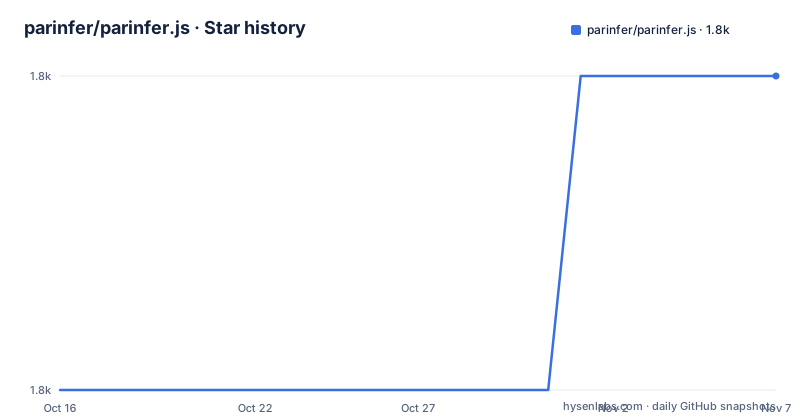
- parinfer/parinfer.js1,808 ★ · +1
| Repository | 2026-10-16 | 2026-11-07 |
|---|---|---|
| parinfer/parinfer.js | 1.8k | 1.8k |
1 Stars in the last 22 days, measured from the daily GitHub snapshot. Compare with other projects
Editorial analysis
Parinfer.js and the Lisp editor structure problem
Parinfer.js addresses a recurring editing conflict in Lisp source code. Indentation communicates the shape of a form, while delimiters such as parentheses communicate structure at the character level. A programmer may move a line or change indentation before all closing delimiters have been entered. Parinfer adjusts one representation in response to the other.
The project describes itself as a proof-of-concept editor mode for Lisp languages, with support for configurable opening and closing characters rather than a hard-coded Clojure-only parser. Its intended users include newcomers who benefit from less manual delimiter maintenance and experienced programmers who already use more structural editors. The README also positions Parinfer as a complement to plugins such as Paredit, not a replacement for their advanced operations.
The npm artifact is called `parinfer`, and its main entry is `parinfer.js`. It is a library rather than a complete editor. Applications supply source text and, when relevant, cursor, selection, and change metadata. Parinfer returns corrected text plus positions and structural information that an editor can use.
Indent Mode, Paren Mode, and Smart Mode
The public API exposes `smartMode(text[, options])`, `indentMode(text[, options])`, and `parenMode(text[, options])`. Each function accepts full source text and returns a result object. This pure-function design makes the formatting engine suitable for integration beneath an editor interface, although the library itself does not supply that interface.
Indent Mode uses indentation as the primary structure and adjusts parentheses. The README example takes incomplete input and returns a closed form. Paren Mode uses delimiters as the primary structure and adjusts indentation. Its example places successive lines at increasing indentation to reflect the active form.
Smart Mode is documented as being between those two behaviors. Its exact policy is not described beyond that short statement, so integrations should not assume that it preserves every formatting decision made by either dedicated mode. Smart Mode also requires the previous cursor position through `prevCursorLine` and `prevCursorX`, which shows that editor history is part of its processing context.
The return value includes `success`, corrected `text`, adjusted cursor coordinates, and an `error` object when processing fails. It may also include `tabStops` and `parenTrails`. These fields let an editor move its cursor, display relevant indentation stops, and identify trailing delimiters that Parinfer may relocate.
Installing parinfer and running a first JavaScript transformation
The README lists installation through either npm or Yarn. These commands install the package named `parinfer` into the current JavaScript project.
npm install parinferFor a Yarn-based project, use the command documented by the project:
yarn add parinferAfter installation, a Node application can import the package with `require`. The following example calls Indent Mode. The `text` field in `result` contains the corrected source, while other result fields provide error and editor metadata when applicable.
var parinfer = require('parinfer');

var result = parinfer.indentMode("(def foo [a b");
console.log(result.text);
According to the README example, the output is:
(def foo [a b])This is a library call rather than an interactive command. It does not launch an editor or modify a file on disk. An integration must receive edits, call one of the modes, check `result.success`, and replace its buffer with `result.text` when appropriate.
Parentheses, comments, cursors, and change metadata
Parinfer is configurable through `options`. By default, semicolons mark comments, while `(`, `[`, and `{` open forms and `)`, `]`, and `}` close them. A host application can replace those character lists. That matters for a Lisp dialect whose reader syntax differs from the defaults.
Editor integration can provide `cursorLine` and `cursorX`, both zero-based. Selection starts are represented by `selectionStartLine`, while an ordered `changes` array can describe replaced ranges through `lineNo`, `x`, `oldText`, and `newText`. Smart Mode additionally needs `prevCursorLine` and `prevCursorX`. These inputs are more than display metadata. Parinfer may return different `cursorX` and `cursorLine` values because it can shift text around the cursor.
Two older or specialized switches are documented. `forceBalance` enables aggressive parenthesis balancing rules from version 1 and defaults to `false`. `partialResult` defaults to `false`; when enabled, the result may contain partially processed text and cursor information after an error.
`tabStops` identifies relevant opening delimiters and includes `x`, `argX`, `lineNo`, and `ch`. An editor can use that metadata to compute additional stops for different indentation widths. `parenTrails` identifies groups of closing characters at line ends through `lineNo`, `startX`, and `endX`. The repository links editor and REPL integration details in `doc/integrating.md`.
Failure reporting and the boundary of automatic correction
Parinfer does not silently normalize every malformed input into usable source. A failed result can carry one of the documented error names: `quote-danger`, `eol-backslash`, `unclosed-quote`, `unclosed-paren`, `unmatched-close-paren`, or `unhandled`. It also reports `message`, a zero-based `lineNo`, and a zero-based `x`. An unmatched close delimiter can add the position of its opener in `extra`.
By default, unsuccessful processing returns the original text. Applications that want partial output must set `partialResult`. This is an important boundary for editor design. Automatically inserting text after a structural error may be useful for interactive typing, but an editor may instead prefer to preserve the buffer and display the error.
Parinfer also is not the right tool when the requirement is a complete structural editor. The README explicitly says advanced operations can remain with plugins such as Paredit. It describes automatic adjustment between indentation and parentheses, not a catalog of transformations for moving, duplicating, or rewriting forms. Parinfer.js is therefore closer to a formatting engine than to a ready-made Lisp editing mode.
Smart Mode presents a second adoption constraint. Its documentation is sparse, and it depends on previous cursor state. Choosing it merely because its name sounds adaptive would be unjustified. An integrator should use the annotation-driven test API to establish the behavior required by its editor.
Testing API, release state, and integration cost
The package exposes `parinfer/test` in Node. Its annotation syntax allows options and expected output to appear inside input text. A vertical bar marks the cursor and is removed before processing, then restored in the printed result. Error annotations can appear below the processed text, which makes malformed Lisp easier to specify in tests.
The documented test entry points are `smartMode`, `indentMode`, and `parenMode`, each accepting input text plus `extras`. Unsupported annotation options can be supplied as `forceBalance`, `partialResult`, or `printTabStops`. Lower-level helpers include `parseInput`, `parseOutput`, and `printOutput`. Repository-level development commands run the Mocha suite and the separate stress test.
npm testnode test/perf.jsThe package is MIT licensed. That permits use under the license's terms, subject to retaining its notices. This review does not interpret the license for a particular distribution model.
The latest listed release is `3.13.1`, published on 2022-09-21. The repository was not archived, and its last push was on 2026-08-08. That indicates later repository activity despite the older release entry. It does not establish a release cadence or guarantee compatibility with future editor environments. Upgrade planning must account for the small published surface of `parinfer.js`, `README.md`, and `CHANGES.md`, plus the integration work needed for cursors, selections, errors, and display metadata.
Parinfer.js compared with Paredit-style structural editing
Parinfer.js and Paredit approach Lisp editing differently. Parinfer infers a consistent relationship between indentation and delimiters after an edit, but its documented API focuses on corrected text, positions, tab stops, and paren trails. The host editor decides when to invoke a mode and how to present results.
A Paredit-style plugin is described in the README only as an existing kind of plugin that can handle more advanced operations. The repository does not provide a feature matrix or implementation details for that alternative, so the supported distinction is limited and concrete: Parinfer automates structure adjustment between indentation and parentheses, while advanced structural operations remain outside its stated scope.
This makes the libraries useful in different layers. Parinfer.js can serve as a formatting component beneath an editor integration. Paredit is an existing plugin that can satisfy the need for more advanced operations. An application may use both, but the README does not document such a combined configuration or its precedence rules.
The key verification is therefore scope, not feature volume. Integrators seeking automatic completion of delimiters from indentation should inspect Indent Mode and Paren Mode. Integrators seeking a full editing command set should look elsewhere for that layer or treat Paredit as a separate concern.
Editorial conclusion
Parinfer.js fits editors and tools that want automatic Lisp structure correction without taking responsibility for every structural editing operation. It is unsuitable for users who require advanced structural operations or an editor plugin rather than a formatting library. Before adoption, verify that Indent Mode, Paren Mode, or Smart Mode matches your editing model, test the library's reported error cases in `parinfer/test`, and review `doc/integrating.md` for cursor and selection handling.
Frequently asked questions
How do I install Parinfer.js?
The project is published on npm as `parinfer`. The README documents `npm install parinfer` for npm and `yarn add parinfer` for Yarn.
Which Parinfer.js mode should a new integration try first?
Start with `indentMode` or `parenMode` when you want to establish a specific rule for which representation controls the other. The README describes Smart Mode only as something between the two and requires previous cursor information.
Does Parinfer.js replace a complete Lisp editor plugin?
No. It is a library of pure text-processing functions, and the README says plugins such as Paredit can remain responsible for more advanced operations. Applications must build or connect the surrounding editor behavior.
Official sources
Add this badge to your README
If you maintain this project, the badge below links readers to this analysis and shows its maintenance status from the daily GitHub snapshot. Paste the markdown into your README; add ?metric=license or ?metric=stars to the image URL for a different field.

[](https://hysenlabs.com/projects/parinfer-parinfer-js)Star history chart for your README
[](https://hysenlabs.com/projects/parinfer-parinfer-js)Was this useful?