The Parse Apple SDK's newest Xcode row asks for a release that does not exist yet
The Apple SDK for Parse Platform (iOS, macOS, watchOS, tvOS)
At a glance
- What is it?
- A Swift Package Manager client for Parse Server whose support matrix is maintained row by row for Xcode, left at one row for Parse Server itself, and released through semantic-release with a Rakefile and a Ruby toolchain.
- Who is it for?
- This SDK fits an Apple-platform app that already runs a Parse Server and wants the client maintained by the same community as the server, with installation reduced to a package URL and a submodule choice. Read the support matrix before you pin a version, because it is the only place that says which SDK goes with which Xcode, and its newest row asks for 6.2.0 while the newest release is 6.1.1.
- Can I use it commercially?
- Check first. The repository uses a licence we do not classify automatically, so read its LICENSE file before any commercial use.
- Is it still maintained?
- Yes. The repository last received commits 2 days ago.
- What is it written in?
- Mainly Objective-C, according to GitHub's language statistics.
Answers come from the project's GitHub data, last synced on November 24, 2026, and from our analysis. They are not legal advice.
Star history
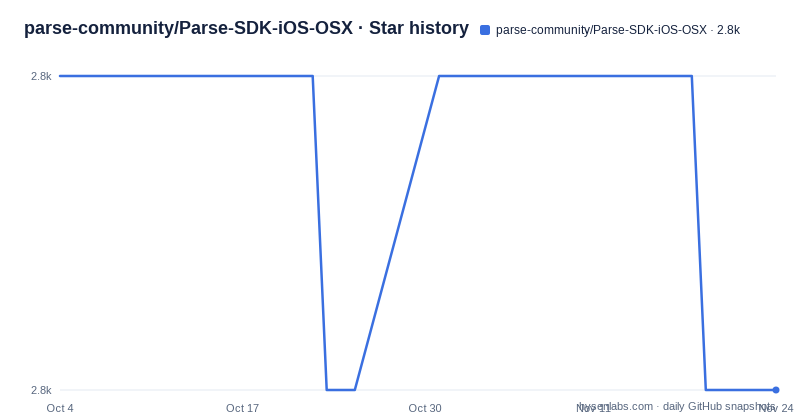
- parse-community/Parse-SDK-iOS-OSX2,807 ★ · -1
| Repository | 2026-10-04 | 2026-11-24 |
|---|---|---|
| parse-community/Parse-SDK-iOS-OSX | 2.8k | 2.8k |
-1 Stars in the last 51 days, measured from the daily GitHub snapshot. Compare with other projects
Editorial analysis
The newest Xcode row requires an unreleased SDK version
The support matrix tracks five Xcode generations against four Apple platforms, and it is maintained carefully enough to include an end-of-support column. Xcode 13 pairs iOS 15, macOS 12, watchOS 8 and tvOS 15 with SDK versions from 1.19.3 up to but not including 2.7.2. Xcode 14 moves that to 2.7.2 and below 5.0.0. Xcode 15 raises the floor to 3.0.0 and caps the ceiling at 5.1.1. Xcode 16 pairs iOS 18 and macOS 15 with anything from 4.2.0.
The last row is the problem. Xcode 26, alongside iOS 26, macOS 26, watchOS 26 and tvOS 26, requires SDK 6.2.0 or newer, and the newest release is 6.1.1. The row above it leaves its end-of-support date as tbd rather than a date.
So the matrix is precise about the past and provisional about the present: a developer on the current Xcode is reading a requirement that no published artifact satisfies yet.
The Parse Server table has one row and it says 1.0.0
The same section carries a second table for server compatibility, and it has exactly one entry: Parse Apple SDK 1.0.0 is compatible with Parse Server 1.0.0 and above. Nothing after 1.0.0 was ever added, even though the client is now at 6.1.1 and the Xcode table beside it is updated row by row.
That asymmetry is the practical problem. A reader can work out which Xcode they need and which SDK floor goes with it, but the question of which Parse Server version their SDK 6.1.1 speaks to has to be answered elsewhere.
The stated policy around the matrix is that the SDK is continuously tested with the most recent releases of Xcode and follows the annual release schedule to support the current and previous major Xcode version. Two generations at a time is the promise, and the table is how you check whether your particular combination is inside it.
Swift Package Manager, then pick your submodules
Installation is four steps and none of them involves a dependency manager file you have to write. Open Xcode, choose File then Add packages, paste the package URL, add the package, and then choose which submodules you want to install:
git clone https://github.com/parse-community/Parse-SDK-iOS-OSX.gitThat last step is the one that matters and the one with the least explanation. The repository root holds a .gitmodules file, a .swiftpm directory and a Package.resolved, so parts of the SDK arrive as git submodules rather than as SwiftPM package dependencies, and the choice of which to install is left to you at the point of adding the package.
The module layout is visible in the tree as well. Parse/ and ParseLiveQuery/ sit side by side, so LiveQuery is a separate module you can take or leave, alongside ParseStarterProject/ for a starting app, Tests/, Assets/ and a Vendor directory.
Releases run through semantic-release with a Ruby toolchain beside it
The release machinery is unusual for an Apple SDK because it is driven from npm. package.json is marked private, so nothing is published to a registry from it, and its only devDependencies are seven @semantic-release packages pinned to exact versions, from the commit analyzer through the release notes generator to semantic-release itself at 25.0.8.
Alongside that sits a Ruby toolchain: a Rakefile, a Gemfile with a committed Gemfile.lock, a .ruby-version, a release.config.js and a .releaserc directory. CHANGELOG.md at the root is the human-readable output of that pipeline rather than something written by hand.
The result is visible in the tag dates. Versions 6.0.1, 6.1.0 and 6.1.1 were published on three consecutive days in November 2025, which is the pattern semantic-release produces when a run is cut per release rather than in batches.
The badge says BSD and the repository records no license
Two places answer the licensing question and they do not say the same thing. The README carries a shields.io badge whose label reads license-BSD, and that badge links to the LICENSE file in the repository root. The license value recorded against the repository itself is empty.
The root does contain a LICENSE file, and it also contains a PATENTS file, which is the grant most Apple-platform codebases add alongside the license text. CODE_OF_CONDUCT.md and CONTRIBUTING.md sit next to them.
For a library you intend to vendor into a commercial app, the file in the repository is the thing to read. The badge is a label someone typed into an image URL, and the empty value in the repository's own metadata is a gap in how the project is indexed rather than a statement about the terms.
One runtime dependency and one test-only dependency
The dependencies section names two libraries. Bolts is used for task management, and OCMock for unit testing. That is the whole external surface stated in the README, which is unusually small for a client of this kind, and it explains why the package can be added in four Xcode steps without a resolver taking over your project file.
The OCMock entry is worth separating from the Bolts entry. OCMock is a mocking library for tests, so it belongs to the repository's own test suite rather than to your app, and the Tests/ directory at the root is where it is used. Bolts is the one dependency your binary links.
Formatting is pinned as well, with a .clang-format at the root, and code coverage and security badges in the README point at codecov and snyk runs for the master branch, alongside the two workflow badges for continuous integration and the automated release.
The last release was November 2025, the last commit September 2026
The dates matter more here than the feature list, because this is a client library that other people's apps link against. The newest release is 6.1.1, published on 2025-11-19, and the last push to master is dated 2026-09-13. The branch has taken about ten months of commits since the last tag.
That gap is not a statement about quality. It is the reason to pin a version deliberately: the artifact you get from a package resolution and the source you would clone are different points in time, and the support matrix in the README, which is the document meant to tell you which combination works, is itself part of the older side.
Nothing in the repository states a support policy for the SDK itself, only for Xcode. The home page points at parseplatform.org, and the docs links go to the Parse documentation site for the iOS guide and the generated API reference.
Editorial conclusion
This SDK fits an Apple-platform app that already runs a Parse Server and wants the client maintained by the same community as the server, with installation reduced to a package URL and a submodule choice. Read the support matrix before you pin a version, because it is the only place that says which SDK goes with which Xcode, and its newest row asks for 6.2.0 while the newest release is 6.1.1. Two further checks are worth the time. The Parse Server compatibility table has a single row written for SDK 1.0.0, so confirm your server version against the Parse documentation rather than this file. And settle the licensing question from the LICENSE file in the repository, since the badge in the README says BSD while the license recorded against the repository itself is empty.
Frequently asked questions
What is the SDK for iOS in this repository?
The term is never defined here. The project describes itself as the Apple SDK for Parse Platform, a library that gives an iOS, iPadOS, macOS, watchOS or tvOS app access to a Parse Server backend, written in Objective-C and distributed through Swift Package Manager.
What is the latest iOS SDK?
That question is about Apple's own SDK numbering rather than this project. This repository's newest release is 6.1.1, published on 2025-11-19, and the last push to master is dated 2026-09-13. It does not track or report Apple's SDK versions.
How do I add the Parse Apple SDK to an Xcode project?
Through Swift Package Manager, in four steps: open Xcode, choose File then Add packages, paste https://github.com/parse-community/Parse-SDK-iOS-OSX as the package URL, add the package, then choose the submodules you want to install.
Which Xcode versions does the Parse Apple SDK support?
The matrix covers Xcode 13 through 16 and then Xcode 26, each paired with iOS, macOS, watchOS and tvOS versions and a range of SDK versions. Xcode 13 covers SDK 1.19.3 up to below 2.7.2, Xcode 15 caps at 5.1.1, and the Xcode 26 row requires 6.2.0 or newer, which is above the newest published release.
What dependencies does the Parse Apple SDK have?
Two are named: Bolts for task management, and OCMock for unit testing. Bolts is the one your app links; OCMock belongs to the repository's own test suite. The root also carries a Vendor directory and a .gitmodules file for the submodules offered at install time.
What license is Parse-SDK-iOS-OSX under?
The README badge reads license-BSD and links to the LICENSE file at the root, which also has a PATENS file beside it, while the license recorded against the repository itself is empty. The file in the repository is the place to read for the actual terms.
Official sources
Add this badge to your README
If you maintain this project, the badge below links readers to this analysis and shows its maintenance status from the daily GitHub snapshot. Paste the markdown into your README; add ?metric=license or ?metric=stars to the image URL for a different field.

[](https://hysenlabs.com/projects/parse-community-parse-sdk-ios-osx)Star history chart for your README
[](https://hysenlabs.com/projects/parse-community-parse-sdk-ios-osx)Was this useful?