phpspec: A Specification-First Development Framework for PHP
SpecBDD Framework for PHP
At a glance
- What is it?
- phpspec is a PHP framework for describing expected behavior through executable specifications. Its repository separates specifications, source code, and command-line tooling, but the README provides little guidance about syntax or everyday use.
- Who is it for?
- phpspec fits PHP developers who specifically want a specification-first development workflow and can consult the external documentation for its current API and syntax. It does not fit teams that need the README alone to provide installation, first-spec examples, and migration guidance.
- Can I use it commercially?
- Check first. The repository uses a licence we do not classify automatically, so read its LICENSE file before any commercial use.
- Is it still maintained?
- Yes. The repository last received commits 8 days ago.
- What is it written in?
- Mainly PHP, according to GitHub's language statistics.
Answers come from the project's GitHub data, last synced on November 7, 2026, and from our analysis. They are not legal advice.
Star history
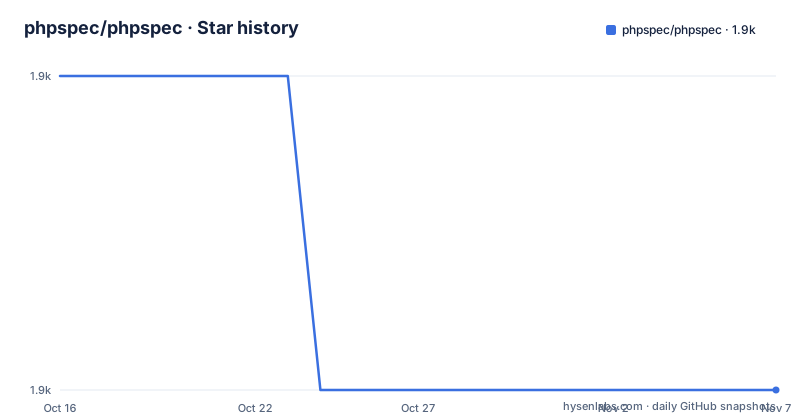
- phpspec/phpspec1,903 ★ · -1
| Repository | 2026-10-16 | 2026-11-07 |
|---|---|---|
| phpspec/phpspec | 1.9k | 1.9k |
-1 Stars in the last 22 days, measured from the daily GitHub snapshot. Compare with other projects
Editorial analysis
What phpspec changes in a PHP project
phpspec identifies itself as a "SpecBDD Framework for PHP," which places it in specification-driven development rather than general-purpose PHP testing. The problem it addresses is defining expected behavior before or alongside an implementation. Developers can work from a concrete description of results instead of beginning with production code and adding assertions afterward. This makes phpspec relevant to teams that want requirements expressed in executable form and to PHP developers who prefer to begin from a behavioral specification.
The repository is not presented as a small library wrapper or an application framework. Its top-level layout includes `src/`, `spec/`, `features/`, `integration/`, `bin/`, and `docs/`. Those names indicate a source-code area, the framework's own specification area, higher-level feature files, integration material, a command-line entry-point area, and project documentation. It also contains `phpunit.xml`, `psalm.xml`, `psalm-baseline.xml`, and multiple versioned change files. This points to a framework with development tooling and an established release history, although the README does not explain how those components interact during a normal specification run.
That distinction matters when choosing the tool. A team looking for an application scaffold, REST client, or general test runner will not find that purpose stated in the project description. phpspec addresses the behavioral specification part of PHP development. Its case is strongest when the team accepts that expected behavior should be expressed through the framework's own conventions. It offers less value when the goal is simply to assert that existing methods return particular values.
The repository layout and visible execution boundary
The clearest architectural evidence is the separation between implementation and specification. The repository contains `src/` and `spec/` at the top level, while `features/` and `integration/` provide additional locations for feature-level and integration-related files. The presence of `bin/` also indicates that phpspec has a command-line interface. The README does not document that command, its flags, its output format, or how a specification file is discovered and executed. A precise execution lifecycle cannot be confirmed from the documentation.
The existence of `phpunit.xml` does not establish that PHPUnit is part of the normal user-facing phpspec workflow. It may be used for the framework's own development checks, integration work, or another internal purpose. The repository does not explain which role applies. Similarly, `psalm-baseline.xml` confirms that static-analysis configuration exists, but it does not establish a static-analysis requirement for projects adopting phpspec.
The repository boundary is still useful to an engineer. Developers can inspect `src/` to understand the implementation, `spec/` for phpspec's own behavioral examples, and `docs/` for project-specific guidance. The README names `https://phpspec.net` as the main documentation location. That division reduces the usefulness of the README as a self-contained tutorial. Anyone selecting phpspec for a PHP codebase should expect to verify configuration, syntax, and invocation details through the external documentation and repository files rather than assuming that installing the package supplies a complete guided setup.
Installing phpspec dependencies with Composer
The README gives a dependency-installation procedure for contributors. It says that dependencies are handled through Composer, then provides a `wget` command for downloading `composer.phar` and a PHP command for installing dependencies. The README does not include a separate command for adding phpspec to another PHP application, so the following is the only installation procedure that can be reproduced without introducing undocumented package instructions.
Run these commands from the repository root in an environment where PHP is already available and can execute the downloaded Composer archive. The first command downloads Composer unless `composer.phar` already exists. The second installs the dependencies declared by this repository.
wget -nc https://getcomposer.org/composer.phar
php composer.phar install
After the second command completes, Composer should have installed the dependencies needed by the repository. The README does not state the expected output, supported PHP versions, or whether application consumers should use `composer require` instead. Those details need to be checked in `composer.json` and the current phpspec documentation. This command should be understood as the documented setup for working with the repository, not as a complete guide for installing phpspec in an application.
The missing path to a first specification
The README does not provide a first-use example. It contains no specification syntax, no command for running specifications, no sample output, and no configuration showing how a PHP application connects to phpspec. Since the project identifies phpspec.net as the main documentation site, the README alone is not enough to complete a first real use.
This is a concrete onboarding limitation. A team adopting a specification-first tool needs to know where specification files belong, how collaborators and expectations are declared, how examples are expressed, how failures are reported, and how a specification is invoked. None of those mechanics appear in the README. Providing a made-up example would risk teaching syntax that differs from the current release, so the confirmed route is to inspect the repository and external documentation.
Start with `docs/` for explanatory material, `spec/` for examples of phpspec's own expectations, and `bin/` for its command-line entry points. Check `composer.json` for the executable registration and package requirements. Then use `https://phpspec.net` for the current tutorial. The presence of `spec/` files does not by itself confirm that they are intended as a supported starter template, so their syntax should be checked against the documentation for the selected release.
Release status and the cost of choosing beta 9
The release list includes `9.0.0-beta.20` dated 2026-08-08, `9.0.0-beta.18` dated 2026-08-03, and `9.0.0-beta.17` dated 2026-07-31. The beta designation appears directly in those version identifiers. The README and release listing do not explain whether the 9.x prereleases are suitable for production applications or what compatibility changes occurred between them. An engineer evaluating this line should check the release notes and `CHANGES.md` before selecting a version.
The repository is not archived. Its last push was on 2026-10-15, so recent repository activity is present. That fact does not confirm compatibility with every PHP version, settle production readiness, or remove the significance of the beta label. It establishes only that the repository continued receiving changes.
Upgrade cost cannot be quantified from the repository description. The top-level files include `CHANGES-v8.md` and `CHANGES.md`, which provide places to inspect release changes, while the recent versions belong to version 9. No migration script, backward-compatibility guarantee, or upgrade command is documented in the README. Teams should compare their current specification conventions with the 9.x documentation and inspect the relevant change files. A beta release may require closer compatibility review than a stable line, although the repository does not quantify that burden.
Custom licence terms and a conventional PHP test alternative
GitHub classifies the repository's licence as a custom licence that it cannot categorize, and the README points readers to the `LICENSE` file. The README does not reproduce its terms. This article therefore cannot confirm whether the licence permits commercial use, redistribution, modification, or incorporation into a proprietary application. The custom licence is an adoption gate until its actual text has been reviewed for the intended distribution model.
A concrete alternative is to express expected behavior through a conventional PHP test suite using PHPUnit and the surrounding application tooling. The difference lies in the center of the workflow. phpspec is explicitly positioned as a SpecBDD framework, which makes the behavioral description and its specification conventions the central development artifact.
This distinction affects file organization, review habits, and the command-line experience. It is not simply a different name for the same task. The repository includes `phpunit.xml`, so PHPUnit-related development and phpspec may coexist, but the README does not document how phpspec and PHPUnit are intended to work together. A team should adopt phpspec because specification-first development fits its design practice, not because PHPUnit is already present. The current documentation, release notes, executable configuration, and licence text determine whether that fit is practical.
Editorial conclusion
phpspec fits PHP developers who specifically want a specification-first development workflow and can consult the external documentation for its current API and syntax. It does not fit teams that need the README alone to provide installation, first-spec examples, and migration guidance. Before adoption, verify the PHP version and Composer constraints in composer.json, read the current documentation at phpspec.net, and confirm that the custom LICENSE permits the intended use. The last push was on 2026-10-15, while the newest listed releases are beta versions in the 9.0.0 line.
Frequently asked questions
How do I install phpspec dependencies?
The README documents downloading `composer.phar` and running `php composer.phar install` from the repository. It does not provide a separate command for installing phpspec as an application dependency.
How do I write and run my first phpspec specification?
The README does not include specification syntax, a run command, or a first-use example. It directs users to phpspec.net, while the repository also contains `docs/`, `spec/`, and `bin/` for further inspection.
Is phpspec actively maintained?
The repository is not archived, and its last push was on 2026-10-15. The newest listed releases are 9.0.0-beta.20, 9.0.0-beta.18, and 9.0.0-beta.17, so the visible 9.x releases are beta versions.
Official sources
Add this badge to your README
If you maintain this project, the badge below links readers to this analysis and shows its maintenance status from the daily GitHub snapshot. Paste the markdown into your README; add ?metric=license or ?metric=stars to the image URL for a different field.

[](https://hysenlabs.com/projects/phpspec-phpspec)Star history chart for your README
[](https://hysenlabs.com/projects/phpspec-phpspec)Was this useful?