cookies: signed HTTP cookies for Node, without hiding the original value
Signed and unsigned cookies based on Keygrip
At a glance
- What is it?
- The pillarjs/cookies module gets and sets HTTP(S) cookies in Node, and can sign them with Keygrip so tampering is detected. Its distinguishing design choice is that a signed cookie is stored as the plain value plus a separate .sig cookie, so other code can read the original without knowing about the signing scheme.
- Who is it for?
- Adopt cookies if you serve Node HTTP applications and want signed cookies with key rotation and automatic freshening, in a module with two runtime dependencies. Do not adopt it if you need a browser-side cookie API, since this is server side only.
- Can I use it commercially?
- Yes. MIT is a permissive licence: you can use, modify and sell software built on it, as long as you keep its copyright and licence notices.
- Is it still maintained?
- Yes. The repository last received commits 59 days ago.
- What is it written in?
- Mainly JavaScript, according to GitHub's language statistics.
Answers come from the project's GitHub data, last synced on November 7, 2026, and from our analysis. They are not legal advice.
Star history
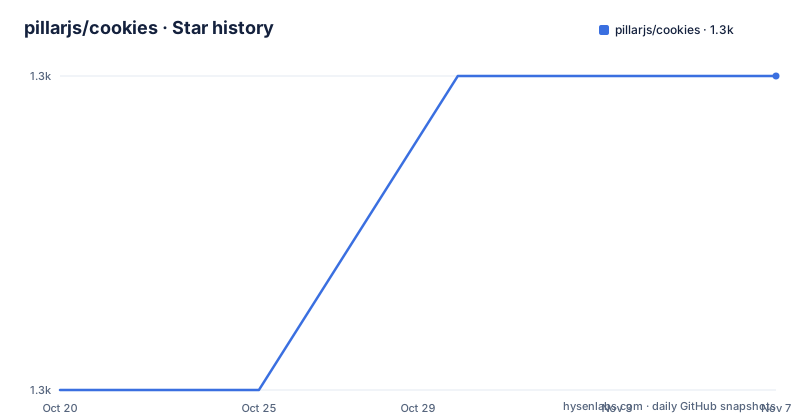
- pillarjs/cookies1,297 ★ · +1
| Repository | 2026-10-20 | 2026-11-07 |
|---|---|---|
| pillarjs/cookies | 1.3k | 1.3k |
1 Stars in the last 18 days, measured from the daily GitHub snapshot. Compare with other projects
Editorial analysis
The design decision about signed cookies
The cookies module is a node.js module for getting and setting HTTP(S) cookies, and it can sign cookies to prevent tampering using Keygrip. It can be used with the built-in node.js HTTP library, or as Connect/Express middleware.
Installing it is a single npm command:
$ npm install cookiesThe interesting choice is the unobtrusive one. Signed cookies are stored the same way as unsigned cookies, instead of in an obfuscated signing format. An additional signature cookie is stored for each signed cookie, using a standard naming convention of the cookie name followed by .sig. This allows other libraries to access the original cookies without having to know the signing mechanism.
That is a real design disagreement resolved in a specific direction. The alternative, which the older Express cookie-parser did, is to store the value as name.signature and hide the raw value inside an encoded string, so anything that reads the cookie without the library sees a signed blob rather than the value. The pillarjs approach keeps the value readable and puts the signature beside it, which means a third party reading the cookie header sees the plain value, which is exactly what you want when something else, a service mesh, a CDN, or another application, needs to read the session.
The signature protects integrity, not confidentiality: the original value remains readable to the cookie holder and to systems that receive it. Do not put secrets in the cookie merely because it is signed.
The project is MIT licensed, written in JavaScript, the author is Jed Schmidt, and Douglas Christopher Wilson is listed as a contributor. The last push to the repository was on 2026-09-09, and the most recent release is v0.9.2 from the same day, after 0.9.1 in January 2024 and 0.9.0 in December 2023.
Lazy, secure, and agnostic
The feature list names four properties, and each of them is a decision rather than a slogan.
Lazy: since cookie verification against multiple keys could be expensive, cookies are only verified lazily when accessed, not eagerly on each request. That matters more than it sounds. A request carrying six cookies, none of which the application reads, does zero HMAC computations. A server that verifies every cookie on every request spends CPU on cookies nobody wanted, and with rotated keys that means a hash per key per cookie, which is the expensive case the library is designed around.
Secure: all cookies are httponly by default, and cookies sent over SSL are secure by default. An error will be thrown if you try to send secure cookies over an insecure socket. The httponly default is the important one, because it means a cookie is not readable from client JavaScript unless you deliberately turn that off, and the secure default means a cookie marked for a secure connection does not silently travel in the clear.
Agnostic: this library is optimized for use with Keygrip, but does not require it. You can implement your own signing scheme instead and use this library only to read and write cookies. Factoring the signing into a separate library encourages code reuse and allows you to use the same signing library for other areas where signing is needed, such as in URLs.
That last point is a deliberate decoupling. The cookies module owns cookie semantics, and Keygrip owns key management and rotation, and a project that wants a different signing scheme keeps the cookie handling and swaps the crypto.
Reading a signed cookie and what key rotation does
The get method is where the signing logic shows, and the three outcomes are worth understanding because they are the whole point of the design.
You extract the cookie with the given name from the Cookie header in the request. If such a cookie exists, its value is returned, otherwise nothing is returned. With { signed: true } as the second options parameter, a signature cookie, a cookie of the same name with the .sig suffix appended, is fetched instead, and if no such cookie exists nothing is returned.
If the signature cookie does exist, the provided Keygrip object is used to check whether the hash of cookie-name=cookie-value matches that of any registered key. Then there are three cases.
If the signature cookie hash matches the first key, the original cookie value is returned. If it matches any other key, the original cookie value is returned AND an outbound header is set to update the signature cookie's value to the hash of the first key, which enables automatic freshening of signature cookies that have become stale due to key rotation. And if the hash does not match any key, nothing is returned, and an outbound header with an expired date is used to delete the cookie.
That middle case is the mechanism that makes key rotation work without a logout. The signature was produced by an older key, so it does not match the current one, but it matches a key the server still accepts, so the cookie is still valid and the signature is quietly rewritten against the current key. The third case is the tampering path, where the signature matches nothing at all and the cookie is treated as absent and removed.
The signing algorithm is SHA1 HMAC, and the signature value is a 27-byte url-safe base64 representation of the hash of cookie-name=cookie-value against the first Keygrip key.
Setting cookies and the option list
The set method sets the given cookie in the response and returns the current context to allow chaining, and if the value is omitted an outbound header with an expired date is used to delete the cookie. That last behaviour is how you clear a cookie with the same call you use to set one.
The options object is where the browser-facing behaviour is configured, and the list is complete enough to be worth reading as a reference.
maxAge is a number representing the milliseconds from Date.now() for expiry. expires is a Date object indicating the cookie's expiration date, and the cookie expires at the end of session by default. path is a string indicating the path of the cookie, / by default. domain is a string indicating the domain of the cookie, with no default. secure is a boolean indicating whether the cookie is only sent over HTTPS, false by default for HTTP and true by default for HTTPS. httpOnly is a boolean indicating whether the cookie is only sent over HTTP(S) and not made available to client JavaScript, true by default.
partitioned is a boolean indicating whether to partition the cookie in Chrome for the CHIPS Update, false by default, and if it is true then cookies from embedded sites will be partitioned and only readable from the same top level site from which they were created. priority is a string that can be low, medium, or high. sameSite is a boolean or string, false by default, and can be strict, lax, none, or true which maps to strict. signed is a boolean, false by default, and if true another cookie of the same name with the .sig suffix appended will also be sent. overwrite is a boolean, false by default, and if true all cookies set during the same request with the same name, regardless of path or domain, are filtered out of the Set-Cookie header when setting this cookie.
The secure behaviour has its own section. To send a secure cookie you set the secure: true option, and HTTPS is necessary, because when cookies.set is called with secure: true and a secure connection is not detected, the cookie will not be set and an error will be thrown.
The package, and how little it depends on
The package manifest is small enough to read in full, and it explains the shape of the library.
The runtime dependencies are depd at about 2.0.0 and keygrip at about 1.1.0. depd is the deprecation helper that lets a module mark its own functions as deprecated while still calling them, which is how you evolve an API without breaking callers. keygrip is the signing library, and it is the only thing standing between this module and a hash computation.
The published files list is just index.js, so the whole library is a single file, and the main entry is that same file. The engines field says node >= 0.8, which is a very old floor and tells you the code is written to a conservative subset of JavaScript.
The dev dependencies describe the test matrix rather well. There is mocha as the runner, nyc for coverage, supertest for HTTP assertions, and express at 4.22.1 and restify at 8.6.1, which means the middleware integration is tested against two different Connect-style servers rather than one. The test script runs mocha with a support environment file, the spec reporter, the bail flag, and a check for leaked globals, and the coverage variants use nyc with lcov and text reporters.
The repository layout is correspondingly lean. There is index.js, a test/ directory, an .eslintrc.yml, an .editorconfig, and a .eslintignore. The whole thing is under the pillarjs organisation, which is the group behind the Express ecosystem, and the module is the one the Express middleware builds on.
Editorial conclusion
Adopt cookies if you serve Node HTTP applications and want signed cookies with key rotation and automatic freshening, in a module with two runtime dependencies. Do not adopt it if you need a browser-side cookie API, since this is server side only. Verify first that the secure option behaves as you expect on your deployment, because an error is thrown when a secure cookie is set over an insecure connection.
Frequently asked questions
How does the cookies module sign cookies?
Using Keygrip, with SHA1 HMAC. The signature is a 27-byte url-safe base64 value representing the hash of cookie-name=cookie-value against the first Keygrip key, and it is stored in a separate cookie with the .sig suffix appended to the name.
Why are signed cookies stored in a separate .sig cookie?
So that signed cookies are stored the same way as unsigned cookies instead of in an obfuscated signing format, which allows other libraries to access the original cookies without having to know the signing mechanism.
How does key rotation work with this cookies module?
If the signature cookie hash matches any key other than the first, the original cookie value is returned and an outbound header updates the signature cookie to the hash of the first key, which automatically freshens stale signatures. If it matches no key at all, nothing is returned and the cookie is deleted with an expired date.
Does the cookies module require Keygrip?
No. It is optimized for Keygrip but does not require it, so you can implement your own signing scheme and use this module only to read and write cookies. Keygrip and depd are the only two runtime dependencies.
What happens if I set a secure cookie over an insecure connection?
The cookie will not be set and an error will be thrown, because HTTPS is necessary for secure cookies. The secure option defaults to false for HTTP and true for HTTPS, and all cookies are httponly by default.
Official sources
Add this badge to your README
If you maintain this project, the badge below links readers to this analysis and shows its maintenance status from the daily GitHub snapshot. Paste the markdown into your README; add ?metric=license or ?metric=stars to the image URL for a different field.

[](https://hysenlabs.com/projects/pillarjs-cookies)Star history chart for your README
[](https://hysenlabs.com/projects/pillarjs-cookies)Was this useful?