PINCache is a TMCache fork whose own Makefile still carries two thread sanitizer TODOs
Fast, non-deadlocking parallel object cache for iOS, tvOS and OS X
At a glance
- What is it?
- A parallel key/value cache for iOS, tvOS, watchOS and macOS, forked from Tumblr's TMCache and re-architected to remove deadlocks. The locking story is the interesting part, and so are the two TODO comments in its build file asking for a data race fix.
- Who is it for?
- PINCache is a good fit if you cache NSCoding objects on Apple platforms and want the memory tier readable from any thread while the disk write finishes in the background.
- Can I use it commercially?
- Yes. Apache-2.0 is a permissive licence: you can use, modify and sell software built on it, as long as you keep its copyright and licence notices.
- Is it still maintained?
- Yes. The repository last received commits 8 days ago.
- What is it written in?
- Mainly Objective-C, according to GitHub's language statistics.
Answers come from the project's GitHub data, last synced on November 22, 2026, and from our analysis. They are not legal advice.
Star history
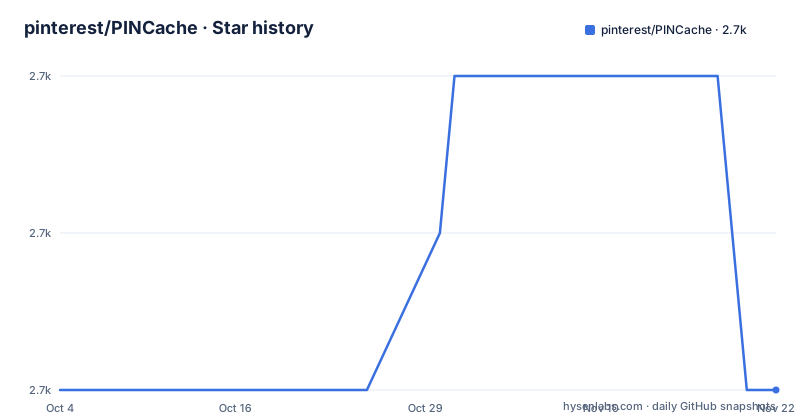
- pinterest/PINCache2,684 ★ · +0
| Repository | 2026-10-04 | 2026-11-22 |
|---|---|---|
| pinterest/PINCache | 2.7k | 2.7k |
0 Stars in the last 49 days, measured from the daily GitHub snapshot. Compare with other projects
Editorial analysis
Two TODOs in the Makefile ask for the sanitizer this library exists to replace
The project presents itself as a fast, non-deadlocking parallel object cache, and it explains why as a fork: PINCache is TMCache from Tumblr, re-architected to fix deadlocking caused by heavy use. Its whole reason to exist is concurrency.
The build file says something more complicated. Two of the seven phony targets open with a comment asking for the same thing:
# TODO: Fix data races and enable thread sanitizer with '-enableThreadSanitizer YES'# TODO: Fix data races and enable thread sanitizer with '--sanitize thread'The first sits above the `analyze` target, the second above `spm`. So the Xcode analyzer pass and the Swift Package Manager test pass both run with race detection switched off, and the person who wrote those comments was tracking data races that the sanitizer would catch. For a library whose selling point is that it is safe to access from multiple threads simultaneously, that gap is the first thing to read, and it is visible without opening a single source file.
The manual install points at a folder the repository root does not contain
Installation is offered four ways. Two of them are one command, one is a Podfile line, and one is a Cartfile line:
git submodule add https://github.com/pinterest/PINCache.git
git submodule update --initgithub "pinterest/PINCache"The fourth is manual, and it is the one that does not match the tree. The instruction is to download the latest tag and drag the `PINCache` folder into your Xcode project. There is no `PINCache` entry among the top level directories. The code lives under `Source/`, referenced from `Source/PINCache.h`, and the Xcode artefacts are separate: `PINCache.xcodeproj/` and `PINCache.xcworkspace/`. A tag archive may well unpack differently from the default branch, but the name in the instruction does not correspond to anything a reader can see in the file list.
The Swift samples write key "img" and then read key "image"
The Objective-C and Swift samples are meant to be line for line equivalents, and mostly are. The set example is:
UIImage *img = [[UIImage alloc] initWithData:data scale:[[UIScreen mainScreen] scale]];
[[PINCache sharedCache] setObject:img forKey:@"image" block:nil]; // returns immediatelylet img = UIImage(data: data, scale:UIScreen.main.scale)
PINCache.shared().setObject(img, forKey: "img")The Objective-C version writes under `image` and passes a nil block, with a comment noting the call returns immediately. The Swift version writes under `img`. Then the read examples use `image` in both languages:
[[PINCache sharedCache] objectForKeyAsync:@"image" block:^(PINCache *cache, NSString *key, id object) {
    UIImage *image = (UIImage *)object;
    NSLog(@"image scale: %f", image.scale);
}];PINCache.shared().object(forKey: "image") { (cache, key, object) in
if let image = object as? UIImage {
print("image scale: %f", image.scale)
}
}Copy the Swift pair into a project as written and the read returns nil. The same section also mixes `PINCache.shared()` with `PINCache.shared` in the collection sample, and tags one Objective-C fence `objective-c` while tagging the read fence `objc`.
Only the iOS tier empties itself, and the disk tier never does
The cache is two self-similar stores, one in memory and one on disk, both backed by GCD and both locked for reads and writes. PINCache sits on top and coordinates them so that an object added to memory is available to other threads immediately while the disk write continues in the background. Both stores are public properties, so either one can be manipulated on its own.
Eviction is where the two tiers diverge. On iOS, PINMemoryCache clears itself when the app receives a memory warning or goes into the background. Nothing equivalent is described for tvOS, watchOS or macOS, even though the requirements line covers all four platforms at iOS 12.0, tvOS 12.0, watchOS 4.0 and macOS 10.13.
Objects in PINDiskCache stay until you trim them. That trimming is either manual or driven by a byte limit or an age limit that you set yourself, which makes the eviction policy a call the caller has to remember to make.
Four documented install paths, and Swift Package Manager is not one of them
The install section covers manual, Git submodule, CocoaPods and Carthage. For CocoaPods you add PINCache to the Podfile and run `pod install`. For Carthage you add the Cartfile line, run `carthage update --platform ios`, and then follow Carthage's own instructions for embedding the framework, which the text links out to rather than repeating.
Swift Package Manager is absent from that list, which is the odd part given what the repository contains. `Package.swift` is at the root, there is a committed `Cartfile.resolved`, and the Makefile carries an `spm` target that runs `swift test` plus a separate `example` target that builds a project under `IntegrationTests/PINCache-SPM-Integration`. The manifest exists, the tests run against it, and an integration project exercises it, and the README never mentions it.
Documentation generation follows the same split. Docs come from a `.docset` under `docs/`, opened by double clicking, or read online at cocoadocs.org, and `build_docs.sh` sits in the root to produce them. CocoaPods and Carthage both get a sentence each, and the package manager the repository actually tests against gets none.
make analyze fails the build on purpose, and the example target needs a newer Xcode than the library
The Makefile pins its test destination to a specific simulator rather than leaving it open:
PLATFORM="platform=iOS Simulator,name=iPhone 17"
SDK="iphonesimulator"
On a machine without that simulator, `make test` has nothing to target. The same applies to the analyzer pass, which runs `xcodebuild clean analyze` and then inspects the output directory:
if [[ -n `find $(shell pwd)/clang -name "*.html" ]] ; then rm -rf `pwd`/clang; exit 1; fiAny HTML report means the target exits non-zero, so a passing analyze run produces no artifacts at all. That is deliberate, and it is the mechanism that would eventually catch the data races the TODO comments mention.
The `example` target guards on the Xcode major version before it does anything, and exits with a message naming Xcode 15 and Swift 5.9 as the requirement for the example project. The library itself declares a floor of iOS 12.0 and macOS 10.13. Building the sample and shipping the library are two different toolchain problems.
Three releases in eleven years, and a changelog kept by a Ruby generator
The release history is thin. 3.0.2, named Swift Package Manager Support, is dated 2020-10-06. 3.0.3 followed sixteen days later on 2020-10-22. Then 3.0.4 on 2024-05-13, and nothing tagged since. The repository is not archived and the last commit landed on 2026-09-18, so master has moved for more than two years past the newest tag. The continuous integration badge points at a workflow filtered to the master branch, so that movement is tested, just not cut.
The licence section keeps both copyright lines from the fork's history, Tumblr in 2013 and Pinterest in 2015, under Apache License 2.0 with the text in LICENSE.txt. Contact is a single address, Garrett Moon at pinterest.com.
Changelog upkeep is automated: `.github_changelog_generator` and a `.ruby-version` file sit at the root next to CHANGELOG.md, and RELEASE.md is the separate document for the cut procedure. A generated changelog is exactly what a project with a three year gap between tags wants, because the commit log is the only denser record of what changed.
Editorial conclusion
PINCache is a good fit if you cache NSCoding objects on Apple platforms and want the memory tier readable from any thread while the disk write finishes in the background. Before you adopt it, check three things: read both thread sanitizer TODO comments in the Makefile and decide whether the race the project has not fixed matters for your call sites; copy the disk cache byte or age limit into your own code, because nothing trims it for you off iOS; and pin a tag, since the newest release is 3.0.4 from May 2024 while commits have continued into September 2026. Installing through Swift Package Manager is not documented even though Package.swift sits in the root.
Frequently asked questions
What is PINCache and who maintains it?
PINCache is a key/value cache for persisting temporary objects that are expensive to reproduce, such as downloaded data or slow computation results. It is Pinterest's fork of Tumblr's TMCache, re-architected to fix deadlocking caused by heavy use, licensed Apache 2.0 with copyright lines for Tumblr in 2013 and Pinterest in 2015.
What platforms and versions does PINCache support?
The stated requirement is iOS 12.0, tvOS 12.0, watchOS 4.0 or macOS 10.13 and greater. The repository description says iOS, tvOS and OS X, while the section heading in the README says iOS and OS X only, so the requirements line is the one that names all four.
How do I install PINCache without CocoaPods or Carthage?
Add it as a Git submodule with `git submodule add https://github.com/pinterest/PINCache.git` followed by `git submodule update --init`, or download the latest tag and drag the `PINCache` folder into your Xcode project. Note that no folder by that name appears at the repository root, where the sources sit under `Source/`.
How does PINCache handle eviction and memory pressure?
On iOS the in-memory store clears itself when the app gets a memory warning or enters the background. Disk entries stay until you trim them, either by hand or by setting a byte limit or an age limit yourself. No automatic clearing is described for tvOS, watchOS or macOS.
Does PINCache shrink collections that repeat the same object?
Yes, through NSKeyedArchiver: objects repeated inside a collection occupy the space of one on disk. The sample puts the same image three times into an array and then prints the disk cache byte count to show the saving. In Swift, Array, String and Dictionary are value types, so the sample casts the array to NSArray first.
Official sources
Add this badge to your README
If you maintain this project, the badge below links readers to this analysis and shows its maintenance status from the daily GitHub snapshot. Paste the markdown into your README; add ?metric=license or ?metric=stars to the image URL for a different field.

[](https://hysenlabs.com/projects/pinterest-pincache)Star history chart for your README
[](https://hysenlabs.com/projects/pinterest-pincache)Was this useful?