Roswell: a Common Lisp environment installer and launcher
intended to be a launcher for a major lisp environment that just works.
At a glance
- What is it?
- Roswell combines Common Lisp implementation management, script execution, executable building, and Quicklisp integration. It is most practical on Unix-like systems, although the project still describes itself as beta and warns that support on other operating systems may be incomplete or unstable.
- Who is it for?
- Common Lisp developers who want one command-line interface for implementation selection, script execution, and executable building should evaluate Roswell, especially on Linux, macOS, or FreeBSD. Projects that require a fully mature cross-platform tool should first verify the relevant platform and CI path.
- Can I use it commercially?
- Yes. MIT is a permissive licence: you can use, modify and sell software built on it, as long as you keep its copyright and licence notices.
- Is it still maintained?
- Yes. The repository last received commits 10 days ago.
- What is it written in?
- Mainly Common Lisp, according to GitHub's language statistics.
Answers come from the project's GitHub data, last synced on October 23, 2026, and from our analysis. They are not legal advice.
Star history
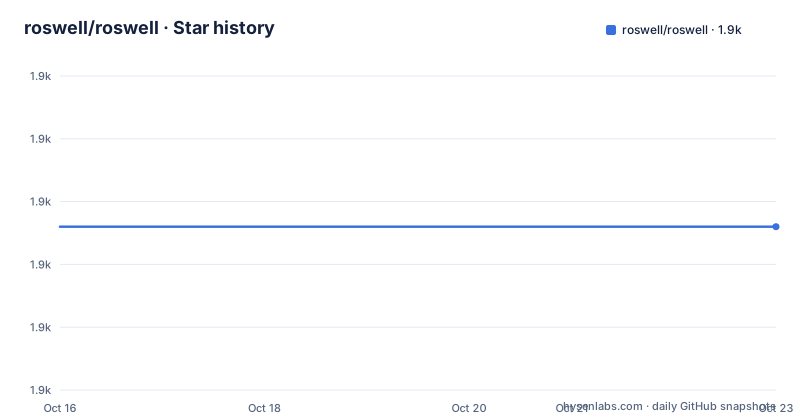
- roswell/roswell1,906 ★ · +0
| Repository | 2026-10-16 | 2026-10-23 |
|---|---|---|
| roswell/roswell | 1.9k | 1.9k |
0 Stars in the last 7 days, measured from the daily GitHub snapshot. Compare with other projects
Editorial analysis
What Roswell solves for Common Lisp developers
Roswell addresses the setup work that usually sits between choosing a Common Lisp implementation and running an application. A developer may need a particular SBCL or CCL version, a clean scripting environment, an executable built from a script, or a Quicklisp distribution workflow. Roswell places these operations behind the `ros` command instead of requiring separate tools and manually maintained invocation details.
The project is aimed at developers who move between Common Lisp implementations, work with `.ros` scripts, package applications for continuous integration, or want fewer platform-specific launcher commands. Its feature list includes an implementation manager, a scripting environment, a build utility, script initialization, shell completion integration, and infrastructure for installing scripts through a Quicklisp system. The README also points to Travis-CI, CircleCI, and Coveralls integration examples.
This is a broad tool rather than a library added to an application. It manages the execution environment around Common Lisp code. That distinction matters when choosing Roswell: adopting it does not replace SBCL, CCL, Quicklisp, or an application build system. It supplies a common interface for locating, selecting, launching, and packaging Common Lisp programs.
The README nevertheless sets an explicit maturity boundary. Roswell is still described as beta, even though its basic interfaces are said to be stable. Unix-like platforms such as Linux, macOS, and FreeBSD are identified as the best-supported targets. Other operating systems are not rejected, but some features may be missing or unstable there.
The ros command line and implementation selection
Roswell uses subcommands that resemble version-control and launcher workflows. `install` installs an implementation or a script, `update` updates installed systems, `run` starts a REPL, `build` creates an executable from a script, and `use` changes the default implementation. Other subcommands cover initialization, listing, deletion, configuration, and version output.
Implementation selection is version-aware. The README distinguishes `sbcl-bin`, which is the default prebuilt SBCL choice, from `sbcl`, which selects the newest released SBCL version. A developer can request `ccl-bin` for the default prebuilt CCL binary or specify an exact version with `sbcl/1.2.0`. Once several versions are present, `ros use` changes which one Roswell selects by default.
Roswell can also refer to an implementation that Roswell did not install. The documented `system` form, such as `sbcl/system`, registers the implementation provided by the host environment. This matters in containers, managed build hosts, and CI images where a distribution package or system-provided SBCL may already exist.
The command hierarchy is compact, but it delegates detailed syntax to built-in help. `ros help [command]` is the documented route for command-specific information, while `ros help [topic]` covers additional topics such as options. This keeps the top-level screen readable, although users who rely on flags must consult that help rather than assuming conventions from other launchers.
Installing Roswell and installing SBCL
The README delegates platform installation to the project wiki and links separate instructions for Linux, FreeBSD, macOS through Homebrew, Windows, and building from source. It also states that prebuilt binaries are available for Homebrew on macOS, several Linux distributions, and Windows. Since the README does not provide a universal package-manager command, there is no safe single installation command to reproduce here.
After Roswell is available, the first useful step is to request the list of installable implementations. This command makes Roswell display the implementations it knows how to install:
$ ros installInstall the prebuilt SBCL package by naming `sbcl-bin`. The README identifies this as the default implementation:
$ ros install sbcl-binThen check the selected implementation through the run subcommand. The documented syntax includes `--`, followed by the implementation's own arguments:
$ ros run -- --versionThe README shows output from an older SBCL release in this example. The important point is the delegation boundary: Roswell passes the requested argument to the selected Lisp implementation and returns its version response.
Developers who need reproducibility can install a named version rather than accepting the newest release. The documented form is `ros install sbcl/1.2.0`. That example should be read as valid command syntax, not as a recommendation to use the old SBCL version in a new project.
Creating and running a first .ros script
The `init` subcommand creates a Roswell script, optionally from a template. The first command below has no template argument, so it prompts for the script name according to its displayed usage:
$ ros initFor a script named `fact`, the documented invocation is:
$ ros init factThe README reports that this creates `fact.ros`. Its generated structure combines a shell preamble with Common Lisp source. The preamble identifies the file as a Roswell script and delegates execution to Roswell, which allows the script to behave as a command-line program while keeping its Common Lisp code in one file.
After defining a factorial function and a `main` entry point, the documented execution command is:
$ ./fact.ros 10The README shows `Factorial 10 = 3628800` as the resulting output. This gives `.ros` files a direct execution path rather than requiring a separate launch command for the example. The shebang and `exec` lines are part of the generated wrapper mechanism.
The README's displayed sample appears truncated because the excerpt does not show every closing parenthesis for the function and main definition. It should not be copied blindly as a complete file. The reliable parts are the command syntax, generated filename, wrapper pattern, and expected factorial output. A new user should compare a generated file with the current project documentation before adding more code.
Quicklisp scripts and executable distribution
Roswell's `install` command also accepts programs, not only Lisp implementations. The README gives Quicklisp distribution names directly and supports a repository-qualified form for GitHub-hosted scripts:
$ ros install qlot
$ ros install fukamachi/qlot
The first form installs `qlot` through Quicklisp. The second identifies the GitHub source form documented by the project. This means the same subcommand can serve both as an implementation manager and as an entry point for obtaining installable scripts.
Roswell also defines a repository-level registration convention. To add a script to an installable system, its `.ros` file must be placed in a `roswell` subdirectory. The README points to `qlot/qlot.ros` as an example of that layout. The `.ros` extension and directory convention give Roswell enough structure to recognize and package the script.
For native executable output, `ros build` is the documented command and the feature list identifies Roswell as similar to `buildapp` in this area. The README does not provide a full build invocation, target-platform syntax, or resulting artifact example. It would therefore be unsafe to infer flags or cross-compilation behavior. The defensible conclusion is narrower: Roswell can make an executable from a script, while exact build options remain outside the README.
This combination of installation, script packaging, and building is useful for projects that need a repeatable command-line workflow. It also creates dependencies on Quicklisp names, source layouts, implementation versions, and platform behavior. Those dependencies belong in the adoption checklist.
Roswell limits, alternatives, and upgrade cost
The clearest limitation is the project's own beta status. Platform coverage is uneven by the README's account: Linux, macOS, and FreeBSD work well, while features on other systems can be missing or unstable. The README says Windows has prebuilt binaries and stronger support, but it also gives a general warning that not every part of Roswell works consistently everywhere. Teams should not translate the presence of a Windows binary into a guarantee of full feature parity.
Roswell is also the wrong layer for an application that only needs a direct SBCL invocation and has no need for implementation management, `.ros` packaging, or a build command. Adding Roswell would introduce another executable and configuration model without solving a demonstrated problem. Likewise, a deployment that requires an exact external SBCL should use the documented `system` integration only after confirming that Roswell's command-line behavior fits the surrounding scripts.
The README explicitly identifies `cl-launch` as an influence and compares Roswell's scripting environment to it. The real difference in approach is scope. `cl-launch` is the named model for Roswell's command-line parameter design, while Roswell expands beyond launching into implementation installation and selection, script initialization, executable building, Quicklisp integration, and CI-related infrastructure. Another possible approach would be invoking a system Lisp directly, but the README does not document a separate Roswell package for that workflow.
The repository is not archived, and its last push was on 2026-10-13. Releases include `v26.10.118` on 2026-10-12 and `v26.10.117` on 2026-10-11, following `v26.02.116` from 2026-02-23. Those dates show recent release work, but the README still labels the software beta, so release frequency should not be treated as a cross-platform compatibility guarantee.
Roswell is licensed under the MIT License. That is a permissive software license, but this review does not interpret its legal effect. Projects should review the repository's `COPYING` file and account for the licenses of SBCL, CCL, Quicklisp, downloaded scripts, and bundled applications separately. Upgrade cost is most likely to involve pinned implementations, Quicklisp package changes, `.ros` layout changes, and platform-specific CI checks. The README does not define a migration or rollback procedure for those cases.
Editorial conclusion
Common Lisp developers who want one command-line interface for implementation selection, script execution, and executable building should evaluate Roswell, especially on Linux, macOS, or FreeBSD. Projects that require a fully mature cross-platform tool should first verify the relevant platform and CI path. Before adoption, check whether `ros install` provides the required implementation, whether `ros init` produces the intended `.ros` entry point, and whether the documented Quicklisp or CI integration matches the release process.
Frequently asked questions
How do I install Roswell and SBCL?
The README sends platform installation to the project wiki and provides separate instructions for Linux, FreeBSD, macOS via Homebrew, Windows, and source builds. After Roswell is installed, run `ros install` to list available implementations and `ros install sbcl-bin` to install the default prebuilt SBCL.
How do I create and run a Roswell script?
Run `ros init fact` to generate `fact.ros`, add the script's Common Lisp code, and make it executable as shown in the README. The documented example then runs it with `./fact.ros 10`.
Can Roswell select a system-provided Common Lisp implementation?
Yes. The README documents a `system` target such as `ros use sbcl/system` for an implementation that was not installed through Roswell.
Does Roswell work on Windows and macOS?
Roswell provides prebuilt binaries for Windows and macOS, including a Homebrew route for macOS. The README says Linux, macOS, and FreeBSD work well, while features on other operating systems can be missing or unstable.
What license does Roswell use?
The README identifies Roswell as licensed under the MIT License and points to the project's licensing information.
Official sources
Add this badge to your README
If you maintain this project, the badge below links readers to this analysis and shows its maintenance status from the daily GitHub snapshot. Paste the markdown into your README; add ?metric=license or ?metric=stars to the image URL for a different field.

[](https://hysenlabs.com/projects/roswell-roswell)Star history chart for your README
[](https://hysenlabs.com/projects/roswell-roswell)Was this useful?