The model service takes a document id, not the text to classify
Integrating a Machine Learning Model into a Web app
At a glance
- What is it?
- A walkthrough that puts a pickled Python model behind two Flask endpoints on port 5010 and calls them from an AngularJS front end with a query parameter. The repository is three sibling directories, and the README refers to four screenshots that are not there.
- Who is it for?
- This repository is worth reading as an architecture sketch rather than as code to run: it shows the shape of a Python model behind a REST boundary in front of a JavaScript front end, with the model service looking content up by id instead of receiving text. It does not fit anyone who wants working code, because the README contains no code at all and the screenshots that carried the wiring are gone.
- Can I use it commercially?
- Not without permission. GitHub finds no licence file in the repository, and without a licence all rights are reserved by default: you may read the code but not reuse it. Check the README, or ask the authors, before using it.
- Is it still maintained?
- Probably not. The repository last received commits 108 months ago, on December 4, 2017.
- What is it written in?
- Mainly JavaScript, according to GitHub's language statistics.
Answers come from the project's GitHub data, last synced on October 23, 2026, and from our analysis. They are not legal advice.
Star history
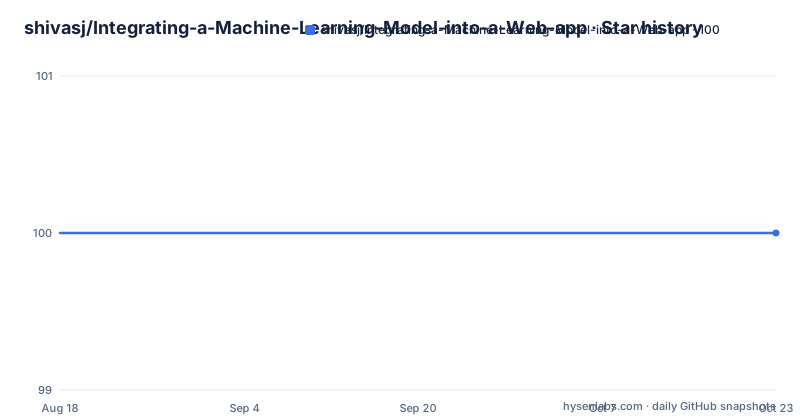
- shivasj/Integrating-a-Machine-Learning-Model-into-a-Web-app100 ★ · +0
| Repository | 2026-08-18 | 2026-10-23 |
|---|---|---|
| shivasj/Integrating-a-Machine-Learning-Model-into-a-Web-app | 100 | 100 |
0 Stars in the last 66 days, measured from the daily GitHub snapshot. Compare with other projects
Editorial analysis
Both endpoints are GET requests carrying a database id
The two endpoints are the whole API surface, and their shape is the most interesting thing on the page:
http://localhost:5010/classify_review?_id=5a24705fe3e52a74e2e02741
http://localhost:5010/train_review?_id=5a24705fe3e52a74e2e02741
Port 5010, HTTP GET, and a single query parameter named `_id`, which the page explains as the id of the content in the database.
So the caller does not send the text to be classified. It sends an identifier, and the service resolves the content itself. That design has a clear consequence worth naming: the front end and the model service have to share a database, or the service needs its own lookup path, and the two sides cannot be deployed independently of the id scheme.
The example id is 24 hexadecimal characters, which is the shape of a MongoDB document id. The repository's directory names support that reading, with a `textsummarizer-db/` sibling holding the database side.
It also means selecting what gets classified happens in a URL. That is convenient for a click-through demo and awkward for anything that logs query strings.
Three sibling directories, three tiers
The top-level listing is short and it maps exactly onto the prose.
There are three project directories: `textsummarizer-db/`, `textsummarizerapp/` and `textsummarizersvc/`. Reading the names against the walkthrough, the service directory is where the Python class and the Flask layer live, the app directory is the AngularJS web application, and the db directory is the backend database the front end writes to and the service reads from.
They are siblings rather than subdirectories of one project, which means three separate roots and three separate things to run. For a walkthrough that is a reasonable simplification; for anything you intend to deploy it is three deployables with no shared build and no single command in the page that starts them.
The rest of the listing is worth reading too, and not for the code. There is `README.md`, `.gitattributes`, a `scratch.txt`, an `.idea/` directory and a `.DS_Store` file. No `.gitignore` appears among the top-level entries.
So the repository carries a JetBrains IDE project, a macOS Finder artefact and a scratch file, and nothing in the listing records what was meant to be excluded.
A pickled model loaded in the constructor, and exactly two methods
The first step in the walkthrough is the smallest one to describe. Encapsulate the logic you want in a Python class. In this example there is already a pre-trained model that was serialised into a pickle object, and the class's init method loads that persisted model. The object is then usable for prediction from the web application.
Two methods are defined on the class, `classify` and `train`, and those are the two the page says will be exposed as REST APIs in the next section. The second step maps them to `classify_review` and `train_review`, both of which invoke the `MovieClassifier` class and the appropriate method within it. The return object from both is a JSON object of the results from the machine learning model.
So the class name is `MovieClassifier`, the persisted artefact is a pickle, and the API surface is two methods wide.
What the page does not document is the part that decides whether any of it still runs: the Python version, the library versions, and the scikit-learn or equivalent version that produced the pickle. A serialised model object is tied to the code that wrote it, and with nothing pinned on the page, a mismatched environment is the first failure anyone reproducing this will hit.
A review is stored first, then classified by id
The sentiment flow is the part of the walkthrough with the most detail, and it reads like this.
You enter a new review and it is stored in the backend database. The text is also classified using the pre-trained sentiment model. A screen shows all the reviews already tested. You enter `The movie was awesome` and submit. The results show the sentiment `positive` and a probability percentage, computed by the Flask API and retrieved by the front end for display. Viewing all the sentiments shows the new one among them, and the page notes that all of this is stored in the database.
Read together with the endpoints, the sequence is: the AngularJS application receives the text, posts it to its own backend, the backend stores it and obtains an id, then the front end calls `classify_review?_id=...` on port 5010, Flask looks the text up, runs the pickled model, and returns JSON with a label and a probability.
So the front end never handles the model. It also never holds the text the model scores, which is a reasonable split and one that would need revisiting if the model were ever to run on content the app does not store.
The application has two functions in total: text summarization and sentiment analysis.
Four places where the page points at a screenshot that is gone
The walkthrough is prose from the first line to the last, with no code block anywhere in it, and it refers to images at four separate points.
After starting the Flask app it says you should see something like this. When wiring the APIs into the AngularJS application it says as shown below. For the review list it says the following screen shows all the reviews already tested. And for the sentiment result it says the following results will show up.
None of those images is in the text as it stands, which means the four most concrete moments in the tutorial, the ones where you would check your own setup against the author's, are exactly the moments that carry no information.
What remains is a description of the architecture, which is coherent and worth reading: a Python class holding a persisted model, a Flask layer exposing two methods, an AngularJS front end calling them, and a database in the middle that both sides touch.
If you are trying to reproduce the wiring rather than understand it, this page will get you the shape and not the joints. Reading the three directories is the only way to fill in what the screenshots used to show.
A scratch file, an IDE directory and a Finder artefact are all committed
The listing is nine entries and three of them are local-environment noise.
There is `.DS_Store`, which macOS creates in any folder you have opened in Finder and which records the window geometry of that folder. There is `.idea/`, which is the JetBrains IDE project directory, holding run configurations and module settings for one person's machine. And there is `scratch.txt`, whose name describes its contents better than anything else on the page could.
Alongside those are `README.md`, `.gitattributes` and the three project directories.
What is missing is as informative. No `.gitignore` appears among the top-level entries, so there is nothing in the repository recording what was meant to stay out, which is consistent with a scratch file and a Finder artefact having ended up in the history.
This is a small thing and it does not affect whether the architecture is sound. It matters for the question a reader actually has, which is how much of this repository reflects decisions and how much reflects a working directory that was committed as it stood.
The last push was 2017-12-04 and no licence is recorded
The maintenance facts are short and they are what they are.
The last push to the `master` branch was on 2017-12-04. The repository publishes no GitHub releases, so there is nothing to install by version and nothing to diff. It is not archived.
No licence is recorded for the repository and no licence file appears among the top-level entries. For a walkthrough that nobody is expected to fork this is a minor gap, and it is worth closing with the author if you intend to copy any part of the layout.
What the date does mean is that the stack described is of its period. The front end is AngularJS, the service is Flask with a pickled model, the primary language recorded for the repository is JavaScript, and the model is addressed by a MongoDB-style document id in a query string. Every one of those choices was reasonable at the time and each has moved on since.
The value of the page now is as a shape rather than a recipe: it is a clear three-tier example of where the boundary between a model and an application belongs, and it is honest about that being what it is, since it never claims to be more than a post.
Editorial conclusion
This repository is worth reading as an architecture sketch rather than as code to run: it shows the shape of a Python model behind a REST boundary in front of a JavaScript front end, with the model service looking content up by id instead of receiving text. It does not fit anyone who wants working code, because the README contains no code at all and the screenshots that carried the wiring are gone. Verify four things if you intend to follow it: which Python and library versions the pickle was produced with, since nothing on the page pins them; that your id scheme is compatible with the assumption that the service shares a database with the caller; whether you want GET with a query parameter, which puts content selection in a URL that ends up in logs; and what licence applies, since none is recorded and no licence file is present. The last push was on 2017-12-04 and there are no GitHub releases.
Frequently asked questions
How does the Flask service receive the text it classifies?
It does not receive text. Both endpoints are GET requests with an _id query parameter, such as http://localhost:5010/classify_review?_id=5a24705fe3e52a74e2e02741, and the page says that _id is the id of the content in the database.
What are the three parts of this project layout?
Three sibling directories: textsummarizer-db/ for the database, textsummarizerapp/ for the AngularJS web application, and textsummarizersvc/ for the Flask service that wraps the Python model class.
What does the Python class in this example contain?
A pre-trained model serialised into a pickle object, loaded in the class init method, plus a classify method and a train method. Those two are exposed as the classify_review and train_review REST APIs, each returning a JSON object of the model's results.
Does the README show any code for this example?
No. It is prose throughout with no code blocks, and it refers to screenshots at four points that are not present, so the wiring between the Flask endpoints and the AngularJS front end is described rather than shown.
Is this example still being worked on?
The last push to the master branch was on 2017-12-04 and no GitHub releases are published. No licence is recorded and no licence file appears among the top-level entries, which also include .idea/ and .DS_Store.
Official sources
Add this badge to your README
If you maintain this project, the badge below links readers to this analysis and shows its maintenance status from the daily GitHub snapshot. Paste the markdown into your README; add ?metric=license or ?metric=stars to the image URL for a different field.

[](https://hysenlabs.com/projects/shivasj-integrating-a-machine-learning-model-into-a-web-app)Star history chart for your README
[](https://hysenlabs.com/projects/shivasj-integrating-a-machine-learning-model-into-a-web-app)Was this useful?