The iOS-9-Sampler's entire build instruction is one sentence about Xcode 7, and two of its twenty-one examples are documented as broken
GitHub describes it as Code examples for the new features of iOS 9.. The repository metadata lists Swift as its primary language. The metadata lists the MIT license. This article stays within the project description and details documented in the GitHub repository README.
At a glance
- What is it?
- iOS-9-Sampler is a Swift sample project collecting code examples for the features introduced in iOS 9, MIT licensed and credited to one author plus a second contributor. One of its filter examples is documented as not working with an invitation to send a fix, two examples declare they need hardware, one targets a point release rather than the release the repository is named for, and the file gives no instructions beyond which version of the tool to open.
- Who is it for?
- Use iOS-9-Sampler as a reference for the shape of those particular APIs rather than as a project to build today. Its value is that each example is small, isolated and points at the specific framework property or constant it demonstrates, which makes it a fast way to find the name of the thing you half-remember.
- Can I use it commercially?
- Yes. MIT is a permissive licence: you can use, modify and sell software built on it, as long as you keep its copyright and licence notices.
- Is it still maintained?
- Probably not. The repository last received commits 30 months ago, on May 1, 2024.
- What is it written in?
- Mainly Swift, according to GitHub's language statistics.
Answers come from the project's GitHub data, last synced on October 23, 2026, and from our analysis. They are not legal advice.
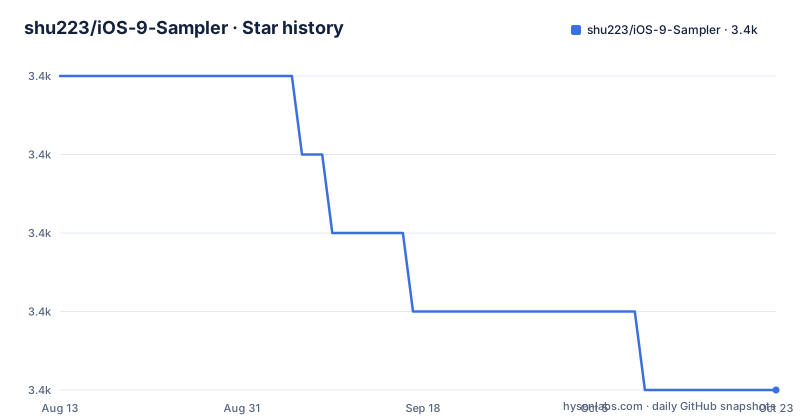
Star history
- shu223/iOS-9-Sampler3,396 ★ · -4
| Repository | 2026-08-13 | 2026-10-23 |
|---|---|---|
| shu223/iOS-9-Sampler | 3.4k | 3.4k |
-4 Stars in the last 71 days, measured from the daily GitHub snapshot. Compare with other projects
Editorial analysis
The entire build instruction is one sentence about Xcode 7
The How to build section is a heading and two words of instruction.
It says to build with a specific major version of the development tool, and adds emphasis rather than detail.
There is no scheme name, no target list, no note about which simulator to pick, and no mention of the unit test target or the user interface test target, all three of which are present in the repository layout.
There is also no dependency step. The repository has no package manifest and no dependency file at the root; it has a directory called libs, which is where a vendored dependency would live. So a fresh checkout builds, or does not, depending on whether that directory is populated.
None of this is unusual for a sample repository from a launch cycle. It matters because the sample is still the thing people find when they search for how one of those APIs was called, and the first instruction a reader meets is a version of the tool that current machines do not ship with.
Twenty-one examples, two of them written by someone else
The contents list has twenty-one headings, and they cover a wide slice of a single platform release.
Map customizations, including the flyover map type and the traffic, scale and compass overlays. Text detection through the new detector type. New image filters for still images. Audio unit component discovery, with audio unit extensions folded into the same list. New properties on speech synthesis voices. Spring animation. Stack views. The new photo collection and media subtypes for selfies and screenshots. String transliteration. New Core Image transitions. Search through user activities and the system search index. Content blocker extensions. An in-app browser. Extracting the new filters through an availability attribute. Detecting the low power mode setting. A gallery of new fonts. Contacts. Replay recording. Quick actions. Force touch. And Live Photos.
Two of the twenty-one carry a credit line naming a second contributor: the contacts sample and the replay recording sample.
That is worth noting as a fact about the repository rather than as a flaw. Two of the twenty-one are external contributions, credited in place, in a project with a single named author. It is also a reminder that the list is not a curated taxonomy: it is one developer's tour of a release, plus two things somebody else sent.
Two counts for the new filters, and one of them does not work
The contents list contains two different numbers about image filters, and a caveat attached to one of them.
The first filter section says that twenty-nine filters are supported in that example, and then adds a note: one named filter does not work correctly with the current code, and the note invites a pull request to fix it.
The second filter section says there are forty-one new filters, which is what it extracts using an availability attribute.
Both numbers can be true at once. The first is about what one demo drives; the second is about what the platform added. A reader who skims will read them as contradictory counts of the same thing.
The caveat is the more useful part, and it is buried in a note under a heading about something else. It names the specific filter, says plainly that it does not work with the code as written, and asks for help. That is a good way to record a known defect, and it is also the only statement in the file about the state of the code.
So the repository carries one honest bug report about itself, and it is the reason to read the notes rather than skim the headings.
Three notes, two of them saying the device has to support something
There are three notes in the file and they are not the same kind of note.
One is the broken filter discussed above. The other two are identical in substance and appear under the two pressure-and-force examples.
The quick actions example asks you to press the home screen icon deeply and then points at two places in the code: a configuration key in the property list, and a callback method on the application delegate.
application:performActionForShortcutItem:completionHandler:The force touch example reads the force and maximum possible force properties off a touch object and draws them.
Both close with the same sentence: the device has to support that hardware feature.
That constraint is unavoidable in 2015 and mostly unavoidable now, since neither pressure sensing nor deep-press shortcuts exist on current phones in the form those APIs describe. But the examples carry no runtime check and no alternative path, so they compile everywhere and demonstrate anything nowhere.
The quick actions one is milder, because the delegate callback is a normal API; what cannot be exercised is the gesture.
One example targets a point release, and the watchOS work lives elsewhere
The repository is named for a major release, and twenty of its twenty-one examples target that release.
The exception is the last one. The Live Photos example says the two classes it uses were added in a point release of the same major version, not in the release itself.
That is a small annotation and a useful one: it tells you the sample mixes two release trains and that the last entry was added later. It also means the file's own scope is slightly wider than its name.
Then the file widens further with a whole section for a different repository, the watchOS examples, which gets its own heading and a link.
That sibling project is linked three times in four lines: once as the link text, once as an empty anchor wrapping nothing, and once as a bare URL in a list, with a clearing break between them.
Three links to the same place in four lines is the residue of three edits made at different times. It also means the file ends its own contents on a project that is not this one, which is a slightly odd final impression for a repository someone is trying to understand.
The layout carries two content-blocker targets and a separate directory for README images
The repository listing explains a few things the contents list does not.
There is a directory whose name matches the content blocker example, and there is a second one that is the image-blocker version of the same idea. Content blockers are the extension point where a content-blocking application ships its rules, so both are build targets rather than ordinary sample code, which is why they sit at the top level instead of inside the sample directory.
There is also a directory for resources used only by the README, kept apart from the application's own resources directory. That is a deliberate choice about repository size and about not shipping documentation images in the app bundle, and it is the kind of housekeeping that usually goes unmentioned.
Then there is the vendored libraries directory, and three targets: the application, a unit test target and a user interface test target.
So the repository carries two extension targets, a test pair, a vendored dependency tree, and a documentation-only resource directory. The README describes twenty-one examples and none of this.
The credits section is longer than the build section
Read the end of the file and the proportions are striking.
The How to build section is two lines. The Author section gives a name, a one-line description of the author's work in Japan, an invitation to work from abroad, a payment link, and then five labelled groups of links: past work, professional profiles, blogs in two languages, and contacts on two platforms.
The Special Thanks section names the person who designed the icon, with a link to a social profile.
That is not a criticism of the author, who was clearly building in public and wanted the project findable. It is an observation about what the file optimises for.
This is a portfolio piece. The person it is for is a developer scanning a list of repositories looking for one that demonstrates they can ship something, and for that reader the author section does more work than the examples do.
For the reader who actually wants to know how to call an API from that release, the file gives one sentence of build instruction, no scheme, no dependency step, and three notes about what does not work.
Editorial conclusion
Use iOS-9-Sampler as a reference for the shape of those particular APIs rather than as a project to build today. Its value is that each example is small, isolated and points at the specific framework property or constant it demonstrates, which makes it a fast way to find the name of the thing you half-remember. Three things to know before you open it. What state the code is in: one filter example is documented as not working with the current code and invites a patch, and the last push to the default branch is dated 2024-05-01. Which tool you need, because the whole build instruction names a version of the development tool from the year the release shipped, and the file does not say which scheme or targets to run. And which features are actually in scope, because one of the twenty-one examples targets a point release rather than the release the repository is named after, and the watchOS examples live in a separate repository entirely.
Frequently asked questions
What is the iOS-9-Sampler?
It is a Swift sample project collecting code examples for the new features of one mobile platform release, MIT licensed, with the whole build instruction being that you build it with a specific major version of the development tool. Its contents list has twenty-one examples, two of which are credited to a second contributor, and the author is described as a freelance developer working in Japan.
Which features does iOS-9-Sampler demonstrate?
Twenty-one areas, including map customizations with flyover and the traffic, scale and compass overlays, text detection, new image filters, audio unit component discovery, speech synthesis voice properties, spring animation, stack views, the new selfie and screenshot photo subtypes, string transliteration, new Core Image transitions, search through user activities and the system index, content blocker extensions, an in-app browser, filter availability attributes, low power mode detection, new fonts, contacts, replay recording, quick actions, force touch and Live Photos.
Does everything in iOS-9-Sampler work?
One example is documented as not working: the image filter sample says twenty-nine filters are supported there, that one named filter does not work correctly with the current code, and invites a pull request to fix it. A separate section extracts the newly added filters and states there are forty-one of them, which is a different count from the twenty-nine in the first example. The last push to the default branch is dated 2024-05-01.
Do the iOS-9-Sampler examples need special hardware?
Two of them do, and both say so in a note. The quick actions example asks you to press the home screen icon deeply and points at a property-list key and an application delegate method, and the force touch example reads force values off touches. Both close with a note that the device has to support that hardware feature, so they compile anywhere and demonstrate little on current hardware.
Does iOS-9-Sampler cover later point releases and other platforms?
One of the twenty-one examples does: the Live Photos sample states that the two classes it uses were added in a point release of the same major version rather than in the release the repository is named for. Examples for the companion watchOS release live in a separate repository, which the README links three times in four lines.
How do I build the iOS-9-Sampler project?
The README gives one instruction: build it with the development tool version it names. It does not name a scheme or list targets, and the repository has no dependency manifest at the root, instead carrying a vendored libraries directory. The listing also shows an application target, a unit test target, a user interface test target, two content blocker extension targets and a separate directory of resources used only by the README.
Official sources
Add this badge to your README
If you maintain this project, the badge below links readers to this analysis and shows its maintenance status from the daily GitHub snapshot. Paste the markdown into your README; add ?metric=license or ?metric=stars to the image URL for a different field.

[](https://hysenlabs.com/projects/shu223-ios-9-sampler)Star history chart for your README
[](https://hysenlabs.com/projects/shu223-ios-9-sampler)Was this useful?