del for glob-based file and directory cleanup
Delete files and directories
At a glance
- What is it?
- del is a JavaScript package for deleting files and directories through glob patterns, with Promise and synchronous APIs. It is built for Node.js cleanup scripts, but its glob semantics and recursive exclusion behavior require careful pattern design.
- Who is it for?
- Adopt del for Node.js projects that need selective cleanup with glob patterns, especially when the same deletion logic is needed in async scripts or synchronous build steps. Do not choose it when a plain fixed path is enough, when recursive scans are undesirable, or when filenames contain unescaped glob characters.
- Can I use it commercially?
- Yes. MIT is a permissive licence: you can use, modify and sell software built on it, as long as you keep its copyright and licence notices.
- Is it still maintained?
- Yes. The repository last received commits 30 days ago.
- What is it written in?
- Mainly JavaScript, according to GitHub's language statistics.
Answers come from the project's GitHub data, last synced on November 6, 2026, and from our analysis. They are not legal advice.
Star history
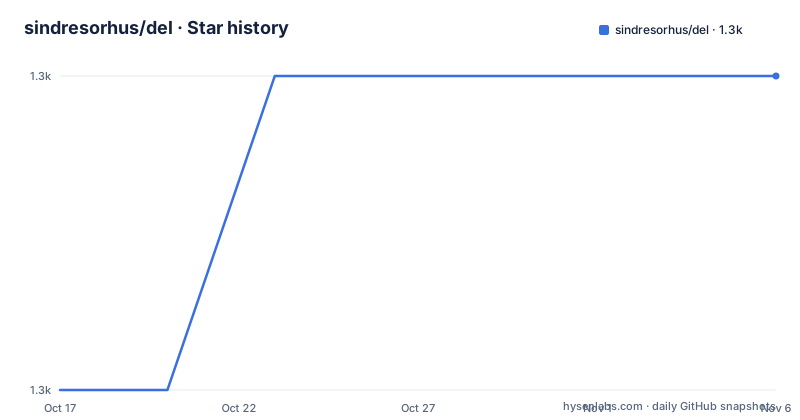
- sindresorhus/del1,345 ★ · +1
| Repository | 2026-10-17 | 2026-11-06 |
|---|---|---|
| sindresorhus/del | 1.3k | 1.3k |
1 Stars in the last 20 days, measured from the daily GitHub snapshot. Compare with other projects
Editorial analysis
Why del exists for Node.js cleanup scripts
del solves the problem of removing several files or directory trees without spelling out every path in JavaScript. It accepts glob patterns, so a cleanup script can target temporary JavaScript modules, generated directories, or an entire tree while preserving selected paths with negated patterns. The intended users are Node.js developers working in build tooling, project automation, and application maintenance scripts.
The package is not a general-purpose file browser or a replacement for every deletion mechanism. It is focused on selecting filesystem paths and deleting the selected entries. Its default safety restriction protects the current working directory and paths outside it. That restriction can be disabled with the `force` option, but doing so changes the safety boundary and should be treated as an explicit design decision.
Compared with `rimraf`, which del names as a similar tool, del documents a Promise API and support for multiple files and globbing. Its `package.json` declares `"type": "module"`, so examples use ES module imports rather than CommonJS `require` syntax. The package requires Node.js `>=22`, which narrows adoption for projects still running older Node.js releases.
How del selects paths with positive and negated globs
The package exposes `deleteAsync(patterns, options?)` and `deleteSync(patterns, options?)`. Both accept a string or an array of strings containing glob patterns. The asynchronous form returns `Promise<string[]>` containing deleted paths. The synchronous form returns the same path information as a `string[]`.
Pattern matching is based on the globbing behavior documented through `globby` and `fast-glob`. Positive patterns select paths, while negated patterns exclude paths from the result. A pattern containing only negations matches nothing unless `expandNegationOnlyPatterns: true` is supplied. This default matters when writing a cleanup rule. A rule such as `['**', '!keep.js']` starts with a broad positive match and leaves out the named path. A pattern made only from `!keep.js` does not define a broad deletion target.
Directory deletion is recursive. If a directory is selected, its contents are deleted unless an exclusion preserves something inside it. Preserving an excluded file also preserves the directories needed to contain that file. The returned path list identifies the paths that were deleted, while preserved files remain in place.
The package also applies a `fs.rm` based deletion process. The README states that when one deletion fails, no new `fs.rm` calls are started. The Promise rejects with the first error after already-started calls settle, but Node.js may continue deleting children of a directory after a recursive `fs.rm` call rejects. An error therefore does not necessarily mean that the filesystem is unchanged.
Install del and preview the first deletion
Install the package with npm. The `package.json` declares Node.js `>=22` as the supported runtime.
npm install delAfter installation, the documented way to inspect a deletion before running it is the `dryRun` option. This example prints the files that would be deleted without removing them.
import {deleteAsync} from 'del';

const deletedPaths = await deleteAsync(['temp/*.js'], {dryRun: true});

console.log('Files and directories that would be deleted:\n', deletedPaths.join('\n'));
The expected result is a list of matching paths from `temp/*.js`. A dry run is the first useful check for a cleanup rule, especially when the pattern includes exclusions or directory paths.
Run a selective async deletion from the README
The README's basic example uses an array of positive and negated patterns, then reports deleted paths. The first pattern removes JavaScript files in `temp` except `temp/unicorn.js`. The second call removes the `temp` and `public` directories.
import {deleteAsync} from 'del';

const deletedFilePaths = await deleteAsync(['temp/*.js', '!temp/unicorn.js']);
const deletedDirectoryPaths = await deleteAsync(['temp', 'public']);

console.log('Deleted files:\n', deletedFilePaths.join('\n'));
console.log('\n\n');
console.log('Deleted directories:\n', deletedDirectoryPaths.join('\n'));
The returned arrays provide separate records for the two deletion calls. This example also shows why the order of patterns matters. A later positive pattern can bring back a directory and its contents after an earlier pattern has been evaluated.
For a first real use, prefer `dryRun` with the exact patterns that the script will use. If the output includes more than intended, adjust the positive target or the negation rather than assuming that directory deletion stops at the first excluded entry.
The trailing globstar trap in directory cleanup
A trailing `**` matches everything inside a directory, but not the directory itself. This detail changes the result of common cleanup patterns. The following pattern keeps `goat.png` and removes the other contents of `public/assets`, but leaves the `public/assets` directory in place.
deleteSync(['public/assets/**', '!public/assets/goat.png']);The README explains that an excluded path also keeps the directories that hold it. Consequently, a nested exclusion can leave an intermediate directory in place. The directory is retained when it still contains the preserved file, regardless of whether the pattern reaches inside the directory or names the directory directly.
This behavior means a rule can appear to delete a directory while returning only its contents. If the directory itself must be removed, no preserved descendant can remain under that path. A script should inspect the dry-run output rather than infer the final filesystem shape from the pattern alone.
Exclusions can cause repeated recursive scans
del has a performance-relevant behavior that is easy to miss. For each group of positive patterns, it scans matched directories twice to identify paths left out, once with the exclusions and once without them. The README says these scans always recurse and include dot files, regardless of `deep`, `dot`, or `globstar`.
That means an exclusion can cause traversal of directories such as a large `node_modules`, even when ordinary glob options would otherwise limit matching. The scans run only when there is an exclusion, but the condition is broad. Adding several negated patterns can also add work by making the rule more complicated to evaluate.
This behavior makes del less suitable for a large tree when the deletion rule only needs to remove a small, fixed set of paths. Direct filesystem removal may be easier to reason about in that case. del is more useful when the target is genuinely pattern-based and the extra selection logic is worth the scan cost.
Dot files, ignore files, and filesystem boundaries
By default, patterns do not match files or folders whose names begin with a period. The `dot` option changes that behavior and is passed to `fast-glob`. An explicit dot in part of a pattern still matches dot files. The README demonstrates the difference by comparing `dot: false` and `dot: true` with `dryRun`.
The `gitignore` option reads ignore rules from `.gitignore` files, but it does not protect `.git` itself. The documented example shows that a broad pattern with `{gitignore: true, dot: true}` can still match repository metadata. If `.git` must remain, the README says to add `'**/.git'` to `ignore`.
Ignore files are read from `cwd` and, when `cwd` is inside a Git repository, from the repository root down to `cwd`. An ignore file above `cwd` can therefore preserve a path inside the working directory even when a local deletion rule seems to select it. This is a concrete boundary for scripts that expect only project-local ignore behavior.
del compared with rimraf and fixed-path removal
The closest documented alternative is `rimraf`. del presents itself as similar to rimraf, but adds a Promise API and support for multiple files and globbing. That difference matters when a build process already operates on patterns or needs to preserve selected entries. rimraf is the relevant comparison for simple recursive removal, while del is more expressive when the deletion target depends on path selection.
A second alternative is calling Node.js filesystem removal directly for explicit paths. That approach avoids glob interpretation and exclusion scans, which makes it a better fit when the script knows exactly what should be removed. del is more convenient when the target is generated output, a family of temporary files, or a directory tree with exceptions.
Neither approach should be selected without checking error handling and filesystem permissions. del documents rejection after started deletions settle, while fixed-path code can define its own ordering and recovery behavior. del also has glob-specific hazards. Filenames containing parentheses or square brackets can match nothing unless the metacharacters are escaped, and filenames containing braces or other metacharacters can match more paths than intended.
Maintenance, licensing, and upgrade considerations
The repository is not archived. Its last push was on 2026-10-08, and the listed release `v9.0.1` was published on 2026-10-08. Those facts indicate recent repository activity, but the README does not provide a broader maintenance policy or compatibility matrix beyond the declared Node.js requirement.
The package is licensed under MIT. The repository includes `license`, and `package.json` declares the same identifier. The MIT label permits use under its terms, but license obligations and suitability for a particular distribution still need to be checked against the actual license file rather than inferred from the package metadata alone.
The package metadata declares `"sideEffects": false` and exports `index.js` and `index.d.ts`. Its `engines.node` value is `>=22`, so upgrading Node.js is part of adoption planning. The repository also lists `test` and `bench` scripts, but the README does not include their output, so no performance or test result can be inferred from those script names.
Editorial conclusion
Adopt del for Node.js projects that need selective cleanup with glob patterns, especially when the same deletion logic is needed in async scripts or synchronous build steps. Do not choose it when a plain fixed path is enough, when recursive scans are undesirable, or when filenames contain unescaped glob characters. Verify first that Node.js is at least version 22, the exclusion behavior matches the intended directories, and `dryRun` reports only the paths your cleanup should affect.
Frequently asked questions
How do I install del?
Install it with `npm install del`. The package requires Node.js `>=22` according to `package.json`.
How does del handle excluded files?
Negated patterns and supported ignore options leave selected paths out of deletion. If an excluded file remains inside a selected directory, the directories needed to contain that file are preserved too.
Can I preview what del will delete?
Yes. Pass `{dryRun: true}` to `deleteAsync` or `deleteSync`. The call returns the paths that would be deleted without performing the deletion.
Does deleting `public/assets/**` delete the `public/assets` directory?
No. A trailing `**` matches everything inside a directory, but not the directory itself. The README explains that the directory can remain behind when it still contains a preserved file.
Why should I use del instead of rimraf?
The README describes del as similar to rimraf but says it provides a Promise API and support for multiple files and globbing. Fixed-path filesystem removal may be simpler when no pattern matching is needed.
Official sources
Add this badge to your README
If you maintain this project, the badge below links readers to this analysis and shows its maintenance status from the daily GitHub snapshot. Paste the markdown into your README; add ?metric=license or ?metric=stars to the image URL for a different field.

[](https://hysenlabs.com/projects/sindresorhus-del)Star history chart for your README
[](https://hysenlabs.com/projects/sindresorhus-del)Was this useful?