DawnTransition for iOS swipe-back and custom transitions
DawnTransition is a lightweight iOS transition framework for smooth, customizable animations and native-like interactive swipe-back gestures. It solves common gesture conflicts in custom transitions and is proven in real projects.
At a glance
- What is it?
- DawnTransition is a Swift framework for customizable iOS view controller transitions and interactive swipe-back gestures. It suits iOS 13+ projects that need a focused dismissal-gesture component rather than a full UI animation platform.
- Who is it for?
- DawnTransition fits iOS developers who need a custom dismissal transition and an interactive swipe-back gesture. It does not fit projects below iOS 13 or teams seeking a fully documented animation platform with published release history.
- Can I use it commercially?
- Yes. MIT is a permissive licence: you can use, modify and sell software built on it, as long as you keep its copyright and licence notices.
- Is it still maintained?
- Yes. The repository last received commits 157 days ago.
- What is it written in?
- Mainly Swift, according to GitHub's language statistics.
Answers come from the project's GitHub data, last synced on November 7, 2026, and from our analysis. They are not legal advice.
Star history
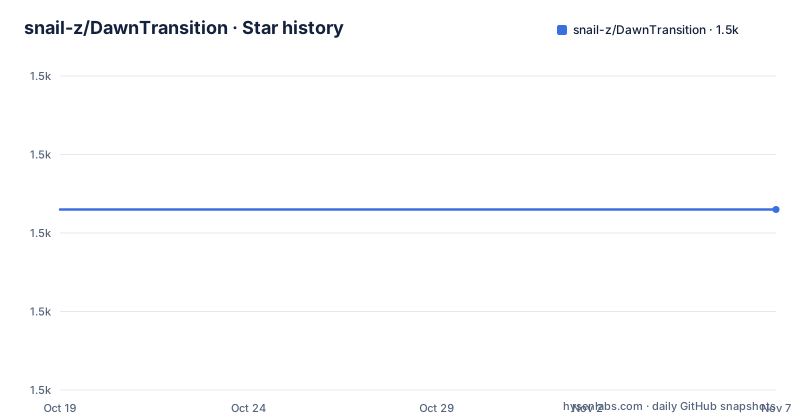
- snail-z/DawnTransition1,503 ★ · +0
| Repository | 2026-10-19 | 2026-11-07 |
|---|---|---|
| snail-z/DawnTransition | 1.5k | 1.5k |
0 Stars in the last 19 days, measured from the daily GitHub snapshot. Compare with other projects
Editorial analysis
DawnTransition's iOS gesture problem
DawnTransition addresses a specific UIKit problem: adding a swipe-back interaction to a custom view controller transition without leaving the gesture disconnected from the transition that it triggers. The README describes it as a lightweight iOS transition framework for customizable animations and native-like interactive swipe-back gestures. That description places it between ordinary animation helpers and complete navigation frameworks.
The likely users are Swift developers who already control view controller presentation and dismissal. A team might need this package after introducing a custom transition that no longer responds correctly to the standard back interaction. DawnTransition provides a pan recognizer associated with a transition driver, rather than asking the application to rebuild that connection from scratch.
Its scope remains limited. The README does not document general-purpose view animation APIs, accessibility behavior, SwiftUI support, or a complete navigation abstraction. It should therefore be evaluated as a focused transition component. It is most relevant when the key requirement is an interactive dismissal gesture, not when the application needs a new design system or a replacement for every UIKit navigation feature.
How DawnTransition connects dismissal to a pan
The README creates a `DawnPanGestureRecognizer` using three visible components: a driver, a transition type, and a closure. In the example, the driver is `self`, the type is `.dismiss`, and the closure invokes `dismiss(animated: true)`. This API shape indicates that gesture recognition and the dismissal operation are joined when the recognizer is constructed.
The recognizer is then added through the `view.dawn` namespace. Two properties provide direct control over interaction scope. `isRecognizeWhenEdges` determines whether the recognizer is limited to edge behavior, while `recognizeDirection` restricts the accepted horizontal direction. The example accepts a left-to-right gesture without restricting recognition to screen edges.
That distinction matters in real screens. An edge-restricted gesture can avoid conflicts with horizontally scrollable content, but it requires the user to start near the display edge. Allowing recognition away from the edge can make back navigation easier to discover, but it also increases the possibility of conflict with other pan gestures. DawnTransition exposes both choices, yet the README does not describe gesture priority, failure relationships, or cancellation behavior. The integration therefore needs validation against the actual controls inside the target view.
Installing DawnTransition through CocoaPods
The README lists CocoaPods as the first installation route. Add the package name to the project's `Podfile`, then run the dependency installation command. The displayed line is the only Podfile entry needed for the basic integration.
pod 'DawnTransition'Run the following command from the directory containing the Podfile:
pod installThe README says that this command integrates DawnTransition into the project. It does not document a separate setup sequence for the framework itself. The repository also contains `Example/PodDemo/`, which is the relevant example directory for checking how CocoaPods integration is represented.
Developers should verify that their own project targets iOS 13.0 or later and uses Swift 5.0 or later. These are the only platform requirements stated in the README. The documentation does not give troubleshooting steps for dependency resolution, signing, or opening the CocoaPods demo, so failures in those areas cannot be diagnosed from the project documentation alone.
Installing DawnTransition through Swift Package Manager
Swift Package Manager is the second documented installation path. In Xcode, the README directs users to `File > Swift Packages > Add Package Dependency`, add the repository URL, and select `Up to Next Major` with version `1.1.0`.
For a manifest-based setup, add the package URL to the dependencies array and list `DawnTransition` as a target dependency:
// swift-tools-version:5.0
import PackageDescription

let package = Package(
    name: "YOUR_PROJECT_NAME",
    dependencies: [
        .package(url: "https://github.com/snail-z/DawnTransition.git", from: "1.1.0")
    ],
    targets: [
        .target(
            name: "YOUR_TARGET_NAME",
            dependencies: ["DawnTransition"]
        )
    ]
)
After adding the dependency, the README instructs users to run:
swift buildThat command fetches and integrates the package according to the README. The repository includes `Example/PackageDemo/`, which provides the location for checking package-oriented usage. The README does not document a separate build command for opening the iOS example, so the command shown above should not be treated as a complete tutorial for launching an Xcode demo application.
Adding DawnTransition's first dismiss gesture
The documented first use begins with a `DawnPanGestureRecognizer`. The closure captures `self` weakly and returns if the captured value no longer exists. It otherwise calls the view controller's `dismiss(animated: true)` method.
let pan = DawnPanGestureRecognizer(driver: self, type: .dismiss) { [weak self] in
    guard let `self` = self else { return }
    self.dismiss(animated: true)
}
The next part configures interaction behavior and registers the recognizer on the view's `dawn` extension:
pan.isRecognizeWhenEdges = false
pan.recognizeDirection = .leftToRight
view.dawn.addPanGestureRecognizer(pan)
This example establishes a left-to-right dismissal path that is not restricted to display edges. A developer using a different navigation direction would need evidence from the repository that changing `recognizeDirection` is sufficient. The README does not explain whether the gesture continuously updates the dismissal animation, whether the closure runs after gesture completion, or how an incomplete gesture is cancelled.
The snippet should therefore be evaluated in its intended example context rather than copied into an unrelated screen without checking gesture competition. The repository has example and sample directories, but their public contents and required setup steps are not described in the README.
DawnTransition limitations and failure cases
The first clear limitation is platform scope. The README requires iOS 13.0+ and Swift 5.0+. It does not support claims for earlier systems, and the package manifest uses `// swift-tools-version:5.0`. An application with an older deployment target cannot treat DawnTransition as compatible based on the published instructions.
The second limitation concerns lifecycle behavior. The README demonstrates dismissal but does not document the timing of the closure, interactive progress updates, interruption handling, repeated gestures, or cancellation after partial movement. A transition can look correct on a straight completed swipe yet behave poorly when the user changes direction or receives an interruption. Those cases require direct testing in the example application.
Documentation is also thin around customization. Although the project is described as customizable, the README does not provide a named API for animation duration, easing, keyframes, hero elements, or per-controller transition configuration. Repository topics mention categories such as `hero` and `interactive-transition`, but topics do not establish which public classes or methods implement them.
DawnTransition can also be the wrong tool when standard UIKit navigation already meets the application's needs. Adding a custom transition package creates another dependency and an additional gesture surface for a behavior that the platform may already support. The repository offers no documentation comparing its behavior with `UINavigationController`, so the decision should be based on an actual custom-transition requirement rather than a general desire for animations.
DawnTransition versus built-in and custom UIKit paths
The main alternative is to retain UIKit's standard navigation transition and its interactive back behavior. For a conventional navigation hierarchy, this avoids adding a third-party package and does not require a `DawnPanGestureRecognizer` integration. The trade-off is that built-in navigation may not fit a screen that already uses a separate custom transition mechanism.
Another option is to implement a `UIPanGestureRecognizer` and the interactive transition directly inside the application. That approach gives the team direct control over gesture state, animation progress, cancellation, and coexistence with other recognizers. It also increases application-owned code and makes each screen responsible for the interaction.
DawnTransition's difference is its prepared connection between a pan recognizer, a transition driver, and a `.dismiss` operation. Its configuration for edge recognition and horizontal direction reduces the amount of visible setup in the documented example. However, the README does not quantify the code saved or document behavior across common interactive controls. A team should compare this narrow integration convenience against the control it would lose by relying on undocumented transition and cancellation details.
DawnTransition maintenance, licensing, and upgrades
The repository is not archived. Its last push was on 2026-06-04, which is within six months of 2026-10-17, but that fact does not by itself establish ongoing compatibility with new Swift or Xcode releases. The project has no GitHub releases, so there is no repository release history for evaluating upgrade notes or patch changes.
The README identifies `1.1.0` as the version associated with the Swift Package Manager example. Dependency resolution is shown with `from: "1.1.0"`, and the Xcode instructions say to select `Up to Next Major`. The project also publishes a CocoaPods specification through `DawnTransition.podspec`. These files are more relevant to upgrade planning than the lack of GitHub release entries.
DawnTransition is licensed under the MIT license. The README points readers to the `LICENSE` file for its terms. That designation indicates an open-source license, but organizations should read the actual file before redistribution or compliance review. The repository also includes `PrivacyInfo.xcprivacy`, but the README does not explain its contents, so no specific privacy-manifest behavior should be inferred from the filename alone.
Editorial conclusion
DawnTransition fits iOS developers who need a custom dismissal transition and an interactive swipe-back gesture. It does not fit projects below iOS 13 or teams seeking a fully documented animation platform with published release history. Before adoption, inspect `Example/PodDemo/` and `Example/PackageDemo/`, then verify the exact interaction required by the affected view controller and review `LICENSE`. Since the repository has no GitHub releases, version planning must use `Package.swift`, the CocoaPods podspec, and repository history rather than release notes.
Frequently asked questions
How do I install DawnTransition in an iOS project?
The README documents CocoaPods installation through the `pod 'DawnTransition'` Podfile entry and Swift Package Manager installation through `https://github.com/snail-z/DawnTransition.git`. It says to run `pod install` for CocoaPods or `swift build` after adding the package dependency.
What are the system requirements for DawnTransition?
The README lists iOS 13.0+ and Swift 5.0+ as requirements. It does not document support for earlier iOS versions.
How do I add a swipe-back gesture with DawnTransition?
Create a `DawnPanGestureRecognizer` with `type: .dismiss`, configure `isRecognizeWhenEdges` and `recognizeDirection`, and add it through `view.dawn.addPanGestureRecognizer(pan)`. The documented closure calls `dismiss(animated: true)`.
Does DawnTransition support SwiftUI?
The README does not document SwiftUI support. It describes an iOS 13+ Swift framework and demonstrates integration through UIKit-style view controller dismissal, so SwiftUI compatibility cannot be confirmed.
Does DawnTransition have published GitHub releases?
No GitHub releases are listed for the repository. The Swift Package Manager example refers to version `1.1.0`, but the README does not provide release notes for upgrade comparison.
Official sources
Add this badge to your README
If you maintain this project, the badge below links readers to this analysis and shows its maintenance status from the daily GitHub snapshot. Paste the markdown into your README; add ?metric=license or ?metric=stars to the image URL for a different field.

[](https://hysenlabs.com/projects/snail-z-dawntransition)Star history chart for your README
[](https://hysenlabs.com/projects/snail-z-dawntransition)Was this useful?