SockJS-node puts seven fallback transports behind one URL prefix
WebSocket emulation - Node.js server
At a glance
- What is it?
- SockJS-node serves seven transport shapes behind a single URL prefix so page code keeps a WebSocket-like object even when the browser cannot take the upgrade. It is a narrow compatibility layer with a two-package dependency list, an options section that contradicts itself, and a version file that runs ahead of the newest tag.
- Who is it for?
- Adopt SockJS-node when you must keep one client API alive across clients that cannot open a WebSocket, and can live with fallback framing on the connections that can. Do not adopt it as a general WebSocket server, since two of its seven transports are real WebSockets and the rest cost extra requests.
- Can I use it commercially?
- Yes. MIT is a permissive licence: you can use, modify and sell software built on it, as long as you keep its copyright and licence notices.
- Is it still maintained?
- Yes. The repository last received commits 20 days ago.
- What is it written in?
- Mainly JavaScript, according to GitHub's language statistics.
Answers come from the project's GitHub data, last synced on November 7, 2026, and from our analysis. They are not legal advice.
Star history
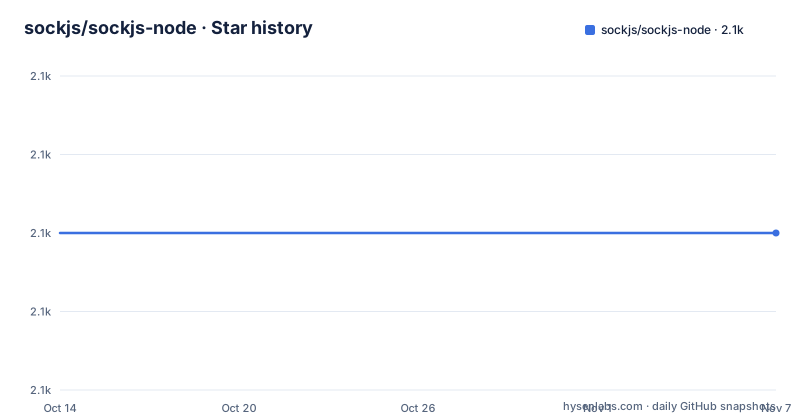
- sockjs/sockjs-node2,100 ★ · +0
| Repository | 2026-10-14 | 2026-11-07 |
|---|---|---|
| sockjs/sockjs-node | 2.1k | 2.1k |
0 Stars in the last 24 days, measured from the daily GitHub snapshot. Compare with other projects
Editorial analysis
Seven transports behind one URL prefix on a plain http.Server
The npm package is `sockjs`, the Node.js half of a browser library that hands page code an object shaped like a WebSocket. You build one with `sockjs.createServer(options)`, hand it an existing `http.createServer` instance through `attach`, and from that moment every request whose path begins with the configured prefix belongs to SockJS. Requests outside it pass through to handlers registered earlier, so a single HTTP server carries both the socket endpoint and the rest of your site.
Behind that prefix sit seven transports you can select: `eventsource`, `htmlfile`, `jsonp-polling`, `websocket`, `websocket-raw`, `xhr-polling`, `xhr-streaming`. Two of them are the browser WebSocket protocol. The other five are HTTP request and response shapes standing in for a duplex socket, which is the entire point of the project and also its cost: on a network where the upgrade succeeds, those five carry overhead that a plain WebSocket server would not. SockJS-node earns its place in deployments where a slice of clients cannot reach the upgrade path, and it fits badly where every client can and you are paying for the abstraction anyway.
The iframe trick makes sockjs_url required and defaulted at once
`sockjs_url` exists because of `eventsource`. That transport cannot cross a domain boundary on its own, so the server serves a small page from its own origin, drops it into an invisible iframe on the client side, and lets code inside that frame talk same-origin while the parent page stays put. The frame still has to load the browser client library, and `sockjs_url` names where from.
The option carries three claims that do not agree. It is marked `(string, required)`. An unsure reader is then pointed at the minified client build and told that it is the default. The next paragraph insists you must set it explicitly, because the SockJS domain must never be made to run foreign javascript. Treat that last statement as the operative one. This is a scripting boundary on your own origin, and the default offered is `https://cdn.jsdelivr.net/npm/sockjs-client@1/dist/sockjs.min.js`, a major-version path on a third-party CDN rather than a pinned file. Pin something you control before this iframe reaches production.
response_limit closes a stream after 128K of payload
Most streaming transports hold delivered messages in client memory and do not free them until the request ends, so a connection that lives for hours accumulates whatever it delivered. `response_limit` bounds that. It sets the minimum number of bytes a single HTTP streaming request may send before the server closes it, after which the client opens a fresh request and clears what it buffered. The default is 128K.
Set the value to one and streaming stops being streaming: the option text is explicit that the streaming transports then behave like polling transports, which trades more requests and more per-request overhead for memory the client actually hands back. A load balancer with a duration cap or a body cap enters the same picture, because that cap is the identical constraint seen from the other side. Long sessions plus impatient proxies is exactly the combination where this option matters more than the transport list.
Sticky sessions and a logger set to nothing
Some hosting providers turn on sticky sessions only for requests carrying a JSESSIONID cookie. A client without that cookie gets routed to a different node mid-session and loses its transport, so `jsessionid` controls whether the server sets the cookie to a dummy value. It is disabled by default, and supplying a function gives finer control than the boolean. The option name is the lowercased cookie name, a small hint that this exists for Java servlet hosting rather than for load balancing in general.
Logging takes the opposite default. The log option is a `function(severity, message)` and is set to nothing out of the box, so a fresh install stays quiet while it negotiates transports and drops connections you would like to watch. Three severities exist: `debug` for miscellaneous logs, `info` for request logs, and `error` for serious errors, where filing an issue at the tracker named in package.json is the documented response. Wiring a console handler costs one line and pays off the first time a deployment misbehaves.
Installing the package and running the echo server
The repository is sockjs-node, but the name you install is `sockjs`:
npm install sockjsThe echo example below is the shortest complete server in the tree. Running it needs Node 18. It creates one SockJS server on the `/echo` prefix, attaches it to an empty `http.createServer`, and listens on port 9999 across all interfaces.
const http = require('http');
const sockjs = require('sockjs');

const echo = sockjs.createServer({ prefix:'/echo' });
echo.on('connection', function(conn) {
  conn.on('data', function(message) {
    conn.write(message);
  });
  conn.on('close', function() {});
});

const server = http.createServer();
echo.attach(server);
server.listen(9999, '0.0.0.0');
Every message that arrives on a connection goes straight back out on that same connection, and the close handler is empty in the example. The port is hard-coded, so change it before binding on a shared machine. What you install weighs little:
  "dependencies": {
    "debug": "^4.3.1",
    "faye-websocket": "^0.11.3"
  },
Two runtime packages and nothing else: `debug` carries the `log` output, `faye-websocket` handles WebSocket traffic, and no dependency on the ws package appears anywhere in the manifest. The tree also carries examples/express/, examples/hapi/, examples/koa/, examples/multiplex/ and examples/haproxy.cfg, none of which the README text walks through.
The version file runs ahead of the newest tag
package.json carries version `0.4.0-rc.1`. The newest tag on the repository is `0.3.24`, dated 2021-12-03, and the README banner sends readers to the v0.3.19 tree for the newest stable code. Three version numbers, none of them agreeing, and the install command pulls whatever npm currently serves under `sockjs`. Pin that dependency on purpose and read the tag list before you choose one.
Publishing is wired straight into git through the npm lifecycle, so a tag is a side effect of a local version bump rather than a deliberate step:
    "postversion": "npm publish",
    "postpublish": "git push origin --all && git push origin --tags"
One detail in that chain bites. The `version` script stages `git add CHANGELOG.MD` with an uppercase extension while the top level of the repository lists `CHANGELOG.md`, and those two spellings agree only on a case-insensitive filesystem. The numbers that matter for an upgrade are small: engines demand `>=18.0.0`, the manifest lists two runtime dependencies, and the dev toolchain is eslint 10.3.0 with prettier 3.8.3 and globals 17.6.0, wired to `lib`, `examples` and `tests`. The package ships under the MIT licence, and the default branch was last updated on 2026-09-06.
The same browser library runs on other server runtimes
The SockJS family already ships server implementations for Erlang, for Python on Tornado and for Java on vert.x, with more ports listed as work in progress. The alternative to this package is therefore not a different protocol but a different language on the server. Keep the browser library untouched and move the socket endpoint into a Tornado or vert.x process when that is where the rest of your application already runs, and page code does not change.
The other alternative is dropping the abstraction. When every browser reaching your deployment can open a WebSocket, the five HTTP fallback transports buy nothing and cost extra requests, and a plain WebSocket server is the smaller thing to operate. SockJS-node earns its keep only when part of your client base cannot take the upgrade. Note what cannot be settled from these files: there are no throughput numbers, no latency comparison and no guidance on running fallback and WebSocket transports side by side, so choose on deployment facts you can observe rather than on performance claims.
Where the options list stops and answers run out
The options list ends at `heartbeat_delay (milliseconds)`, and its explanation breaks off mid-clause, after a sentence about stopping proxies and load balancers from closing long-running requests and pretending the connection is active. Nothing in the file gives the interval, and nothing states what closes a connection that has gone silent for too long. Sizing proxy idle timeouts means reading `lib/`, not the documentation.
Other gaps are quieter. The transport list names what you can select but never says which transports are active when you pass no `transports` option at all. The prefix is typed as a string regex rather than a plain string, so metacharacters in a prefix decide which requests it claims. The options given here also say nothing about authentication, cookies or rate limiting, so those controls belong in your own code in front of the prefix handler.
Editorial conclusion
Adopt SockJS-node when you must keep one client API alive across clients that cannot open a WebSocket, and can live with fallback framing on the connections that can. Do not adopt it as a general WebSocket server, since two of its seven transports are real WebSockets and the rest cost extra requests. Before shipping, read lib/ for the heartbeat_delay default the README never states, pin sockjs_url to a URL you control, and decide whether the 0.4.0-rc.1 version string is what you actually want to run.
Frequently asked questions
Which package name do I install for SockJS-node?
The repository is sockjs-node but the npm package is sockjs, installed with npm install sockjs. The manifest in the repository names it sockjs and sets version 0.4.0-rc.1.
What Node.js version does SockJS-node require?
The engines field in package.json requires node >=18.0.0. The same manifest lists only two runtime dependencies, debug at 4.3.1 and faye-websocket at 0.11.3.
Which transports are enabled in SockJS-node by default?
The options list gives the selectable transports: eventsource, htmlfile, jsonp-polling, websocket, websocket-raw, xhr-polling and xhr-streaming. It does not state which of them are active when no transports option is given.
How does SockJS-node handle sticky sessions on a load balancer?
The jsessionid option controls whether the server sets the JSESSIONID cookie to a dummy value, which matters on hosting that enables sticky sessions only for requests carrying that cookie. It is disabled by default and a function can be supplied for finer behaviour.
Why does my SockJS-node server print nothing?
The log option is set to nothing by default, so no messages appear until you supply a handler. When you do, the severities in use are debug for miscellaneous logs, info for request logs and error for serious errors.
Official sources
Add this badge to your README
If you maintain this project, the badge below links readers to this analysis and shows its maintenance status from the daily GitHub snapshot. Paste the markdown into your README; add ?metric=license or ?metric=stars to the image URL for a different field.

[](https://hysenlabs.com/projects/sockjs-sockjs-node)Star history chart for your README
[](https://hysenlabs.com/projects/sockjs-sockjs-node)Was this useful?