workflow-kotlin, state machines for Kotlin and Swift applications
A Swift and Kotlin library for making composable state machines, and UIs driven by those state machines.
At a glance
- What is it?
- Workflow is Square's application framework for Kotlin and Swift, built on unidirectional data flow with immutable state inside each workflow and business logic written as state machines. The Kotlin side ships as several Maven artifacts, from the core library to a runtime, an RxJava2 bridge, Android UI bindings and a testing framework, and the same model exists in a separate Swift repository.
- Who is it for?
- Workflow fits a team building a mobile application with real navigation and state complexity, where the usual complaint is that UI code has become a tangle of flags and callbacks, and it fits a team that wants the same architecture on Android and iOS.
- Can I use it commercially?
- Yes. Apache-2.0 is a permissive licence: you can use, modify and sell software built on it, as long as you keep its copyright and licence notices.
- Is it still maintained?
- Yes. The repository last received commits 2 days ago.
- What is it written in?
- Mainly Kotlin, according to GitHub's language statistics.
Answers come from the project's GitHub data, last synced on November 7, 2026, and from our analysis. They are not legal advice.
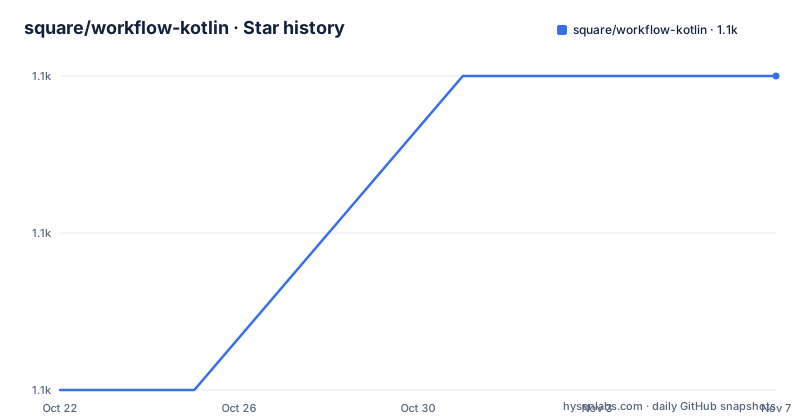
Star history
- square/workflow-kotlin1,124 ★ · +2
| Repository | 2026-10-22 | 2026-11-07 |
|---|---|---|
| square/workflow-kotlin | 1.1k | 1.1k |
2 Stars in the last 16 days, measured from the daily GitHub snapshot. Compare with other projects
Editorial analysis
Business logic as a state machine
Workflow is described as an application framework that provides architectural primitives, and the six bullet points in the README say what those primitives are. It is written in and used for Kotlin and Swift, with the Swift implementation in a separate repository. It is a unidirectional data flow library that uses immutable data within each workflow, with data flowing in a single direction from source to UI and events in a single direction from the UI to the business logic. It supports writing business logic and complex UI navigation logic as state machines, which the README says enables confident reasoning about state and validation of correctness. It is optimised for composability and the scalability of features and screens. There are corresponding UI frameworks that bind rendering data classes for views, including event callbacks, to the mobile UI frameworks on Android and iOS, and a corresponding testing framework for unit tests over application business logic.
Four artifacts cover most applications
The Maven table in the README is the practical part of the documentation, because it tells you which pieces of the framework your project needs. The artifacts are hosted on Maven Central, and a Gradle project needs mavenCentral() in its repositories block. The core artifact, com.squareup.workflow1:workflow-core-jvm, is for a library module or project that uses workflows without needing to interact with the runtime from the outside. The RxJava2 artifact, workflow-rx2, is for when you need to interact with RxJava2 from your workflows. The testing artifact, workflow-testing-jvm, is for writing tests and should only be included as a test dependency. The Android artifact, workflow-ui-core-android, is for an Android app that uses workflows. The table is the one to read before adding a dependency, because the difference between the core library and the runtime is the difference between a business logic module and an application entry point.
The lower level artifacts are for integrators
Below the main four there are two artifacts that the README marks as being for people building higher level integrations, and it says explicitly that most code should not depend on them directly. The runtime artifact, com.squareup.workflow1:workflow-runtime-jvm, is for when you need to interact with the runtime directly, which the README describes as streams of renderings and outputs. The other is workflow-ui-core-common-jvm, for when you are writing workflow-ui-android for another UI framework, since it defines the core types that artifact uses. That second one is worth understanding if you are porting the Android bindings to a different toolkit, because it marks the boundary between the framework and the platform. For everyone else, the four artifacts above are the surface, and reaching below them usually means fighting the design rather than extending it.
Compose support sits beside the View bindings
Android UI support comes in two flavours, and the README is clear about the relationship. Jetpack Compose is the newer UI toolkit for Android, comparable to SwiftUI on iOS, and the main UI artifacts in this repository support standard Android Views, while various types of Compose integrations are provided under the compose folder inside the workflow-ui directory, where the workflow plus compose information and documentation live. That split is the interesting design decision. The core model, renderings and outputs and the runtime, is toolkit independent, and the View bindings are one realisation of it while the Compose integrations are another. A team starting a new Android application today will most likely look at the Compose folder first, and a team maintaining an existing View based application will not need it at all, which is why both exist side by side rather than one replacing the other.
Twelve sample applications, and a documentation site
The samples/ directory is a good map of what the framework is for, since each directory is a small application: compose-samples, containers, dungeon, hello-terminal, hello-workflow-fragment, hello-workflow, nested-overlays, runtime-library, stub-visibility, tictactoe, todo-android and tutorial. The names describe the concepts rather than the domains, so the dungeon and tictactoe samples are about state and events, not about game logic. The documentation site at square.github.io/workflow carries a why-workflow page for anyone deciding whether to adopt it, a glossary of terms, and a user guide describing the core concepts. There is a codelab style tutorial inside this repository at samples/tutorial, with a matching Getting Started tutorial in the Swift repository, and a set of Kotlin and Swift samples besides. The project also maintains a Workflow Community Slack with an open invitation, and the maintainers hang out in the squarelibraries channel on the Kotlin Slack.
A monorepo of Gradle modules, tracing tools and docs
The top level listing shows how large this project is in practice. The framework modules sit side by side, workflow-core/, workflow-runtime/, workflow-rx2/, workflow-testing/ and workflow-ui/, alongside workflow-config/, workflow-tracing/, workflow-trace-viewer/ and workflow-tracing-papa/, and there is a workflow-ai-context/ directory that suggests the framework is being prepared for use by coding assistants. The build is Gradle with Kotlin DSL, using a settings.gradle.kts, a build.gradle.kts, a build-logic/ directory for convention plugins and a dependencies/ directory for version management, with a kotlin-js-store/ directory for the JavaScript target. There are also design-docs/, benchmarks/, scripts/, a workflows file template packaged as workflow-file-templates.zip, a lint_docs.sh script, renovate.json for dependency updates, and a large .github/ directory. The tracing modules are the part that deserves a second look, since a state machine framework without a way to see the states is hard to debug, and the trace viewer is that answer.
Versions, licence and who this is for
The release history is steady, with v1.29.1 on 2026-07-27, v1.30.0 on 2026-08-21 and v1.31.0 on 2026-08-25, and the repository is not archived with the last push on 2026-10-15, so the 1.x line is still moving. The licence is Apache 2.0, with the copyright held by Square Inc. from 2019, which is the permissive grant a foundation style library from a large company usually carries. RELEASING.md documents the release process. On fit, the honest reading is that Workflow pays off where an application has real navigation and real state, the README's own list of complex UI navigation logic as a use case, and where a team wants the same architecture on both platforms. For an application with five screens and a form, the runtime and the state machine model are overhead, and the same code would be shorter and easier to follow without it.
Editorial conclusion
Workflow fits a team building a mobile application with real navigation and state complexity, where the usual complaint is that UI code has become a tangle of flags and callbacks, and it fits a team that wants the same architecture on Android and iOS. It does not fit a small application with a handful of screens, where the runtime and the learning curve cost more than the problem, and it does not fit a team that wants to keep its existing reactive architecture, since the RxJava2 artifact is an adapter rather than the model. Verify three things before you commit: which artifacts you actually need, since the dependency table distinguishes a library module from a runtime interaction from a test dependency, whether the Android UI bindings you want are the View based ones or the Compose integrations, and how the Swift and Kotlin sides stay in step, because the two implementations live in separate repositories and the versions do not move together automatically.
Frequently asked questions
What is the Workflow framework?
It is an application framework from Square providing architectural primitives for Kotlin and Swift, built on unidirectional data flow with immutable data within each workflow, where business logic and complex UI navigation are written as state machines. Corresponding UI frameworks bind rendering data classes to Android and iOS, and a testing framework covers the business logic.
Which Workflow artifacts does a Kotlin project need?
The README table separates them by purpose: workflow-core-jvm for a library module using workflows without touching the runtime, workflow-rx2 if you need RxJava2 interaction, workflow-testing-jvm for writing tests, which should be a test dependency only, and workflow-ui-core-android for an Android application.
Does Workflow support Jetpack Compose?
The main UI artifacts in the repository support standard Android Views, and various Compose integrations are provided under the compose folder in the workflow-ui directory, with its own documentation. The README describes Jetpack Compose as the newer Android UI toolkit, comparable to SwiftUI for iOS.
Where can I learn the Workflow concepts?
The documentation site at square.github.io/workflow has a why-workflow page, a glossary of terms and a user guide on the core concepts. There is a codelab style tutorial in samples/tutorial in this repository, a matching Getting Started tutorial in the Swift repository, and a Workflow Community Slack with an open invitation.
Official sources
Add this badge to your README
If you maintain this project, the badge below links readers to this analysis and shows its maintenance status from the daily GitHub snapshot. Paste the markdown into your README; add ?metric=license or ?metric=stars to the image URL for a different field.

[](https://hysenlabs.com/projects/square-workflow-kotlin)Star history chart for your README
[](https://hysenlabs.com/projects/square-workflow-kotlin)Was this useful?