statoscope treats webpack stats as something you can query and validate
Statoscope is a toolkit to analyze and validate webpack bundle
At a glance
- What is it?
- statoscope is a toolkit for analyzing and validating the stats of a webpack bundle, with a full dependency tree, a size map, detection of duplicated modules, validation rules on the command line, comparison of two stats files, and custom reports written in the jora query language. It ships as a webpack plugin that generates a UI report and a CLI, and it compresses the stats into a binary JSON that is much smaller than the text form.
- Who is it for?
- statoscope is the right tool if your bundle has grown past the point where you can hold it in your head, because the dependency tree and the duplicate detection answer the questions you would otherwise answer by guesswork, and the validation rules turn the size budget into something a CI job can fail on.
- Can I use it commercially?
- Yes. MIT is a permissive licence: you can use, modify and sell software built on it, as long as you keep its copyright and licence notices.
- Is it still maintained?
- Activity is slowing. The repository last received commits 6 months ago.
- What is it written in?
- Mainly TypeScript, according to GitHub's language statistics.
Answers come from the project's GitHub data, last synced on October 23, 2026, and from our analysis. They are not legal advice.
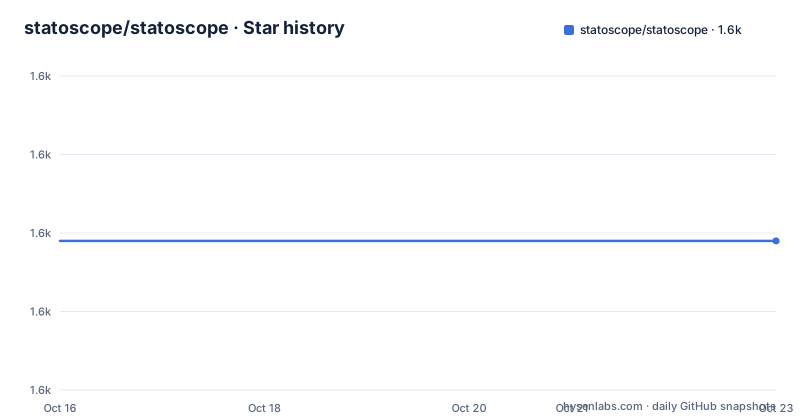
Star history
- statoscope/statoscope1,579 ★ · +0
| Repository | 2026-10-16 | 2026-10-23 |
|---|---|---|
| statoscope/statoscope | 1.6k | 1.6k |
0 Stars in the last 7 days, measured from the daily GitHub snapshot. Compare with other projects
Editorial analysis
The stats file is the input, and it is the whole input
The description is short and precise, a toolkit for analyzing with a UI-based report and validating the stats of your bundle. That means Statoscope does not look at your source code, it looks at the artifact webpack produces, the stats file, and everything it reports is derived from that. The consequence is that it is fast and it is complete, since the stats file describes what ended up in the bundle rather than what the tool inferred, and it works on a bundle built by a different machine or a different pipeline. The other consequence is that it is webpack specific, because the stats format is webpack's own, and the package name in the repository confirms the focus with the webpack-runtime-analyzer and webpack-stats topics. The audience is a front-end team whose bundle has become the thing everybody argues about.
A dependency tree, a size map, and the duplicate finder
The key features are listed as a set of capabilities, and the first three are the ones that answer the daily questions. The full dependency tree covers modules, chunks, assets, entrypoints and packages, which is the map you need when somebody asks why a library is in the bundle three times over. The size map covers entrypoints, chunks and packages, so you can see where the bytes are rather than guessing. And packages copies and duplicates of modules detection is the feature that tends to produce a quick win, because a duplicated module is bytes you are paying for on every user request, and the tool finds them systematically rather than by eye. The next feature is stats validation with a bunch of useful rules, for example on the CLI, which is the one that turns a finding into a gate. The last two are stats comparison, for seeing what a build actually changed, and custom reports for your stats.
The plugin makes a report, the CLI makes a gate
There are two packages, and the split is between looking and checking. packages/webpack-plugin is the webpack plugin for generating a UI-based report about your bundle, and packages/cli is the CLI tools for validating your stats. The plugin is what you run in a build, and the report is a page you can open, which is what makes a bundle discussion reviewable in a pull request. The CLI is what you run in a pipeline, and the validation rules are the payload, since a rule that fails the build is a constraint that survives, whereas a chart in a comment is a chart somebody has to remember to look at. The project also runs a sandbox at statoscope.tech, so you can look at a report without installing anything, which is the fastest way to work out whether the questions you have are the questions it answers.
Comparing two stats files, and writing your own report
Stats comparison is a first-class feature rather than something you do by hand, and the use case is a release comparison, where you want to know what a version added and what it dropped, in bytes and in modules. Custom reports for your stats are the other half, and they are written with jora QL, a query language for JSON, which is the same idea that makes a stats file a good subject for querying in the first place. The distinction between a report the tool ships and a report you write is the useful one, because the shipped reports answer the common questions and a jora query answers the one your codebase has, such as which packages contribute to a specific entrypoint, or which modules appear in more than one chunk. The dependency tree, the size map and the duplicates finder are all answers you would otherwise write a query for.
Binary JSON, because stats files get big
Two of the listed features are about size, and they are related. There is no stats size limitation, and there is smart HTML report compression of up to 200x, with a wiki page explaining the compressing of stats with binary JSON. The reason this matters is that a webpack stats file for a large application is enormous, and the thing that makes stats analysis practical is that you can ship the stats to a report rather than to a colleague, and the thing that makes the report practical is that it has to be small enough to open. The compression entry points at a version, 5.25, which suggests it arrived as a discrete change in the 5.x line, and it is the kind of feature that changes what a tool is for, since a bundle report you can attach becomes a bundle report you can share.
The repository is a lerna and nx monorepo
The tooling is visible in the root package.json. It is a private package named statoscope with npm workspaces over packages/*, and the scripts are all lerna calls, with a test that runs lerna run test, a test:ci that adds the ci and coverage flags, a lint and a lint:fix, a build, and an all target that sets NODE_ENV=production and runs build, test and lint together. The build is orchestrated by nx, with the nx plugins for jest, js and the linter, and there is nx-cloud in the dependency list, so the task graph is cached remotely. The tests are jest, configured through jest.config.ts and a jest.preset.js, the linting is eslint with the TypeScript, jest, node, import and prettier plugins, and the commit messages go through commitlint with the conventional config, enforced by husky through the bootstrap script that runs on postinstall. The author is Serget Melyukov, and the licence is MIT with a LICENSE file at the root.
Where it fits, and what it does not replace
Two limits. The first is the scope, which is the bundle and not the application. Statoscope will tell you that a package is in your bundle twice and that a chunk is larger than your budget, and it will not tell you whether the code inside that chunk is good, which is a different class of tool. The second is that the rules are the ones the project ships, and the validation set is only as good as the rules in it, so a team that cares about a specific constraint, a maximum size for one entrypoint, or a forbidden dependency, has to write that rule rather than find it. That is the same trade as any linter, and the custom report mechanism is the answer to the second half of it, since a jora query can express a check that the built-in rules do not. The maintenance picture is worth noting. The last release listed is v5.29.0 from 2025-04-05, with v5.28.3 before it and v5.28.2 from 2023, while the last push to the repository was on 2026-04-14, so the tree is being worked on and the published versions move more slowly than the commits.
Editorial conclusion
statoscope is the right tool if your bundle has grown past the point where you can hold it in your head, because the dependency tree and the duplicate detection answer the questions you would otherwise answer by guesswork, and the validation rules turn the size budget into something a CI job can fail on. It is the wrong tool if you are on a bundler other than webpack, since the stats format is webpack's own, and it is a poor fit as a one-off inspection, because the binary JSON format and the plugin setup are more machinery than a text file and a spreadsheet. Before you adopt it, decide where the report lives, since a UI-based report is useful in a pull request and useless in a build log, and try the sandbox first to see whether the questions you have are ones the tool answers.
Frequently asked questions
What does Statoscope analyze?
The stats of your webpack bundle. It provides a full dependency tree of modules, chunks, assets, entrypoints and packages, a size map of entrypoints, chunks and packages, and detection of duplicated module copies, all derived from the stats file rather than from your source code.
What are the two Statoscope packages?
packages/webpack-plugin is the webpack plugin that generates a UI-based report about your bundle, and packages/cli is the CLI for validating your stats with a set of rules, for example on the command line. The project also runs a sandbox at statoscope.tech so you can try a report without installing anything.
Can I write my own reports for webpack stats?
Yes, custom reports for your stats are a listed feature and they are written with jora QL, a query language for JSON. The dependency tree, size map and duplicates finder are all answers you would otherwise write a query for, so a question specific to your codebase can be asked the same way.
Why does Statoscope compress the stats file?
Because a webpack stats file for a large application is enormous, and the feature list pairs a smart HTML report compression of up to 200x with no stats size limitation, using binary JSON. It is what makes it practical to attach a bundle report to a pull request or share it with a colleague.
Official sources
Add this badge to your README
If you maintain this project, the badge below links readers to this analysis and shows its maintenance status from the daily GitHub snapshot. Paste the markdown into your README; add ?metric=license or ?metric=stars to the image URL for a different field.

[](https://hysenlabs.com/projects/statoscope-statoscope)Star history chart for your README
[](https://hysenlabs.com/projects/statoscope-statoscope)Was this useful?