PolyHook 2.0 for Windows and Unix Inline Hooking
C++20, x86/x64 Hooking Libary v2.0
At a glance
- What is it?
- PolyHook 2.0 is a C++20 x86 and x64 hooking library with inline, breakpoint, table, and virtual dispatch mechanisms. It fits low-level instrumentation work, but its Windows-specific execution paths and sparse inline API examples require careful evaluation.
- Who is it for?
- Adopt PolyHook 2.0 when an engineering task genuinely requires x86 or x64 function interception and the team can handle low-level ABI and relocation constraints. Do not choose it as a general instrumentation layer or assume the sparse API examples cover a production integration.
- Can I use it commercially?
- Yes. MIT is a permissive licence: you can use, modify and sell software built on it, as long as you keep its copyright and licence notices.
- Is it still maintained?
- Yes. The repository last received commits 117 days ago.
- What is it written in?
- Mainly C++, according to GitHub's language statistics.
Answers come from the project's GitHub data, last synced on October 24, 2026, and from our analysis. They are not legal advice.
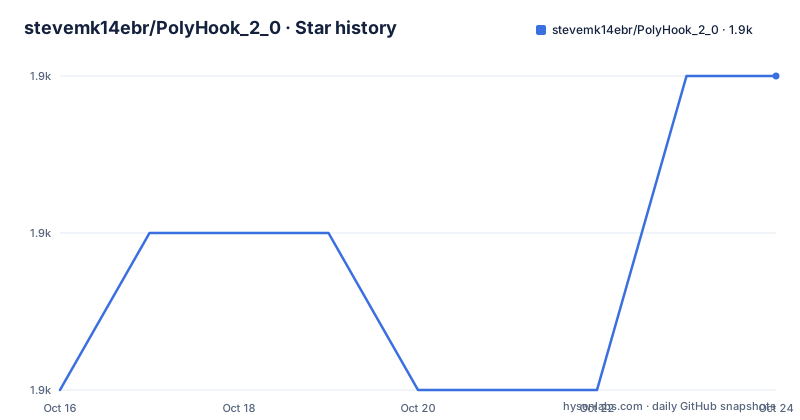
Star history
- stevemk14ebr/PolyHook_2_01,906 ★ · +2
| Repository | 2026-10-16 | 2026-10-24 |
|---|---|---|
| stevemk14ebr/PolyHook_2_0 | 1.9k | 1.9k |
2 Stars in the last 8 days, measured from the daily GitHub snapshot. Compare with other projects
Editorial analysis
PolyHook 2.0 Target Problems and Supported Architectures
PolyHook 2.0 addresses the need to redirect calls into native x86 or x64 code. It is aimed at developers building low-level Windows or Unix software that must observe, replace, or extend the behavior of compiled functions. The repository describes the project as a C++20 library and supports both x86 and x64 targets. It can work across architectures in a limited but explicit sense: the README says a 32-bit process can hook 64-bit code when the caller supplies suitable callback shellcode and can override memory access routines for 64-bit memory.
The library is not limited to one interception technique. Inline hooks overwrite a function prologue and route execution through a trampoline. Virtual function and virtual table hooks replace dispatch pointers. Breakpoint hooks alter code bytes or debug registers, while IAT and EAT hooks replace pointers associated with imported or exported functions. This range makes the project relevant to reverse engineering, compatibility layers, debugging tools, and software that needs controlled interception of machine code.
That scope also defines its audience. It is for engineers who understand executable memory, calling conventions, relocation, and process architecture. A developer who only needs structured logs or a higher-level application interface will find that this library operates below those layers. The README lists Unix compatibility, but many mechanisms use Windows concepts such as the PEB and IAT. The README does not provide a feature-by-feature platform matrix, so Unix suitability should be checked against the relevant tests rather than inferred from the general statement.
Inline Hook Relocation and Disassembly Flow
The primary inline mechanism starts by decoding the target function with a disassembler. Capstone is included by default, and Zydis is also supported through an abstracted backend. PolyHook 2.0 then places a jump at the prologue and creates a trampoline that continues execution of the displaced original instructions. The README specifically says this is done through an intermediate instruction object rather than by relying on a fixed byte count.
Relocation is the difficult part of that flow. PolyHook 2.0 relocates the prologue, resolves position-dependent code, adjusts branches into the overwritten region, and redirects jumps from the relocated prologue through a jump table. Relocations inside the moved instructions are derived by disassembly rather than read from a conventional relocation table. Instructions that cannot be relocated directly may be rewritten into semantically equivalent forms through dynamic binary rewriting. Code caves and padding can also be selected or used as fallback space.
On x64, the generated trampoline is not limited to a plus or minus 2 GB reach. The README says it can be placed anywhere, subject to the detour scheme, and that the implementation avoids shadow-space handling and unnecessary register consumption. The library also follows already hooked functions and resolves indirect calls, including calls through an IAT, so it attempts to patch the underlying implementation.
Failure handling is more deliberate than a basic byte patch. Writes are batched until later stages succeed, which the README says prevents an intermediate failure from leaving the original function malformed. That claim only covers failures at the inline installation stages described by the project. It does not remove risks from an invalid target address, an incorrect callback ABI, architecture mismatch, or instructions that cannot be represented by the relocation logic.
Non-Inline Hook Modes and Their Constraints
PolyHook 2.0 includes mechanisms for cases where changing a prologue is unsuitable. `VFuncSwap` changes entries at specified indexes in a C++ virtual table. `VTableSwap` first makes a deep copy of the table and replaces the object or class pointer to that table with a new allocation before changing its entries. That distinction matters because the second approach changes where dispatch begins, while the first changes individual entries in an existing table.
`BreakpointHook` writes `0xCC` over the first byte and invokes a callback from an exception handler. It provides automatic restoration of the original byte. `HWBreakpointHook` instead uses the processor's debug registers to create a hardware execution breakpoint. The README imposes a strict condition here: hardware breakpoints are per thread, and the thread that installs the hook must be the thread being hooked. The suggested detour pattern is therefore to enter code that runs on the correct thread, install the hardware breakpoint there, and later remove it.
`IatHook` resolves loaded modules through the PEB, locates the IAT, and swaps the relevant thunk pointer. `EatHook` follows the PEB-based export path and replaces an export pointer. Because an EAT entry is described as a 32-bit offset, the library can allocate a trampoline when a full transfer to the callback requires one.
`Runtime Inline Hook` adds a generated translation stub for a function whose typedef is not known until runtime. The stub moves arguments into a small structure, passes its address to a callback, and permits return-value substitution. These alternatives are useful, but they are not interchangeable. A vtable change only works where C++ dispatch data can be found. A breakpoint hook depends on exception handling, while a hardware breakpoint depends on thread context. PolyHook offers several low-level tools, not one universal interception policy.
vcpkg and Manual CMake Setup for PolyHook 2.0
The README gives a vcpkg route for Windows x86 and x64 packages. Its bootstrap procedure comes from Microsoft, after which separate static and shared package names are installed for the selected architecture. The commands below are reproduced from the README. Run the bootstrap command from an elevated prompt because the README marks `integrate install` as administrator-only.
git clone https://github.com/Microsoft/vcpkg.git
cd vcpkg
.\bootstrap-vcpkg.bat -disableMetrics
.\vcpkg integrate install
For an x86 build, install both documented vcpkg variants:
vcpkg.exe install polyhook2:x86-windows-static polyhook2:x86-windowsFor x64, use the architecture-specific x64 package names instead:
vcpkg.exe install polyhook2:x64-windows-static polyhook2:x64-windowsThe generated `.lib` must be linked after including the PolyHook headers. The README does not provide a complete include or link snippet, so it would be unsafe to invent exact header names or CMake target names. The repository does contain `Examples/VCPKG_DynamicLink/` and `Examples/VCPKG_StaticLink/`, which are the documented places to inspect for concrete integration syntax. Those examples are the appropriate first-use reference for a vcpkg consumer.
A manual build clones the project with its submodules, because the dependency directories such as `asmjit`, `asmtk`, and `zydis` are included as repository content. The documented commands are:
git clone --recursive https://github.com/stevemk14ebr/PolyHook_2_0.git
cd PolyHook_2_0
git submodule update --init --recursive
cmake -B"./_build" -DCMAKE_INSTALL_PREFIX="./_install/" -DPOLYHOOK_BUILD_SHARED_LIB=ON
cmake --build "./_build" --config Release --target install
The final CMake command shown above builds the shared configuration. For a static library, configure with `-DPOLYHOOK_BUILD_SHARED_LIB=OFF`. The README says Visual Studio 2022 can open the root as a CMake project and build all targets. Capstone, Zydis, and asmjit are built and linked through the project, so they should not be built separately.
First Use Through Examples, Tests, and Generated Documentation
The repository gives developers a first-use route, but it does not embed a short hook declaration in the README. It directs users to the generated documentation at `https://stevemk14ebr.github.io/PolyHook_2_0/` and explicitly says to read the tests. That guidance is more useful than a minimal example because the library has several mechanisms with different prerequisites.
The top-level `UnitTests/` and `MainTests.cpp` entries provide the clearest repository-local references for expected behavior. A new user should identify the hook type required by the target, then find the corresponding test and example before writing an application callback. For a static-library integration, the README points to an example project but does not reproduce its exact source. For a shared DLL, it says the build exports all symbols. That differs from a conventional Windows DLL with manually selected `declspec(dllexport)` exports, and it increases the export list.
The build itself is a meaningful first verification step. A successful install should produce the requested library configuration under the configured installation prefix, or the corresponding vcpkg package and `.lib`. The README does not specify expected filenames, include names, CMake package target names, or runtime output, so those details must be read from the build output, `CMakeLists.txt`, and the two `Examples/` directories.
Visual Studio users are told not to run the CMake commands manually when using the IDE workflow. Opening the folder through `File`, then `Open`, then `CMake` starts generation, and `CMake` then `Build All` builds the project. The repository warns against using the install target in that IDE workflow. The README also says the CMake cache should be cleared when changing static or dynamic options, since those settings materially affect linkage.
PolyHook 2.0 Compatibility Limits and Upgrade Work
The most significant limitation is the low level at which the library operates. Inline relocation depends on the target's executable instructions, callback ABI, architecture, and available overwrite space. The README describes advanced handling for non-relocatable instructions and non-relocating x64 trampolines, but it does not claim that every compiled function can be hooked. Calls through obscure control flow, corrupted function tables, or target code that behaves outside the disassembler's model can still require project-specific analysis.
There are also limits that users must apply themselves. A callback with the wrong calling convention can corrupt the stack even if installation succeeds. Cross-architecture operation requires user-written callback shellcode, according to the README. The PEB-based IAT and EAT mechanisms are inherently tied to the Windows module-resolution model. The README says the library is Unix compatible, but it does not say every hook mechanism is portable.
The project has no GitHub releases, so the repository does not provide a release-based upgrade channel. Its last push was on 2026-06-29, and it is not archived. Those facts indicate recent repository activity, but they do not establish API stability or compatibility between commits. Upgrade planning should therefore account for changes in CMake options, library targets, exported symbols, and internal test expectations.
PolyHook 2.0 uses the MIT license. That permits use, modification, distribution, and sublicensing under the license's stated conditions, including preservation of its copyright and permission notice. It also carries the usual disclaimer that the software is provided without warranty. This is a licensing note rather than legal advice. An adopting project still needs to review dependency licenses, especially because the build includes third-party components such as Capstone, Zydis, asmjit, and asmtk.
Editorial conclusion
Adopt PolyHook 2.0 when an engineering task genuinely requires x86 or x64 function interception and the team can handle low-level ABI and relocation constraints. Do not choose it as a general instrumentation layer or assume the sparse API examples cover a production integration. Before adoption, build the intended static or shared configuration, inspect the repository tests for the required hook type, and verify the target process architecture and callback ABI. The first project-specific decision is whether the selected hook mechanism can be demonstrated against the exact Windows or Unix target.
Frequently asked questions
How do I install PolyHook 2.0 on Windows?
The README documents installation through vcpkg for x86 or x64, with separate static and shared packages. It also provides a recursive Git clone and CMake build for a manual installation.
Which disassembly backends does PolyHook 2.0 support?
PolyHook 2.0 supports Capstone and Zydis as interchangeable disassembly backends. Capstone is included by default.
What limitation applies to PolyHook 2.0 hardware breakpoint hooks?
A hardware breakpoint is per thread. The thread calling `hook()` must be the same thread whose execution is being intercepted.
Does PolyHook 2.0 support x86 and x64 processes?
The library supports x86 and x64 hooks and documents cross-architecture scenarios. Hooking 64-bit code from a 32-bit process requires the caller to provide appropriate callback shellcode.
Where can I find a PolyHook 2.0 usage example?
The repository provides `Examples/VCPKG_StaticLink/` and `Examples/VCPKG_DynamicLink/`. The README also directs developers to the generated documentation and the tests.
Official sources
Add this badge to your README
If you maintain this project, the badge below links readers to this analysis and shows its maintenance status from the daily GitHub snapshot. Paste the markdown into your README; add ?metric=license or ?metric=stars to the image URL for a different field.

[](https://hysenlabs.com/projects/stevemk14ebr-polyhook-2-0)Star history chart for your README
[](https://hysenlabs.com/projects/stevemk14ebr-polyhook-2-0)Was this useful?