AppMessenger reads APK, IPA and HAP packages without running them
一款适用于以APP病毒分析、APP漏洞挖掘、APP开发、HW行动/红队/渗透测试团队为场景的移动端(Android、iOS、鸿蒙)辅助分析工具
At a glance
- What is it?
- AppMessenger is a desktop analysis tool for mobile app packages, aimed at virus analysts, vulnerability researchers, app developers and red team operators. It parses an APK, IPA or HAP file and reports the package name, version, signature, file hashes, permissions, embedded SDKs, URLs and vulnerability findings, and the repository ships binaries and documentation rather than source.
- Who is it for?
- AppMessenger is worth adopting if you are triaging mobile app packages and you want the basics of each package collected in one pass, because the tool covers APK, IPA and HAP and produces a detection document without installing or running anything. It is the wrong choice if you need reproducible analysis you can script and version, since the repository contains no source and the licence is not stated, and it is the wrong choice if you need deep dynamic analysis.
- Can I use it commercially?
- Not without permission. GitHub finds no licence file in the repository, and without a licence all rights are reserved by default: you may read the code but not reuse it. Check the README, or ask the authors, before using it.
- Is it still maintained?
- Yes. The repository last received commits 29 days ago.
- What is it written in?
- GitHub does not report a main language for this repository.
Answers come from the project's GitHub data, last synced on November 7, 2026, and from our analysis. They are not legal advice.
Star history
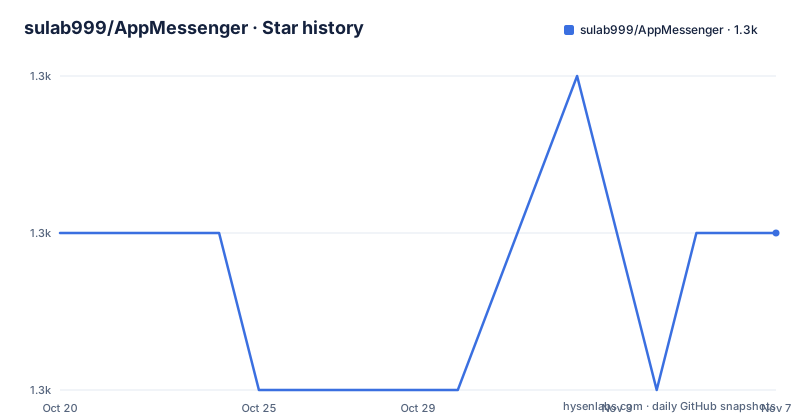
- sulab999/AppMessenger1,321 ★ · +0
| Repository | 2026-10-20 | 2026-11-07 |
|---|---|---|
| sulab999/AppMessenger | 1.3k | 1.3k |
0 Stars in the last 18 days, measured from the daily GitHub snapshot. Compare with other projects
Editorial analysis
A static reader for the package, not a runtime hook
AppMessenger is an auxiliary analysis tool for mobile platforms, covering Android, iOS and HarmonyOS, and the scenarios the project names are the ones that tell you what it is for: app virus analysis, app vulnerability hunting, app development, and hardware action, red team and penetration testing teams.
What it produces is stated plainly. It helps app developers, virus analysts and vulnerability and security researchers work more efficiently, and it helps penetration testers and attack or red team members quickly collect key asset information from a mobile app and output basic information such as the package name, the version, both versionName and versionCode, the application signature, file MD5, SDKs, URLs and app vulnerabilities.
So the unit of work is a package file. You point the tool at an APK, an IPA or a HAP and it reports what is inside, statically. Nothing is installed, nothing is executed, and there is no device in the loop. That is a meaningful difference from the dynamic approach, and it is the reason a tool like this is useful as a first pass: the cost of the first pass is a file on disk, and the output is the inventory you need before deciding what to do with the sample.
The project is a SULAB security team effort, and the readme thanks two knowledge base communities for their contributions, one on mobile security and one on big data security. The description calls the tool auxiliary, which is the right word for it.
The audience is the person who has been handed a package and needs to know what it is, which is most of the first hour of any mobile assessment.
Three package formats, one report shape
The readme is organised around the three formats, with a section each, and the structure is worth noting because it shows where the tool's coverage is uneven.
The APK parsing section is by far the largest, with three screenshots against two for the IPA section and two for the HAP section. The HAP section is the HarmonyOS package format, and the fact that it is supported at all is the more unusual thing here, because it is a Chinese platform whose tooling is not commonly covered by analysis tools.
There are then two sections that are not about a file format. One is detection document generation, with two screenshots, which is the reporting stage. The other is advanced detection, which the readme marks as currently only supporting APK, with three screenshots.
That last annotation is the honest limit of the project and it is stated in the heading itself rather than buried. The advanced checks, the ones beyond the basic extraction, work on Android packages only. So a team doing iOS work gets the basic inventory and the report, and a team doing iOS work expecting the same depth of advanced detection as on Android will not get it.
The three format sections also tell you the order of investment, since the screenshot counts track the effort. Android first, then the two other formats, with the advanced layer built on top of Android only.
What the basic detection actually extracts
The feature list in the readme is the closest thing to a specification, and the basic detection entry is the most concrete part of it.
Basic detection covers the file path, the package name, the version name, the file MD5, the file SHA1, the DEX MD5, the file size, the allowbackup flag, the debuggable flag and the packaging time. That is a triage sheet rather than a deep analysis, and it is the right set for a first look, because those are the values you use to decide whether two samples are the same build, whether a package was signed in debug mode, and whether a backup is possible.
The allowbackup and debuggable fields are worth a second look, because they are the two Android manifest flags that regularly appear in vulnerability reports, and having them in the first pass means the person reading the report sees them before they go looking. The packaging time and the hash set support the same clustering work, since analysts routinely need to group samples by build.
Around that, the readme lists the rest of the capability set. Any file can be identified by MD5. Information collection works for DEX, APK and IPA files. Android packer detection is supported, with the readme claiming an identification accuracy of 99 percent and calling it industry leading. App permission information and signature information are parsed, along with other system version information. Sensitive information detection covers URLs and IP addresses. And app vulnerability detection and detection document generation are both supported.
The Windows, macOS and Linux support matters for a tool in this category, because an analyst's machine is rarely the platform the sample targets. Note also the one explicit gap in the list: one click APK repacking is marked as not supported, with a cross mark, so the tool is for reading packages and not for modifying them.
Running it needs a JDK, and the launch story has more than one branch
The environment section is short and it names a real dependency. App file parsing requires a Java environment, with Java version 11 and above, and the Pro edition has the Java environment integrated so it works out of the box.
The launch instructions then split by version, and the split is worth reading because the free download and the Pro build behave differently.
For the Pro edition, you install and use it directly. Before v4.5, the readme suggests using jdk9 or jdk1.8. For the v4.5 to v4.6.3 range there are three options: if you already have a Java environment you can double click apkmsg.jar to start it and drag the app in for automatic identification, if it will not open or shows garbled text you can download the bundled jdk11 and run the script that is already written for you, and on Mac and Linux you need to give execute permission to the run script for your platform and to the files in JAVA_HOME, the readme giving the following command for the runtime directory:
chmod -R 777 JAVA_HOMEThe bundled jdk11 is distributed as a separate download, a jdk11.zip asset in the v4.6.2 release, and the free version itself is a zip, appmsg4.6.3.zip, linked from the top of the readme.
Two practical notes. The chmod 777 on the whole JAVA_HOME tree is broad, and on a shared machine it is more permission than a JDK usually needs, so it is worth replacing with execute permission on the specific files. And the version numbers do not line up across the readme and the release list, which is the subject of the last section.
No source in the repository, and no stated licence
The repository listing is short: README.md, the pic directory with the screenshots, a version file, a test image and a community image. There is no source tree, no build files and no test suite, and the primary language of the repository is not reported.
That has a direct consequence for anyone evaluating it. You are not adopting a library or a component, you are running a distributed binary, and you cannot read the code that parses the packages, you cannot build a modified version, and you cannot vendor it into a pipeline. The analysis output is something you have to trust or verify by hand, which is a different relationship from the one most engineers have with a tool they depend on.
The licence is the second gap. The repository metadata reports the licence as a custom one that GitHub cannot classify, and the readme does not name a licence at all. There is a disclaimer section, but it is a use restriction rather than a grant: it asks that the technology or code not be applied to malicious software creation, intellectual property theft or improper profit, and it says that applying the technology to sniff data from programs the user does not own would violate the Chinese criminal law, citing articles 217 and 286, along with the Cybersecurity Law and the Computer Software Protection Regulations. It states that the technologies mentioned are for private study and testing, and that any criminal or civil liability from improper use is the responsibility of the user.
So the readme is clear about the intended use and the consequences of abuse, and silent about the terms under which the code is licensed. For a commercial security team that is a question to put to the authors in writing before the tool touches real samples, because the disclaimers and the licence are different documents and only one of them is present.
Where the tool fits in a red team workflow
The scenarios the project lists are the ones that define the fit, and they are worth separating into two groups.
The first group is analysis for its own sake: app virus analysis, app vulnerability hunting and app information collection. Here AppMessenger is a triage accelerator. A sample arrives, and the question is what is inside it, which SDKs it embeds, what permissions it asks for, what URLs and IP addresses it talks to, and what the basic vulnerability checks find. The output is a document you can attach to a ticket, and the reporting format matters because that document is the deliverable.
The second group is offensive work: daily penetration testing and attack drills, where the point is collecting key asset information from the app, and the readme names the specific items: URL addresses, IP addresses and keywords. In that context the tool is an inventory step before the rest of the engagement, and the fact that it works on a file rather than on a live device is an advantage, because the first pass does not need a device and does not need to run the sample.
The limitation follows from the same place. This is a static inventory tool, so it reports what is present in the package, not what the application does at runtime. A server side flaw, an encrypted payload that only appears after decryption, a native library that phones home, or a behaviour gated on a server side flag will not appear in this output.
For a team that has a static analysis pipeline already, the tool is worth using as a fast first pass and a report generator. For a team that needs to defend a build pipeline decision, the missing source and the missing licence are the two things to settle, and the version mismatch between the readme and the release list is the third.
Editorial conclusion
AppMessenger is worth adopting if you are triaging mobile app packages and you want the basics of each package collected in one pass, because the tool covers APK, IPA and HAP and produces a detection document without installing or running anything. It is the wrong choice if you need reproducible analysis you can script and version, since the repository contains no source and the licence is not stated, and it is the wrong choice if you need deep dynamic analysis. Before you rely on it, check the version your download actually corresponds to, since the free version link in the readme points at v4.6.3 while the release tags are v1.5, v1.6 and v2.0, and note that the last push was on 2026-10-10.
Frequently asked questions
What is AppMessenger and what does it analyse?
It is a mobile auxiliary analysis tool for Android, iOS and HarmonyOS, aimed at app virus analysis, app vulnerability hunting, app development and red team work. It parses APK, IPA and HAP packages and reports the package name, version, signature, file MD5, SDKs, URLs and vulnerability findings.
Which file formats does AppMessenger support?
APK, IPA and HAP packages, and information collection also works on DEX files. The advanced detection section notes that it currently supports APK only, so the deeper checks are Android only.
What do I need to run AppMessenger?
App file parsing needs a Java environment with Java 11 or above, and the Pro edition has Java integrated. On Mac and Linux the run script and the JAVA_HOME files need execute permission, with the readme giving chmod 777 on both, and a bundled jdk11 is offered as a separate download for older versions.
Does AppMessenger repack or modify APK files?
No. One click APK repacking is listed with a cross mark, meaning it is not supported. The tool is for reading and reporting on packages, not for changing them.
What licence is AppMessenger released under?
The repository metadata reports the licence as a custom one that GitHub cannot classify, and the readme does not name a licence. It does include a disclaimer restricting use to legitimate private study and testing and stating that liability for improper use rests with the user.
Official sources
Add this badge to your README
If you maintain this project, the badge below links readers to this analysis and shows its maintenance status from the daily GitHub snapshot. Paste the markdown into your README; add ?metric=license or ?metric=stars to the image URL for a different field.

[](https://hysenlabs.com/projects/sulab999-appmessenger)Star history chart for your README
[](https://hysenlabs.com/projects/sulab999-appmessenger)Was this useful?